
Internal
How to rename node and edit node details ?
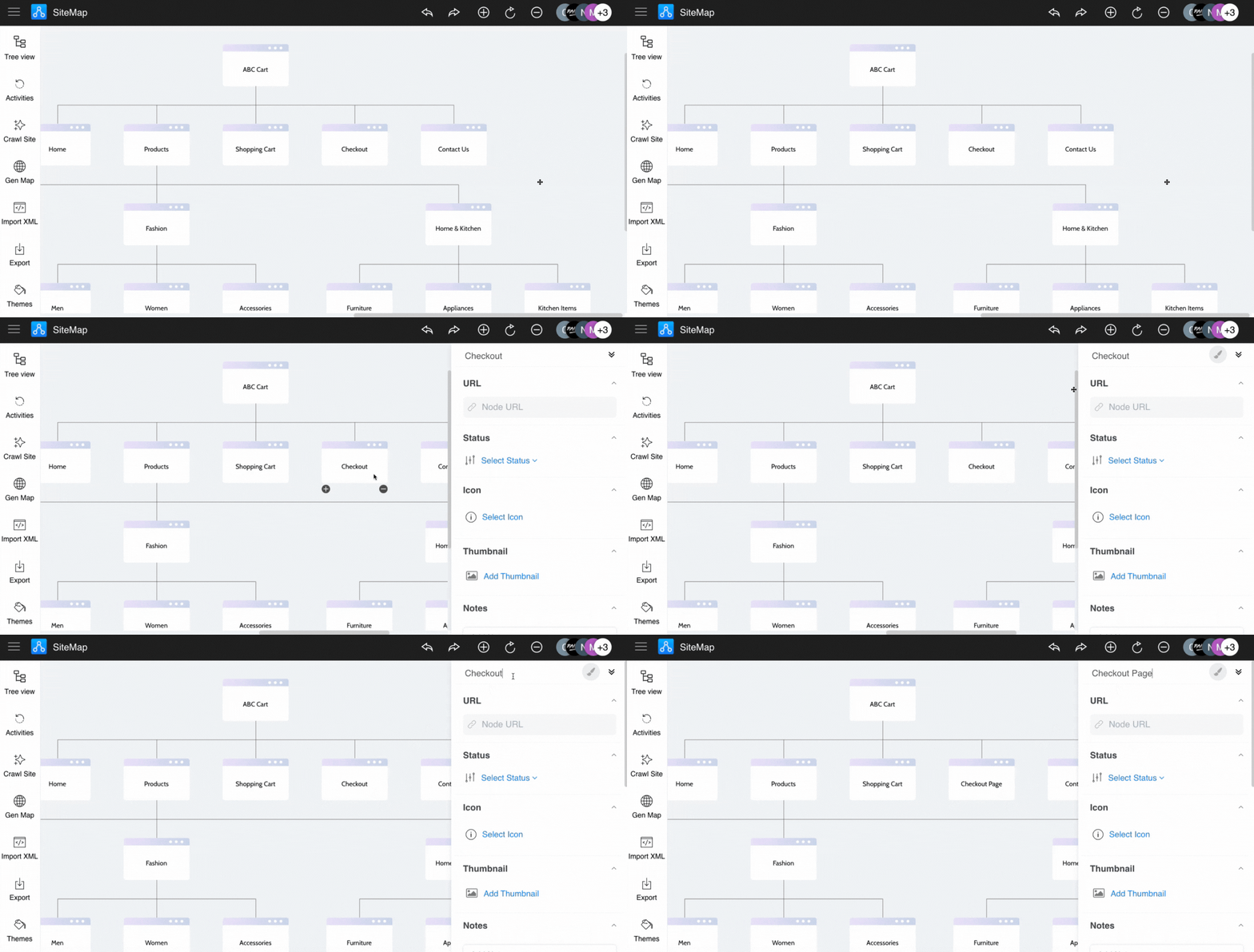
To rename a node, double-click on the node to edit its text. It can also be edited by bringing up its sidebar, which provides...
To rename a node, double-click on the node to edit its text.
It can also be edited by bringing up its sidebar, which provides the following node details:
Node name
Node URL
Node Status
Icon
Thumbnail
Notes
Comments
Files
Click the node.
Here can make the changes node.
Was this page helpful?