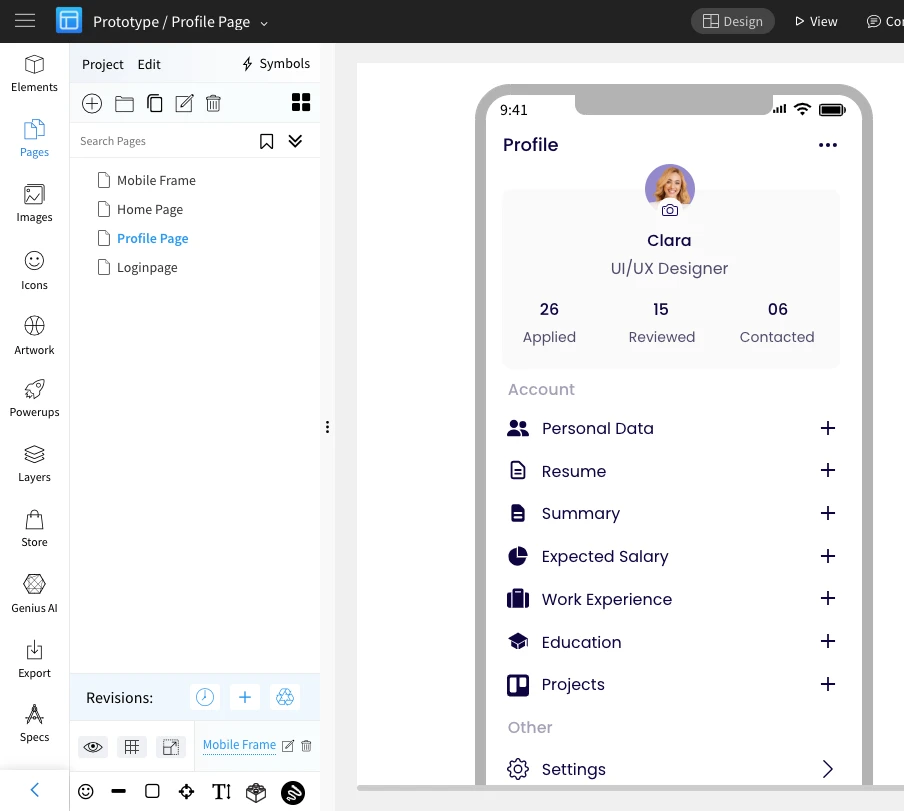
How to create Master pages in editor?
Master pages help to reuse the same content across different pages of a project. Use Cases - Master page for common header of a...
Master pages help to reuse the same content across different pages of a project.
Use Cases -
Master page for common header of a website.
Master page for common mobile placeholder or menu of a mobile app.. learn how to create and assign master pages.
Follow the below steps to create a master page :
Select a page.
Draw the wireframe component, which you want to make visible on multiple pages.
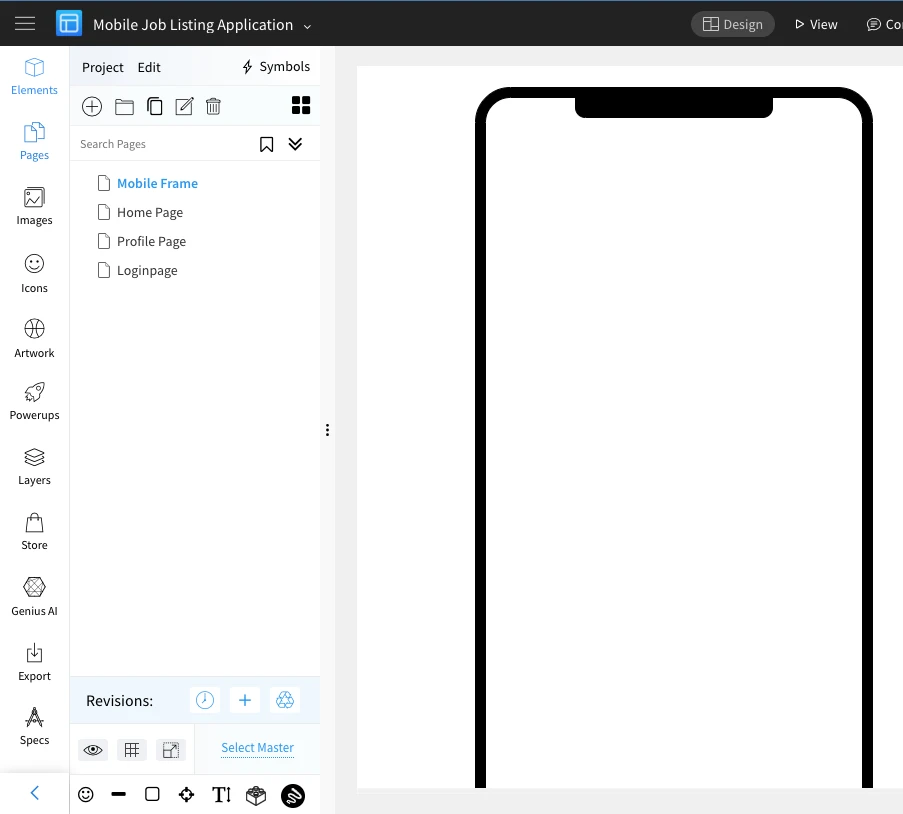
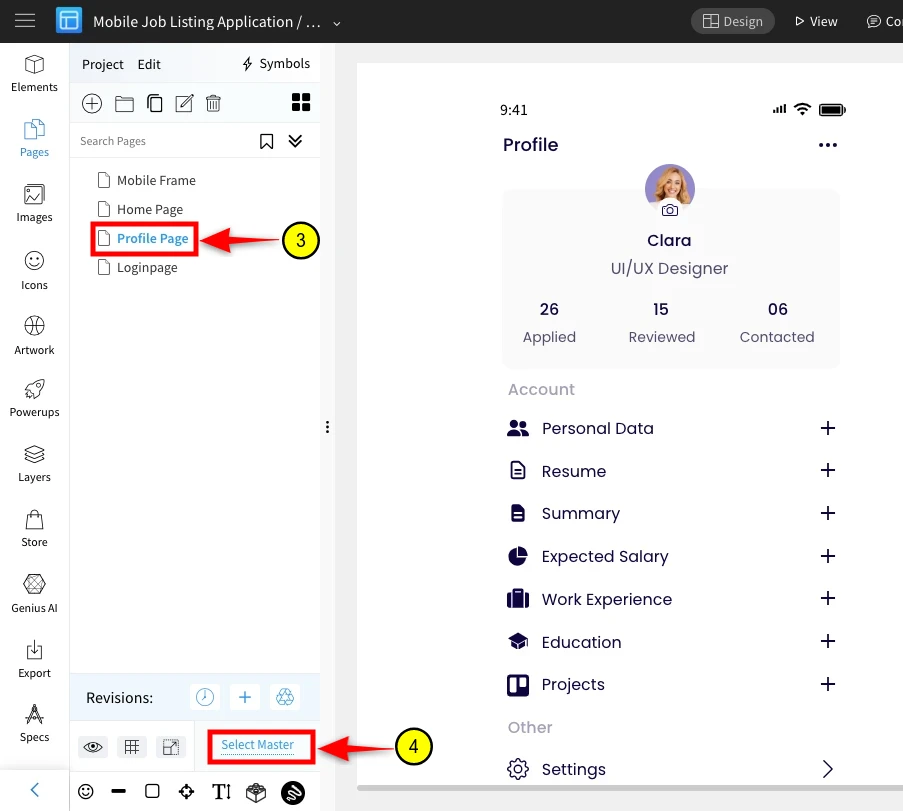
Click on a page, where you want to make the master page visible.
Click on "Select page" which opens a pop-up screen.
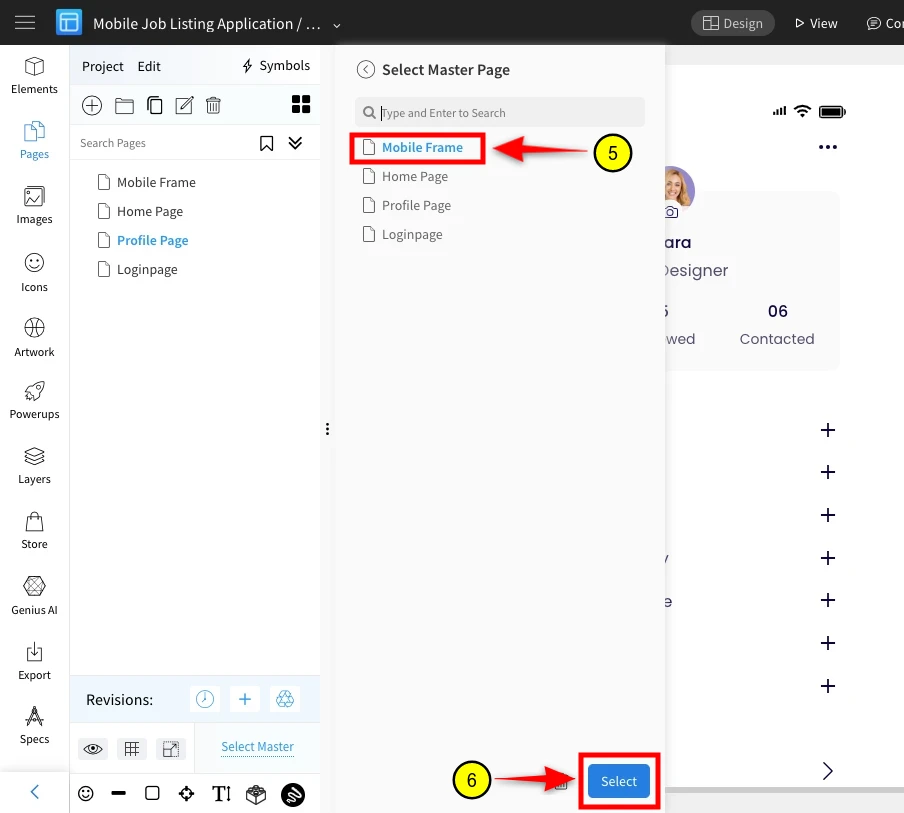
Select the "Mobile Frame" which has to be made as master page.
Click on "Select" button.
Here, the master page "Mobile Frame" is visible here and make it visible on multiple pages in the same way.