
Internal
How to add notes to SiteMap nodes ?
Users can quickly jot down notes for a page node using the sidebar. Notes are automatically saved and only support plain...
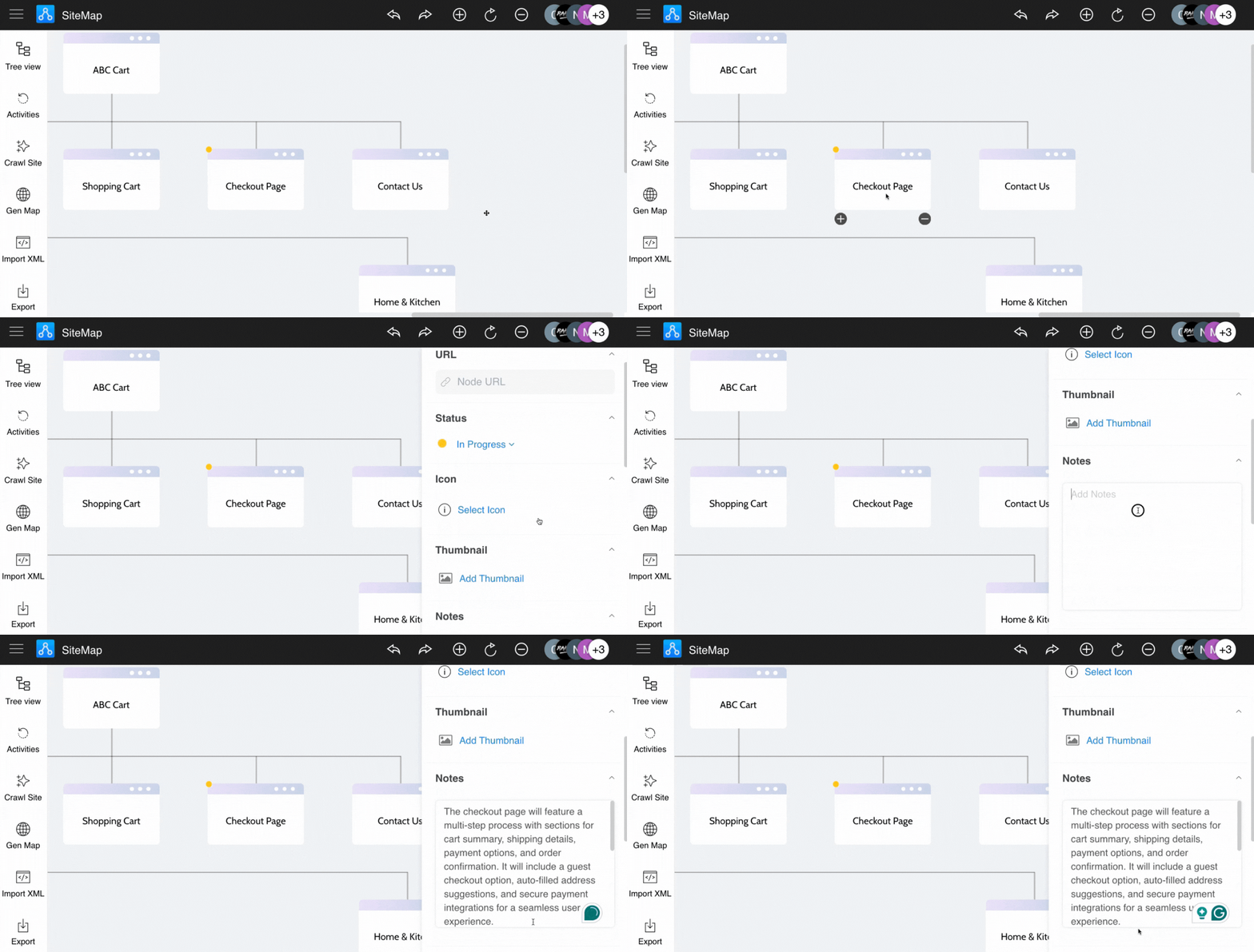
Users can quickly jot down notes for a page node using the sidebar. Notes are automatically saved and only support plain text.
Click the node, and open the sidebar.
Add notes for the node in the node's settings sidebar.
Was this page helpful?