Generate public URL or share link for my wireframe project
Optionally public access can be granted to any Wireframe Project. Public access lets anyone who knows the uniquely generated URL...
Optionally public access can be granted to any Wireframe Project. Public access lets anyone who knows the uniquely generated URL of the project view and add anonymous comments to it.
This is great for sharing a wireframe project with read-only access to a large audience such as social media, forums to collect more feedback about your design.
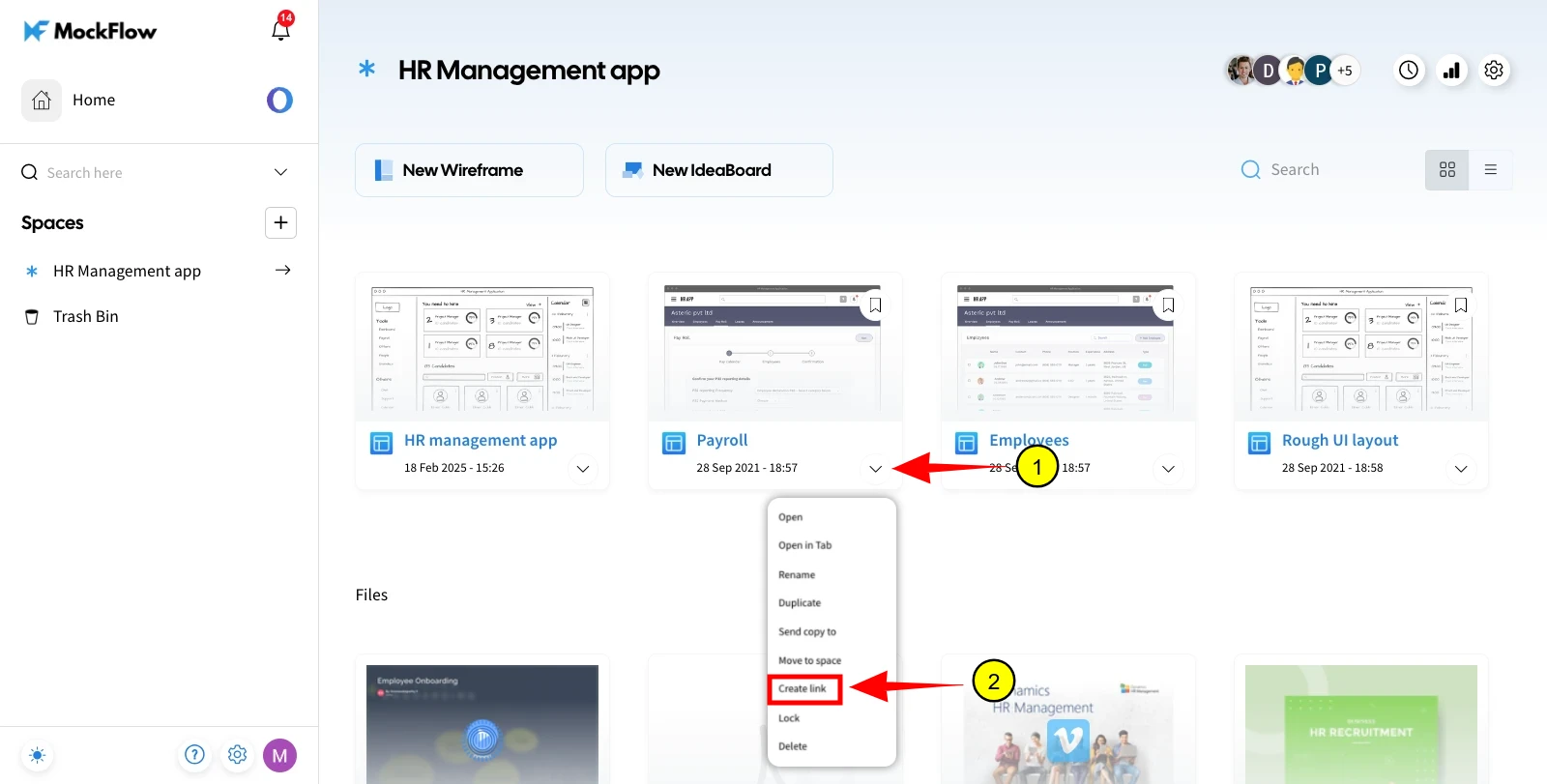
By default all created wireframe projects are private, to make them public follow the below steps:
Note: For privacy reasons, public projects won't display in search engine results or in any public directories.
Click on a project.
Click the more icon option.
Click 'Create link' to generate a public URL.