
Internal
How to delete a board?
Inside the Design space dashboard, locate the MockFlow Board you want to delete. Click the more options icon and...
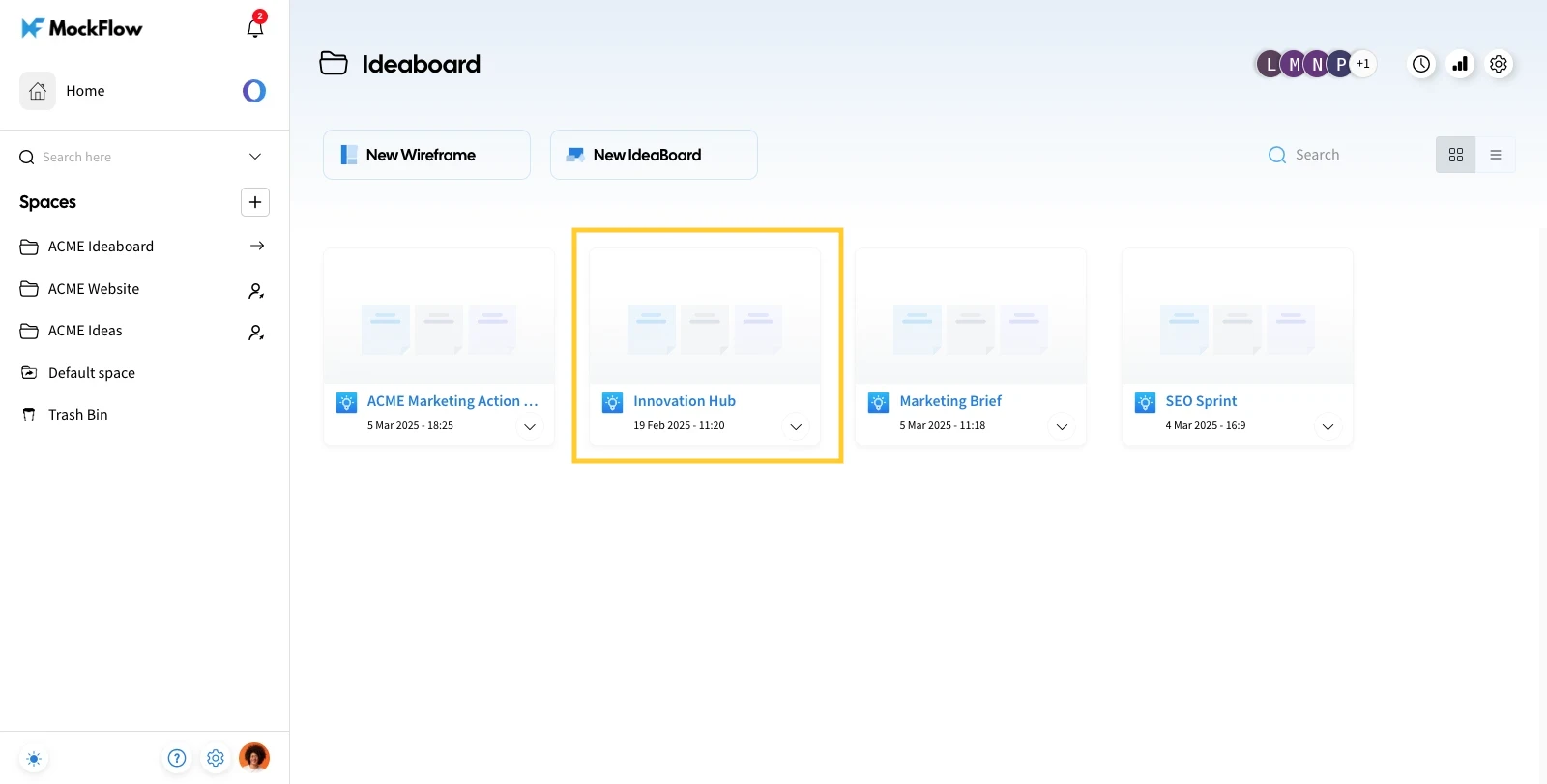
Inside the Design space dashboard, locate the MockFlow Board you want to delete.
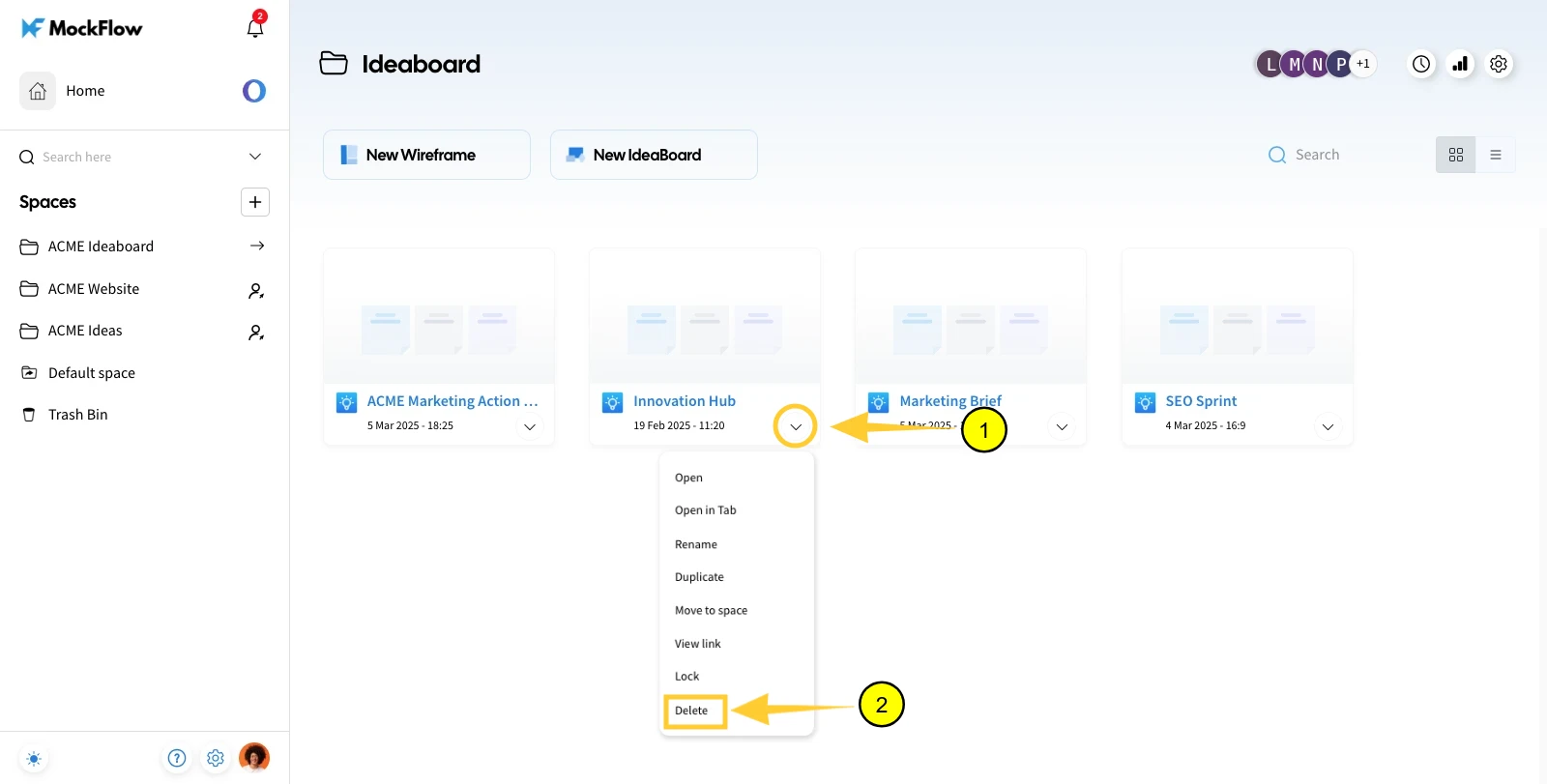
Click the more options icon and choose "Delete" from the drop-down list.
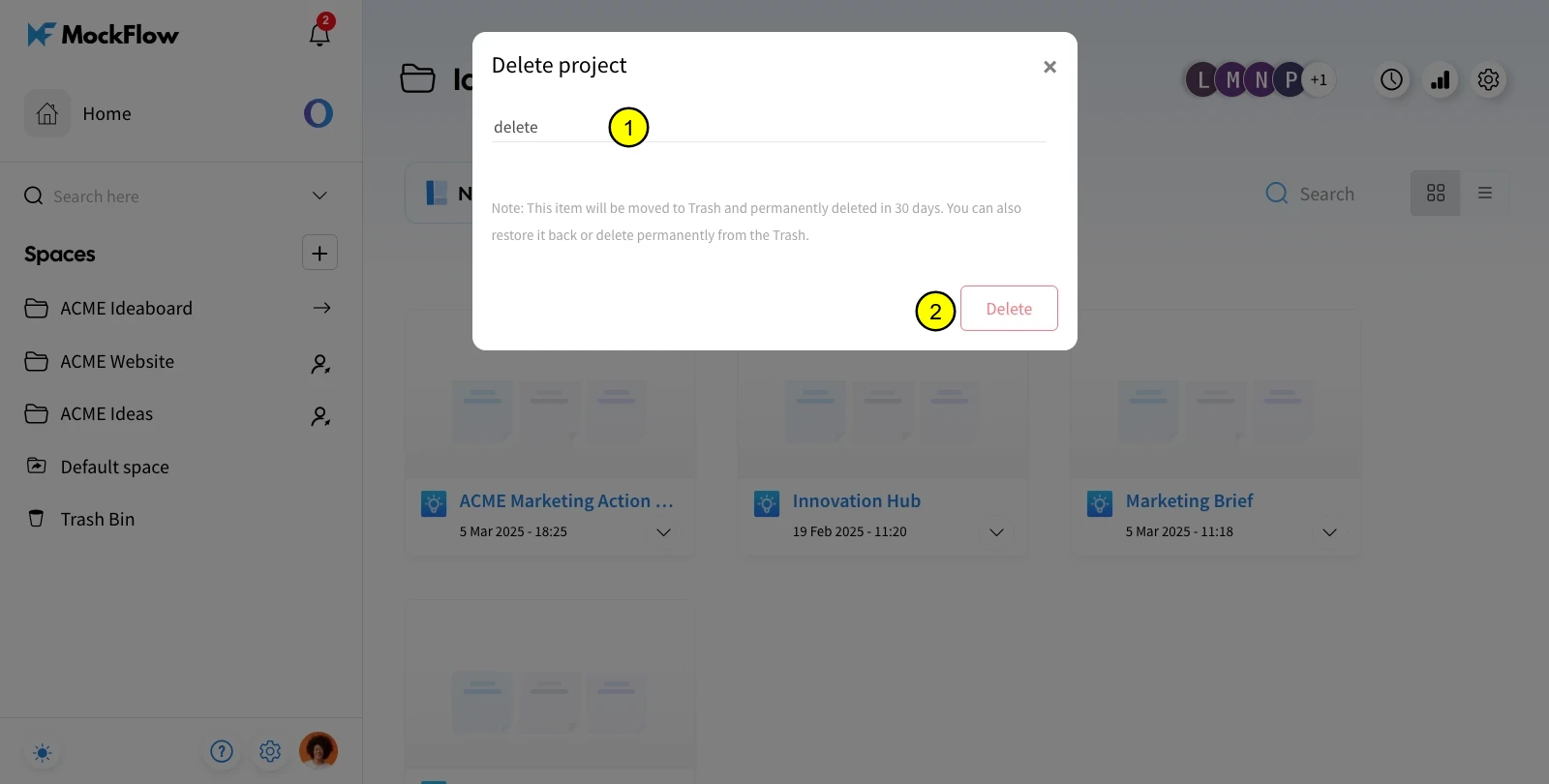
In the confirmation modal, type "delete" in the input field and click "Delete" to confirm.
The project will be deleted and will be added to the 'Trash Bin.'
Note - The project in the trash bin will be permanently deleted after 30 days from its date of deletion.
Was this page helpful?