
Internal
How to Reply to a Suggestion?
Learn how to effectively reply to design suggestions in MockFlow. Follow our tutorial for clear communication and collaboration in your design projects.
When a team member makes a suggestion on your design, you can reply to their comments in the respective threads. Here's how.
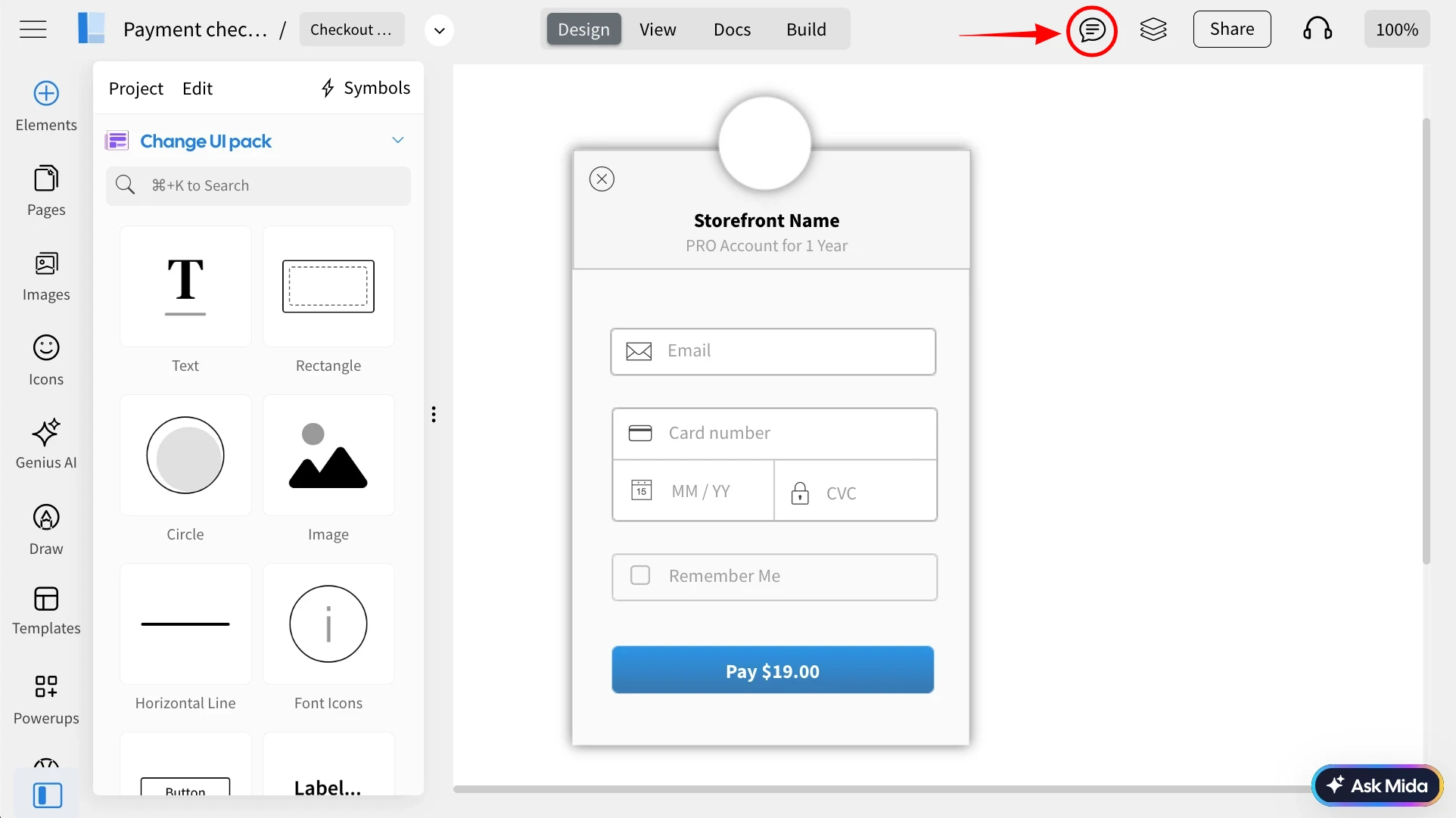
Click on the "Comment" in the top menu to open the comments sidebar.
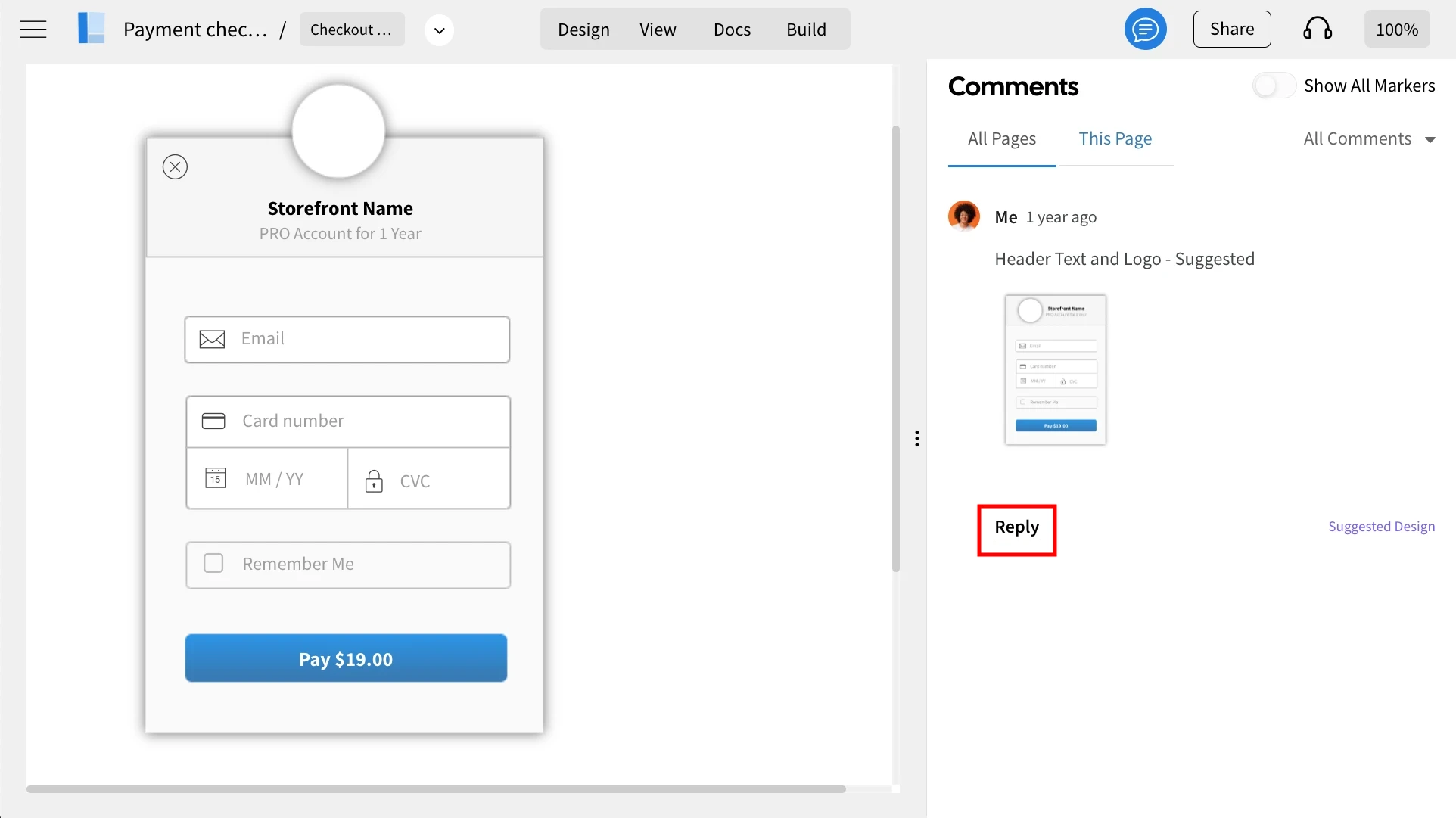
Here, you'll find a list of comments. Click on the reply button to the one where you want to respond.
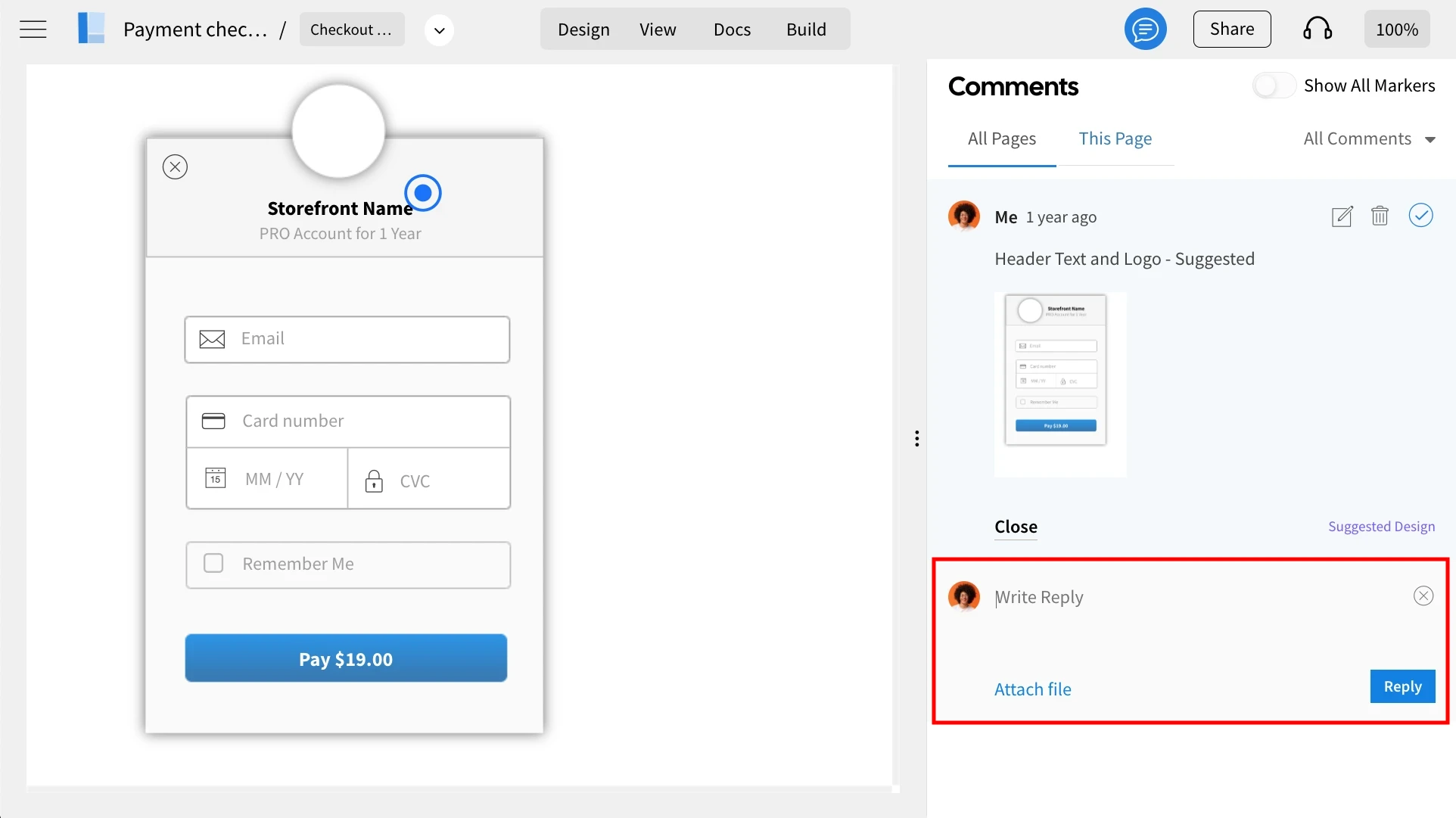
Type your response to the suggestion and click on 'Reply' to send it.
Was this page helpful?