How to transfer or merge one MockFlow account into another ?
Note: This feature is available only for Enterprise license holders. Others can use this operation -...
Note: This feature is available only for Enterprise license holders. Others can use this operation - https://support.mockflow.com/article/67-how-to-change-ownership-of-a-project
In certain circumstances, it will be necessary to migrate an entire MockFlow account to another user such as when an employee gets relieved, team restructuring, data migration etc. MockFlow provides a single-click self-serve data portability to help merge or transfer all data from one account into another. This feature merges all account data including projects, sharing, assets... to another user in a single operation.
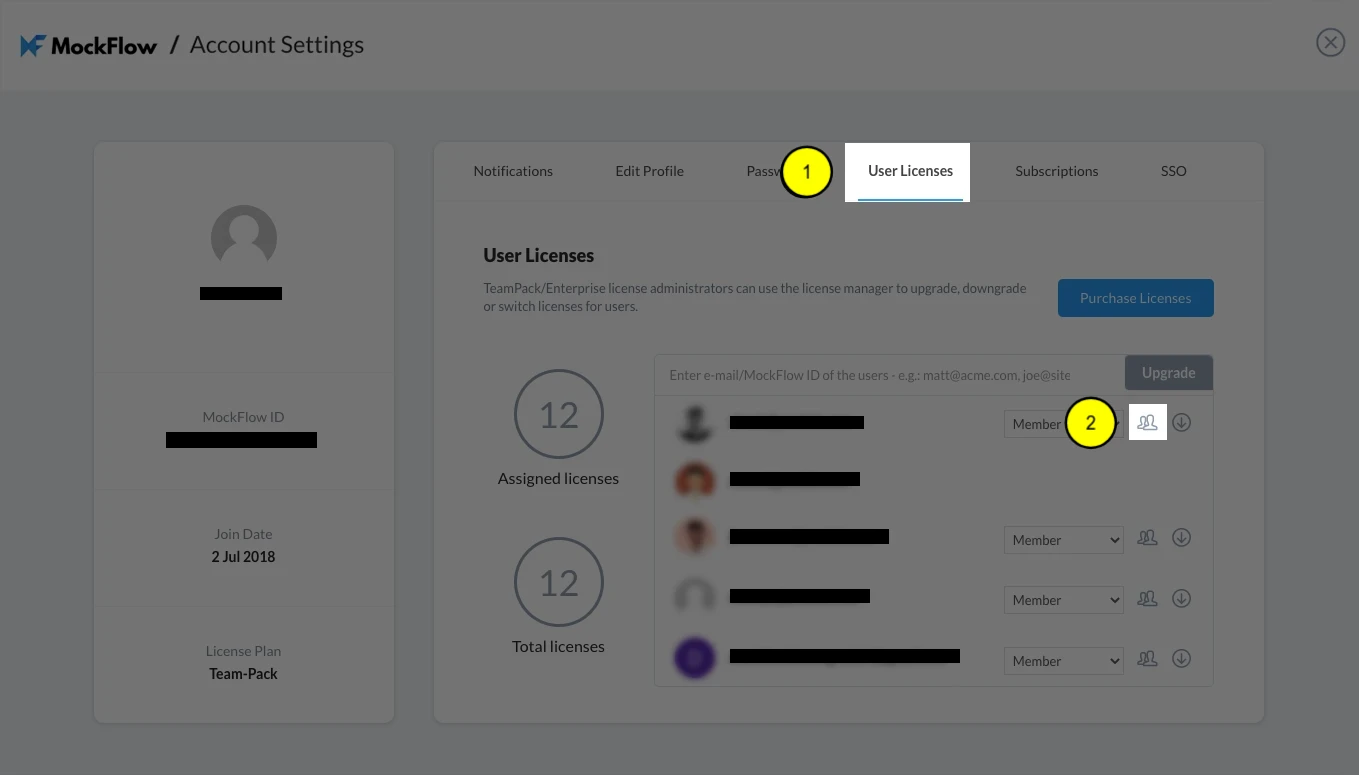
Open license manager in account settings:
Open license manager
Click on the transfer button next to the user from where you want to migrate the data from
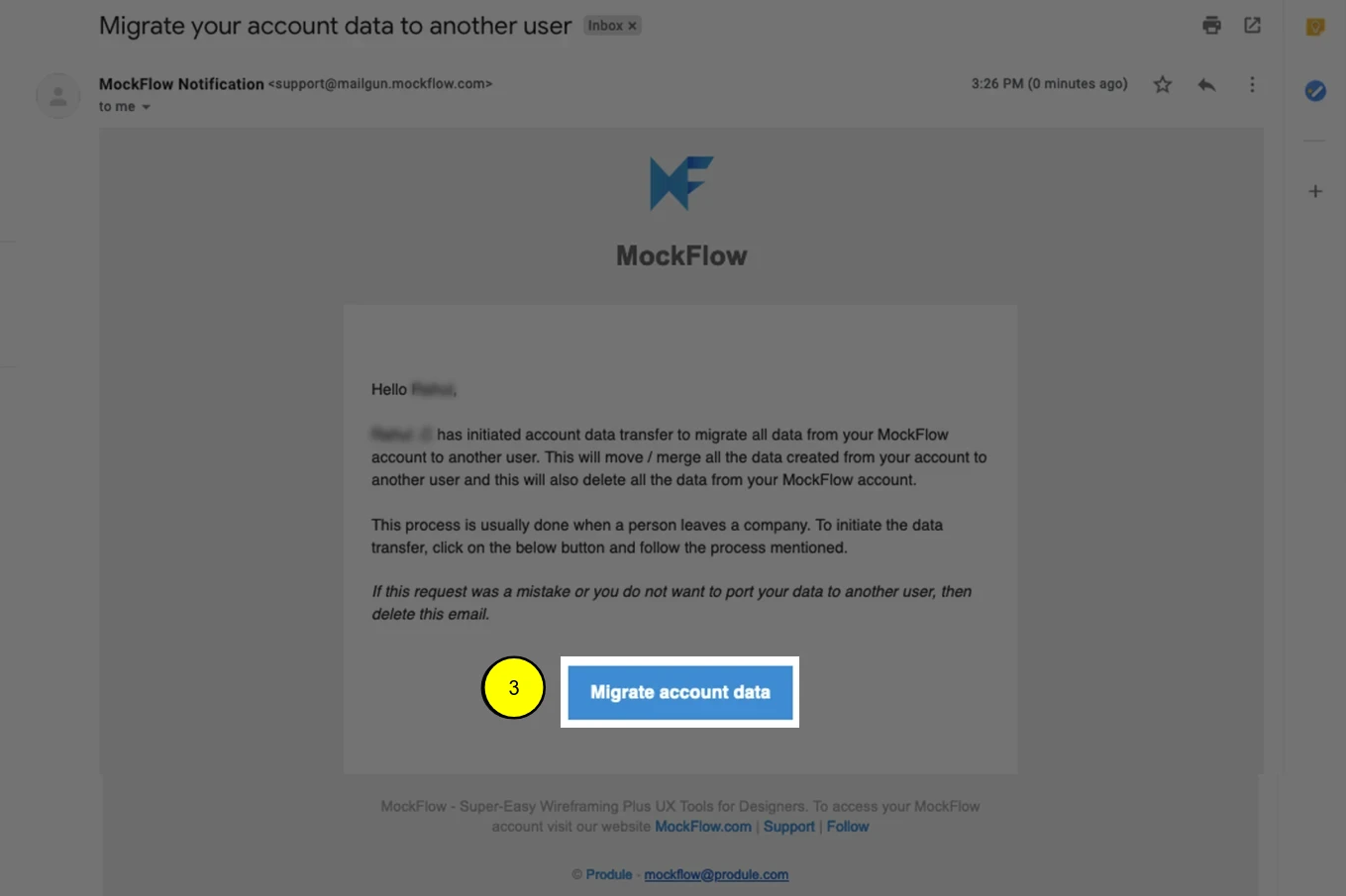
Email sent to that user after initiating data transfer:
Click on "Migrate account data" button initiate data transfer from this account to another account.
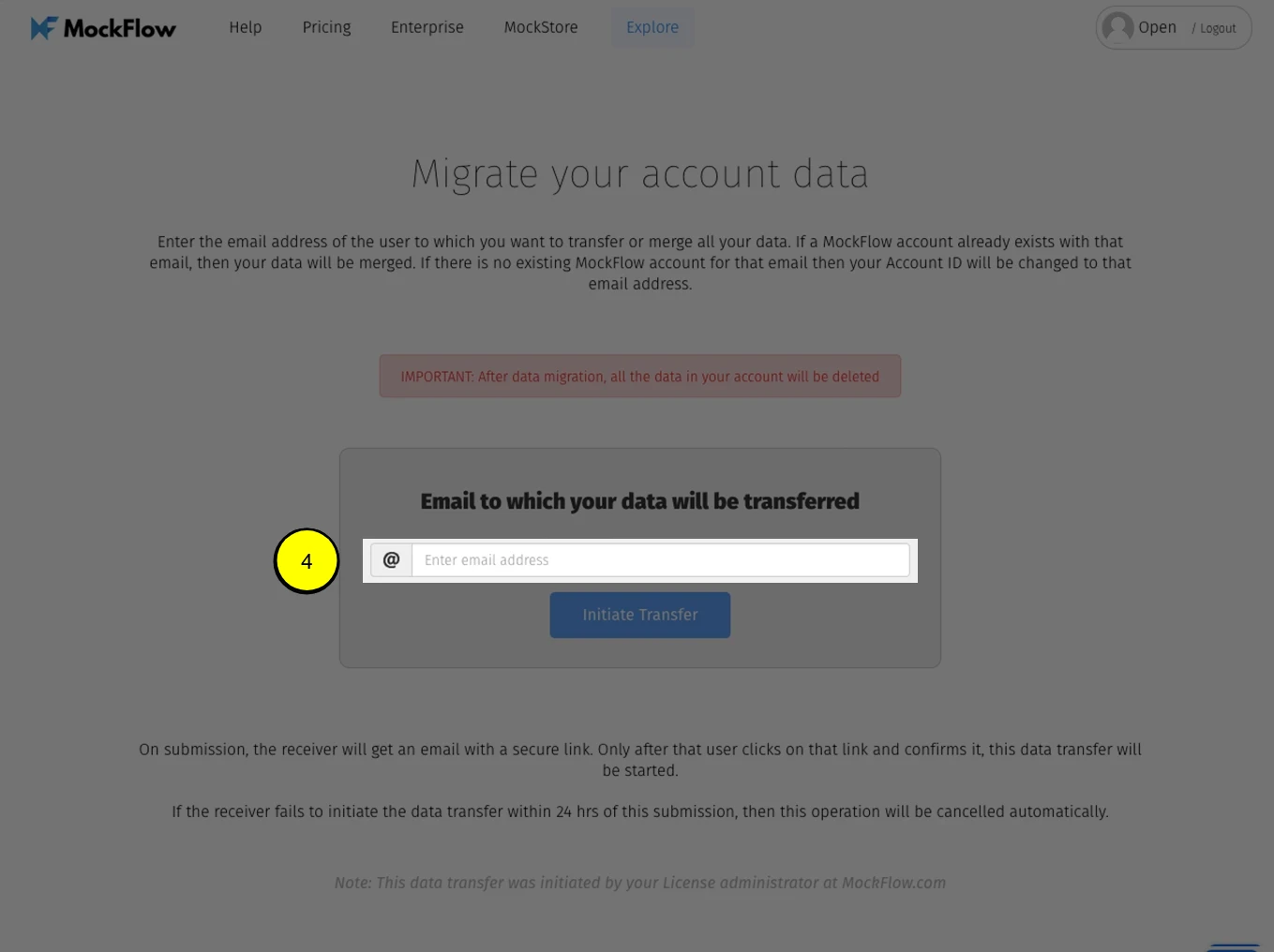
After opening the link from the email, the user is presented with a form to transfer all the data to another user
Enter the email address of the MockFlow account to which all the data has to be transferred.