How to change my MockFlow ID / username?
MockFlow ID is your email address used for signing in. Even in the case of SSO or Google login, email is your MockFlow ID. In...
MockFlow ID is your email address used for signing in. Even in the case of SSO or Google login, email is your MockFlow ID.
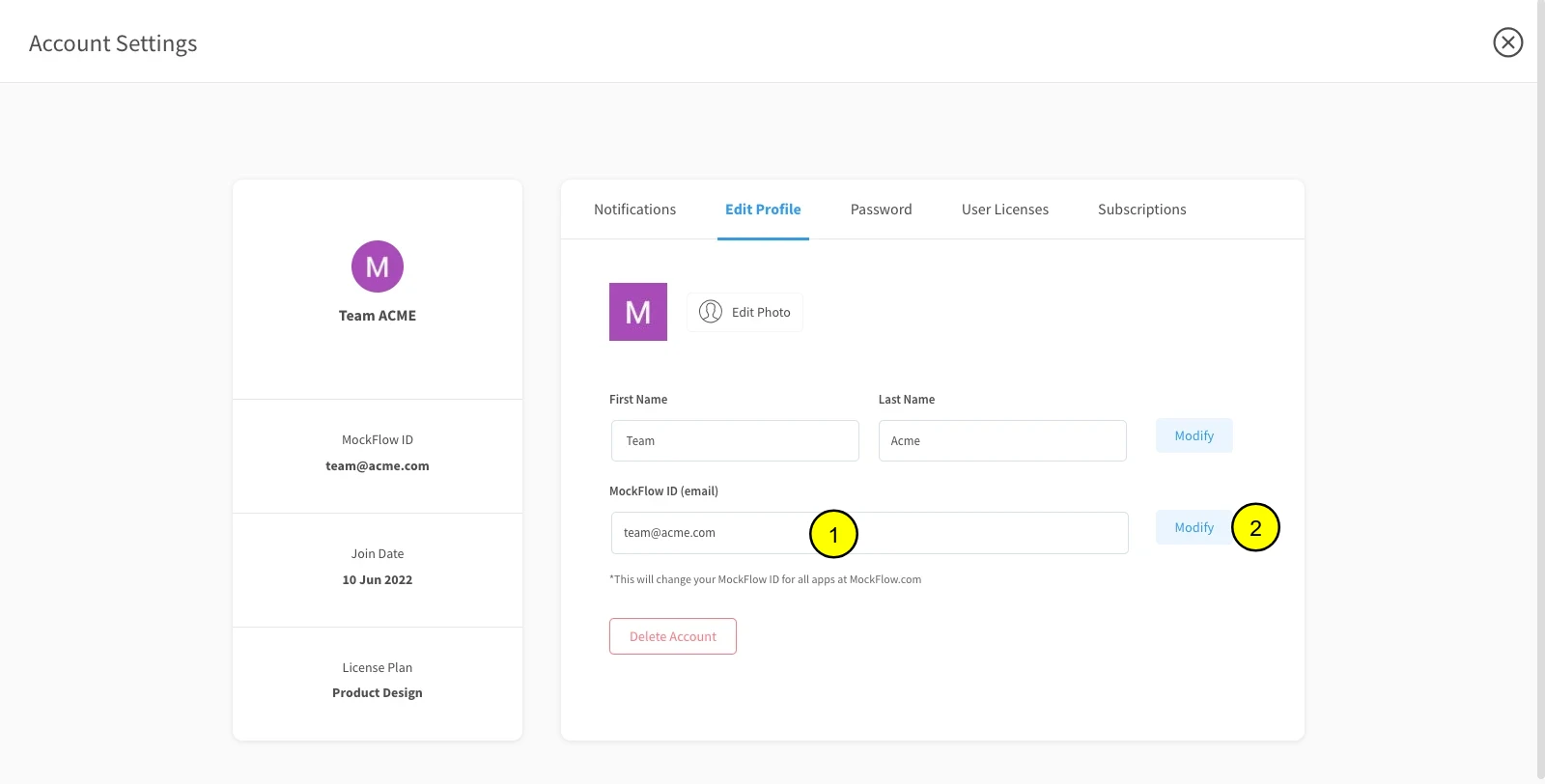
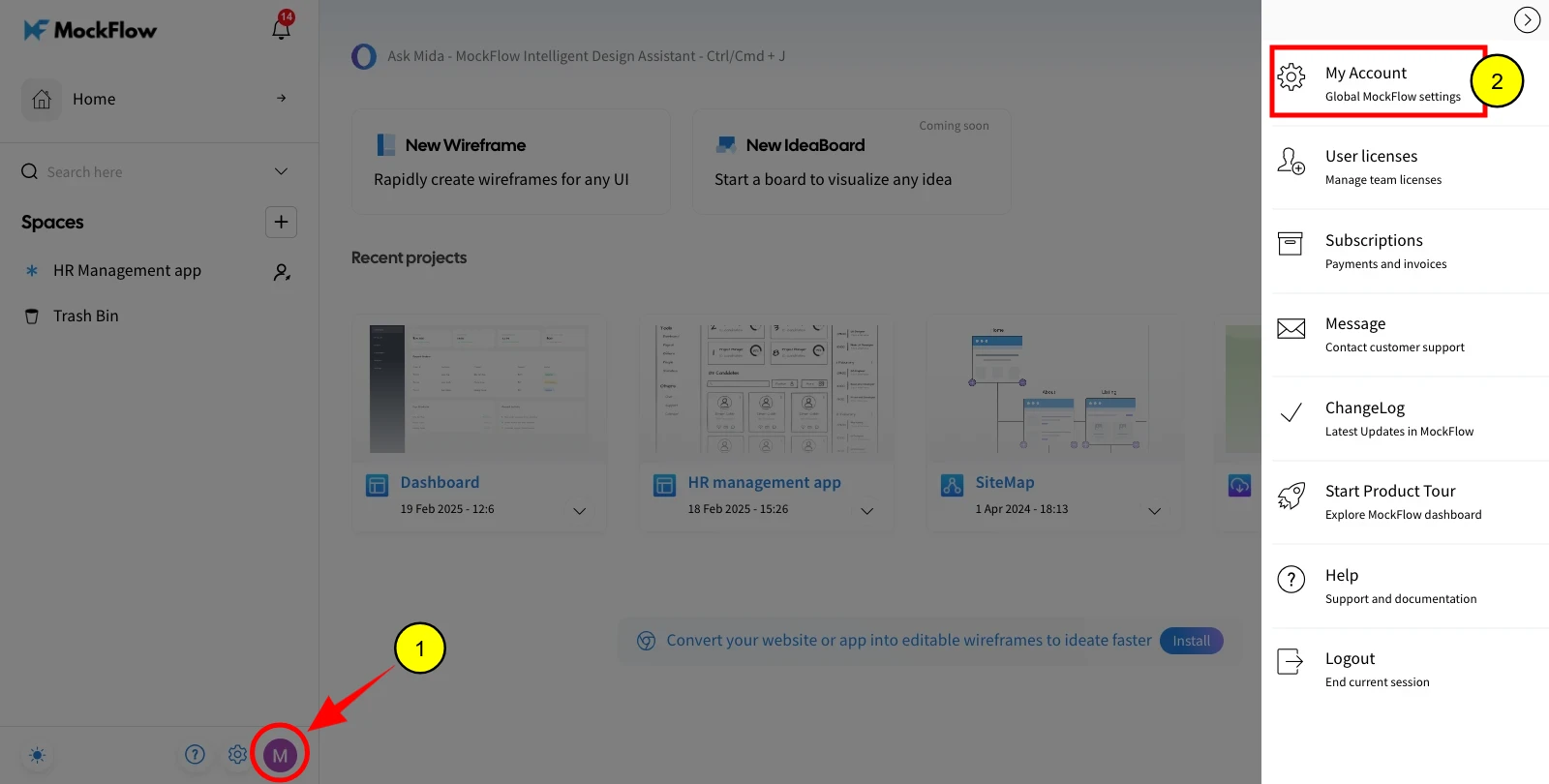
In order to change the email ID associated with your MockFlow account, log in to your account, and in the dashboard; click 'My Account'->'Edit profile' to perform this operation.
Changing the ID changes your email across all apps available in MockFlow.
Note: If a MockFlow account already exists with the ID you want to change, then it is not possible until the MockFlow account with that ID is deleted.
Open the settings menu by clicking the profile icon in the dashboard sidebar.
Under the 'Edit Profile' section, enter your new email ID and click on 'Modify.'