
Internal
How to Filter Comments by Pages?
Learn how to efficiently filter comments by pages in MockFlow. Follow our tutorial for seamless navigation and organization of feedback across your design projects.
When working on large wireframing projects with multiple pages, feedback can become confusing and overwhelming. That's why MockFlow allows you to filter comments specific to each page. Here's how to view comments and suggestions for individual pages in your design.
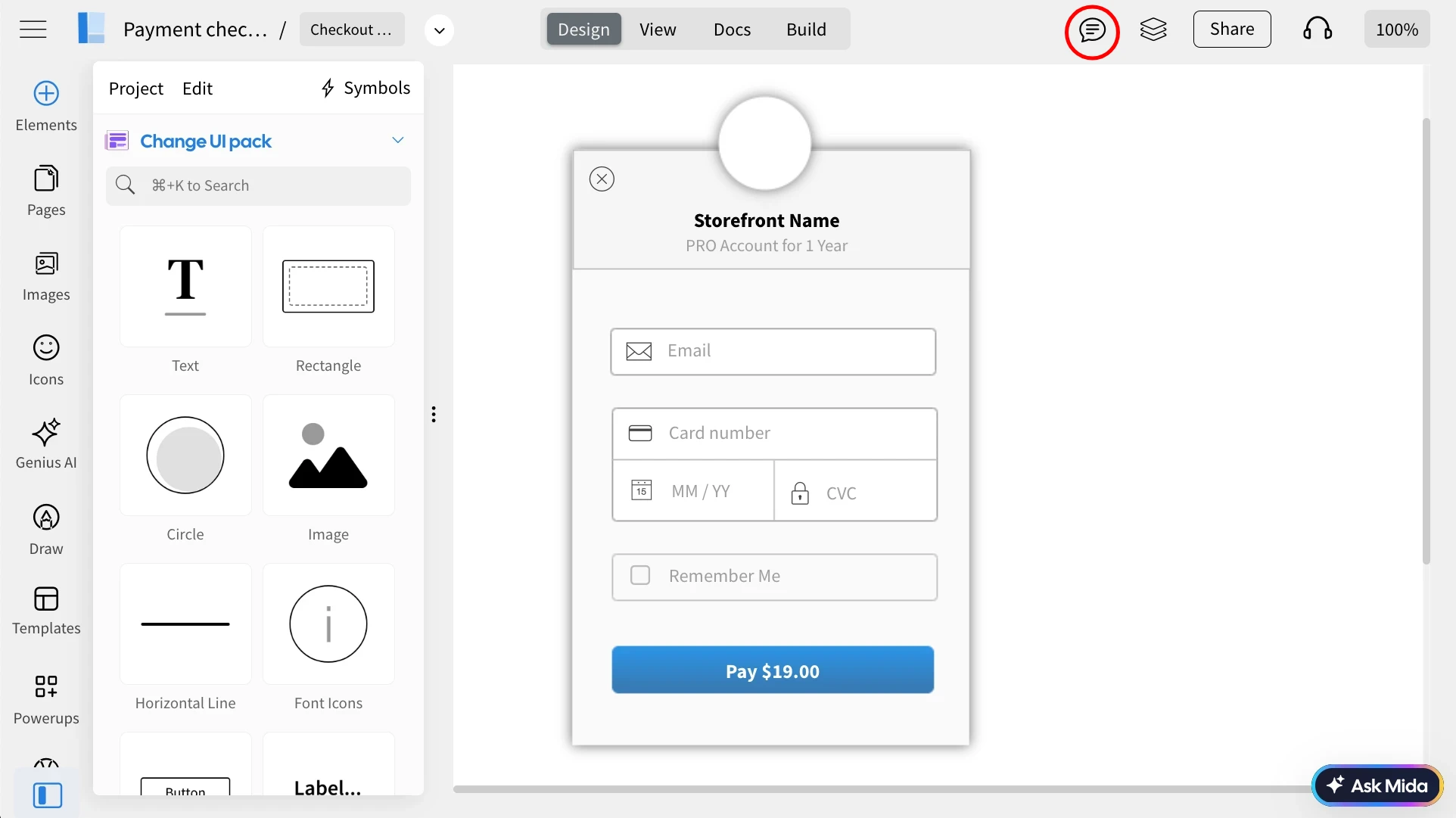
Inside the MockFlow editor, click on the 'Comment' from the top menu.
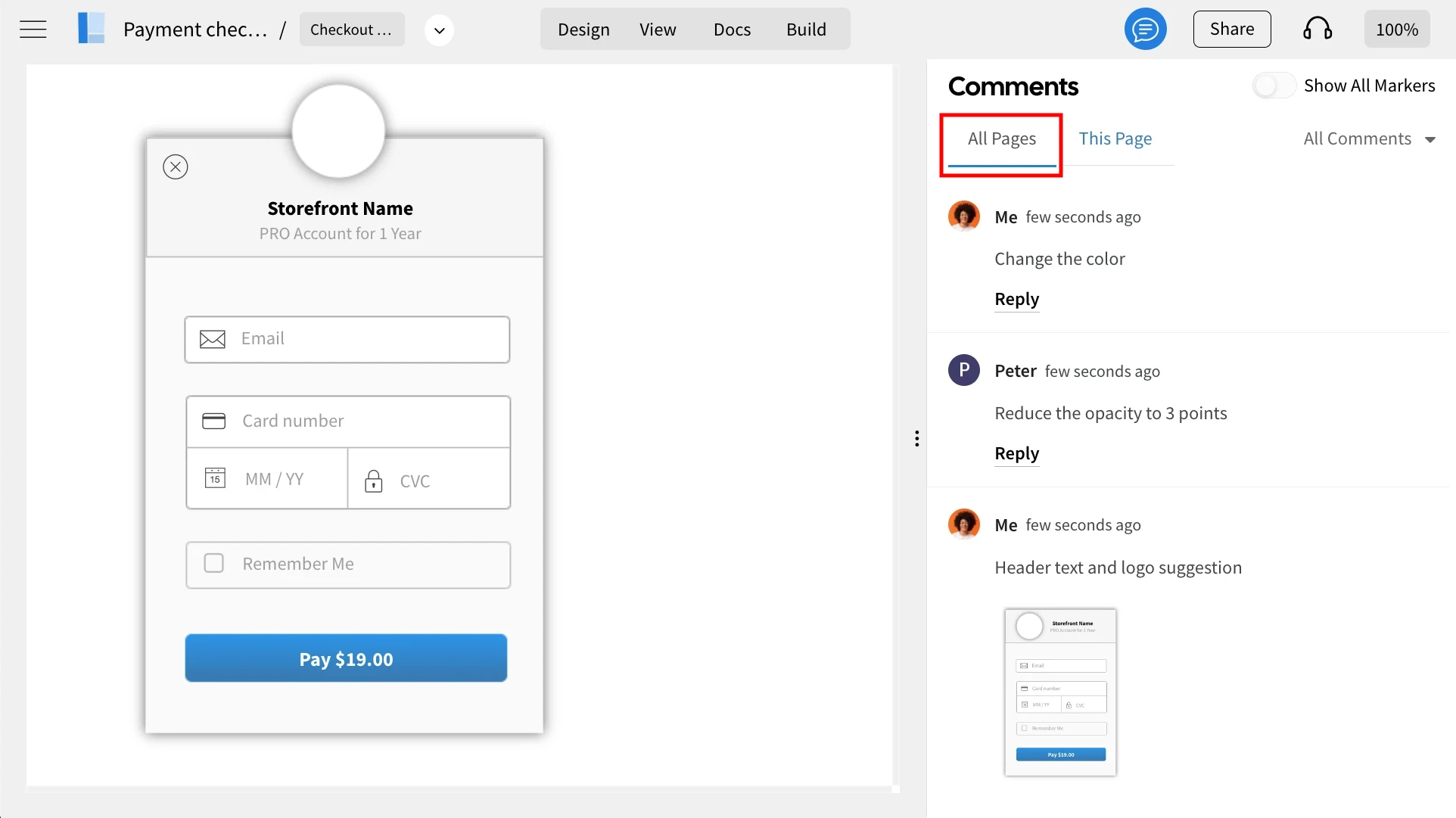
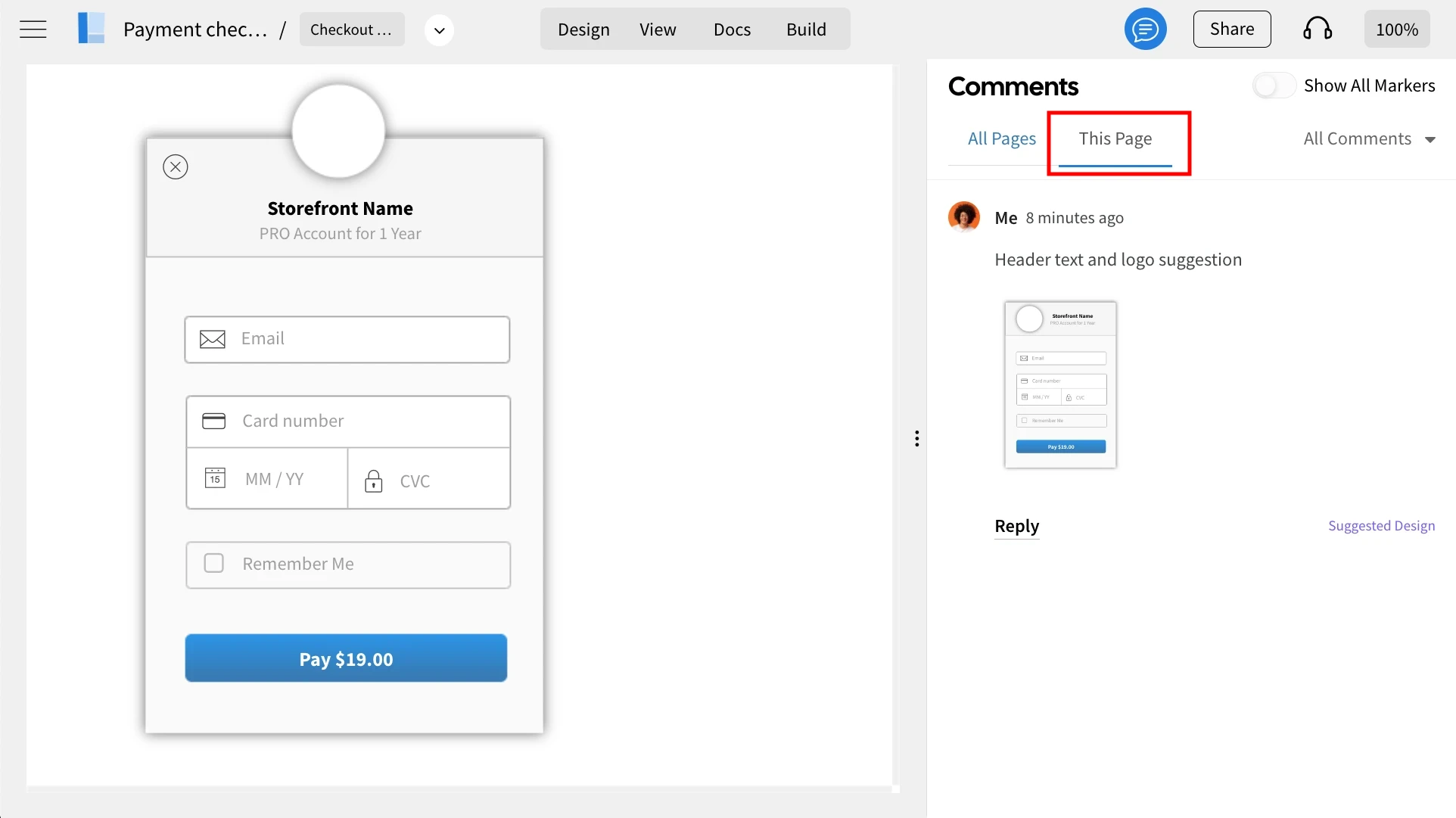
In the comments sidebar, you can choose between 'All pages' and 'This Page' to filter the feedback.
All Pages - Displays comments for the entire project.
This Page - Displays comments only for the selected page.
Was this page helpful?