
Internal
How to Animate Your Arrows?
Follow these steps to animate arrows in the MockFlow WireframePro. Connect the shapes by switching them to Flow Mode and choose...
Follow these steps to animate arrows in the MockFlow WireframePro.
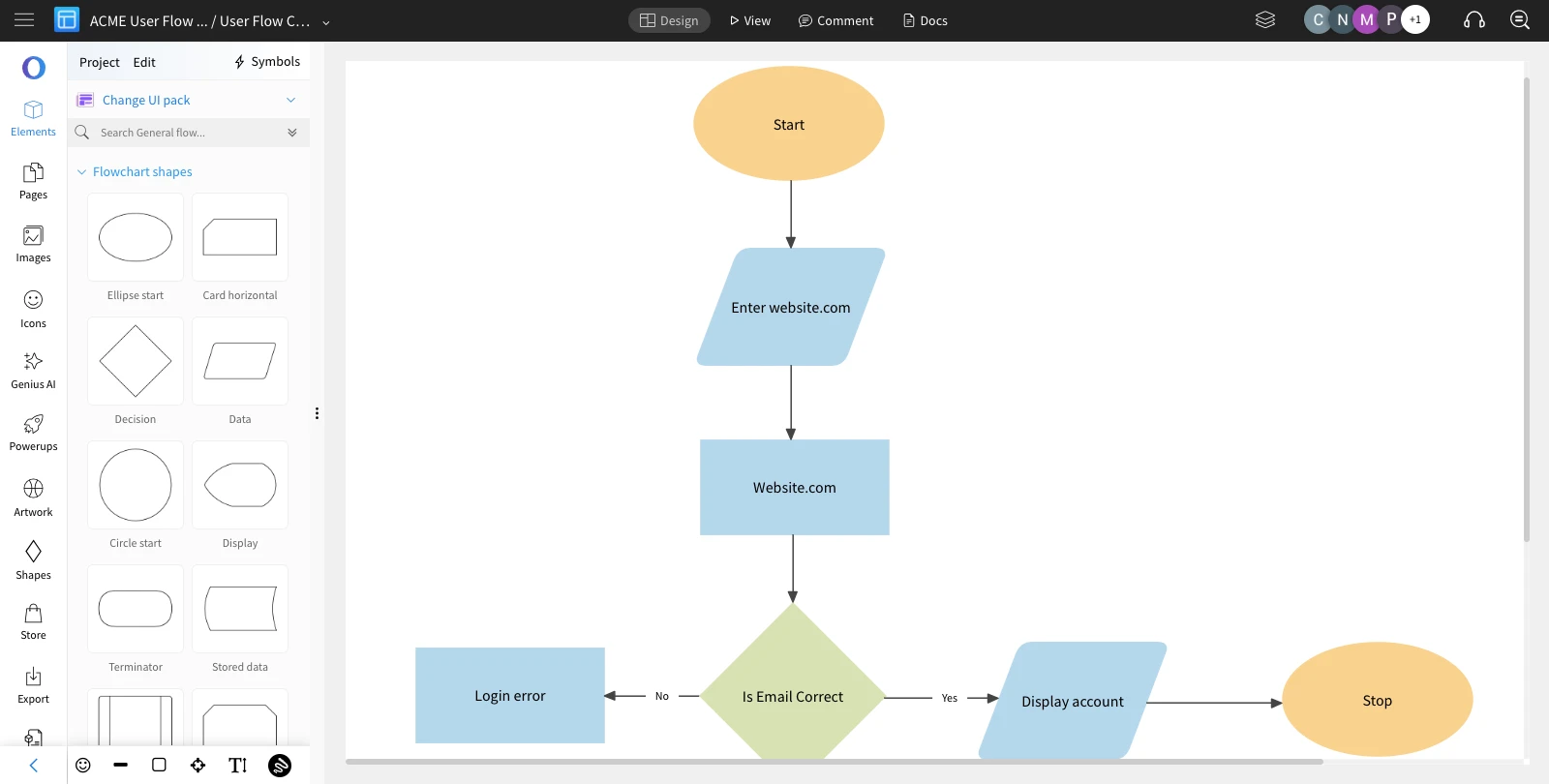
Connect the shapes by switching them to Flow Mode and choose the arrow you want to animate.
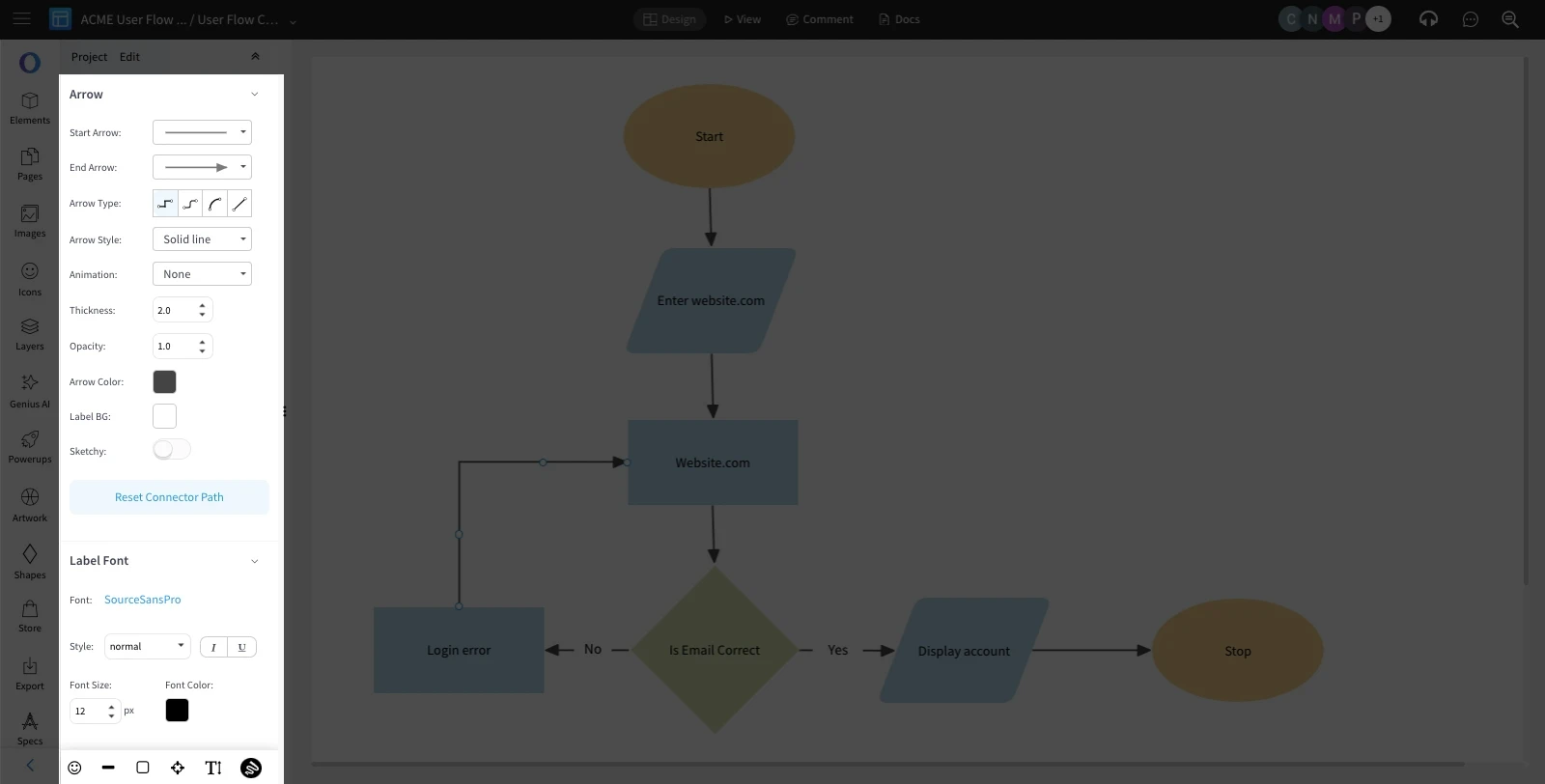
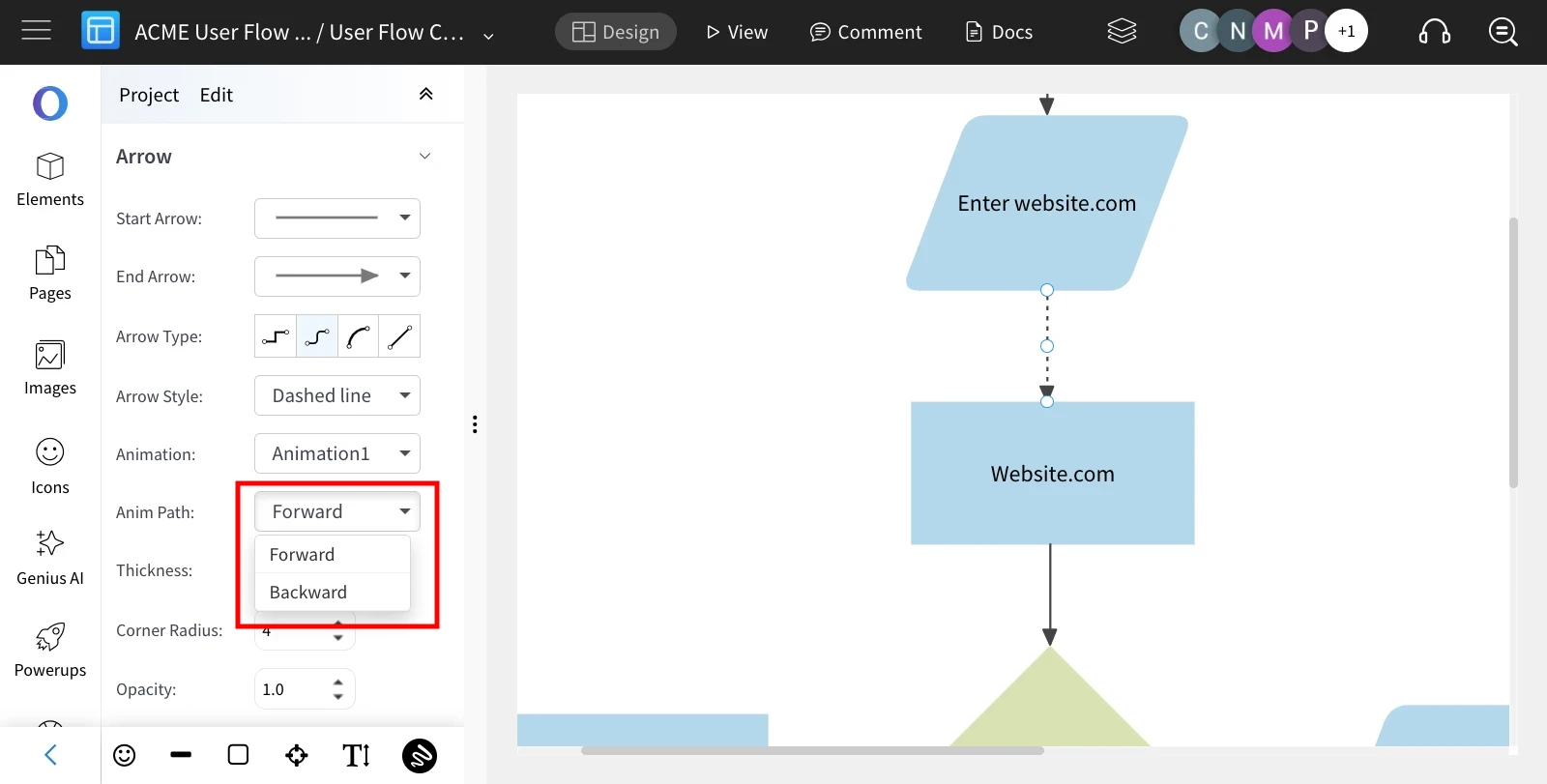
The sidebar reveals a range of customizable options for arrows.
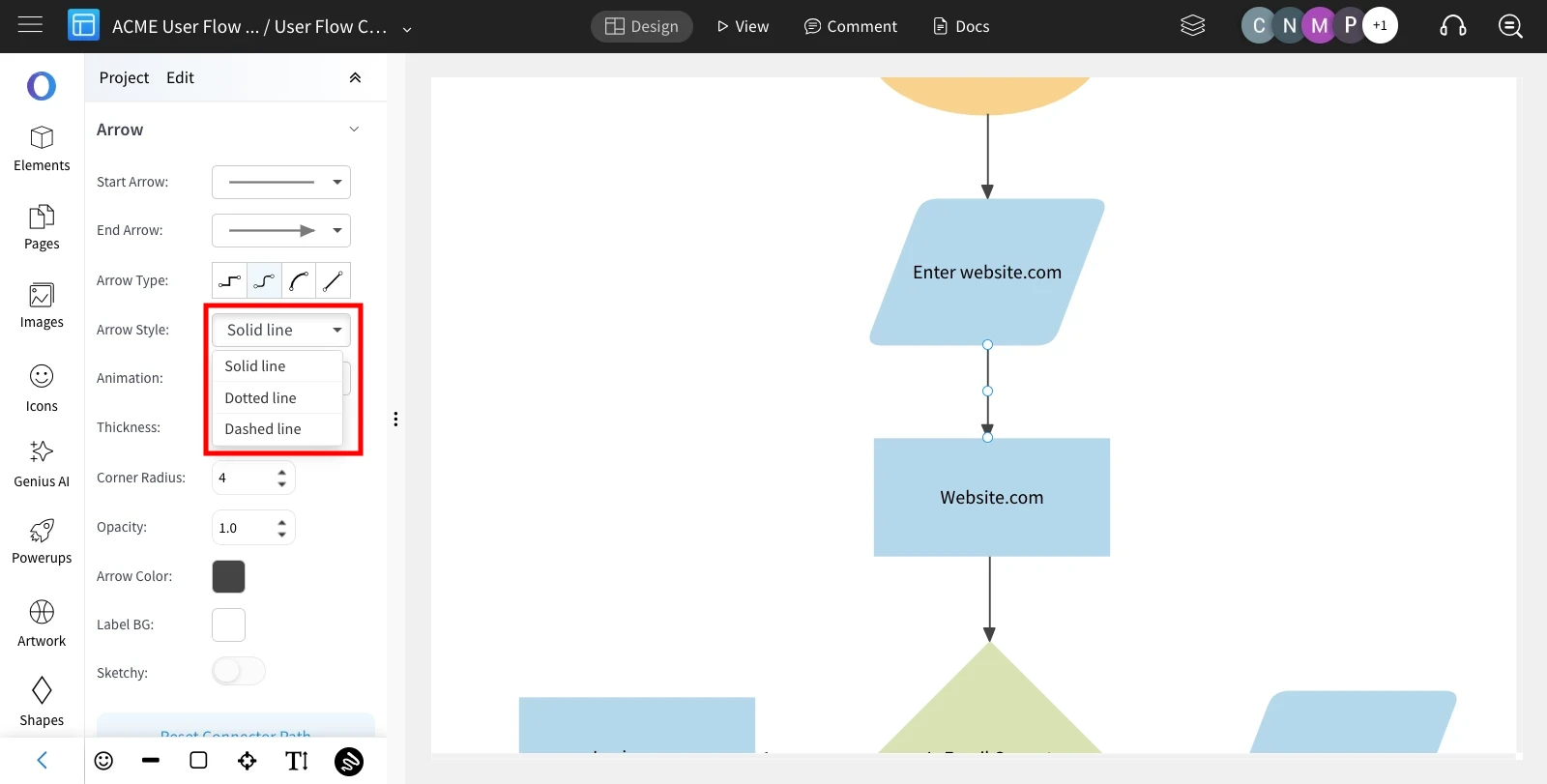
Note: Arrow animation specifically applies to Dashed and Dotted arrow styles.
Choose the arrow style based on your preference – either a Dotted line or a Dashed line.
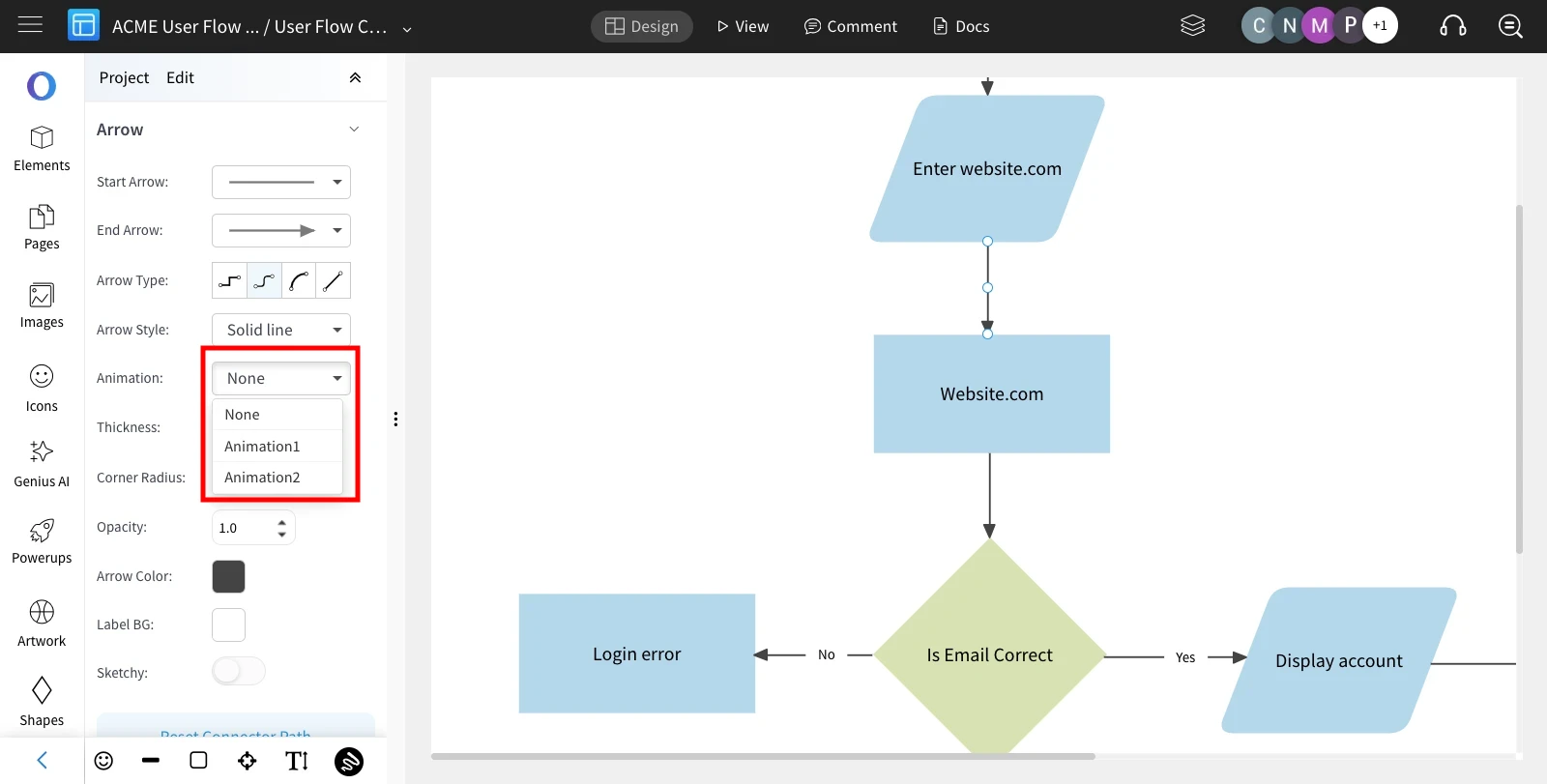
Select the desired animation type from the available options.
Specify whether the animation should proceed Forward or Backward along the arrow's path.
Was this page helpful?