
Internal
How to set a specific page size ?
By default, the page canvas in MockFlow WireframePro has auto-size. Which means the page automatically increases or decreases...
By default, the page canvas in MockFlow WireframePro has auto-size. Which means the page automatically increases or decreases its size based on its contents. In certain use cases, it might be necessary to set a specific size to the page. This can be done using the page settings panel.
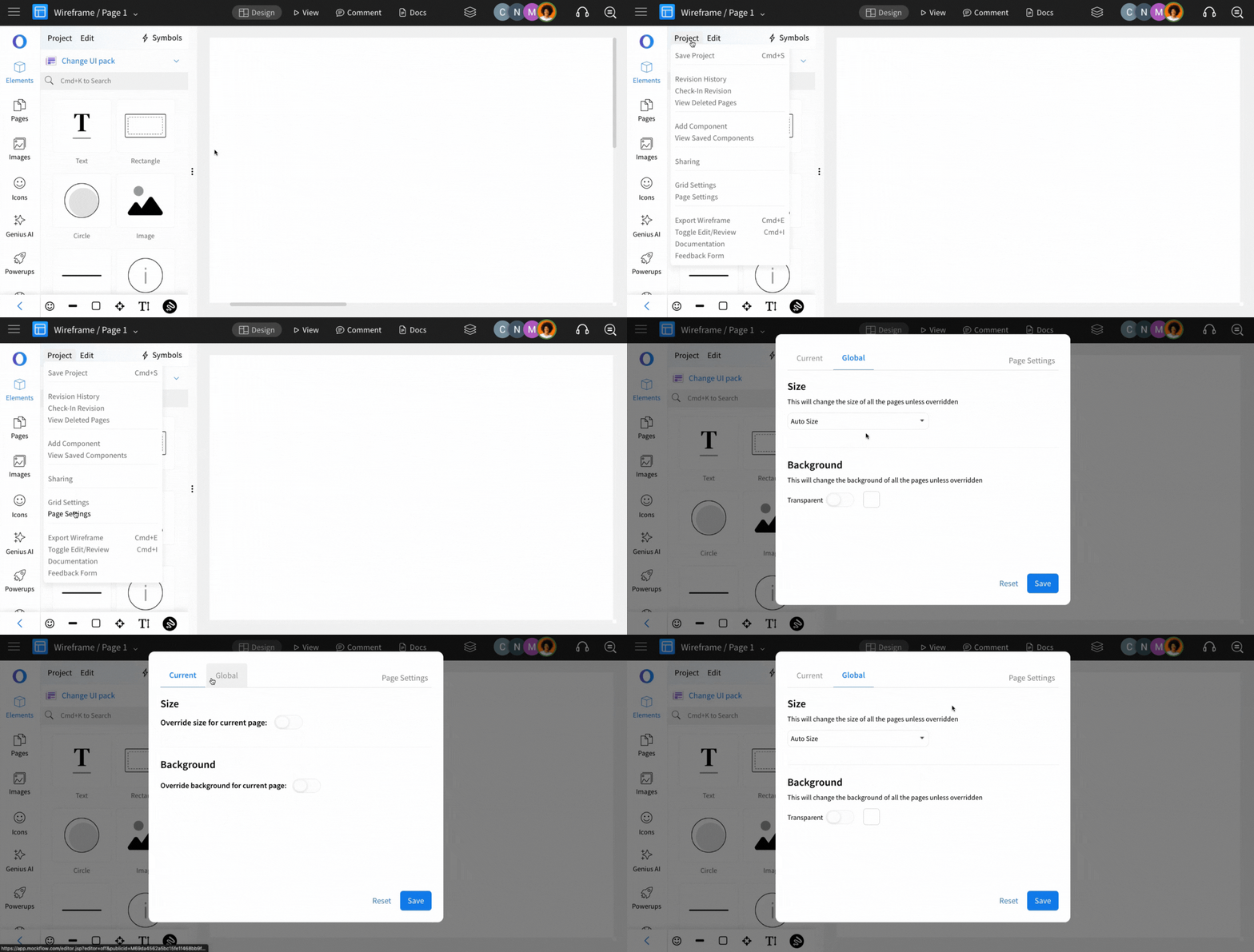
Using the page settings panel, a global size can be specified for all pages or the size of each page can be also individually configured by following the below steps:
Click on project menu.
Select page size settings.
Global size that affects all pages.
Set size for current page.
Was this page helpful?