
Internal
How to track project activities inside MockFlow?
Easily track every modification to your wireframe designs, including who made the change, when it was made, ensuring...
Easily track every modification to your wireframe designs, including who made the change, when it was made, ensuring transparency and accountability.
Follow the steps below.
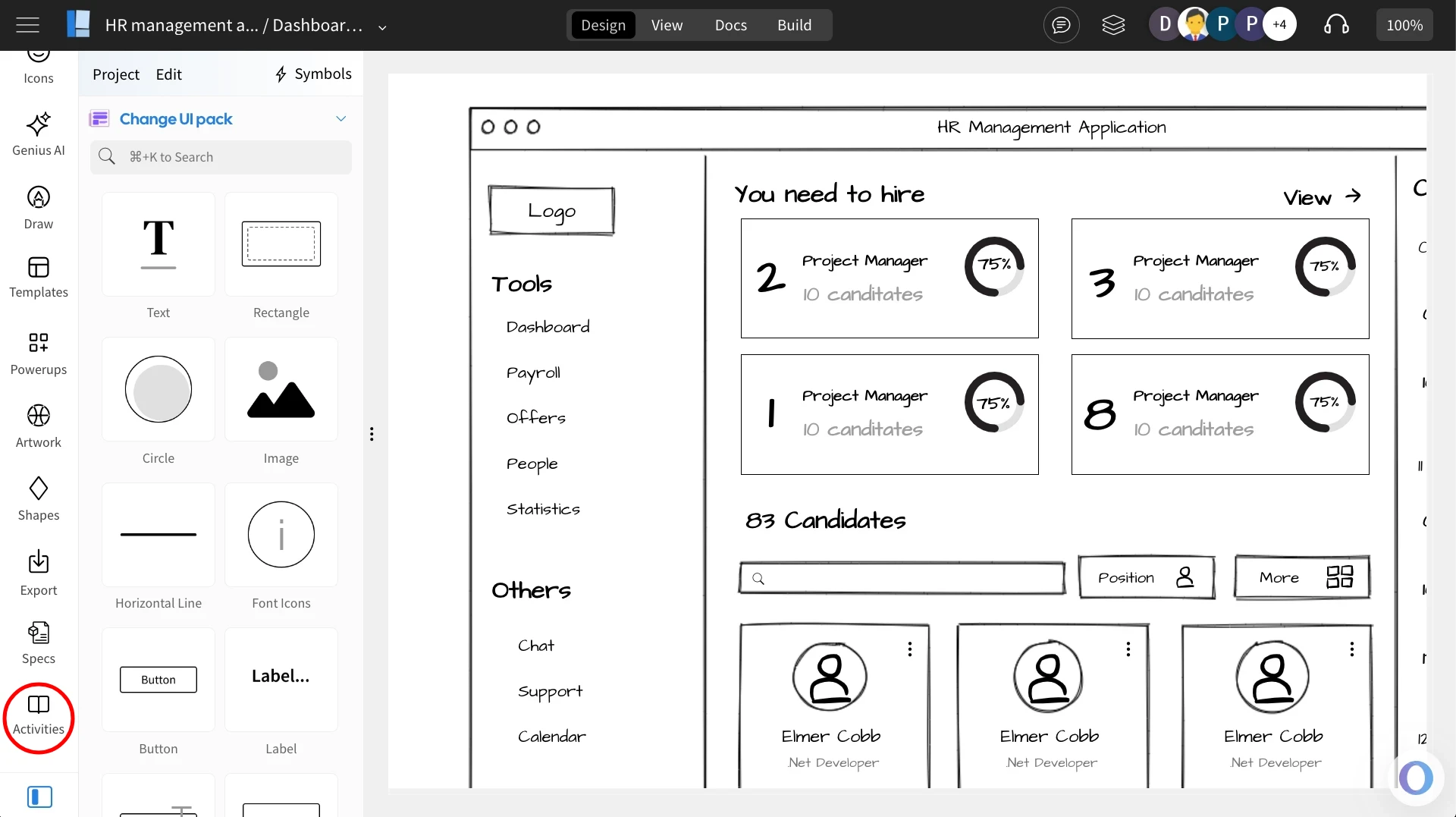
In the wireframe editor, select 'Activities' from the sidebar.
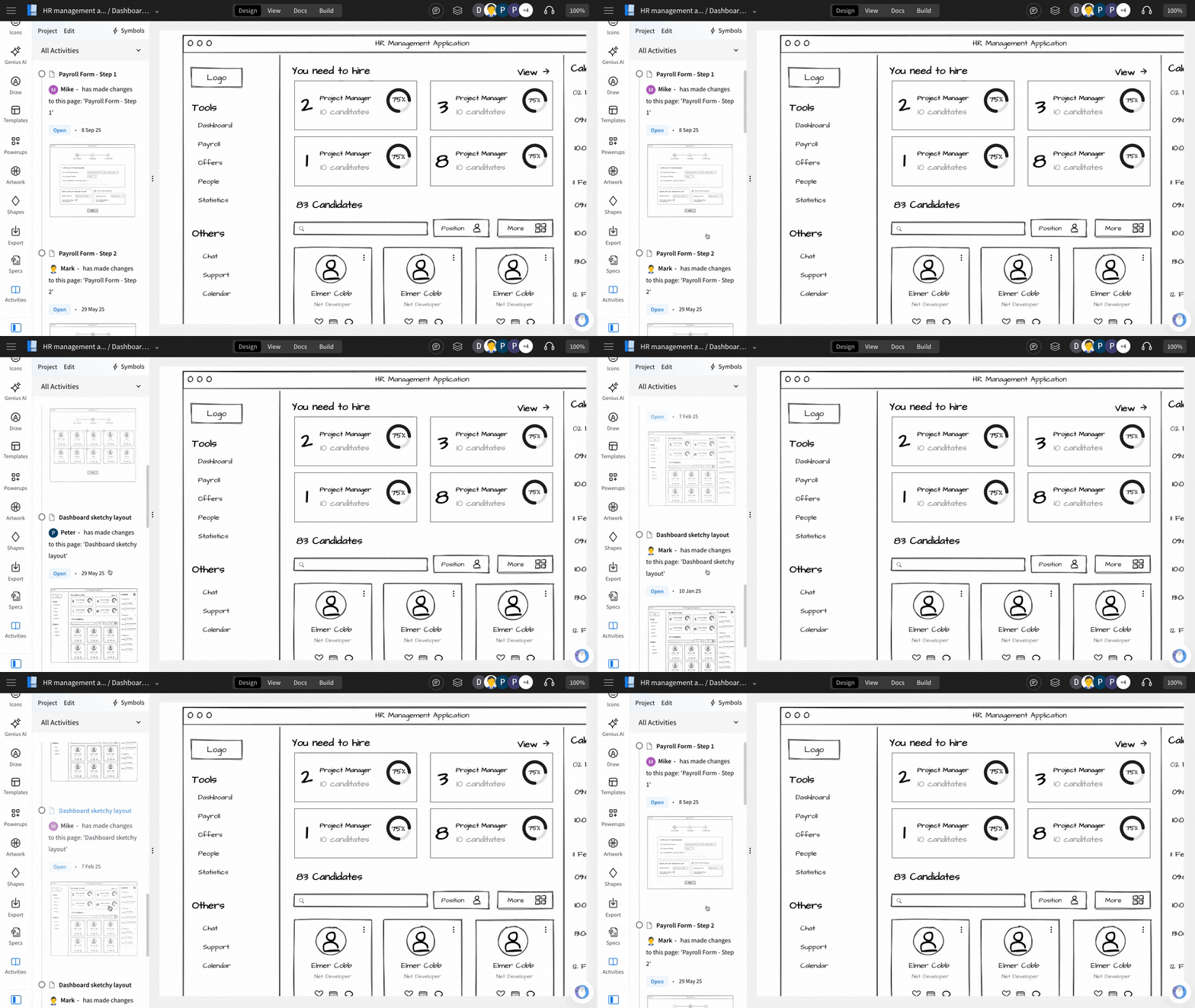
All project-related activities will be displayed in this section.
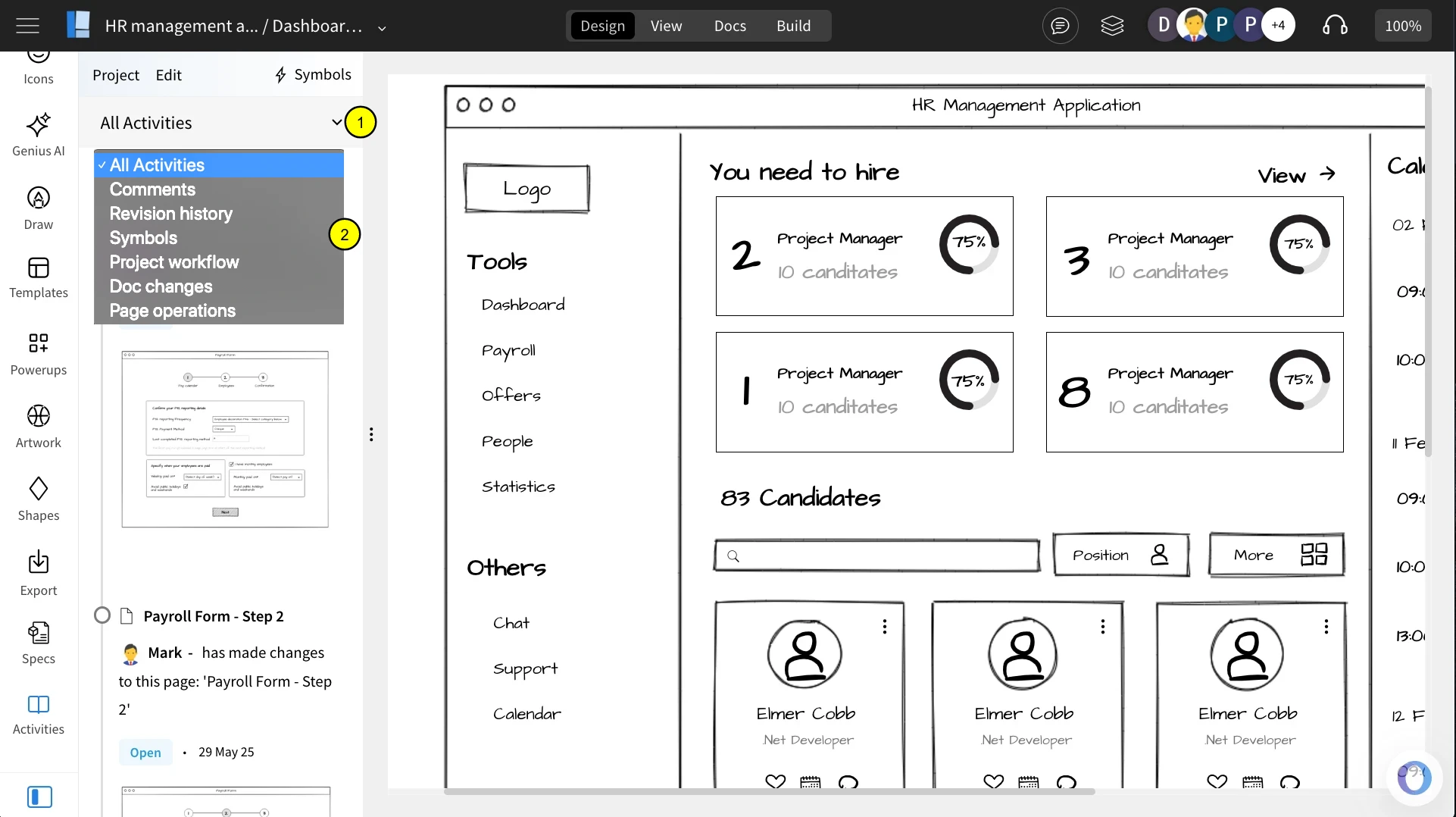
You can filter the listed activities by categories such as All Activities, Comments, Revision History, Symbols, Project Workflow, Document Changes, and Page Operations.
Was this page helpful?