How to enable Two-Factor authentication (2FA)
MockFlow supports 2FA management and authentication through email-based OTP verification. 2FA is a company-wide authentication...
MockFlow supports 2FA management and authentication through email-based OTP verification. 2FA is a company-wide authentication setting that can be toggled for all your team members using MockFlow. Secure your accounts and data with 2FA and prevent unauthorised access.
Note: 2FA is available only for users with an Enterprise license
To turn on 2FA, the license owner should follow the below steps:
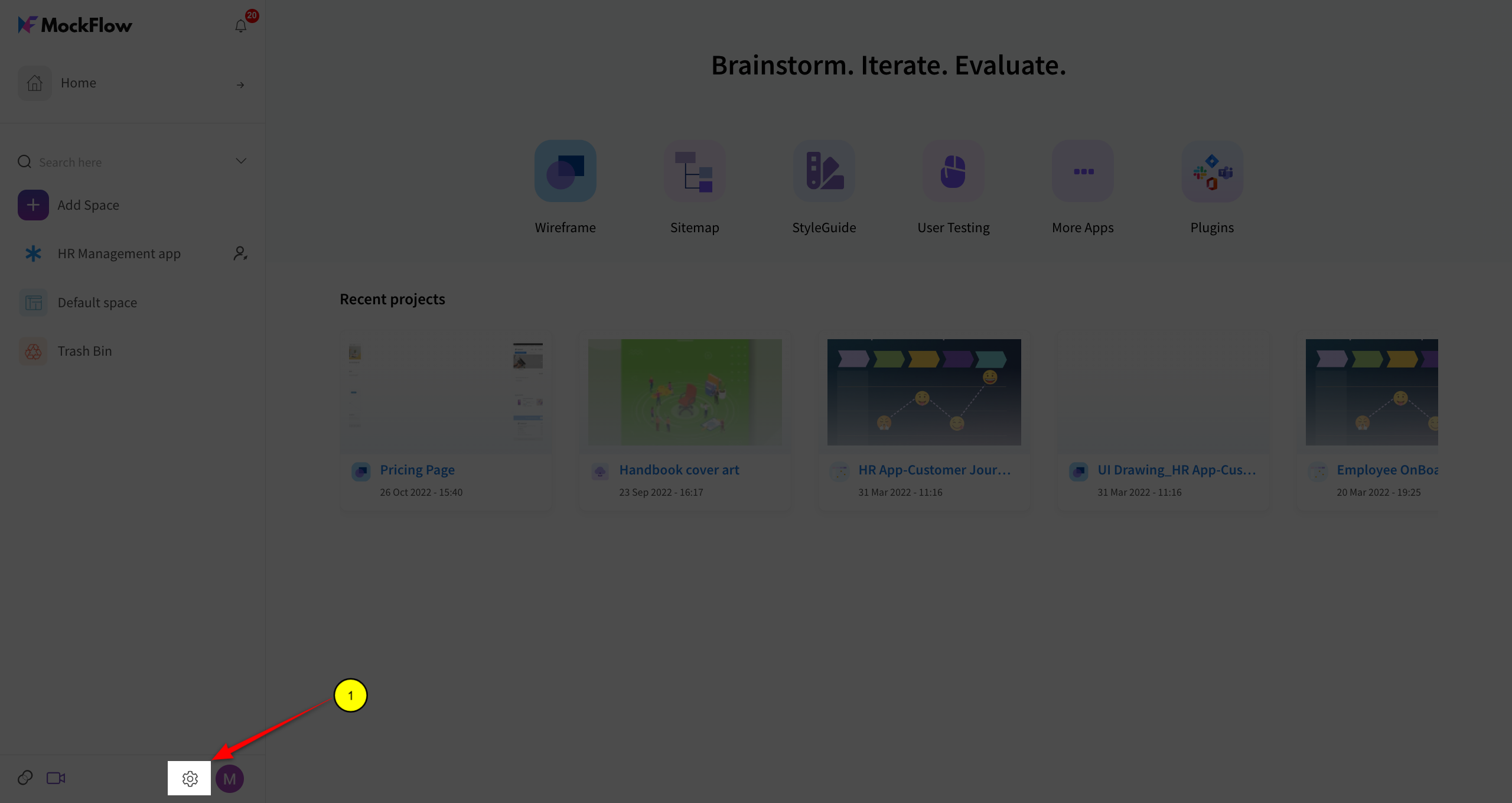
Login as license owner and open account settings
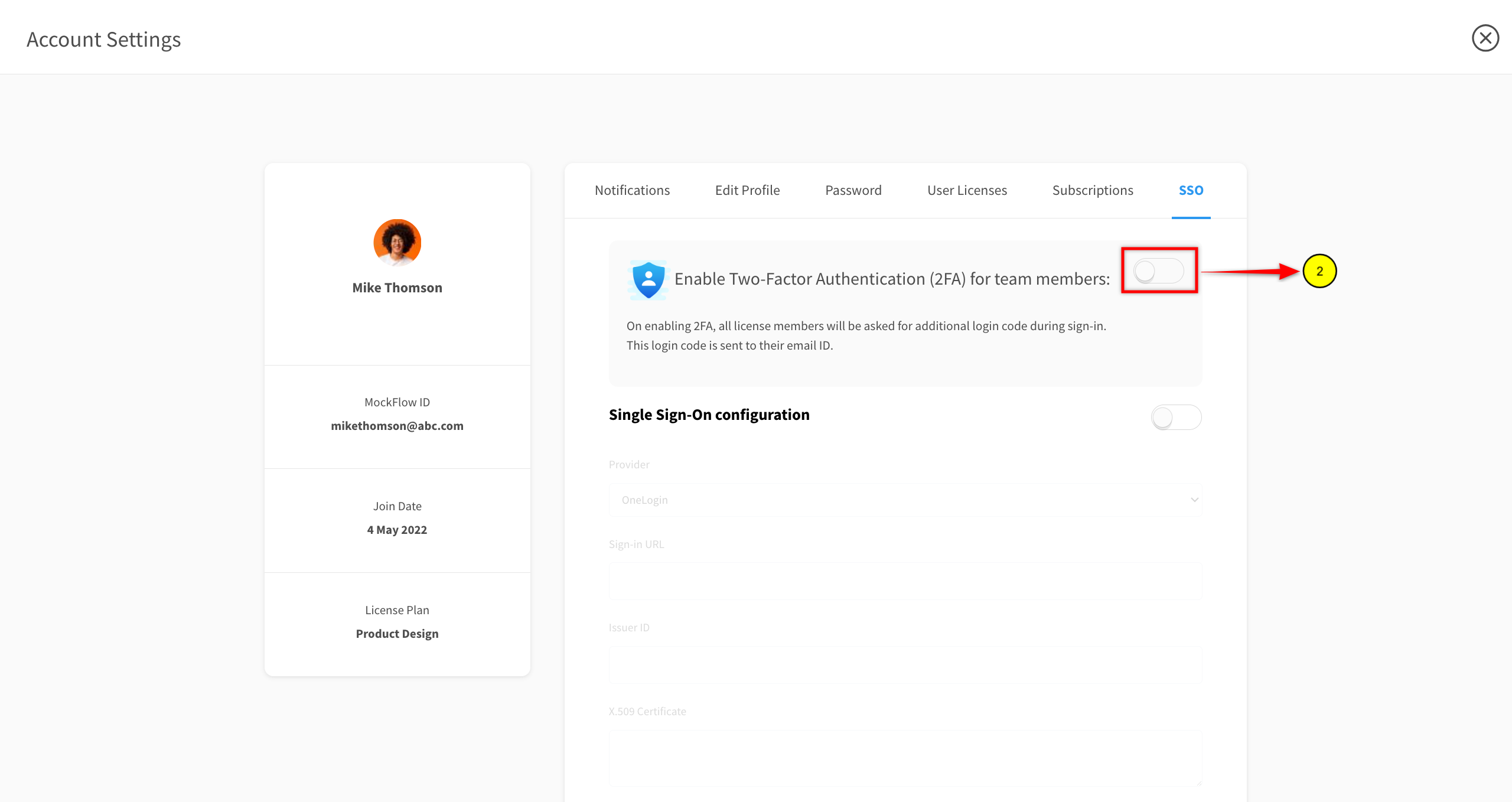
Click SSO tab to open 2FA settings.
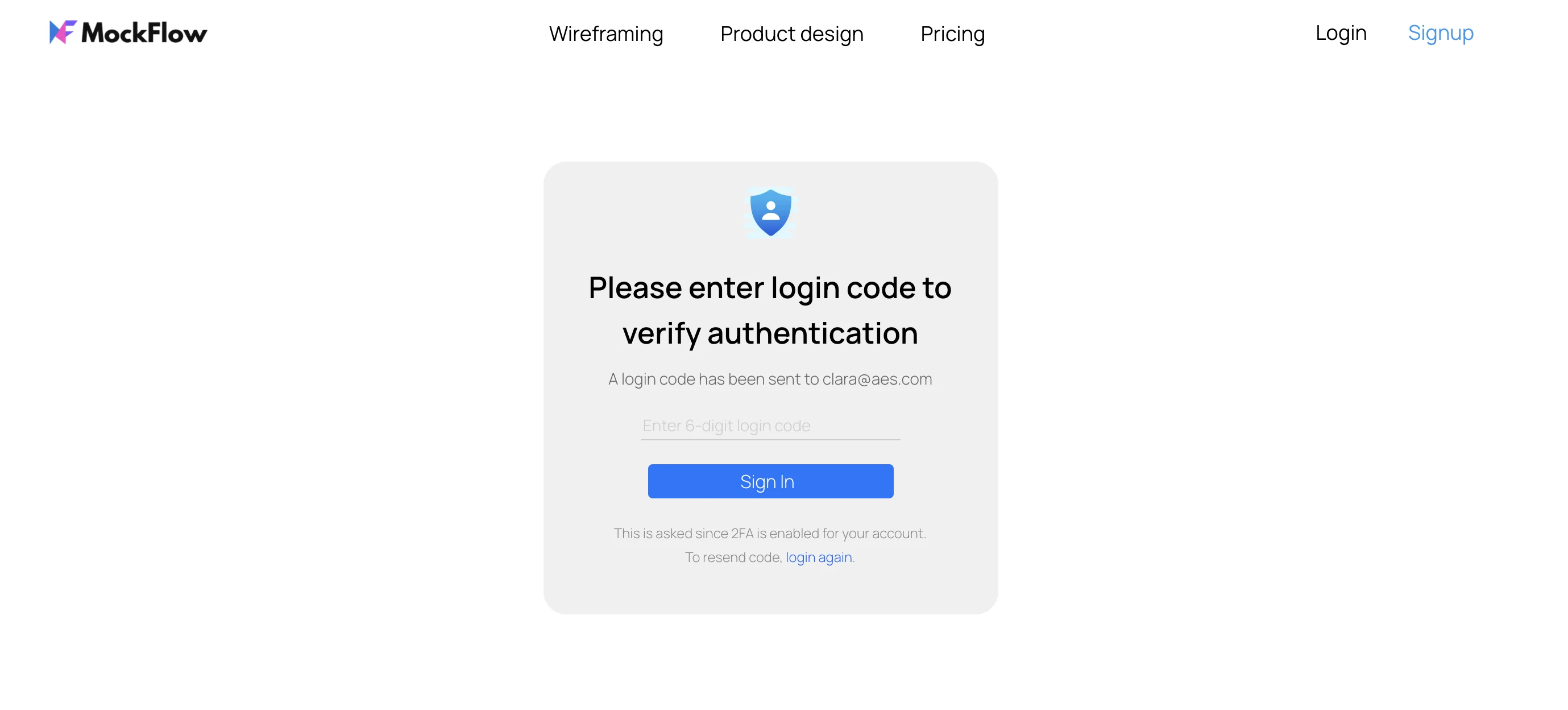
On enabling 2FA, all team members will be presented with the below screen after they login. Here they need to enter the login code (OTP) received in their email.