
Generate Data Table with AI
With AI, you can now generate native data grid components with real data inside your wireframe with just a click. So, whether...
With AI, you can now generate native data grid components with real data inside your wireframe with just a click. So, whether you are designing a transaction listing grid for your finance app or an order history table for your e-commerce app, you can now create it super quick!
The following are the steps to generate a data table with AI:
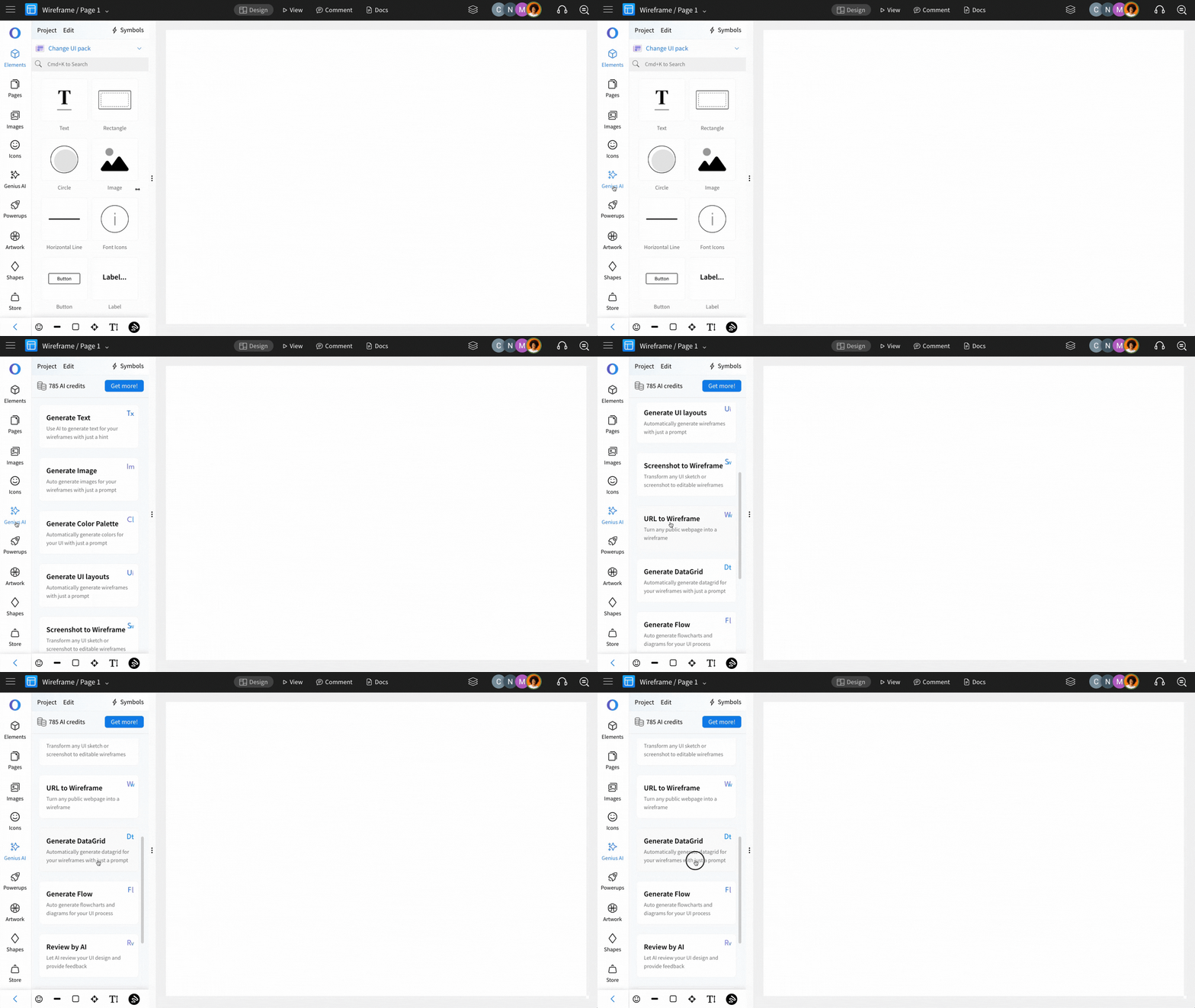
Click on Genius AI.
Select Generate DataGrid.
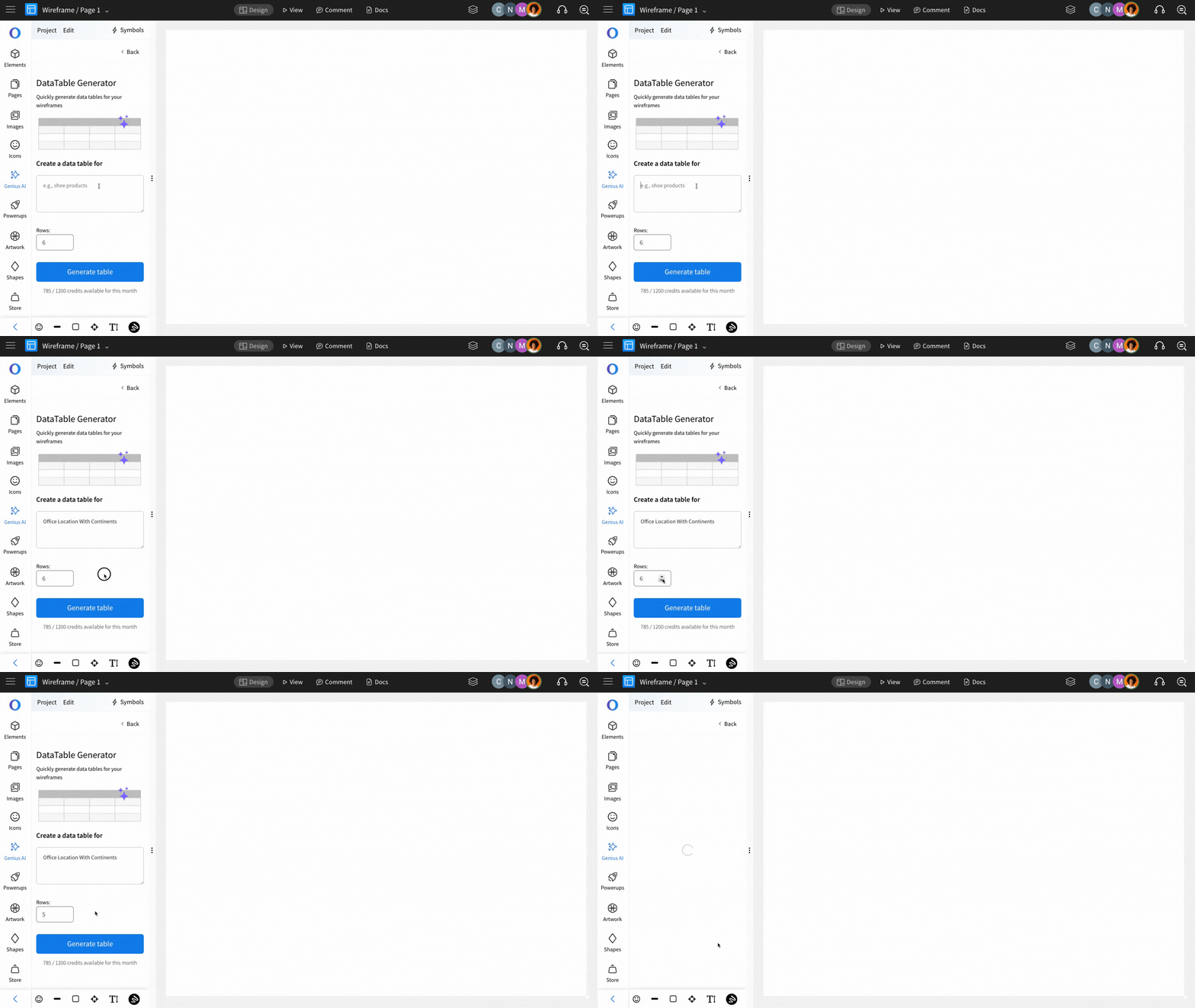
Enter the prompt (make sure that you specify in detail to get accurate data generated), set the number of rows, and click on 'Generate table'.
The data table will be generated.
And click on the 'Use' button to add it to your editor canvas.
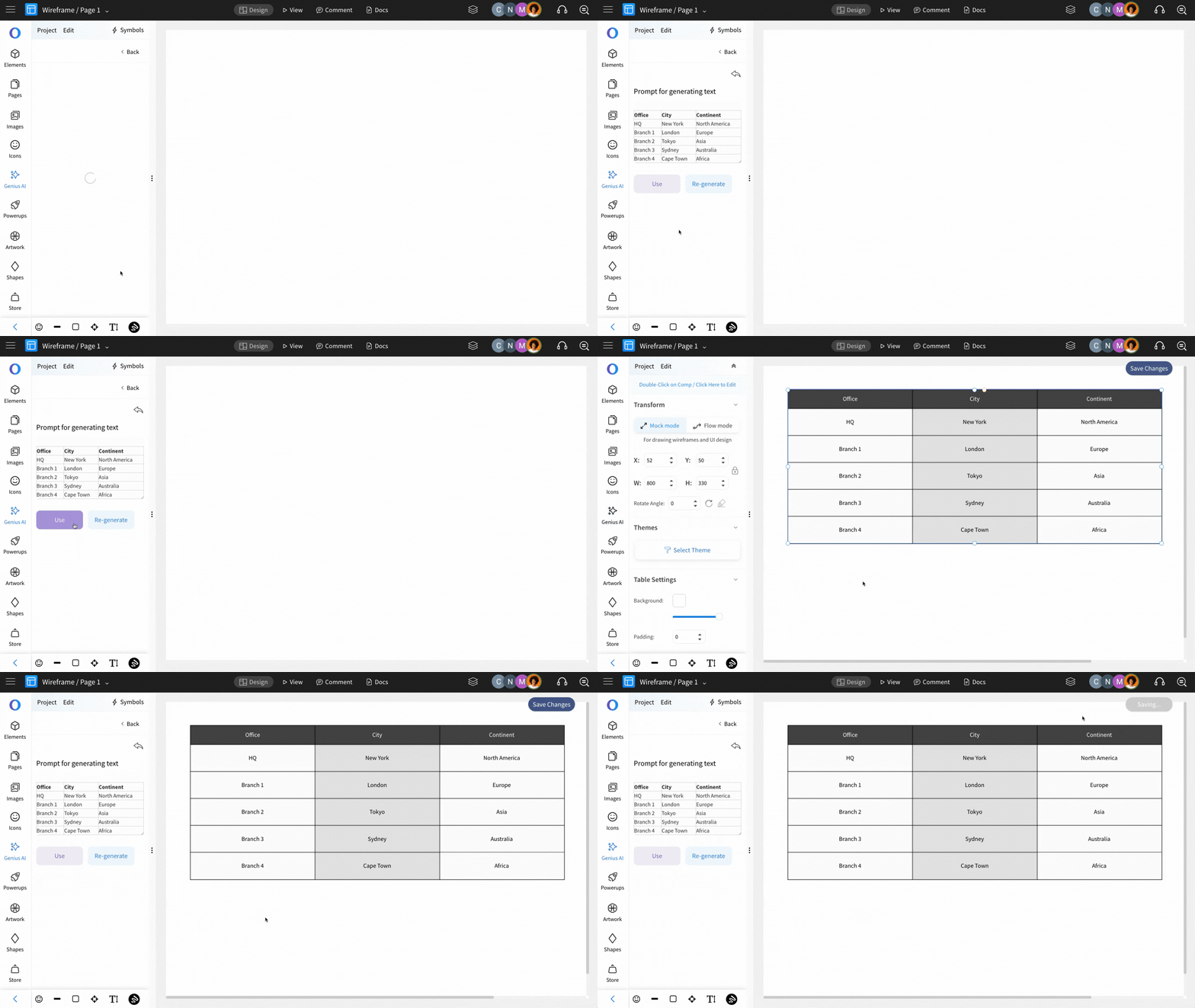
It is very useful to quickly generate random data to indicate a data listing on your UI design wireframe.
Here's a video demonstrating an useful application of this feature: