
Build Your Own Components with AI
In MockFlow, BYOC stands for 'Build Your Own Components'. BYOC stands for "Build Your Own Component". It is essentially a...
In MockFlow, BYOC stands for 'Build Your Own Components'. BYOC stands for "Build Your Own Component". It is essentially a component by itself that allows users to create new elements from scratch by coding HTML/CSS.
For more information about BYOC, refer to this article.
With the introduction of AI, you can now generate components by giving prompts!
The following are the steps to generate components with BYOC and AI:
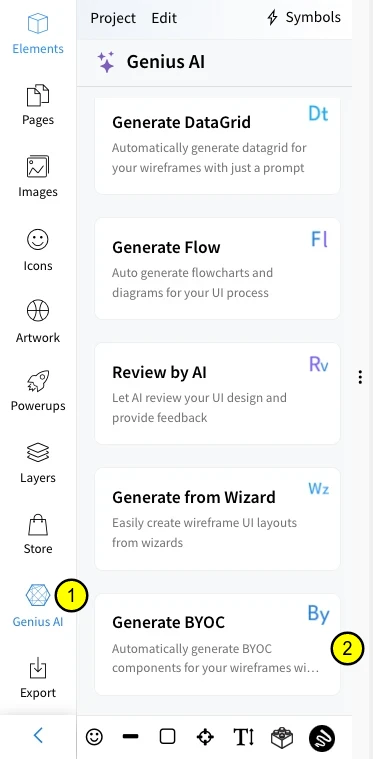
Click on Genius AI from the editor sidebar.
Select Generate BYOC.
Enter your prompt for creating the component and click on 'Generate'.
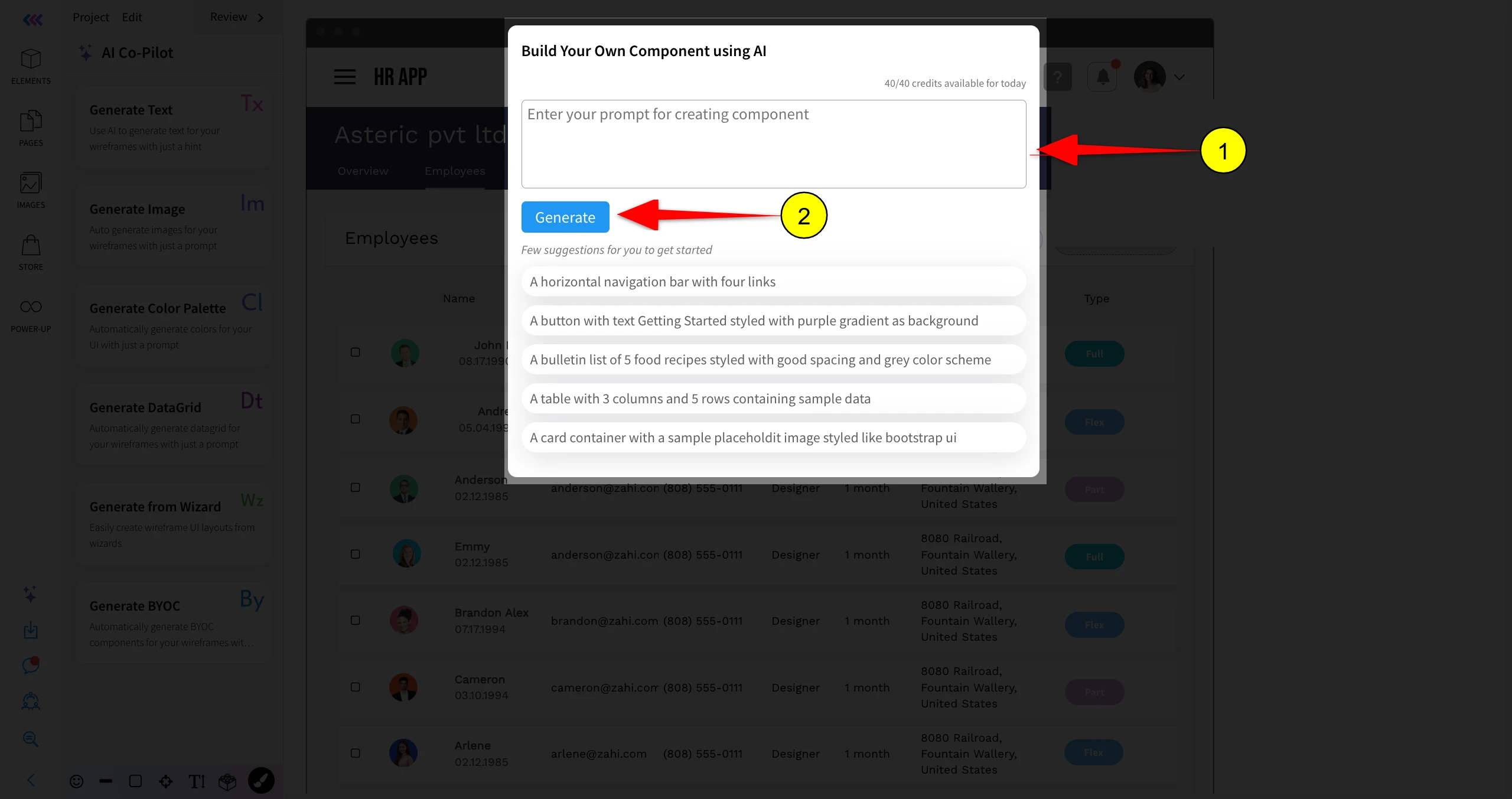
Here are a few examples of prompts:
A horizontal navigation bar with four links.
Hero section with title and description.
A curved blue button with white text.