
Internal
How to set gridlines in editor?
Turning on grid settings is key to creating clean, well-aligned wireframes. Follow the steps below to access your grid...
Turning on grid settings is key to creating clean, well-aligned wireframes. Follow the steps below to access your grid settings.
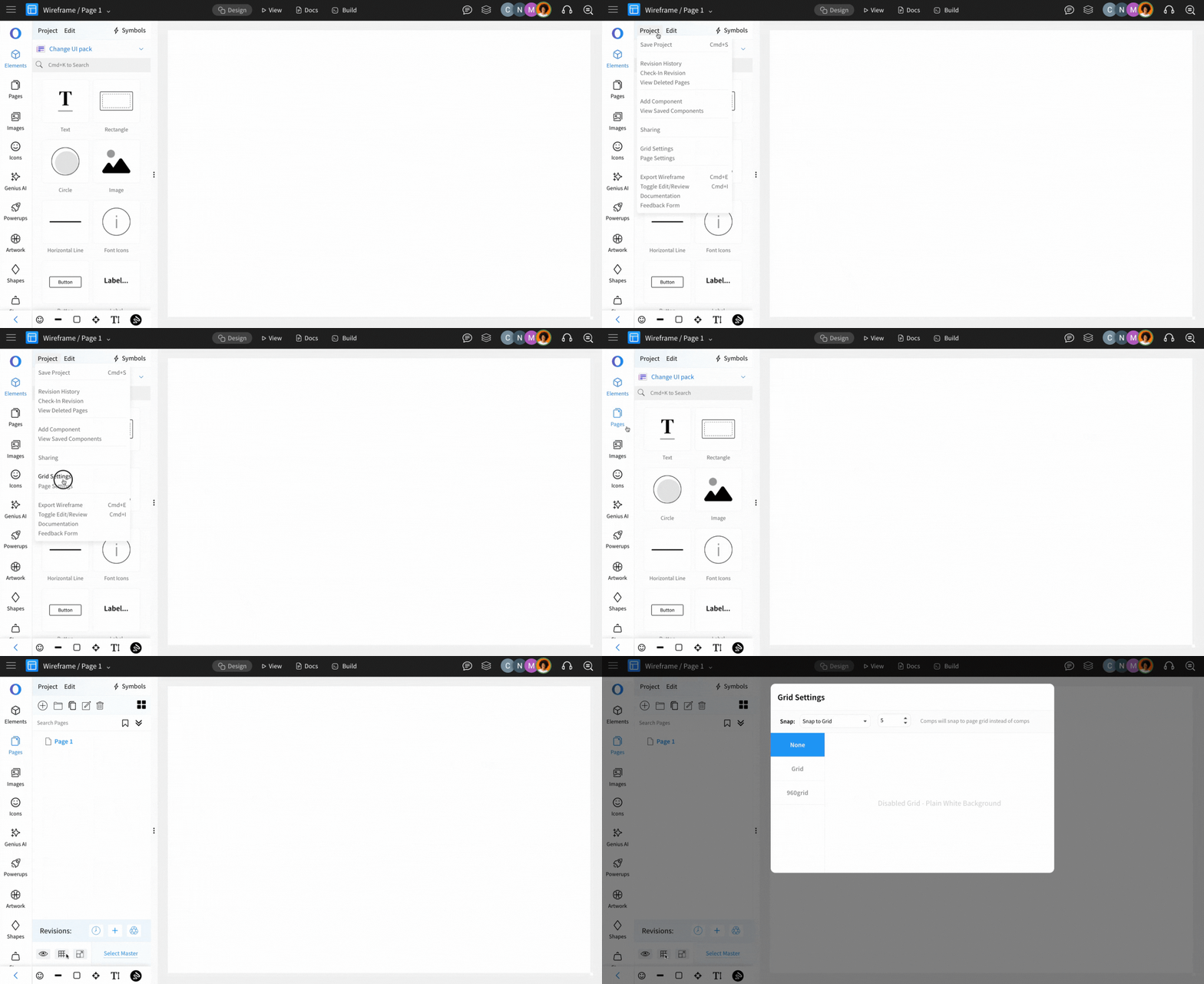
Grid settings can be either opened from the top menu or from Page Settings, as shown below.
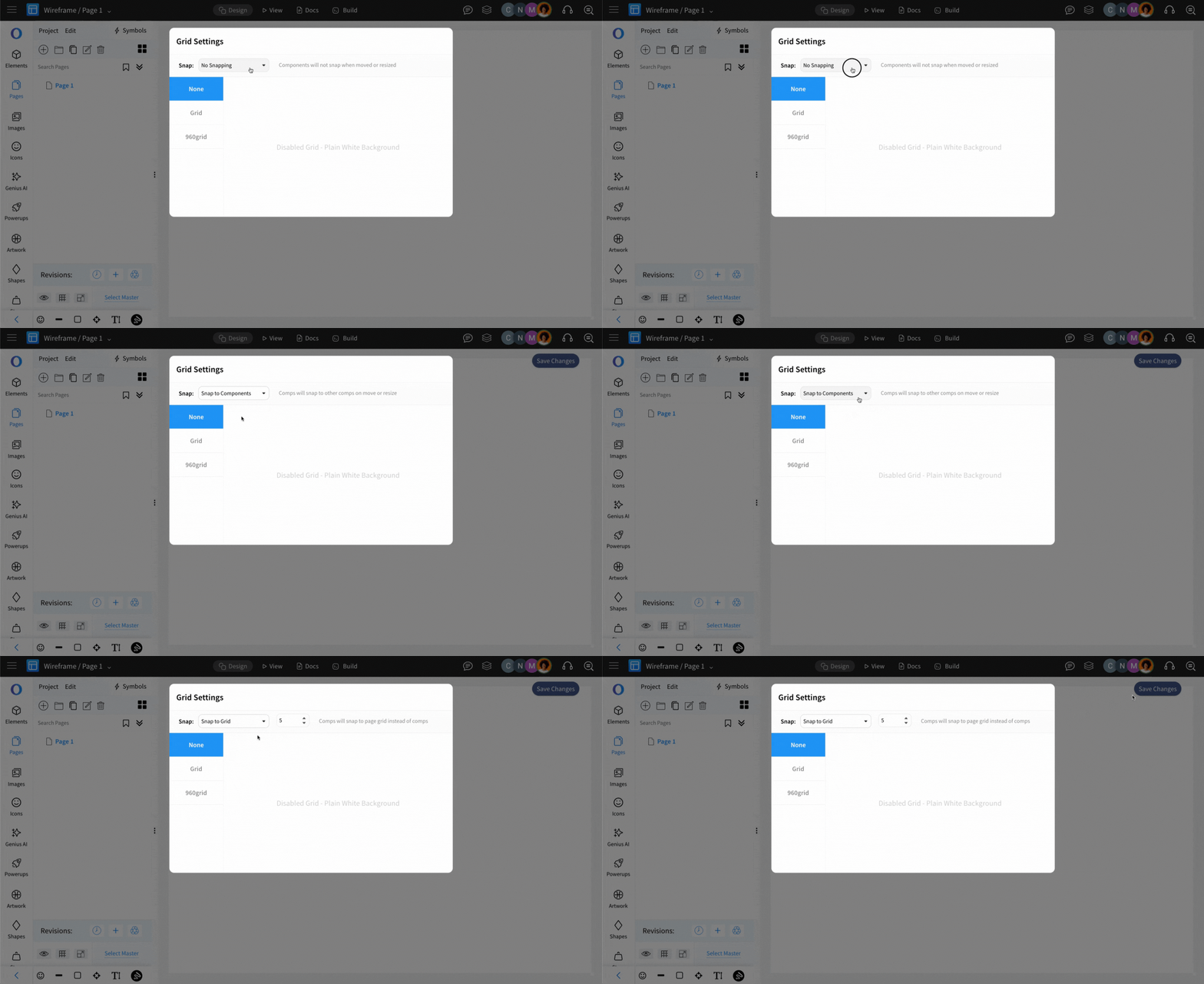
The component snapping within the selected grid setting can be chosen from these options: Snap to Grid, Snap to Component, or No Snapping.
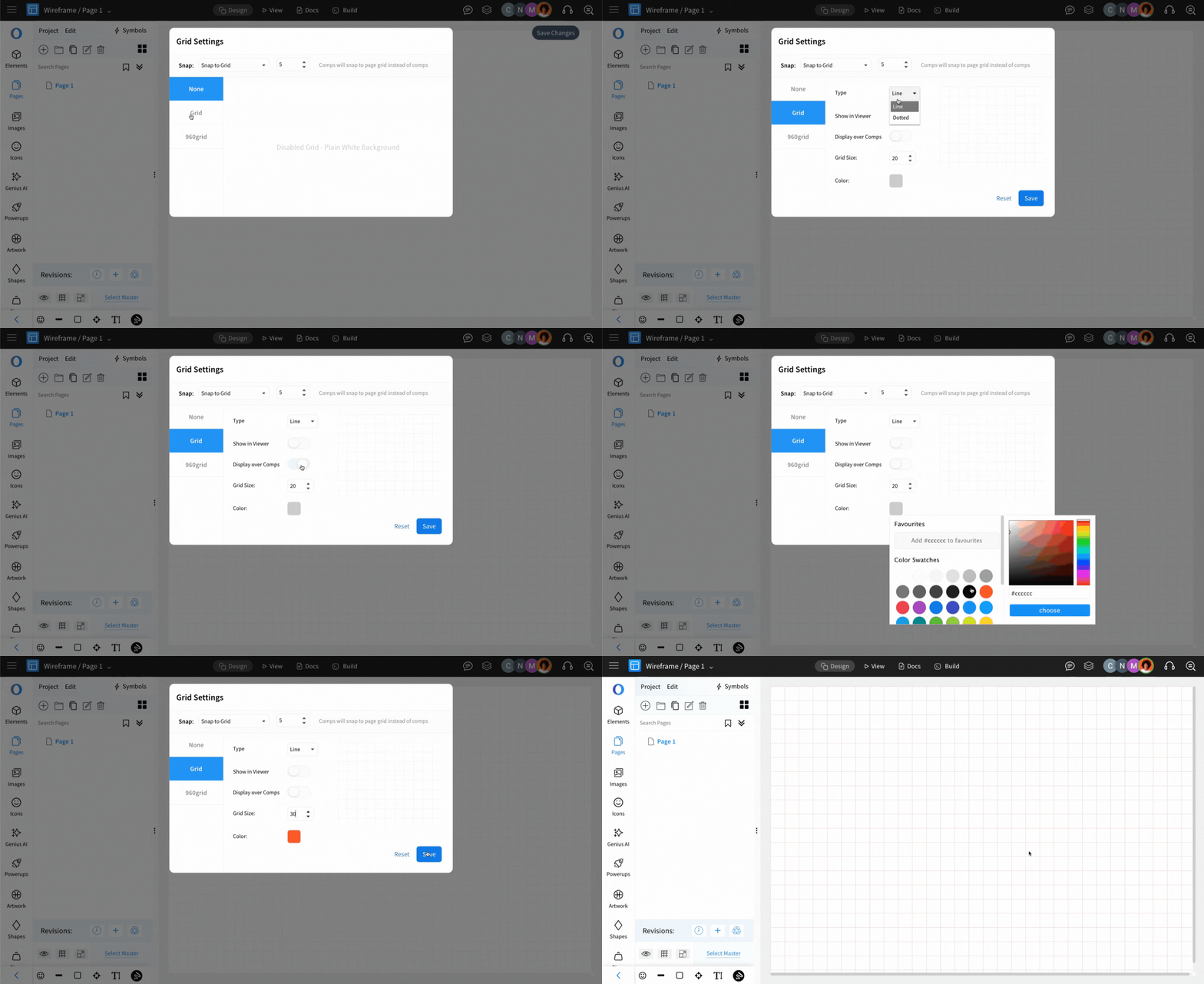
In the grid settings can WireframePro supports two types of grids -
Mesh Grid
960 Grid
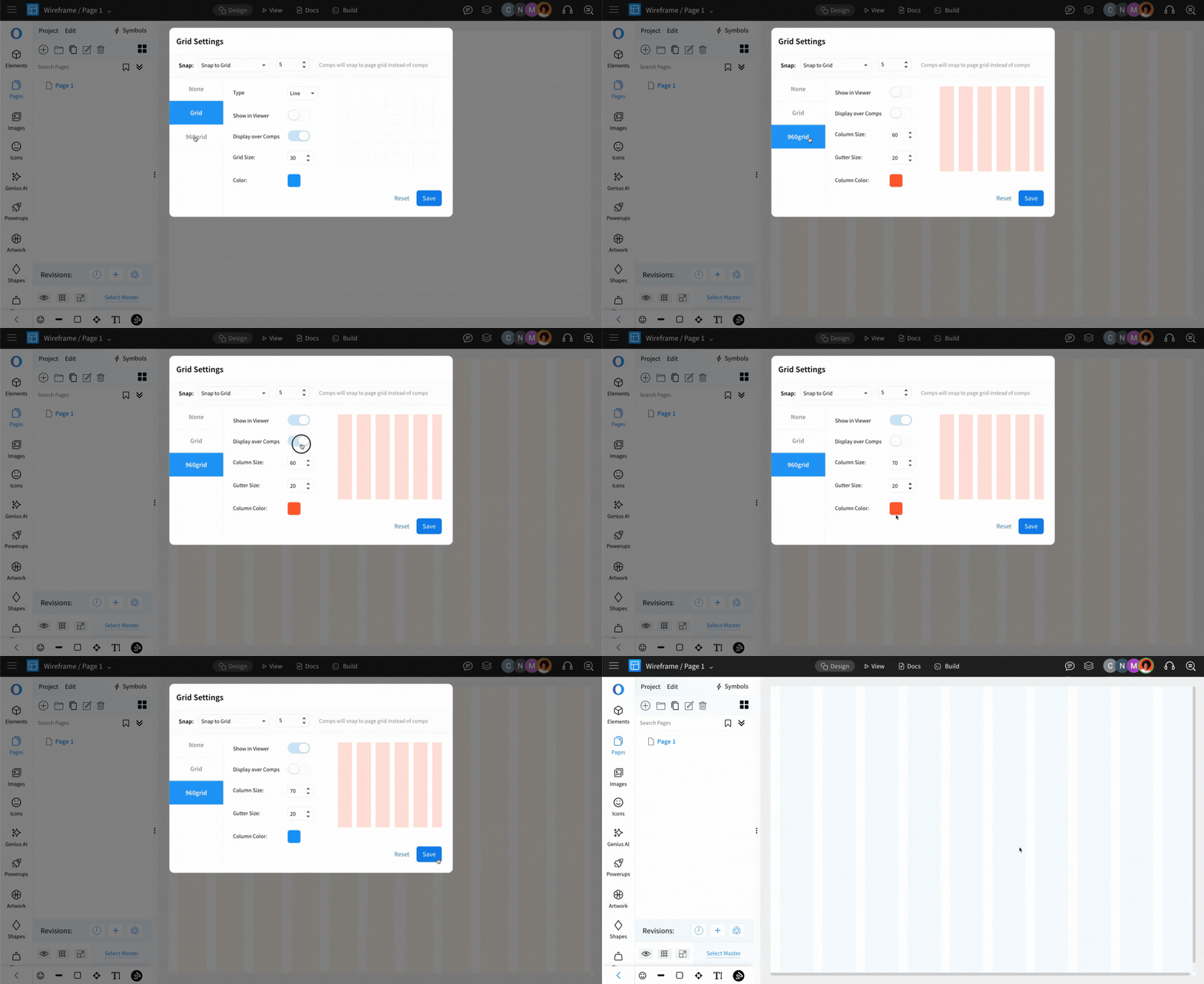
Both the Grids can be fully customized and displayed either in the foreground or background, based on user preference.
Was this page helpful?