
Internal
How to add or delete nodes in SiteMap ?
Nodes can be added or deleted by following the below screenshot. To add or delete using keyboard use the following shortcut...
Nodes can be added or deleted by following the below screenshot.
To add or delete using keyboard use the following shortcut keys:
Add node: Tab key on selected node
Delete node: Press delete key on selected node
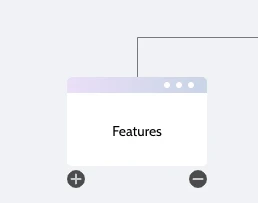
Hover the node.
Click the "+" icon to add a child node.
Click the "-" icon to delete the node.
Was this page helpful?