
Internal
How to rename your board?
You can rename your MockFlow Board (your board) from the design space dashboard or from the editor. Follow these quick steps...
You can rename your MockFlow Board (your board) from the design space dashboard or from the editor.
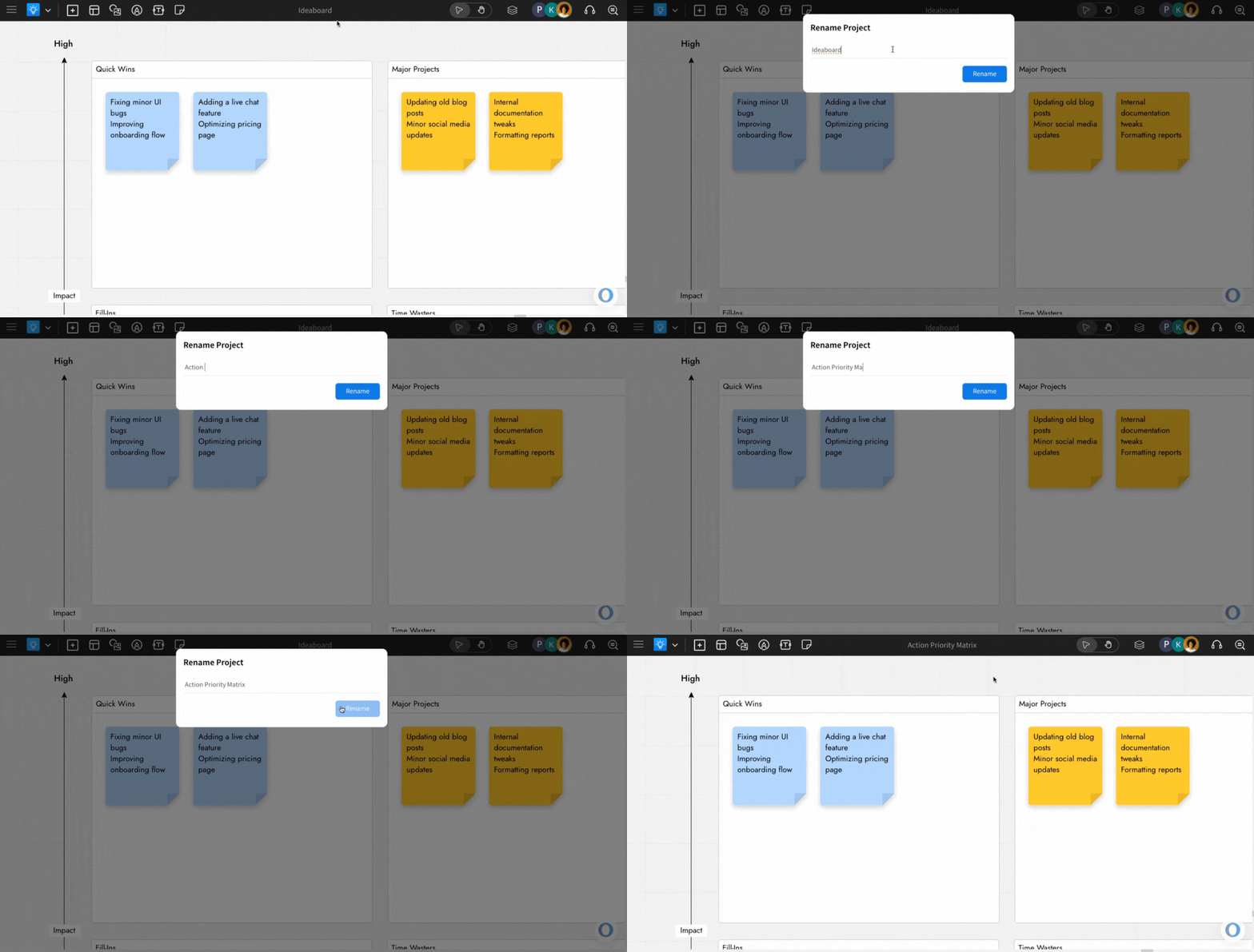
Follow these quick steps to update the board name within the editor in just a few clicks.
Double-click the board name on the top toolbar inside the editor.
A rename project modal appears, where you can enter the new name.
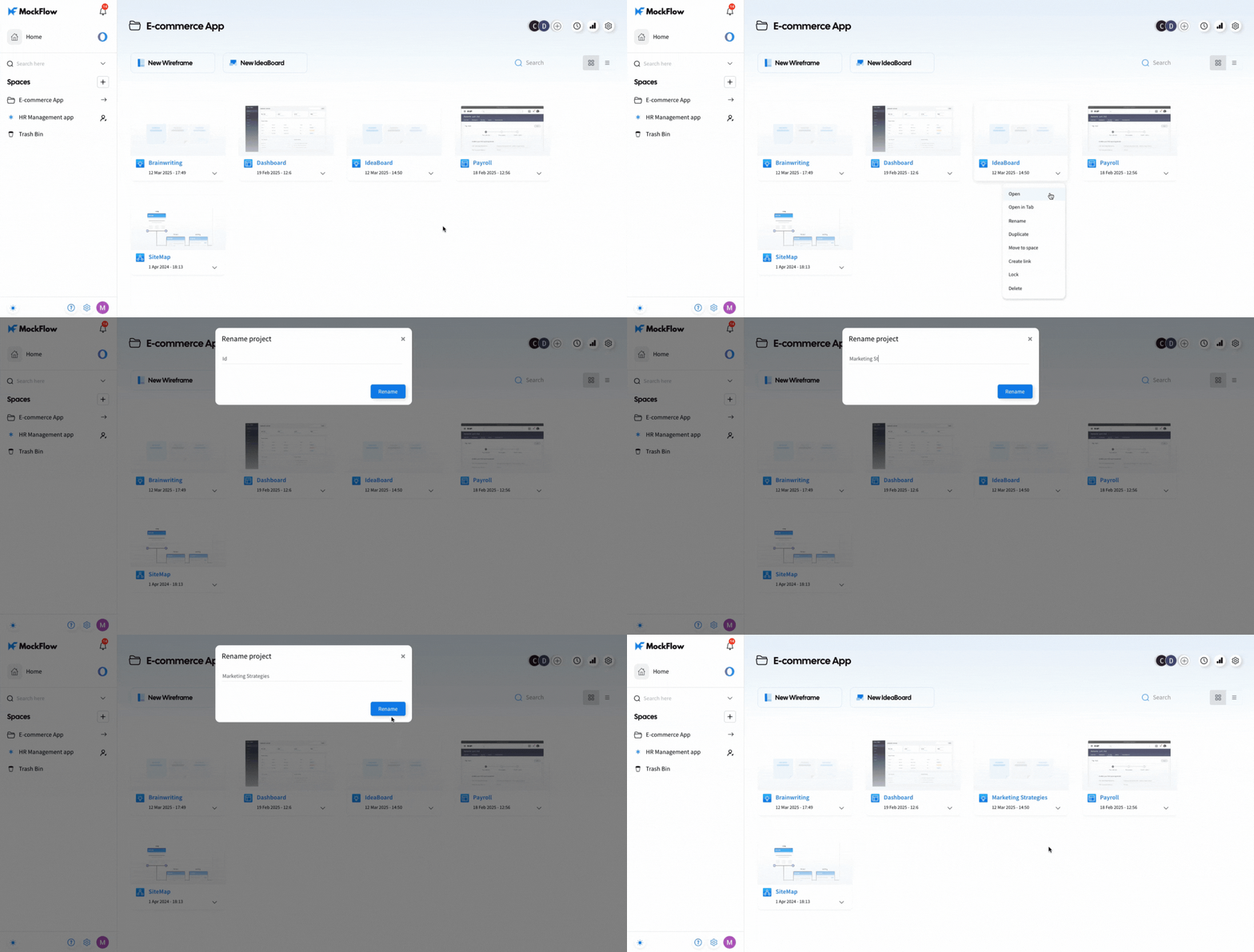
You can also rename the board from the design space dashboard by following these steps:
Was this page helpful?