
Internal
How To Enable Flow Mode?
To enable Flow Mode within the MockFlow WirefrmaePro editor, follow these simple steps. Log in to your MockFlow account to...
To enable Flow Mode within the MockFlow WirefrmaePro editor, follow these simple steps.
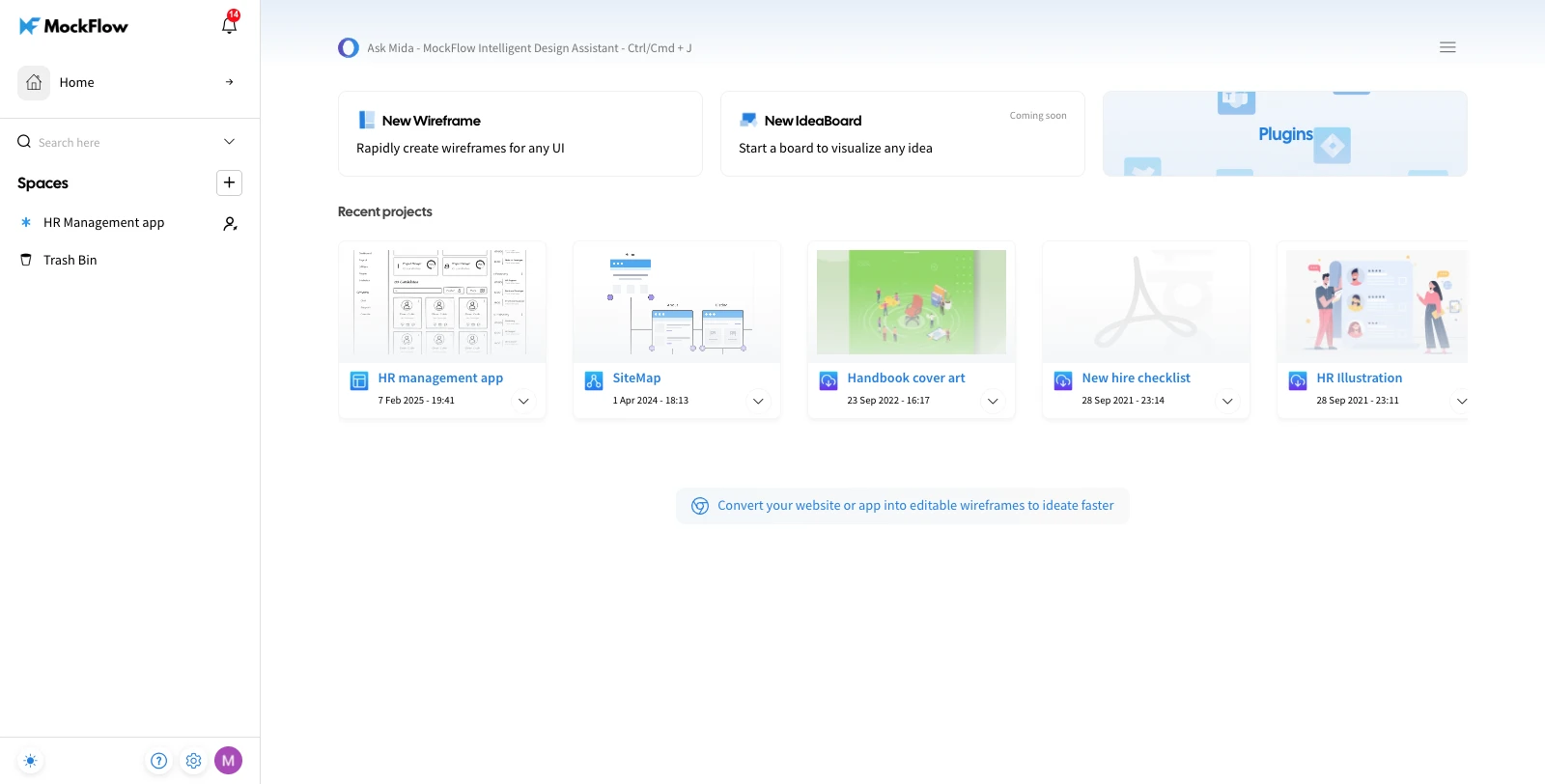
Log in to your MockFlow account to access the dashboard.
Choose a Design Space and either open an existing project or create a new one.
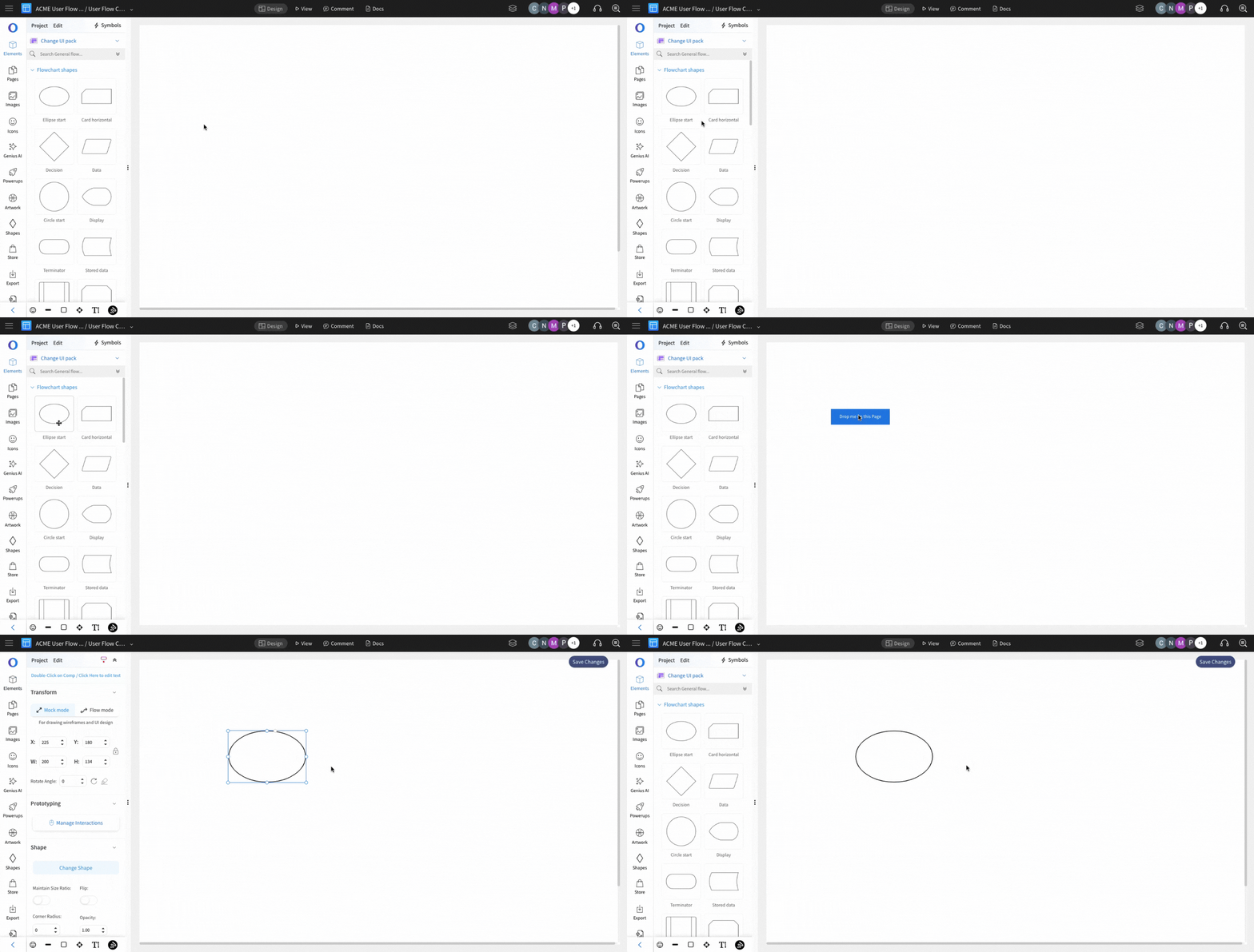
Drag and Drop a component to the MockFlow canvas and select it.
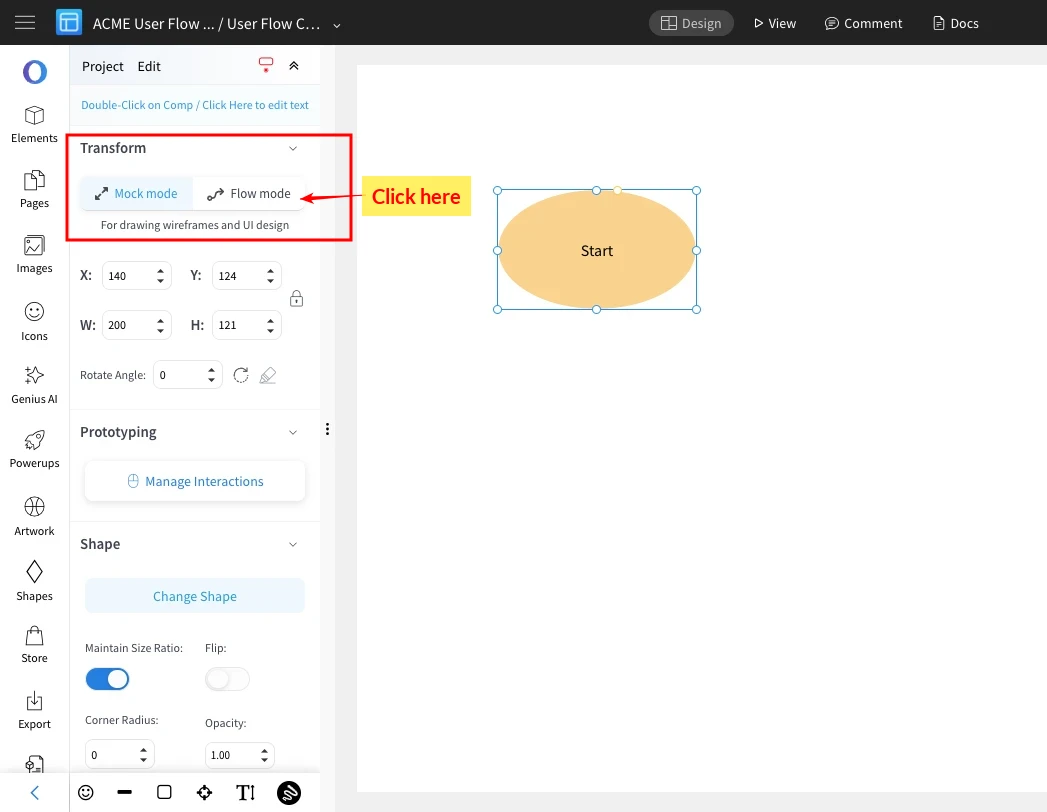
In the editor sidebar, toggle the Flow Mode option.
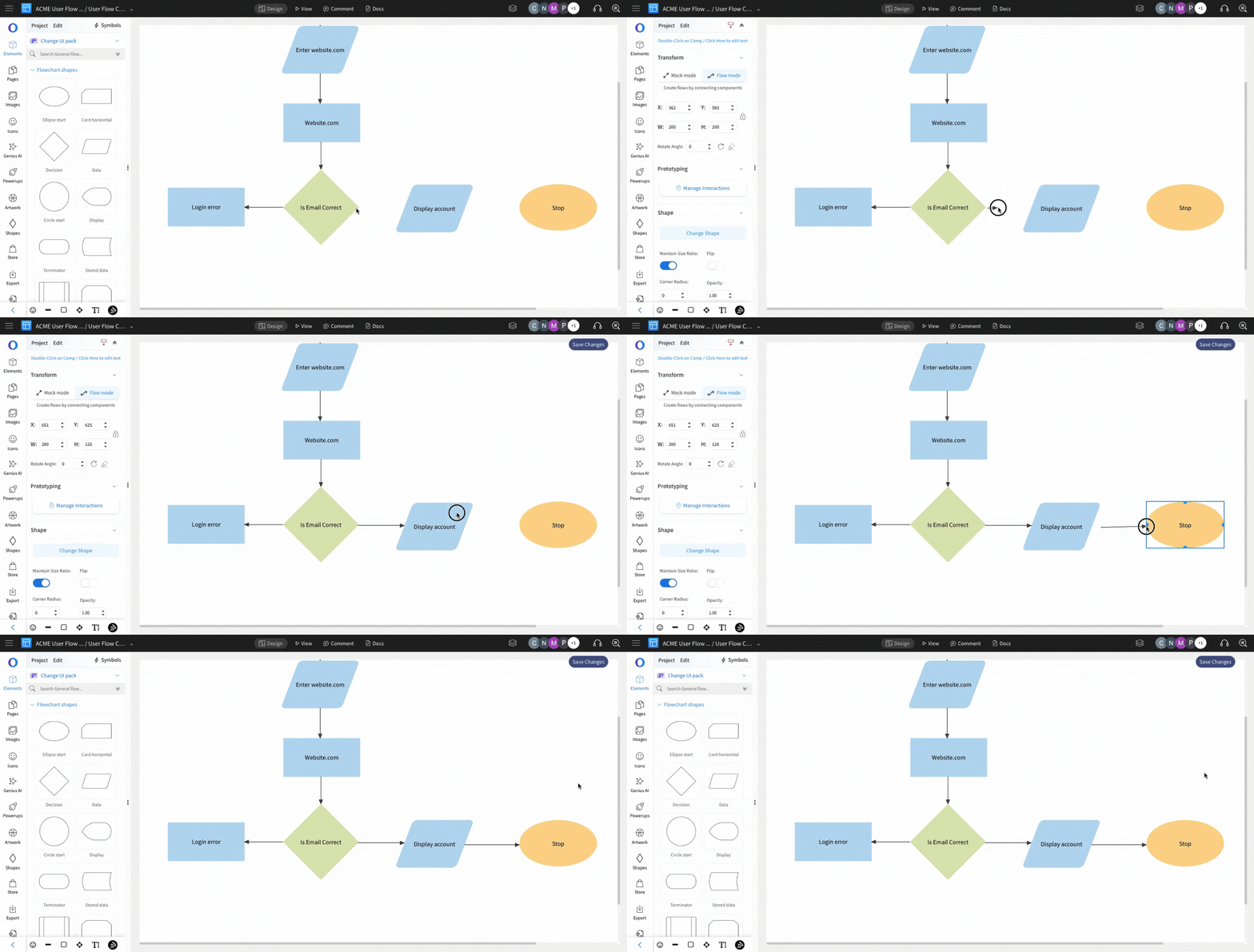
Once Flow Mode is enabled, create workflows, user flows, process flows, and more by connecting components with arrow connectors.
Was this page helpful?