
Internal
Generate Text for your wireframes with AI
With Generate Text with AI feature, you can generate text for your UI designs with ease with a single prompt. The following are...
With Generate Text with AI feature, you can generate text for your UI designs with ease with a single prompt.
The following are the steps to Generate Text with AI.
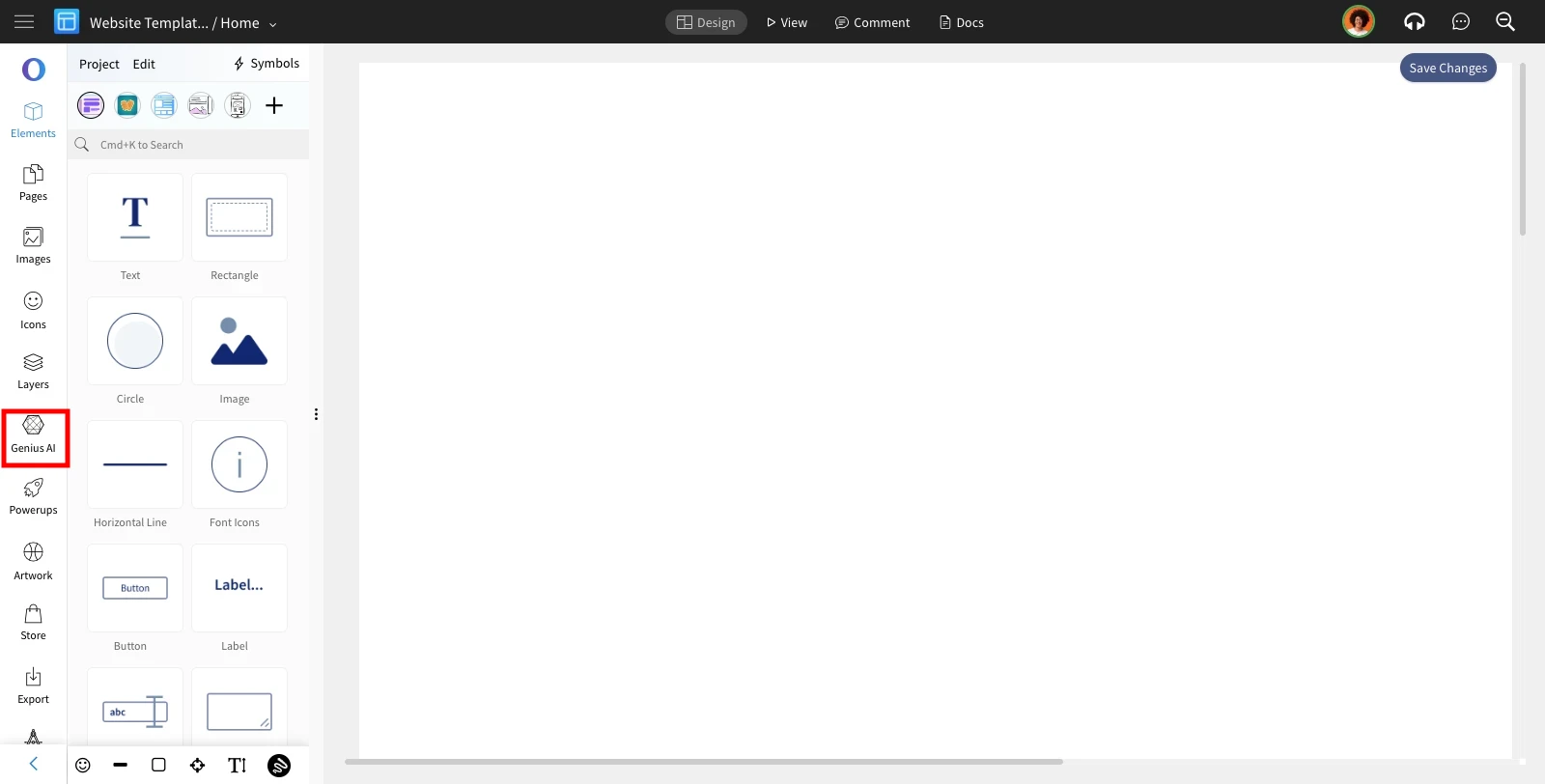
Click on Genius AI from the editor sidebar.
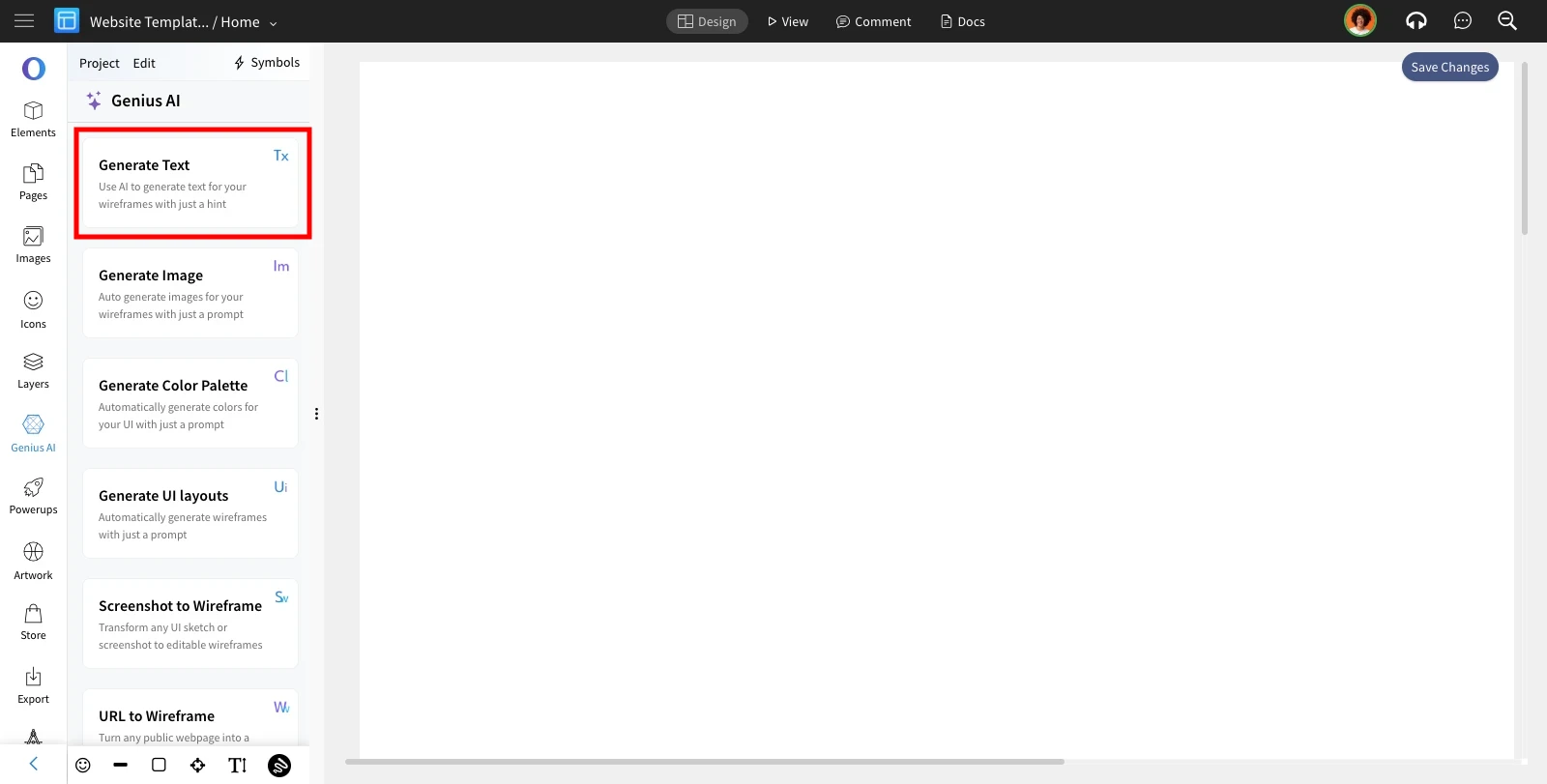
Select Generate Text from the list of AI features.
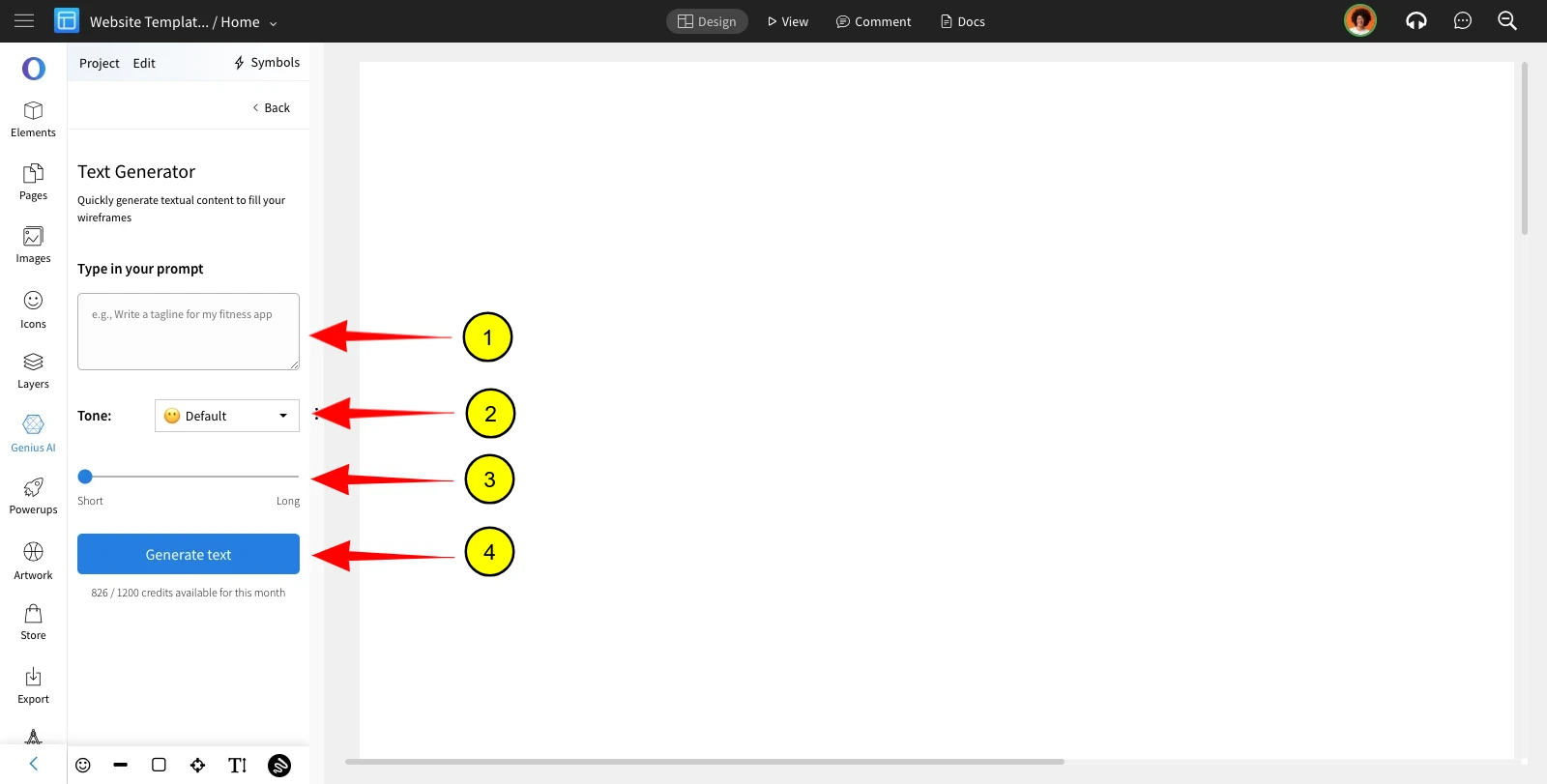
Enter the prompt, Specify its tone and text length.
And, click on 'Generate Text.'
Was this page helpful?