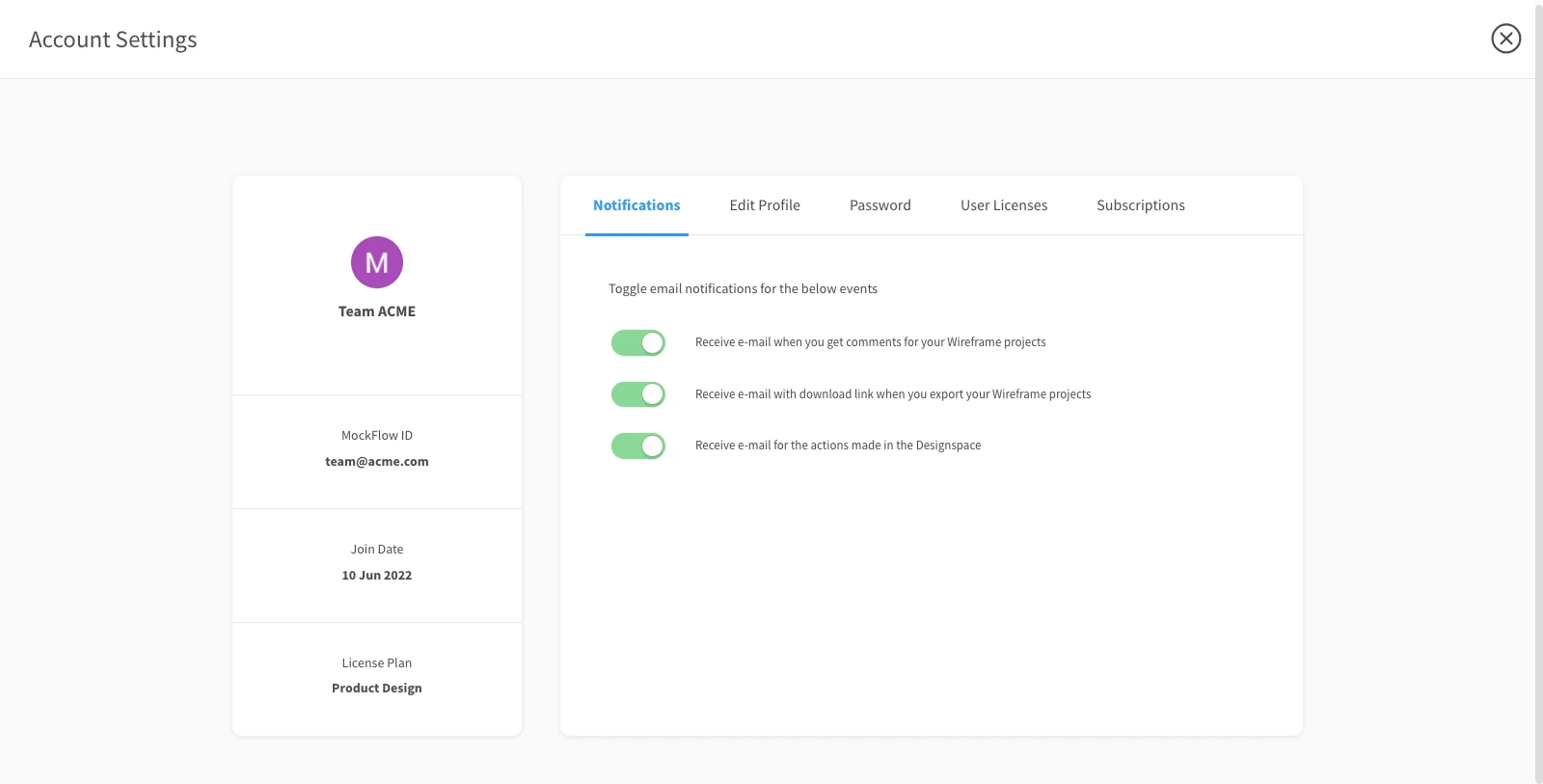
How to turn off email notifications ?
MockFlow sends two types of email: 1) System Email: These are important application emails that cannot be turned OFF. System...
MockFlow sends two types of email:
System Email: These are important application emails that cannot be turned OFF. System emails are sent less often on events like account registration, a project shared with you, license purchase, subscription renewal, etc...
Notification Email: These emails are sent whenever collaborators of your project leave comments, chat invites or make other updates.
Open the settings menu by clicking the profile icon in the dashboard sidebar.
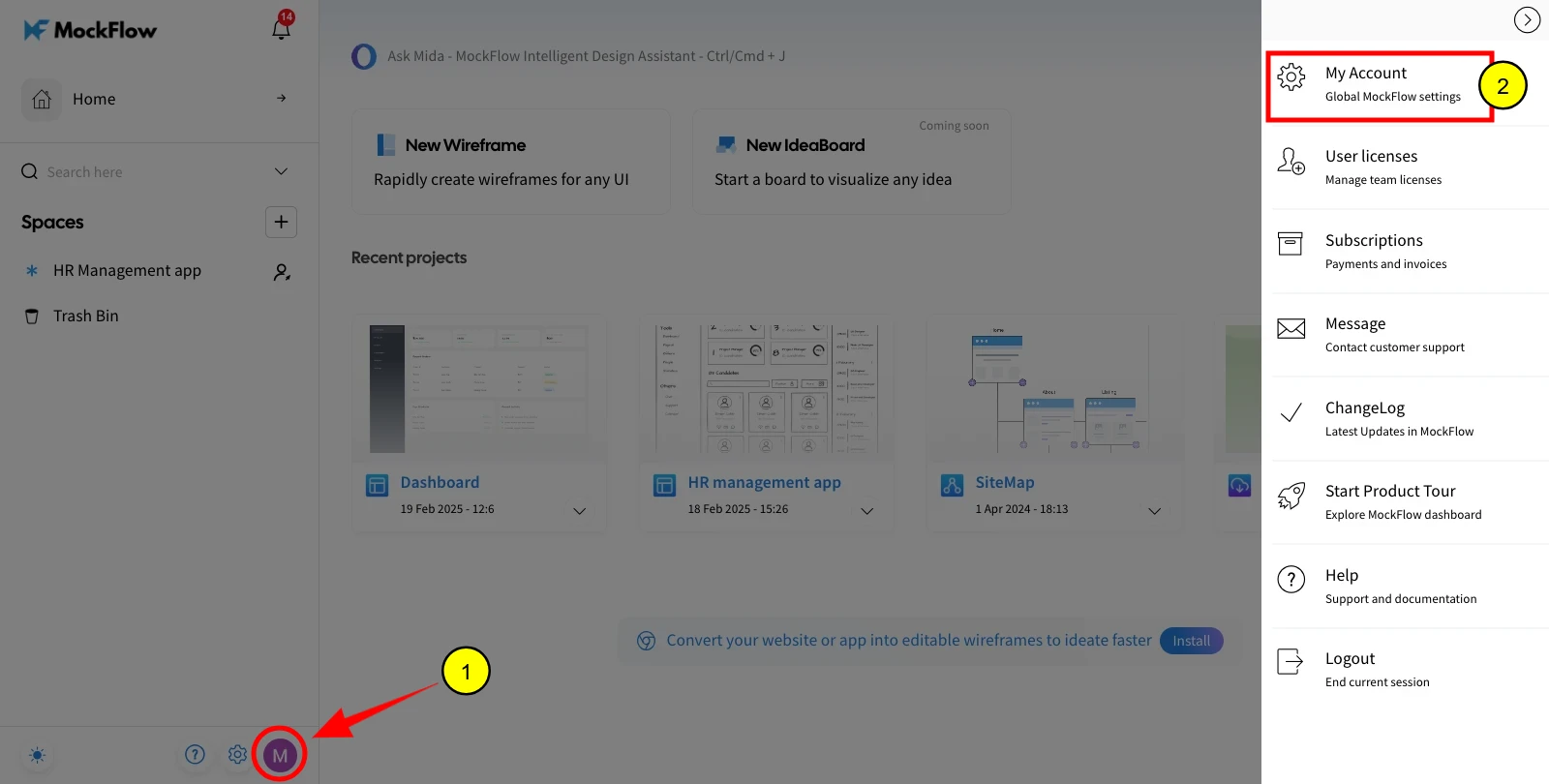
While system emails cannot be turned off as they are sent only when important activities occur, notification emails can be opted out anytime by following the below screenshot.