
Internal
Convert offline .wire file to cloud project
There might be various reasons to convert your offline .wire file created with the WireframePro desktop app to a cloud project....
There might be various reasons to convert your offline .wire file created with the WireframePro desktop app to a cloud project. This could be for team collaboration, revision history, better export options, power-ups, etc...
To convert a .wire file to a cloud project, follow the steps below:
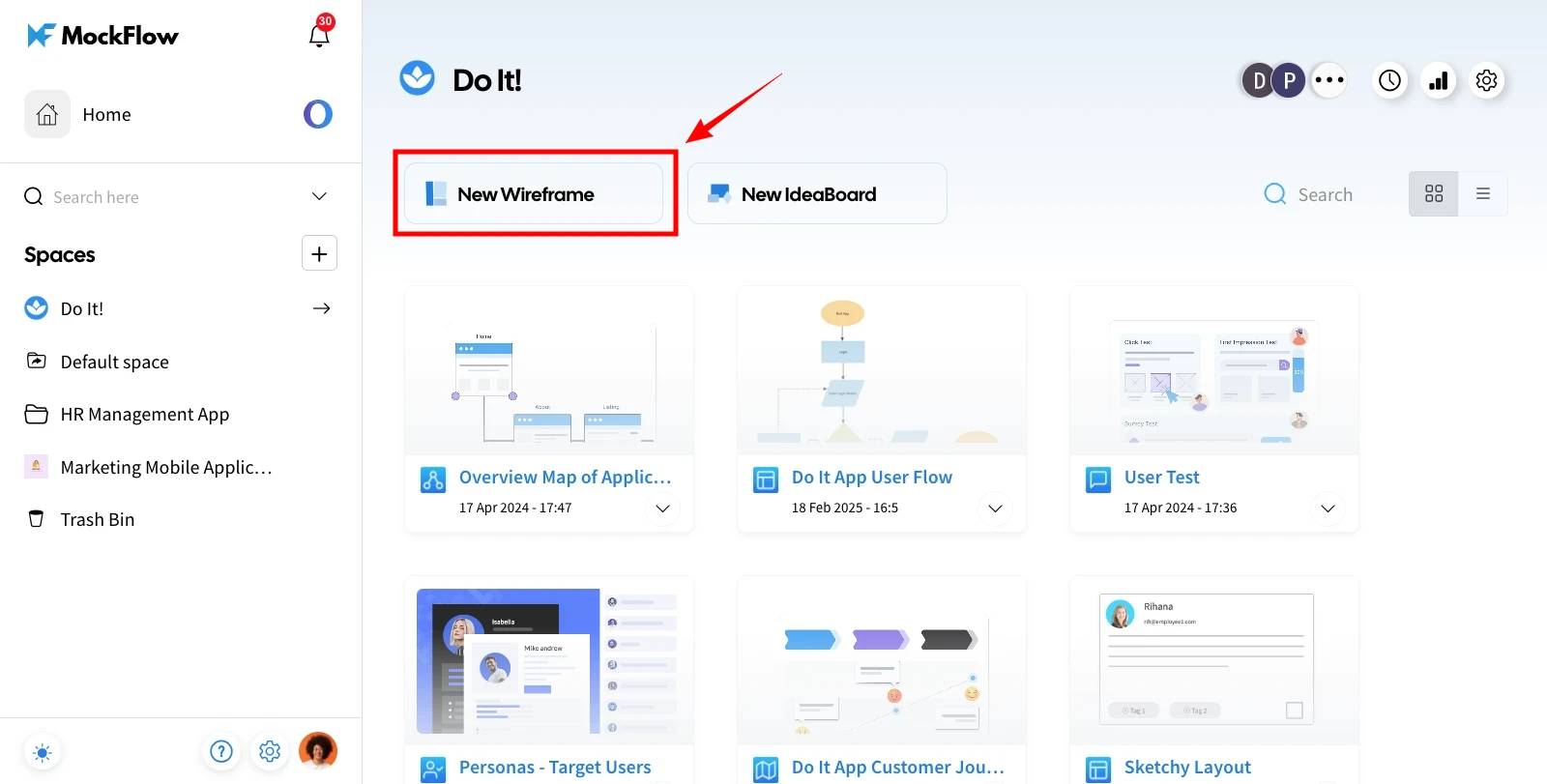
Open your MockFlow web dashboard and hover over the 'New Wireframe.'
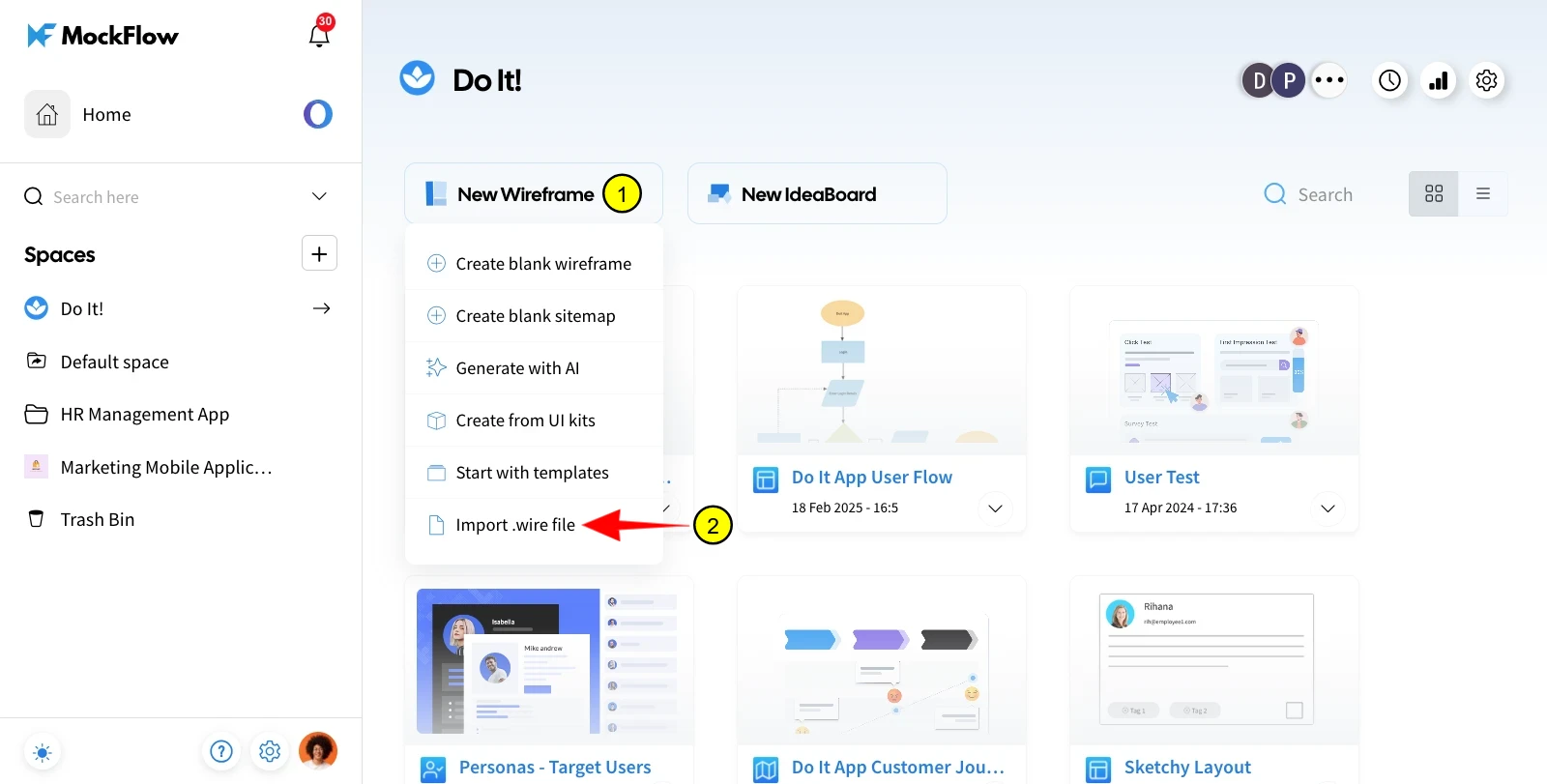
Select the 'Import .wire' file to upload it to your wireframe editor.
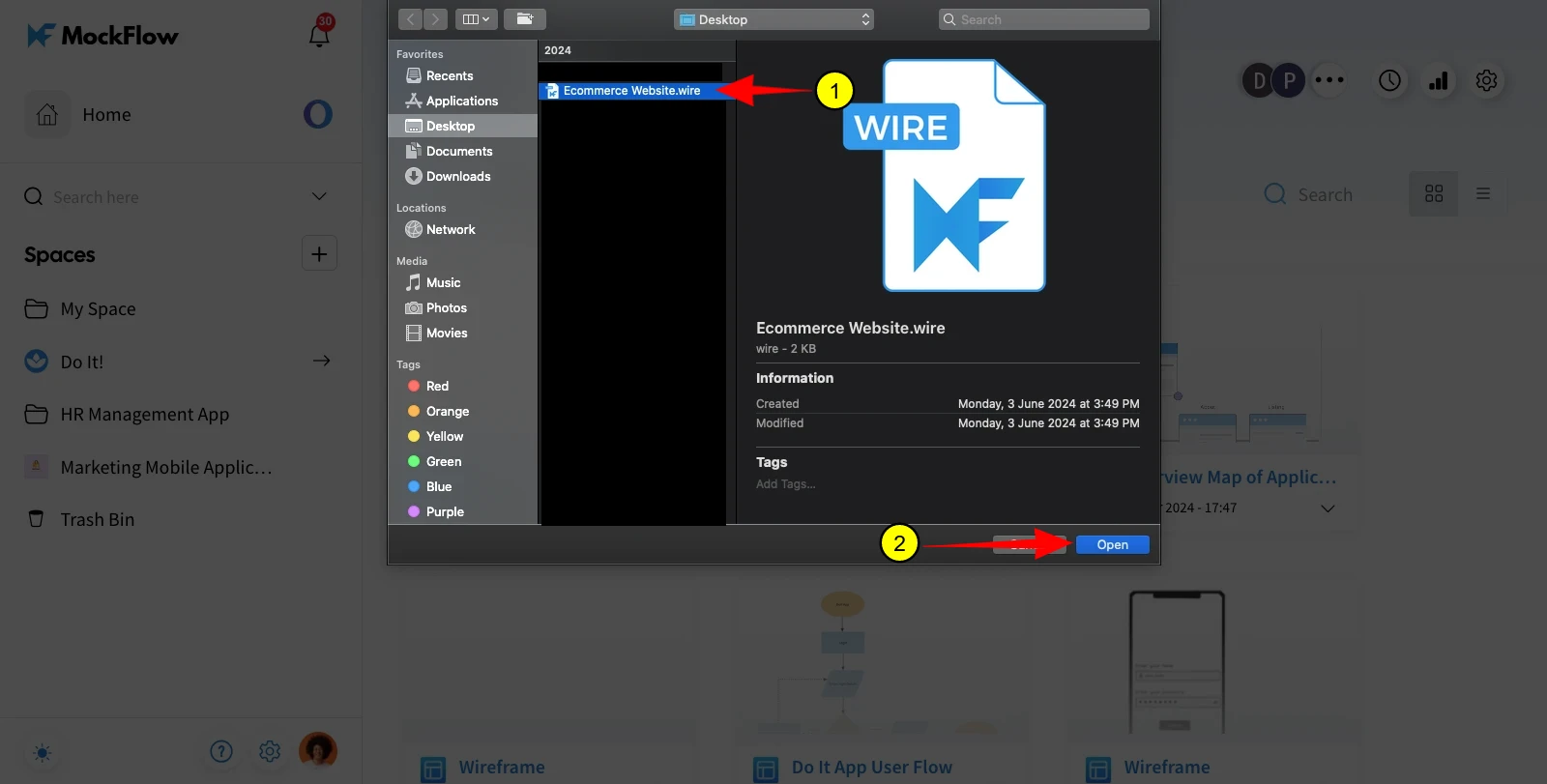
Choose to convert the file into a cloud-based project.
The converted project will now appear in your web dashboard as an online project.
Was this page helpful?