
Internal
Navigating UX document
Navigating UX document is easy with the table of contents feature, especially for long documentation. Follow the steps below to...
Navigating UX document is easy with the table of contents feature, especially for long documentation.
Follow the steps below to know how to navigate easily within the MockFlow UX document using table of contents.
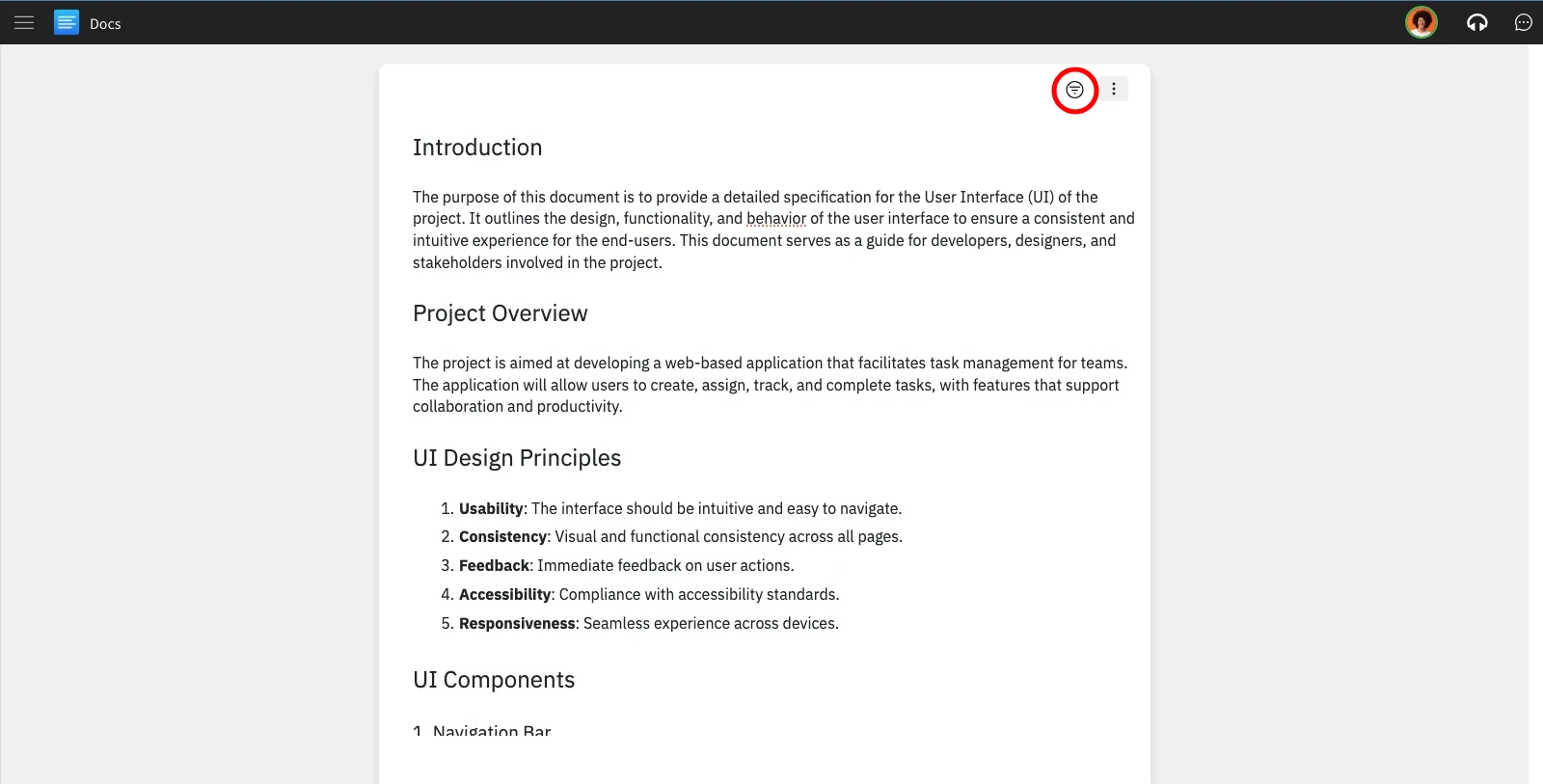
In the UX documentation project, click on the 'Table of Contents' option.
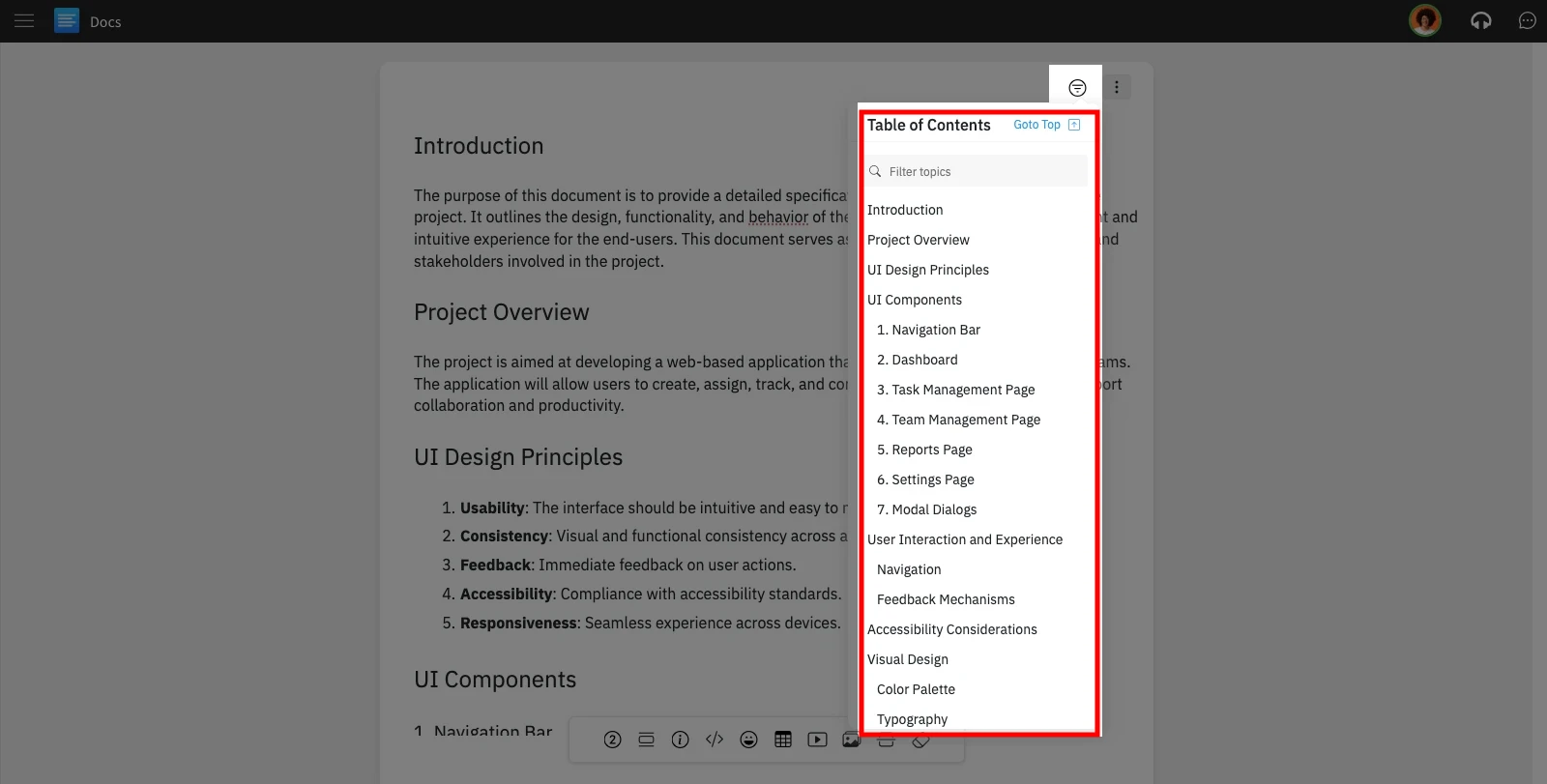
The Table of Contents will appear as a list, allowing easy navigation through the UX documentation.
Was this page helpful?