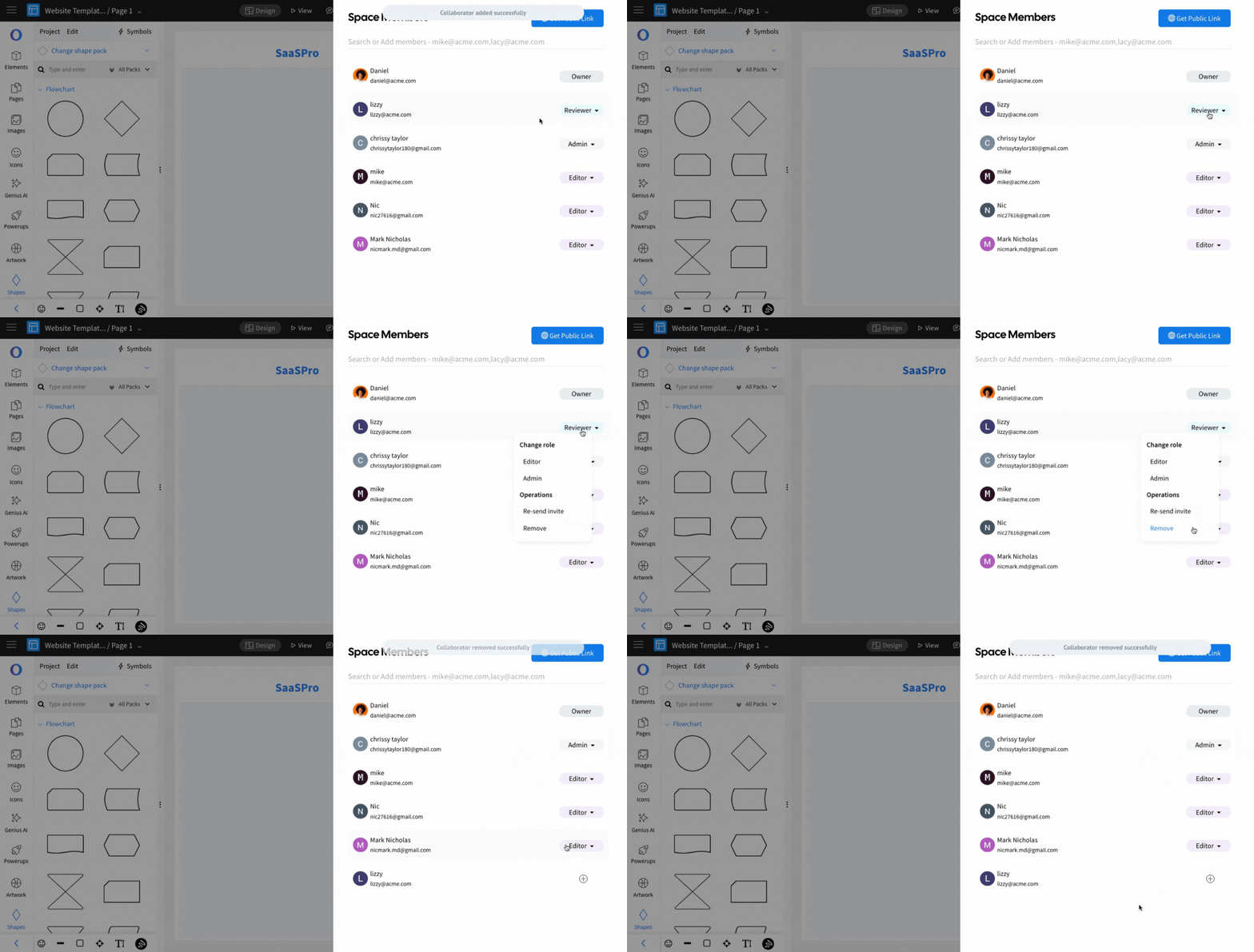
How to share the project from editor?
The project can be shared from inside the editor by following the steps below. In the MockFlow WireframePro editor, click on...
The project can be shared from inside the editor by following the steps below.
In the MockFlow WireframePro editor, click on the Space Members icon in the top right corner.
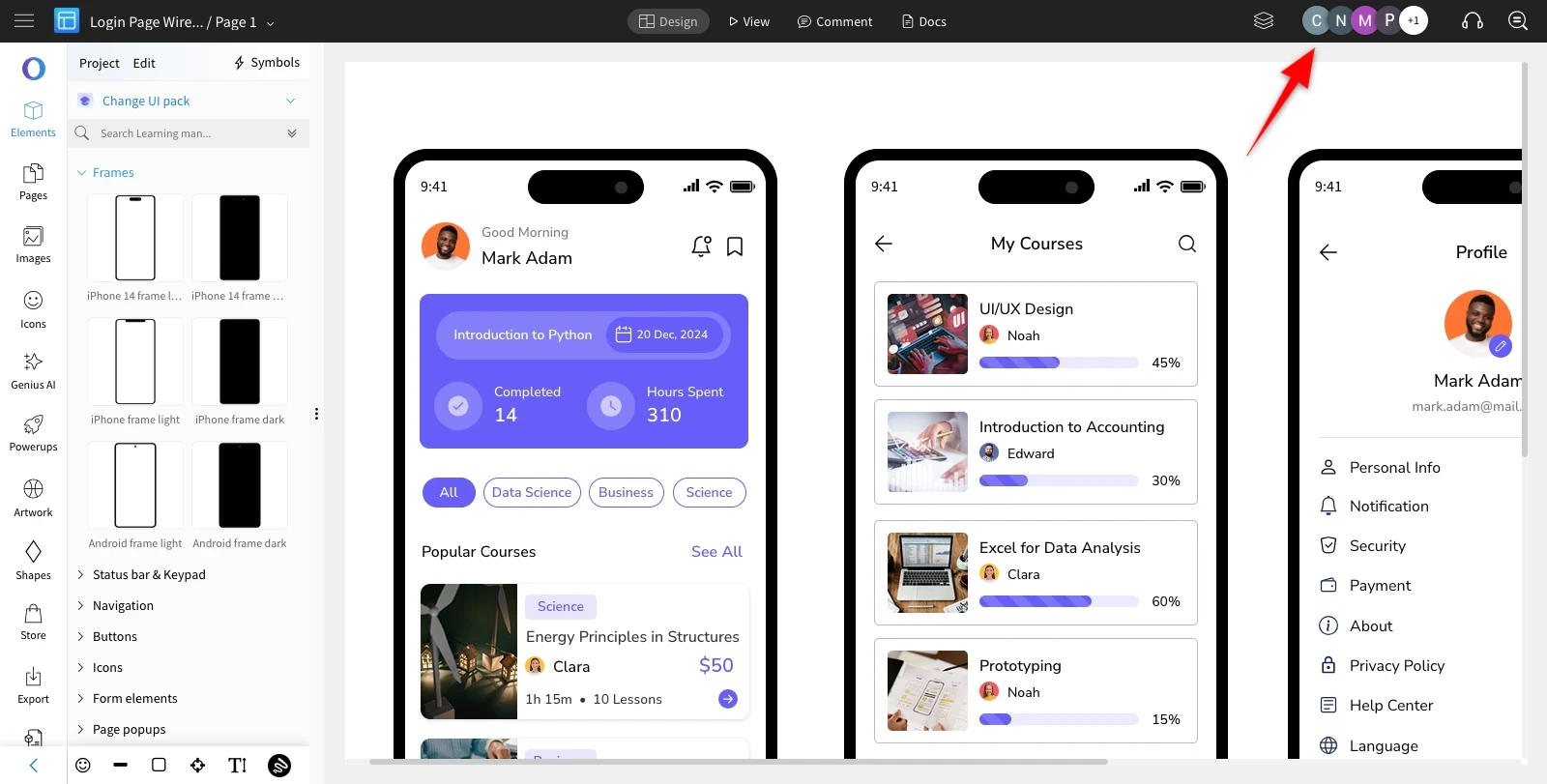
A list of existing Space Members shared within the Design Space will appear.
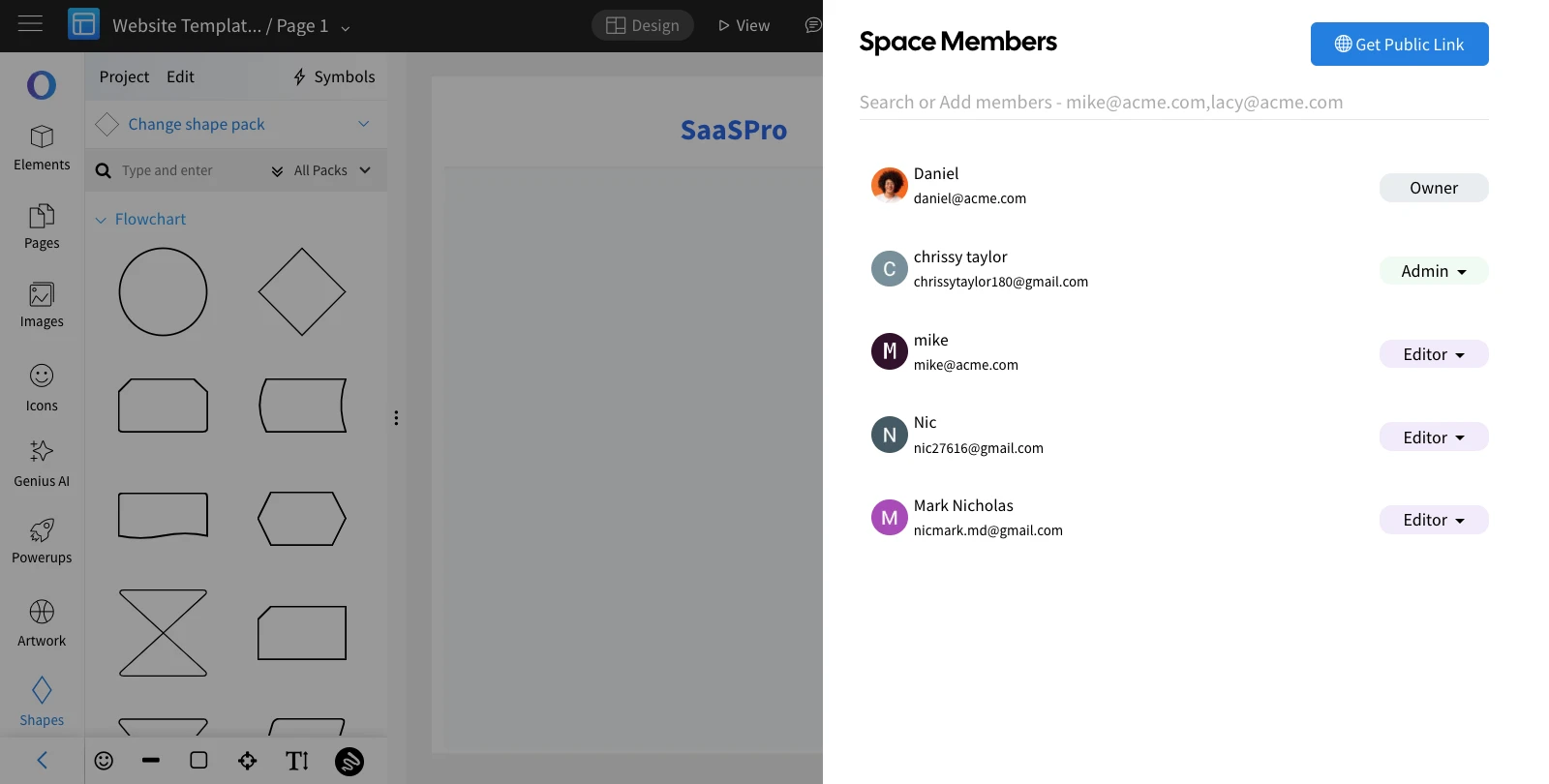
Enter the Email ID of the new member you want to share the project with.
Assign a role—Reviewer, Editor, or Admin—based on the level of access required for the user.
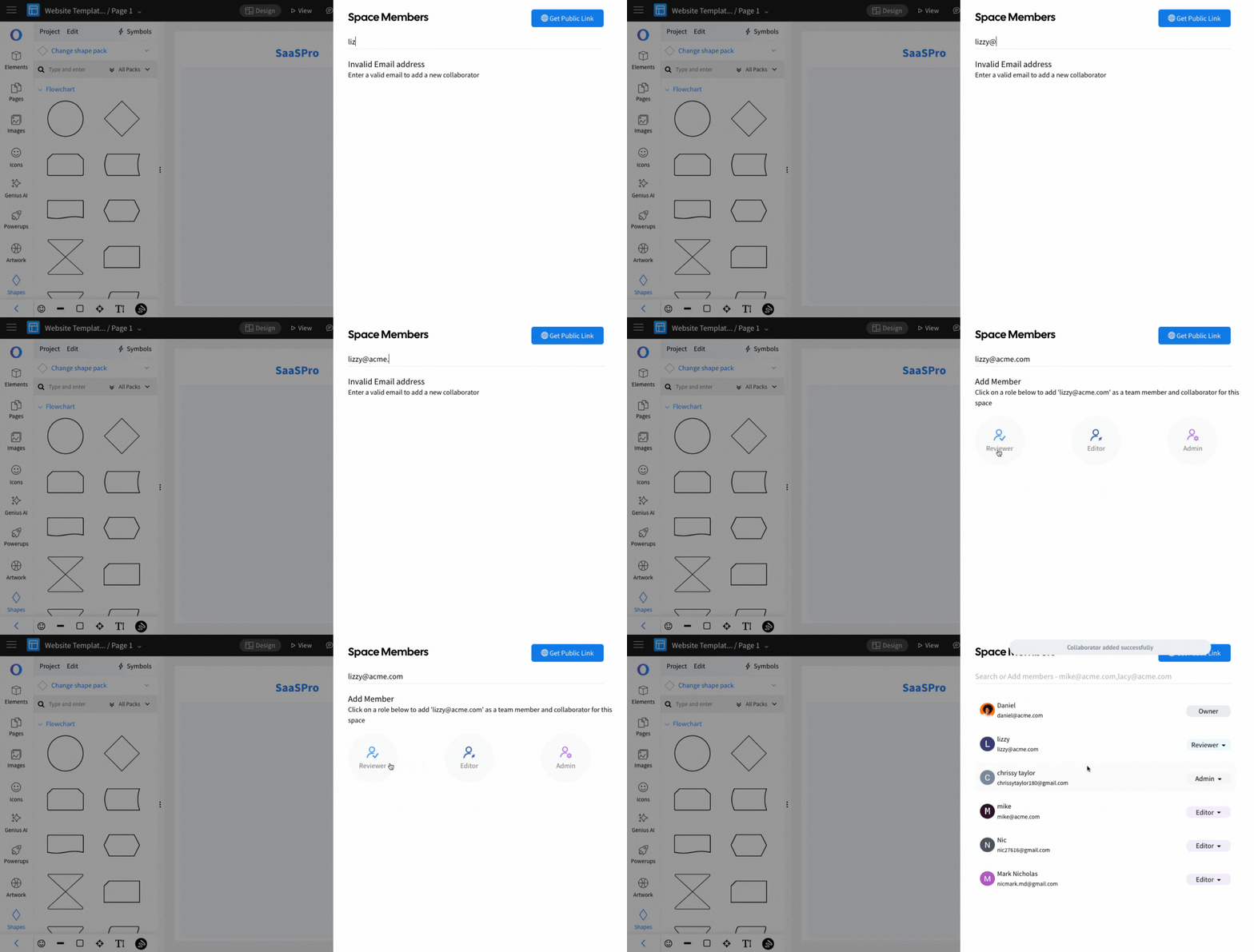
An invitation will be sent to the user and the assigned role can be changed anytime, even after sharing the project.
If the added user missed the shared invitation, it can be re-sent by clicking the 'Role Dropdown' and selecting 'Resend Invite.'