
Internal
How to Resolve a Comment?
Convert design comments into resolved to-do items using the Resolve feature. Follow the steps below to resolve a comment: ...
Convert design comments into resolved to-do items using the Resolve feature. Follow the steps below to resolve a comment:
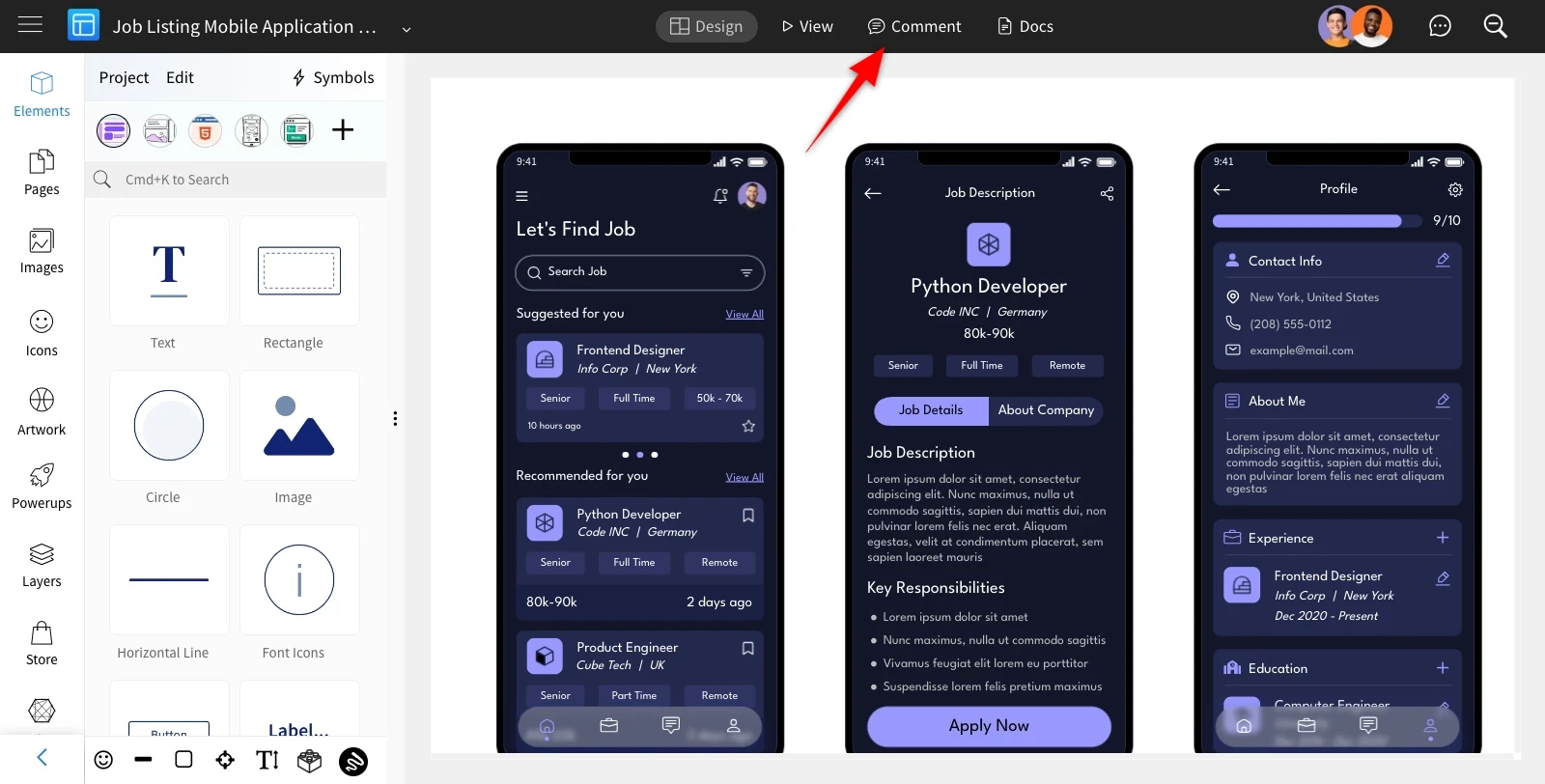
Select 'Comment' from the top menu.
Utilize the comment cursor to interact with the page model; you can add comments just by clicking on it.
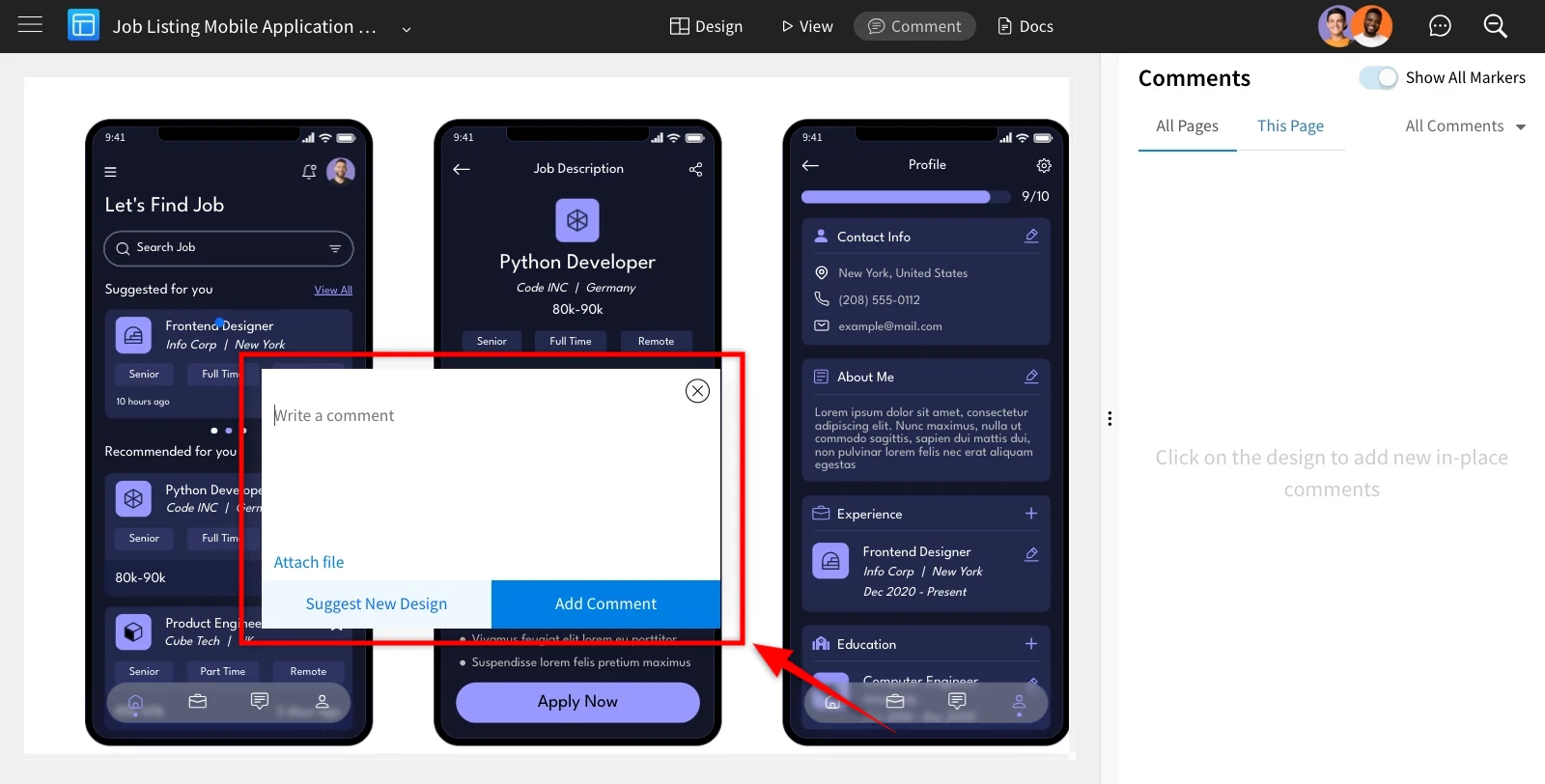
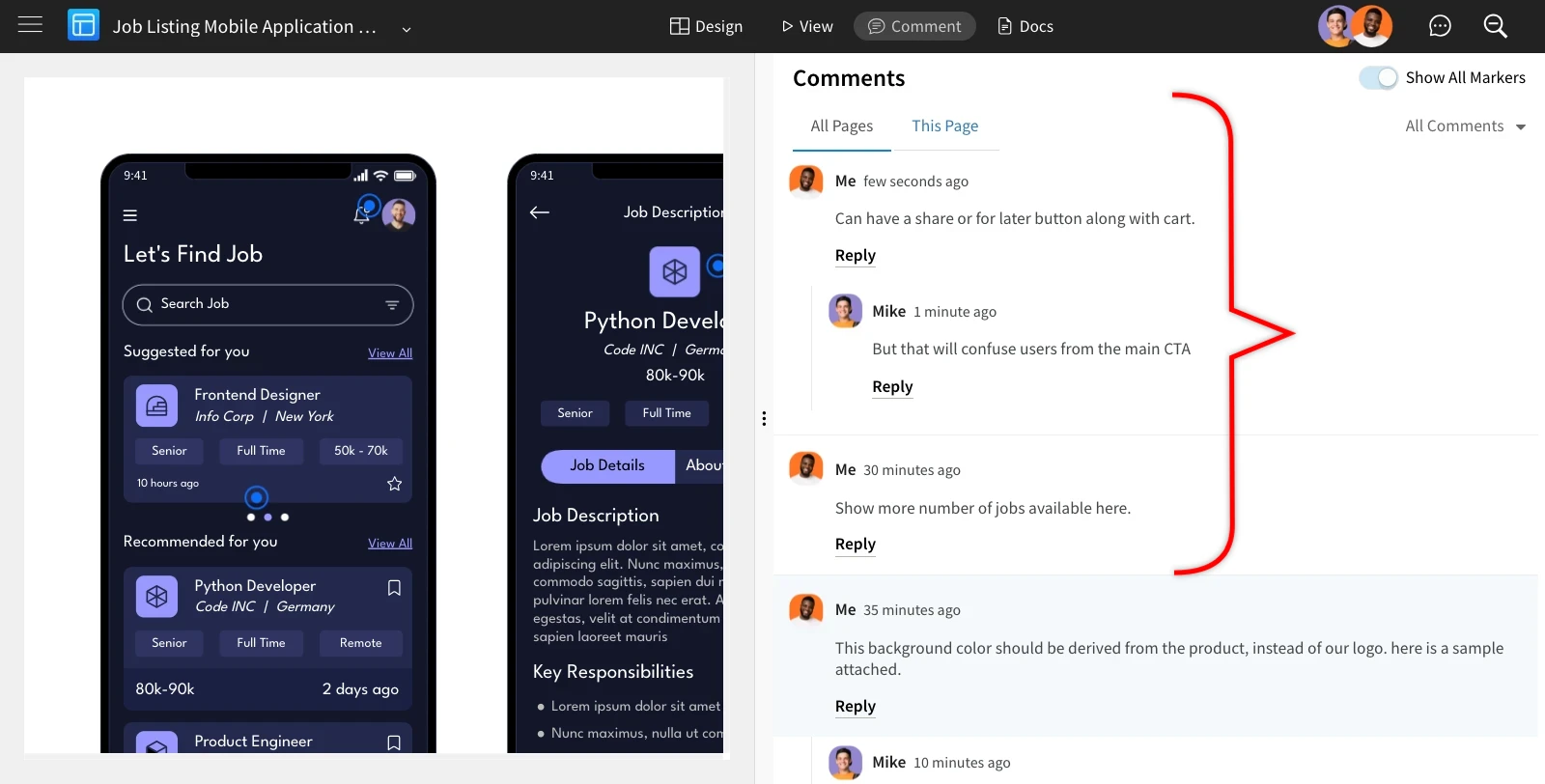
The comments will be added immediately.
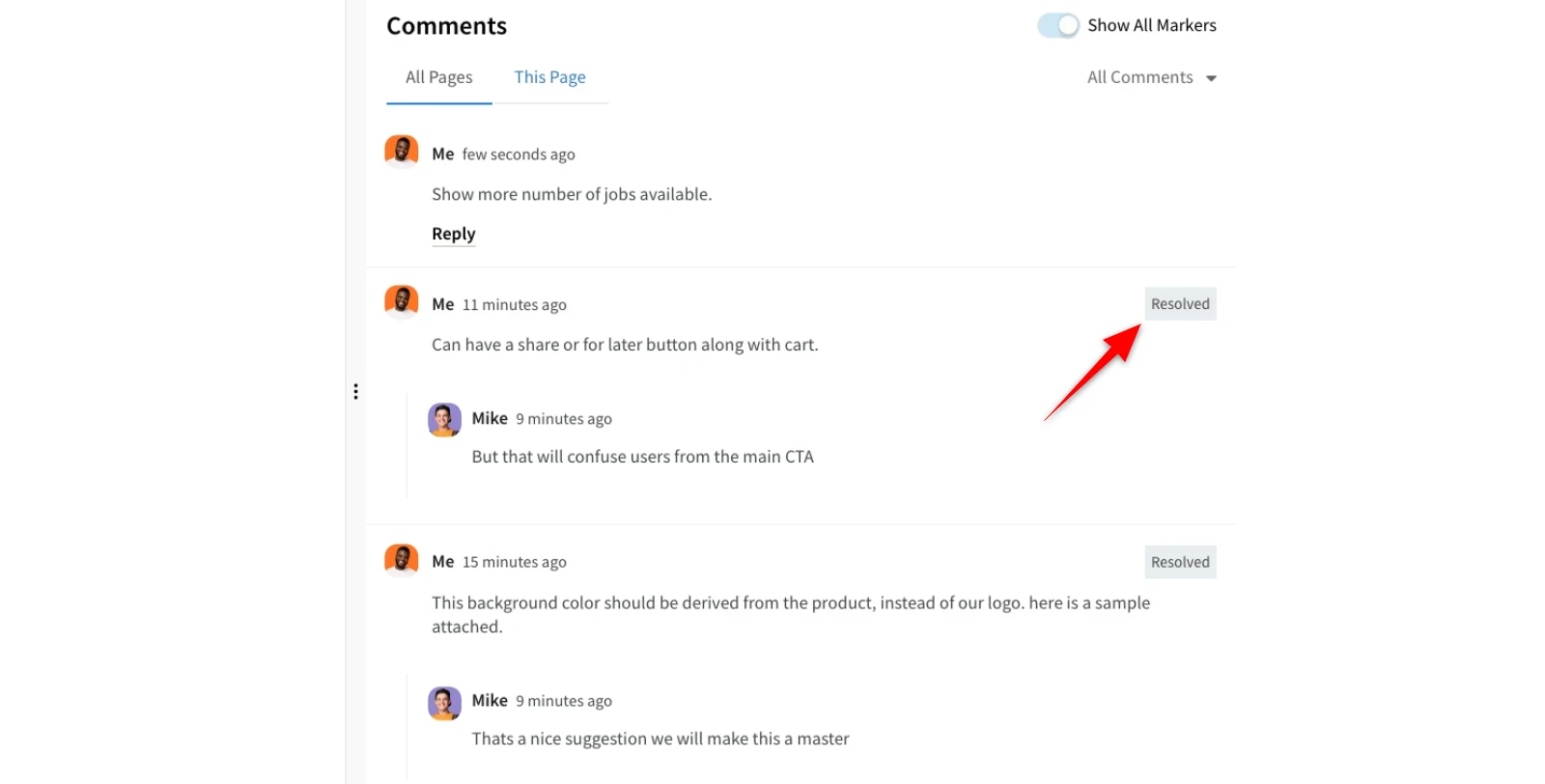
Hover over a comment with your cursor to reveal the 'Resolve' option, then click on it.
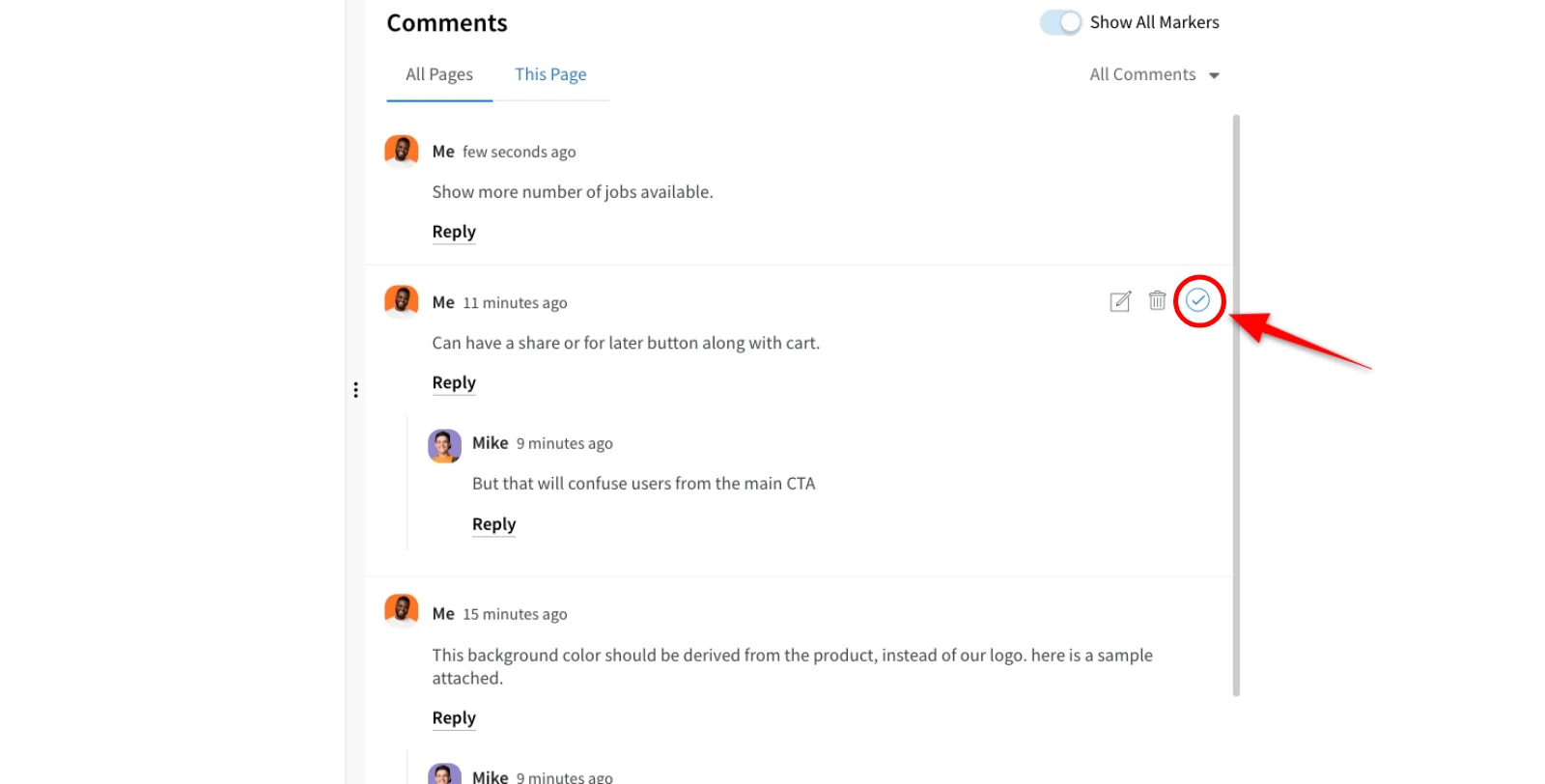
Once you click Resolve, the comments will be marked as 'Resolved.'
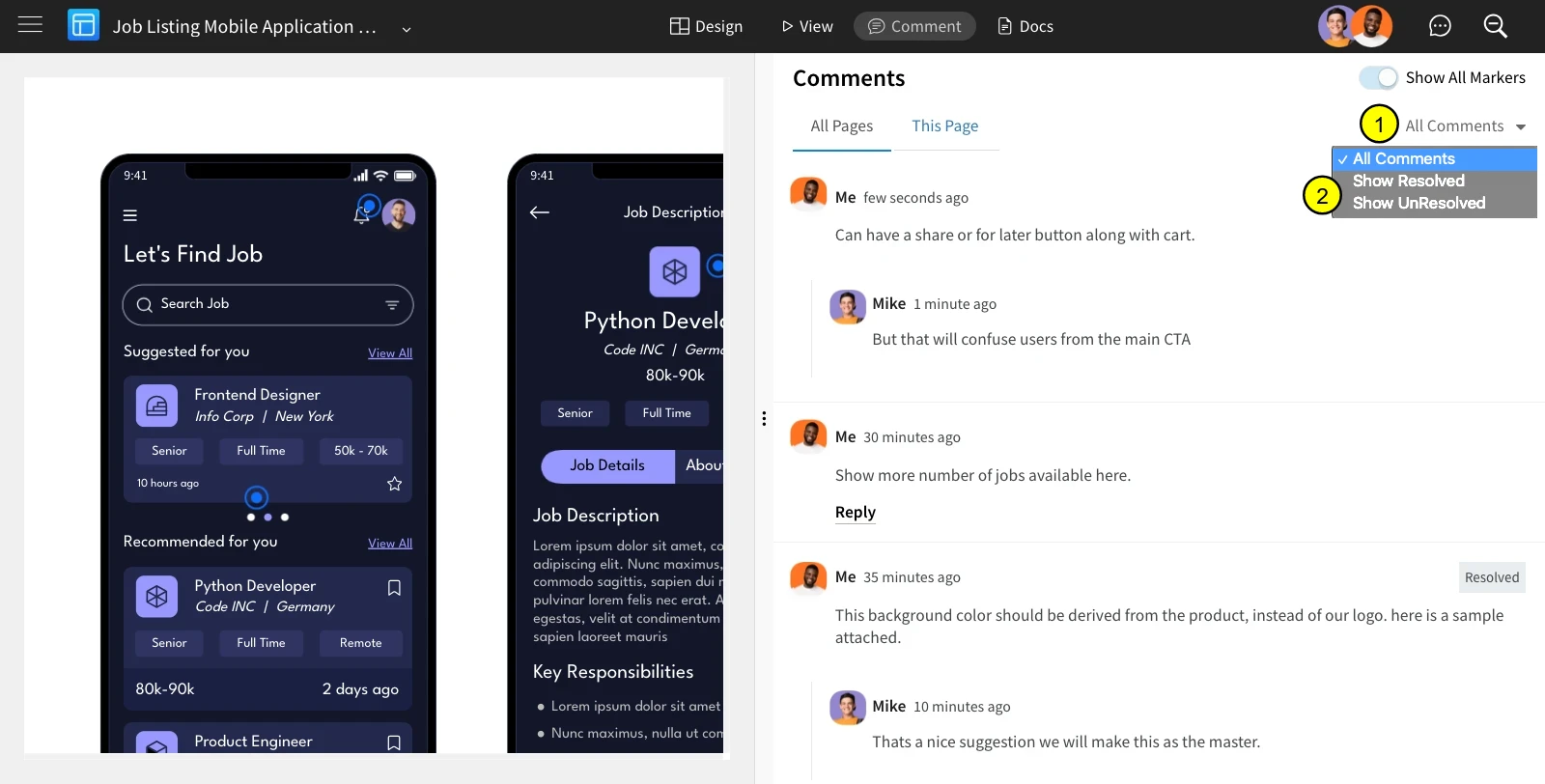
Filter comments by clicking the 'All Comments' dropdown, where you can choose between 'All Comments,' 'Show Resolved,' and 'Show Unresolved.'
Was this page helpful?