
Internal
How to delete my project?
Follow these steps below to delete a project inside MockFlow Design Space. Select the project you want to delete and click on...
Follow these steps below to delete a project inside MockFlow Design Space.
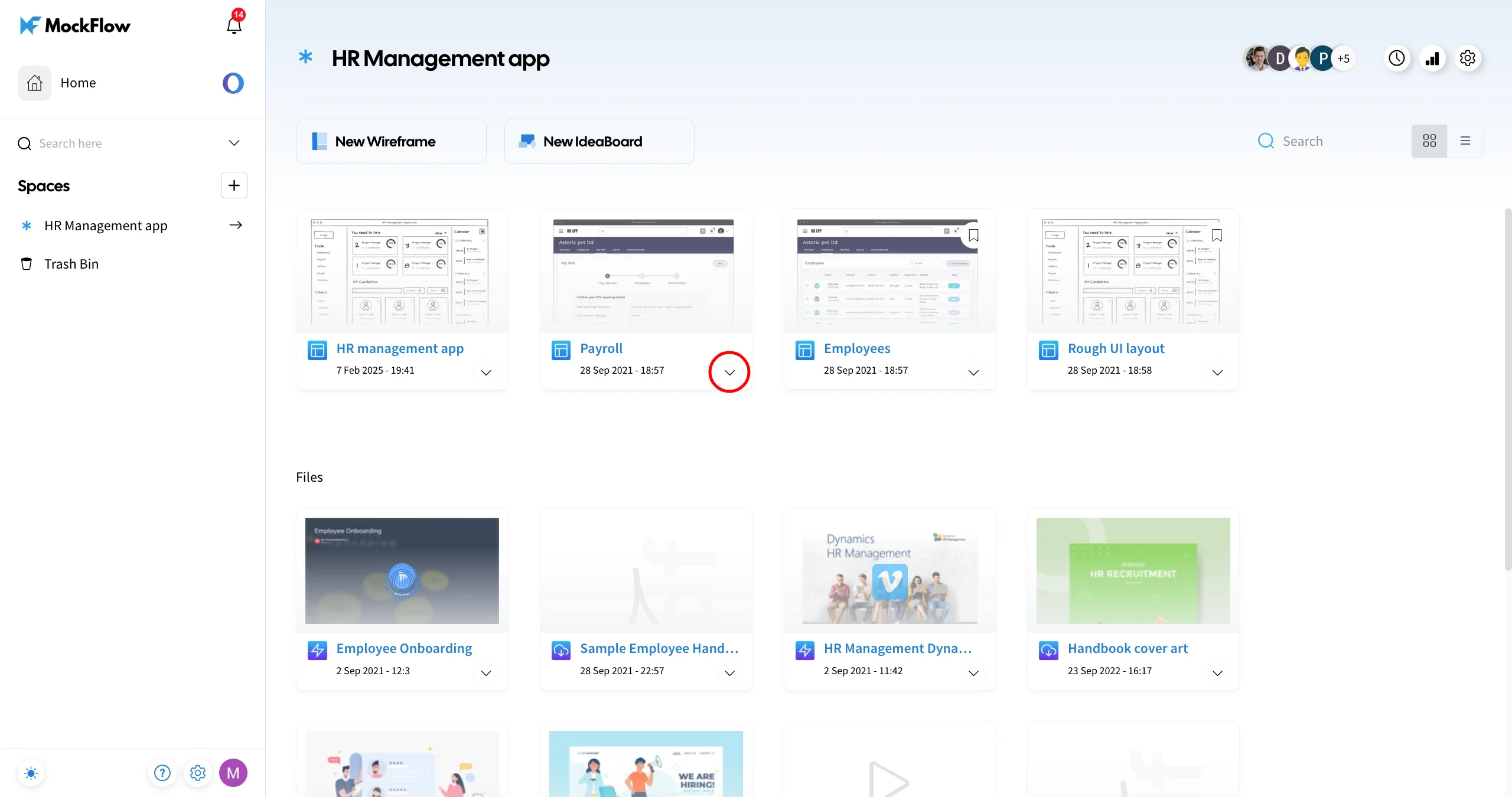
Select the project you want to delete and click on the More options dropdown.
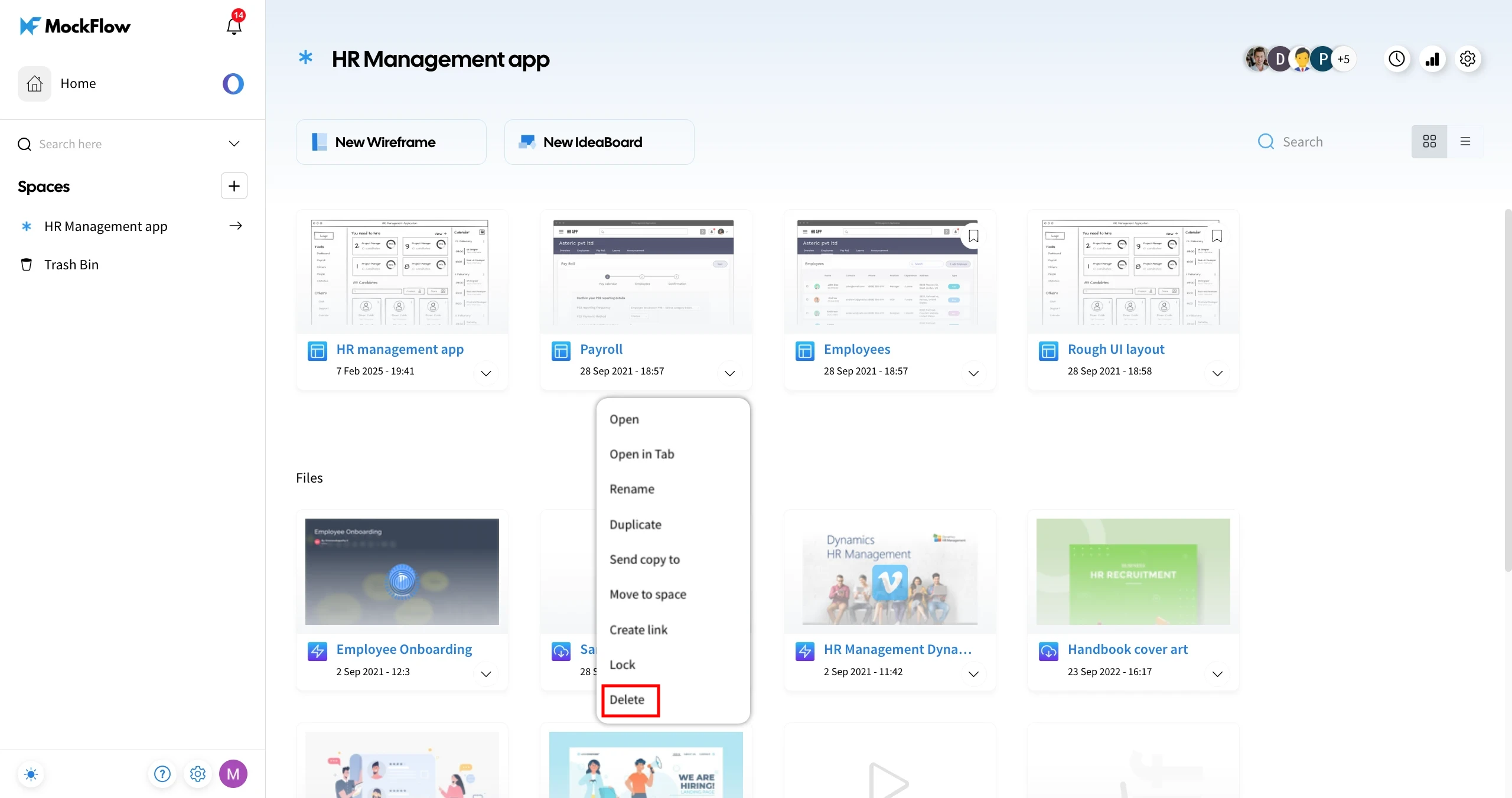
Choose 'Delete' from the available options.
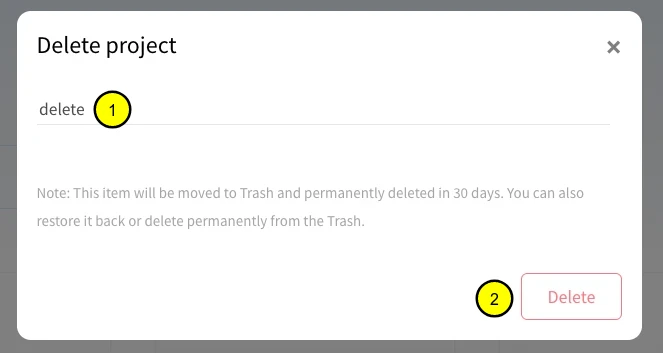
In the confirmation modal, enter 'delete' in the input field and click Delete to confirm.
The project will be deleted and moved to the 'Trash Bin' under the Spaces section.
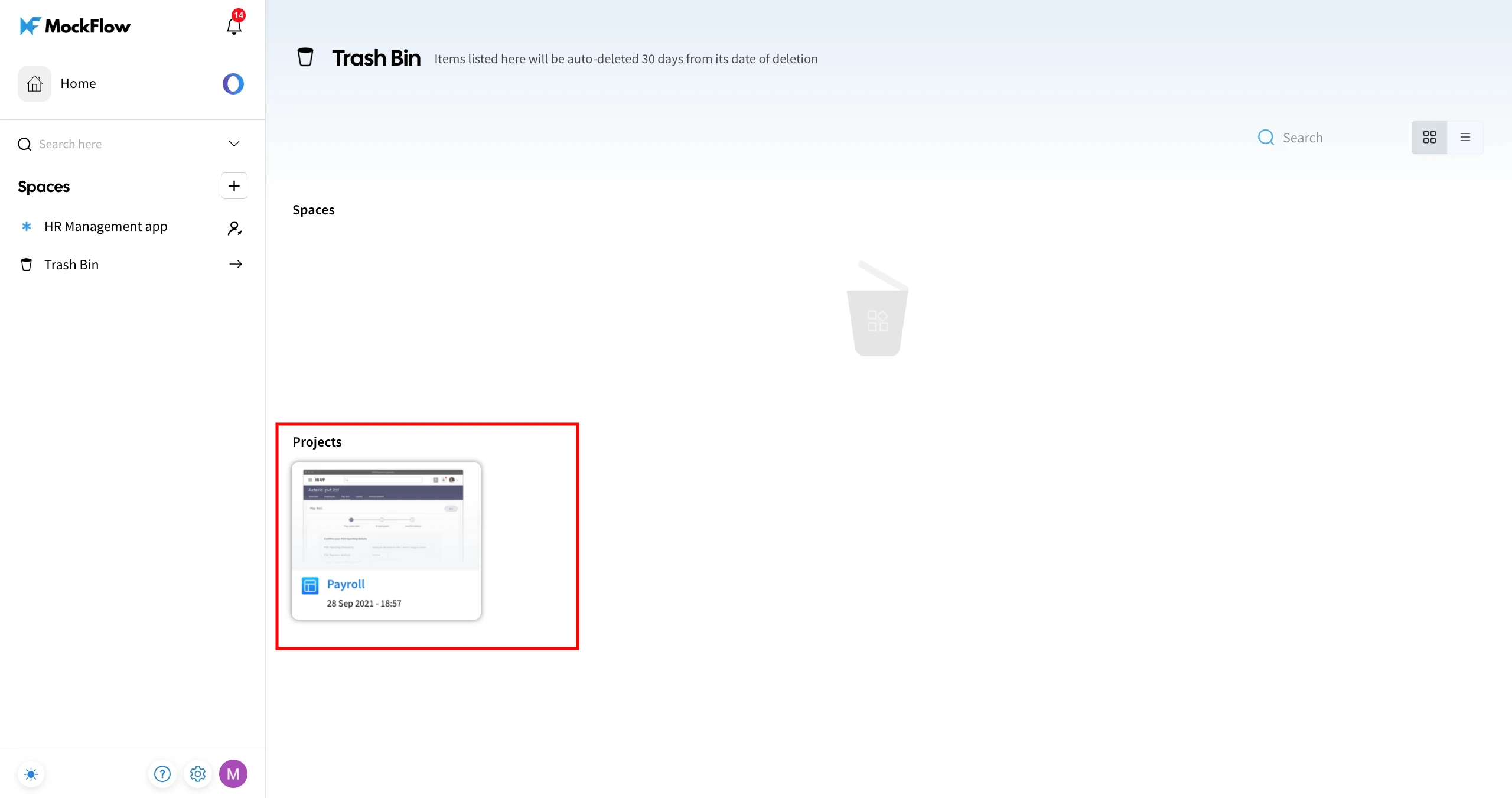
To restore a deleted project from the Trash Bin, check out this article.
Was this page helpful?