How to Create a Flowchart Using AI?
Effortlessly create dynamic flowcharts empowered with AI using MockFlow WireframePro. Note - AI-powered flowchart generation in...
Effortlessly create dynamic flowcharts empowered with AI using MockFlow WireframePro.
Note - AI-powered flowchart generation in MockFlow WireframePro consumes credits, with varying allocations depending on your subscription plan, from Premium to Business. Please note that AI credits are not available with the Free plan.
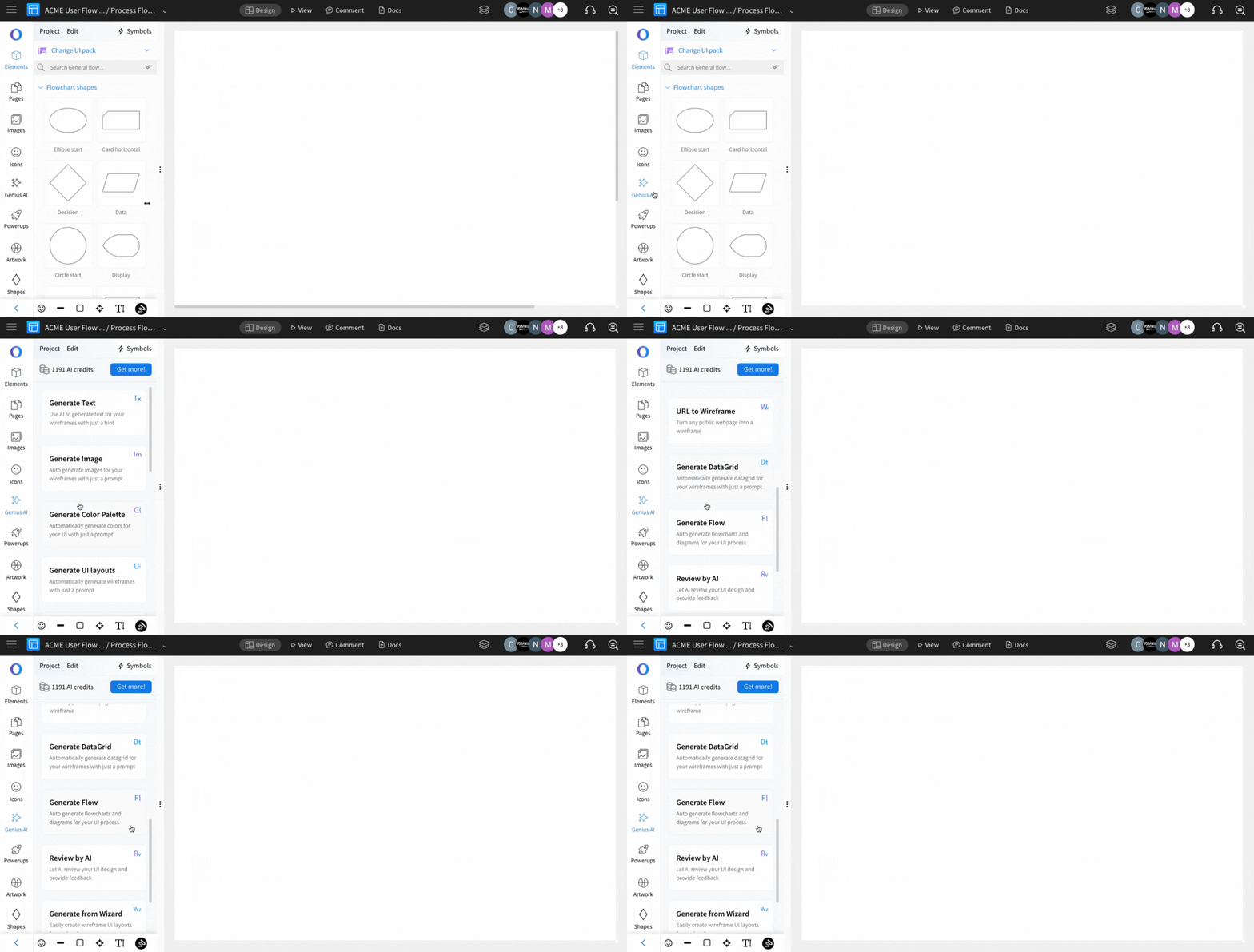
To create a flowchart using AI within your WireframePro editor, select 'Genius AI' from the sidebar and click 'Generate Flow.'
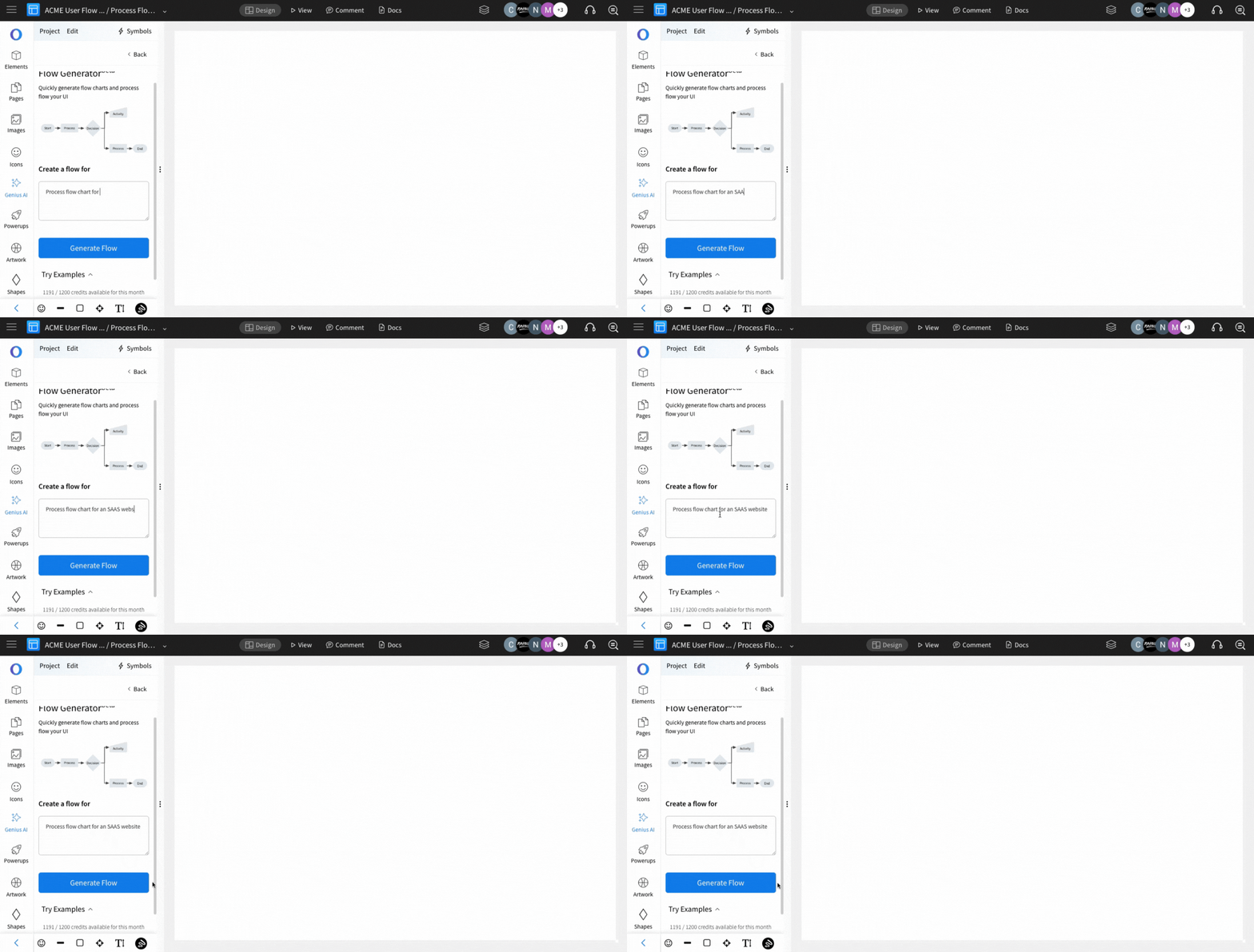
Enter your prompt and click on 'Generate Flow' to start creating an AI-powered flowchart effortlessly.
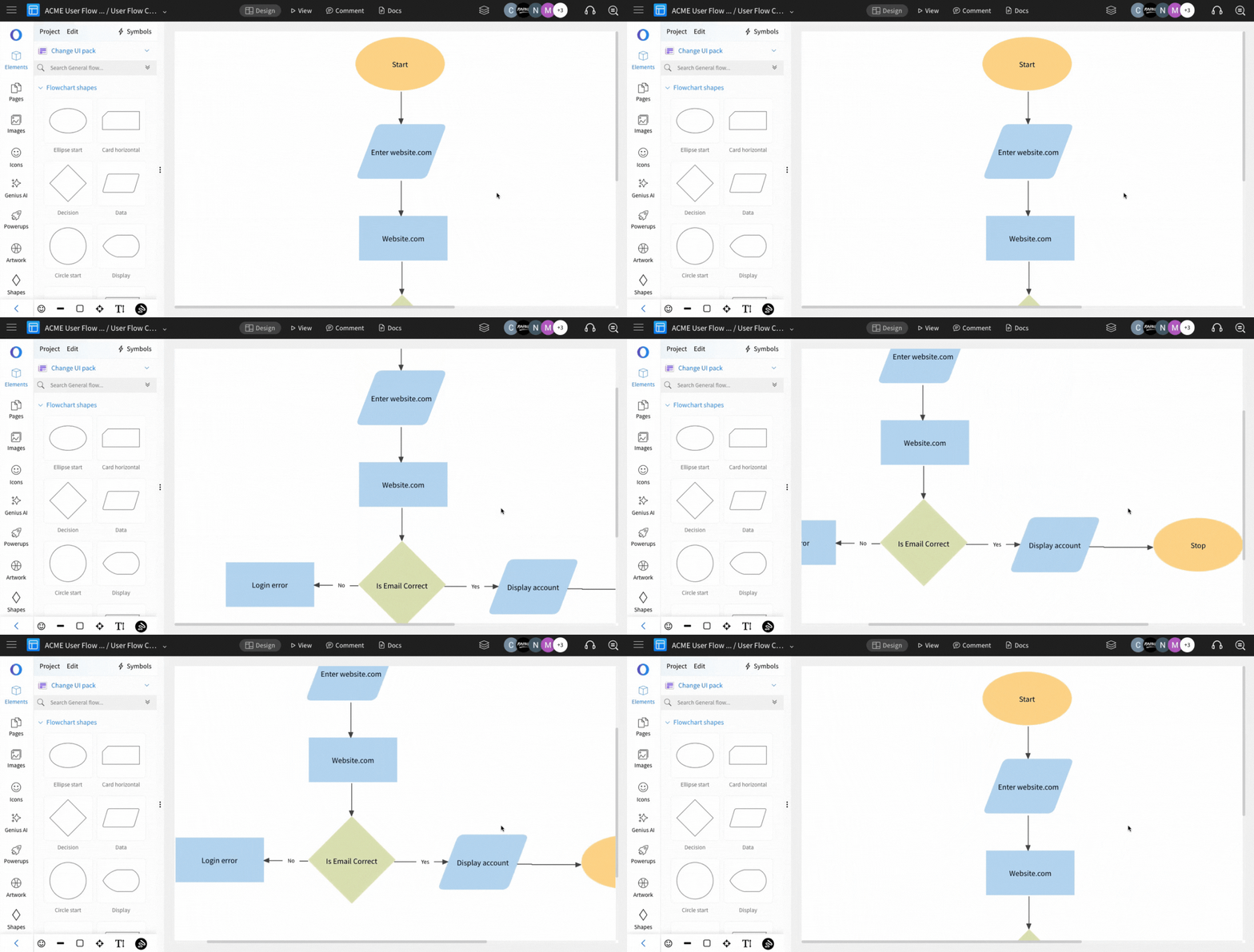
The flowchart will be generated using AI and can be customized to fit your preferences.