Spell Checker Power Up
Learn how to install and use the Spell Checker Powerup in MockFlow WireframePro
The SpellCheck Power-Up helps you maintain professional, error-free text inside your wireframe designs. It scans text elements across your wireframe pages and corrects them without switching tools or copy-pasting content elsewhere.
This help article lists,
How to use the power up
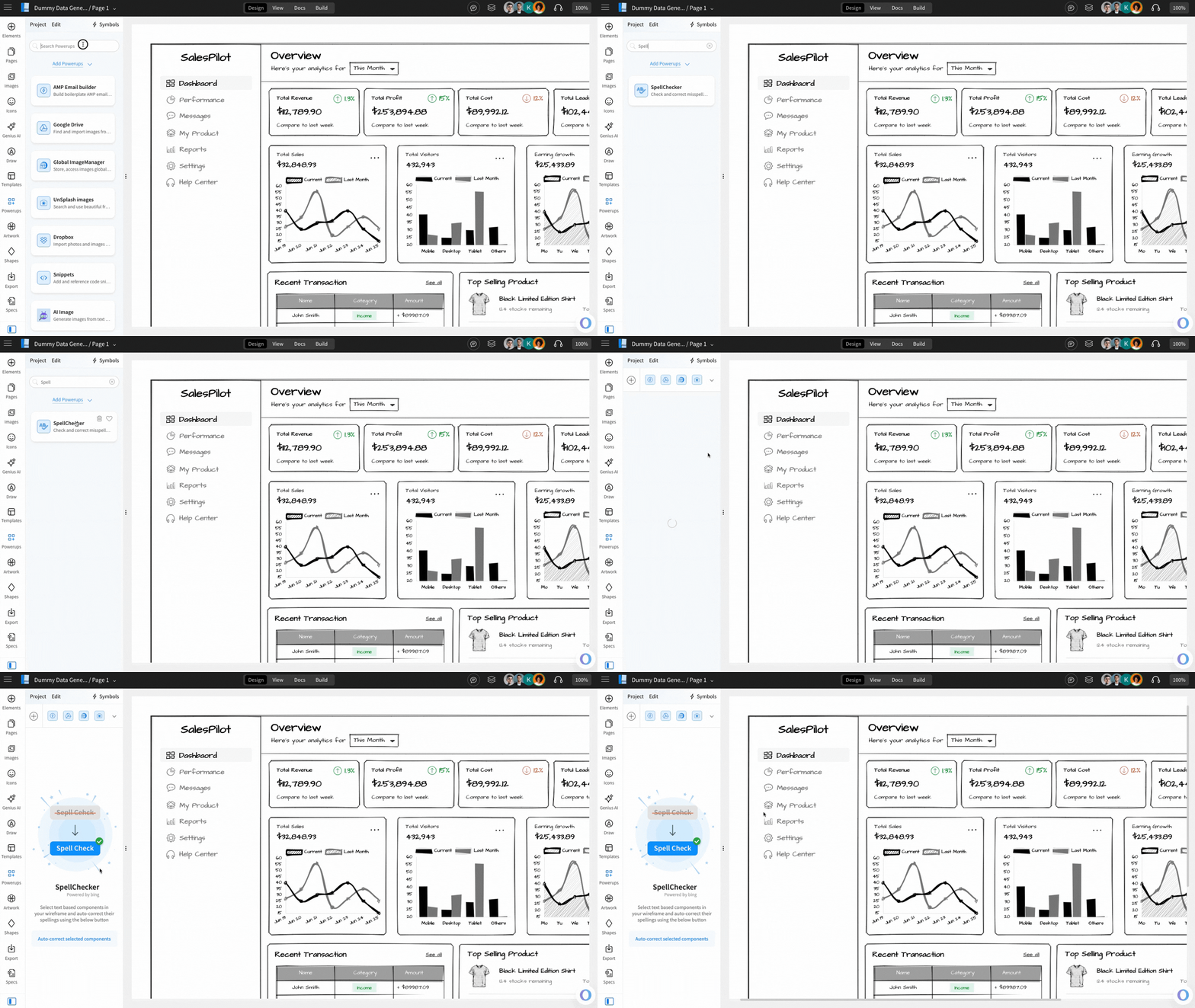
How to install the Spell Checker power up?
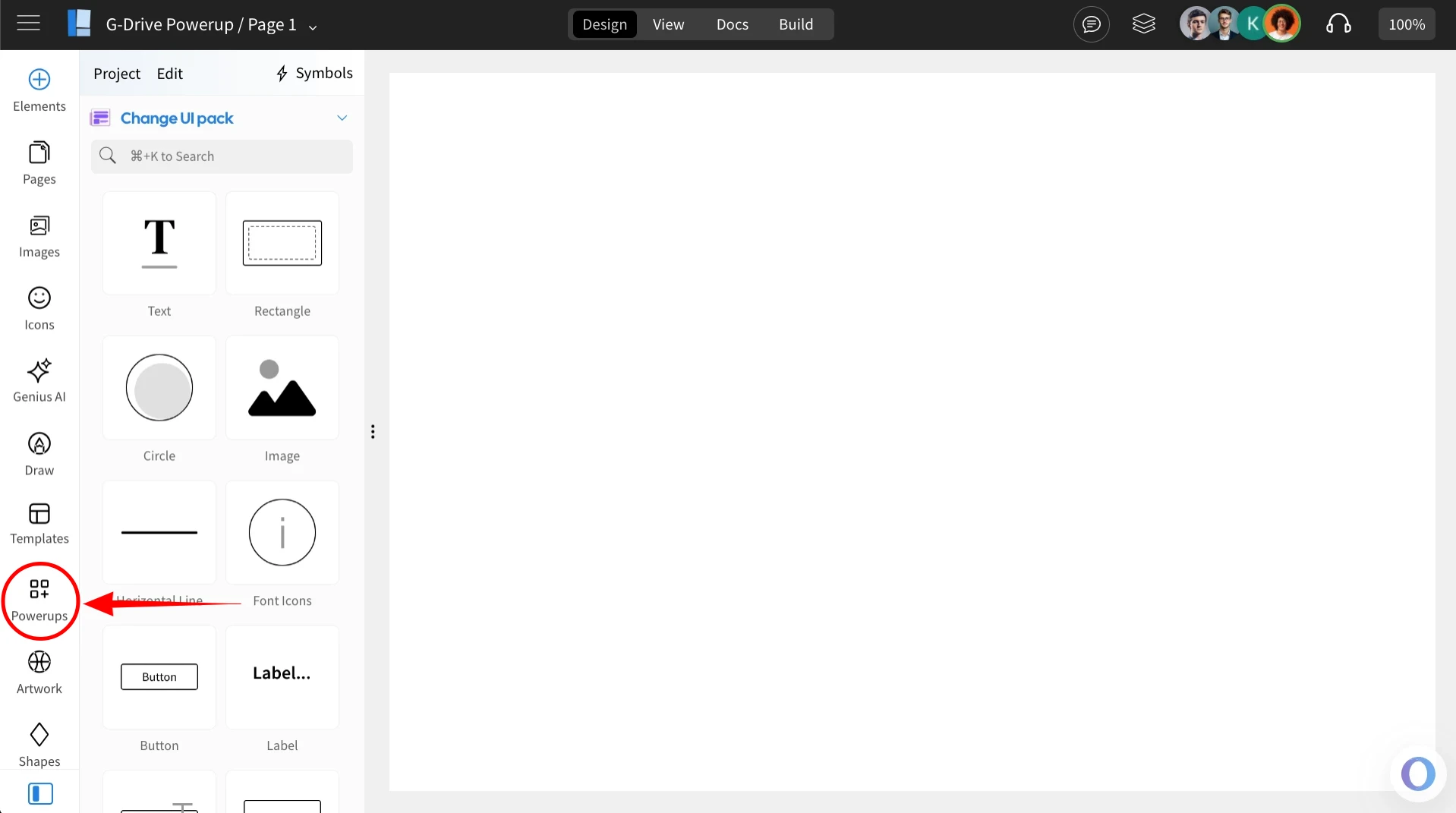
Inside the MockFlow WireframePro Editor, click on ‘Powerups’.
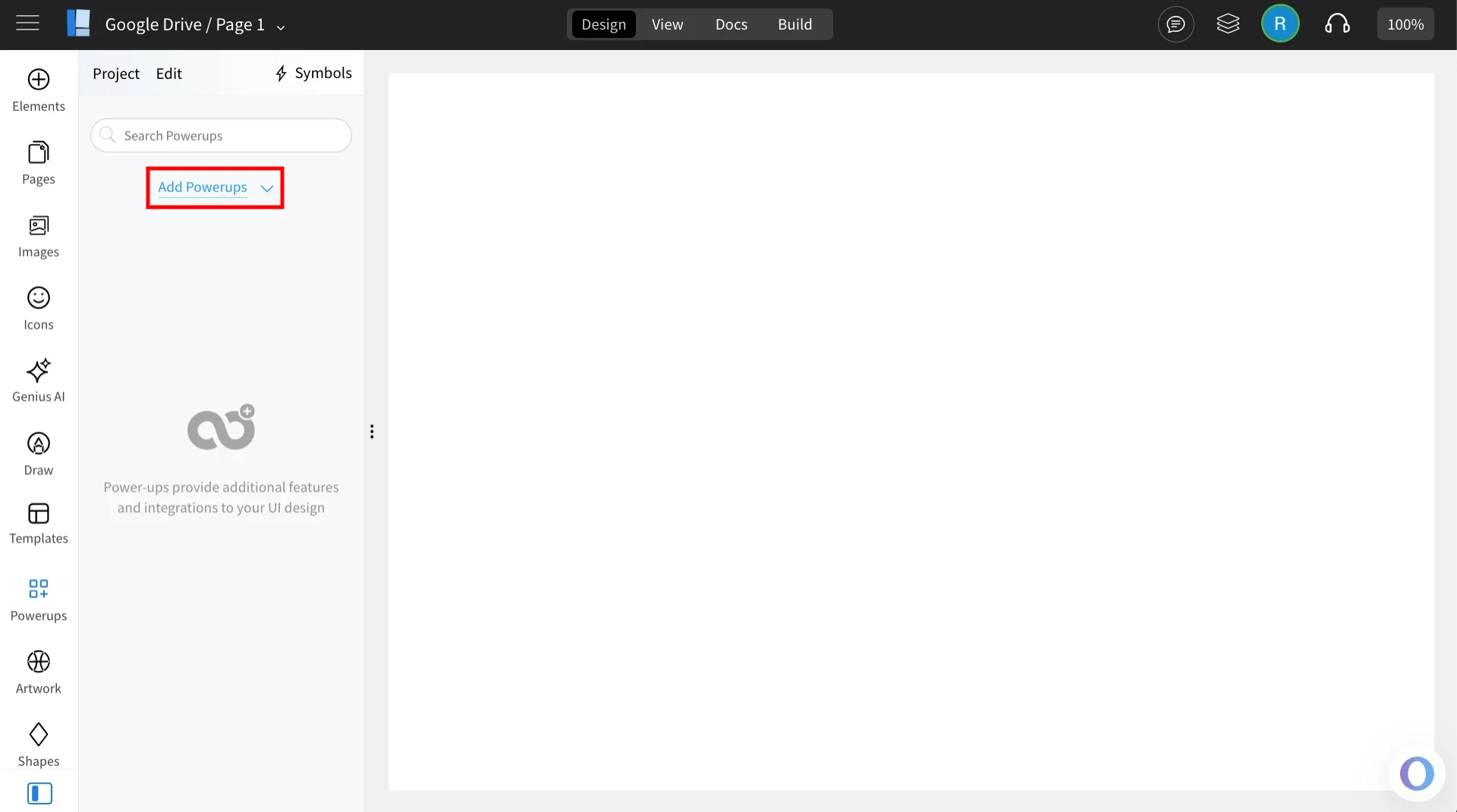
Click on the 'Add Powerups' to install the powerups.
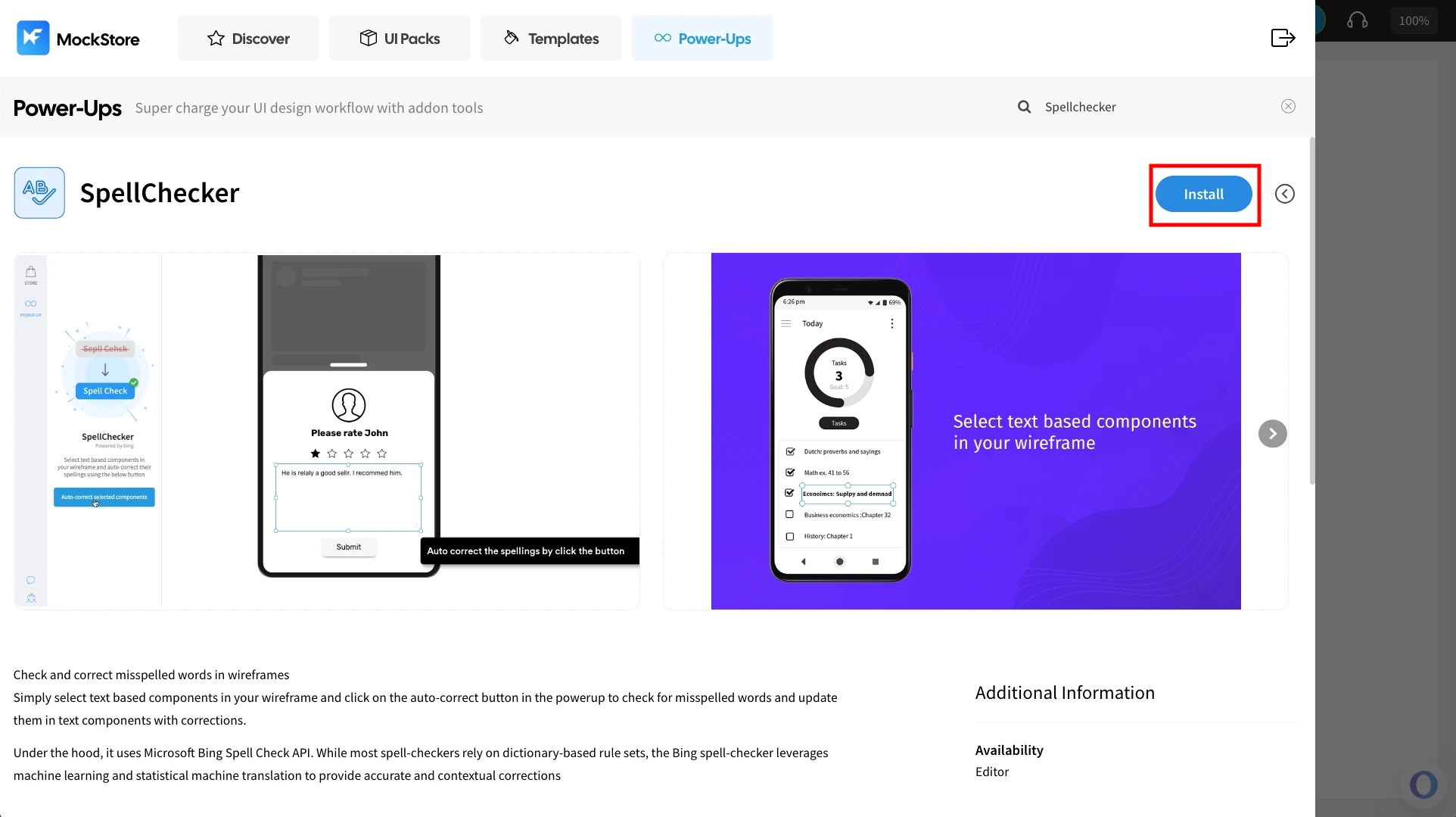
From the list of available powerups, locate ‘Spell Checker’ and click on it.

Click ‘Install’ to confirm. The power-up will be added to your editor.
Once installed, click on the ‘Spell Checker’ powerup.
Using the power up
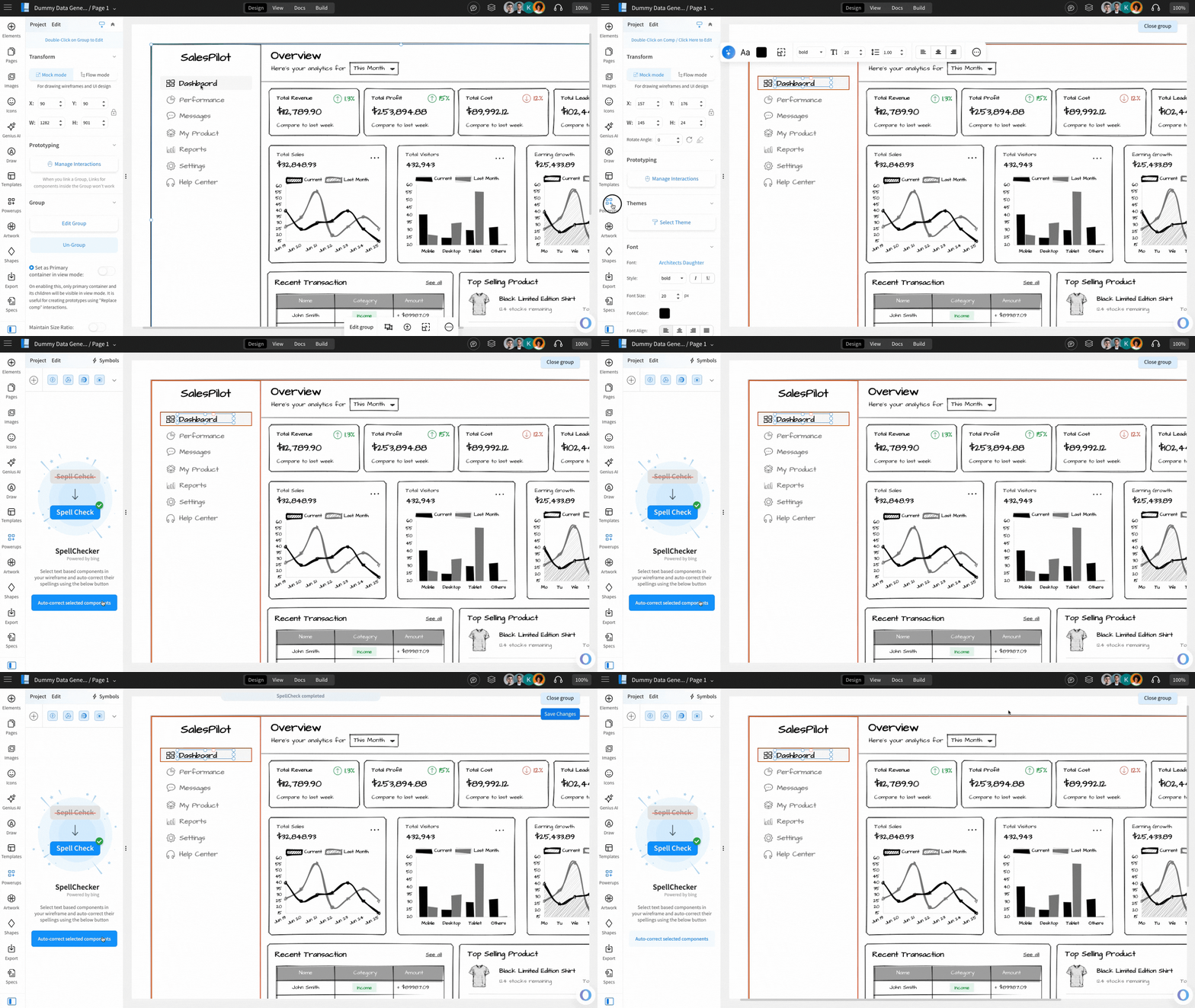
You can instantly fix spelling mistakes in your Wireframe design using this powerup. Simply select the components and choose ‘Auto-correct selected component’ to correct it in no time.