
Internal
How to create shareable preview links to your SiteMap project?
Generate preview links to your SiteMap project and share the link with your viewers. Any updates to the SiteMap can be seen in...
Generate preview links to your SiteMap project and share the link with your viewers. Any updates to the SiteMap can be seen in real-time by other viewers.
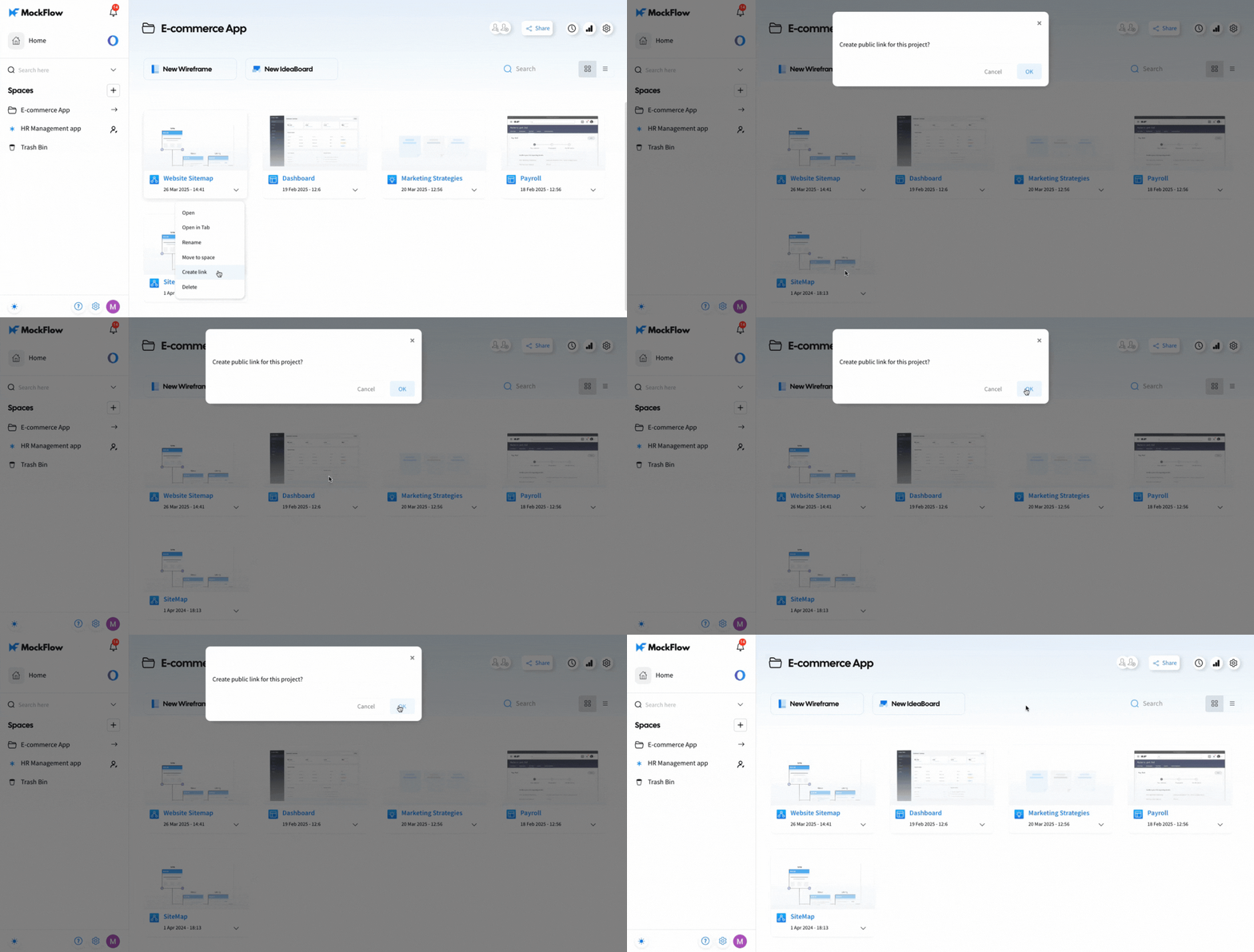
In your MockFlow dashboard, select the Sitemap project and click on More Options.
Click the 'Create Link' button.
Click 'OK' to generate a shareable link.
Once created, you can copy, delete, or view the link.
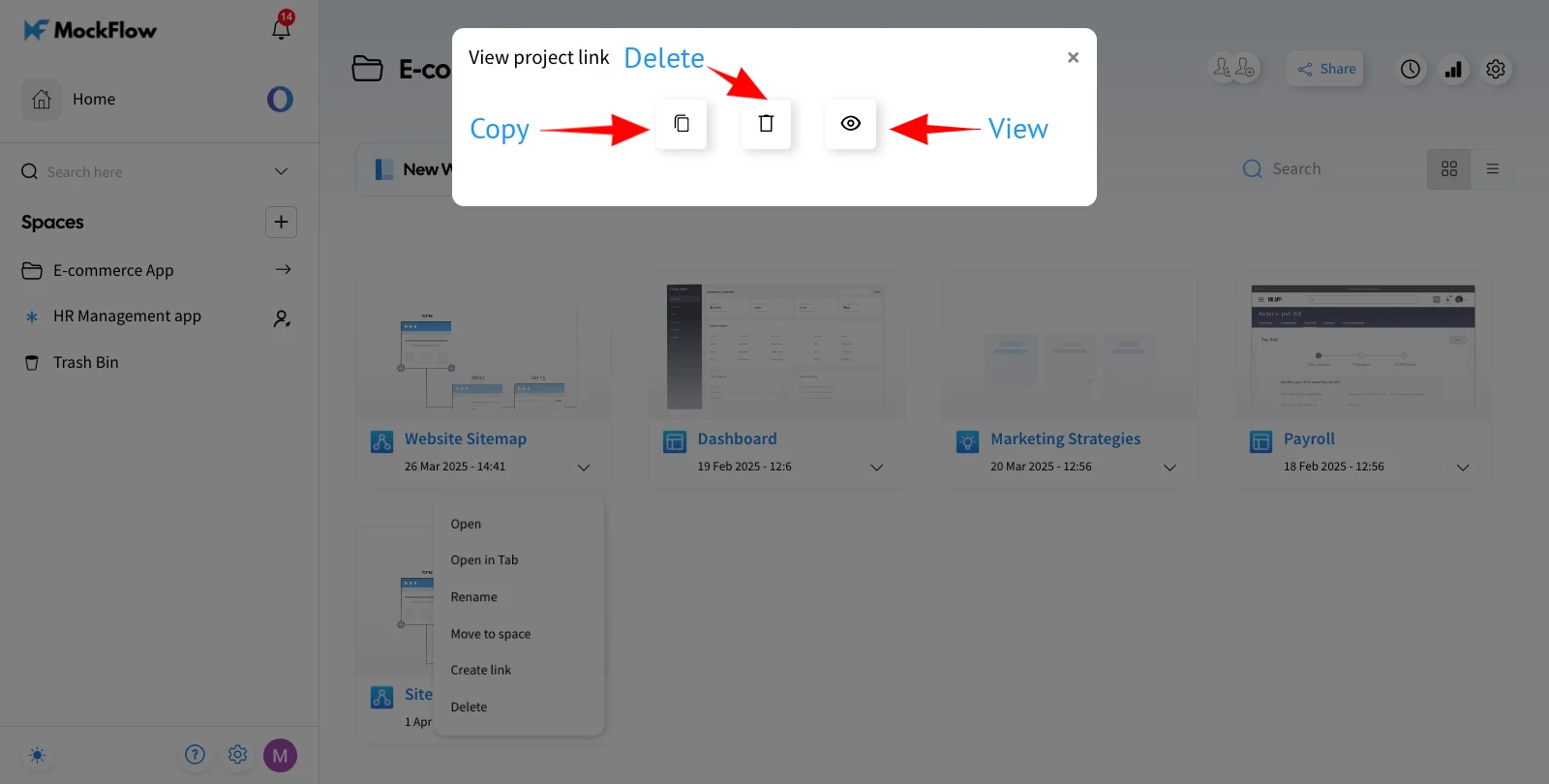
The preview link can be easily copied and shared.

Was this page helpful?