
How to setup MockFlow WireframePro MCP Server for Claude Code?
You can connect the WireframePro MCP Server to Cursor using either the MockFlow Desktop App or the CLI Web MCP. Method 1:...
You can connect the WireframePro MCP Server to Cursor using either the MockFlow Desktop App or the CLI Web MCP.
Method 1: MockFlow Desktop App
1 Start by installing and opening the MockFlow Desktop App, then log in with your credentials and create a Wireframe project.
2 Next, in claude code run
claude mcp add --transport http -s user mockflow-wireframepro http://localhost:21194/mcp3 Now paste the configuration above into the Claude code and run it.
4 Once added, the MCP server will automatically connect to the running Desktop App.
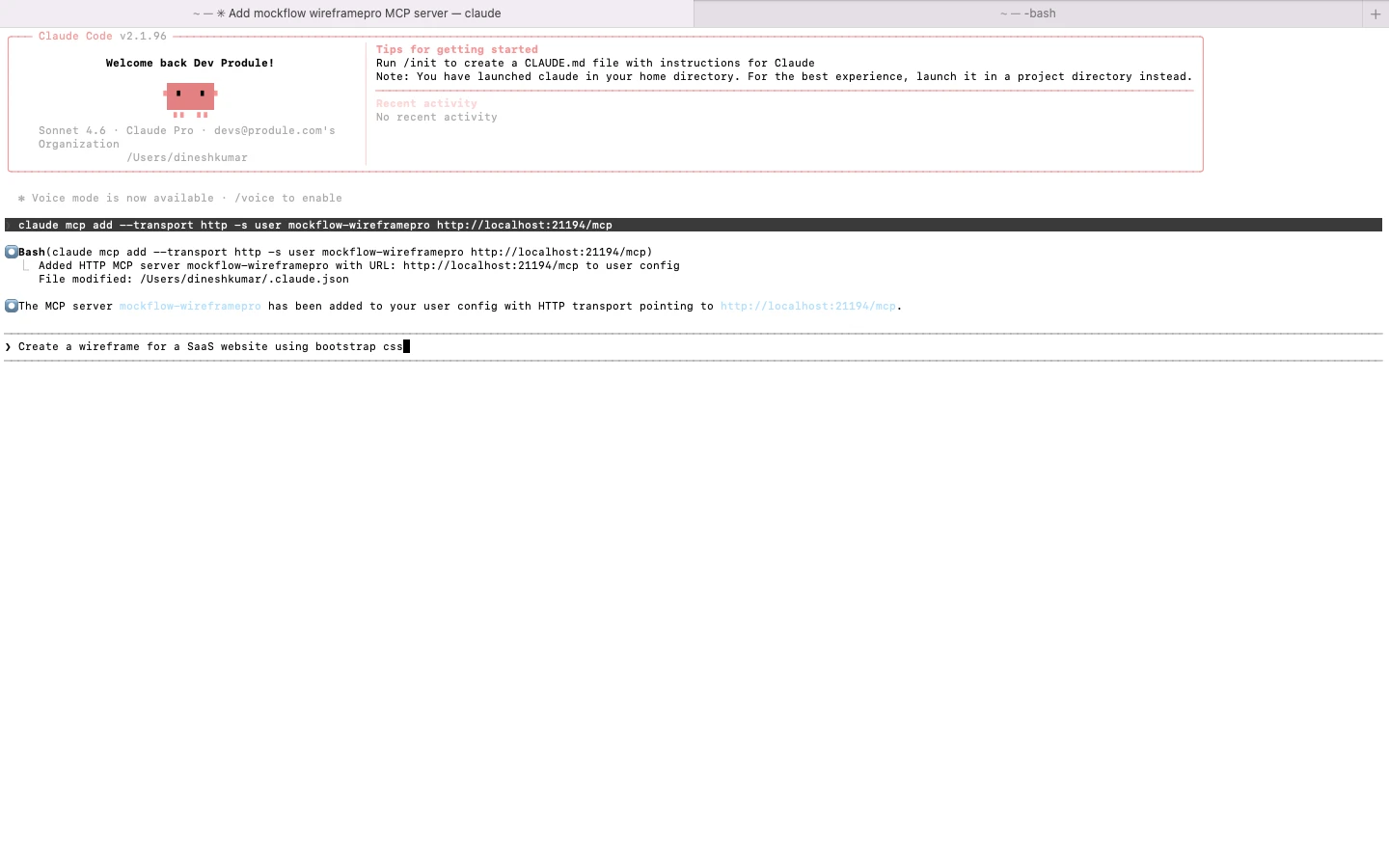
5 You can now enter a prompt in Cursor, such as “Create a SaaS website wireframe”, or use read_wireframe to export to code and run it.
The generated wireframe will instantly appear in your Desktop app WireframePro canvas.

Method 2: CLI Web MCP
1 Begin by installing the MCP package globally using npm:
npm install -g @mockflow/wireframepro-mcp2 Then log in and start the MCP server:
mockflow-wireframepro-mcp loginmockflow-wireframepro-mcp3 If you want to work within a specific workspace, you can optionally run:
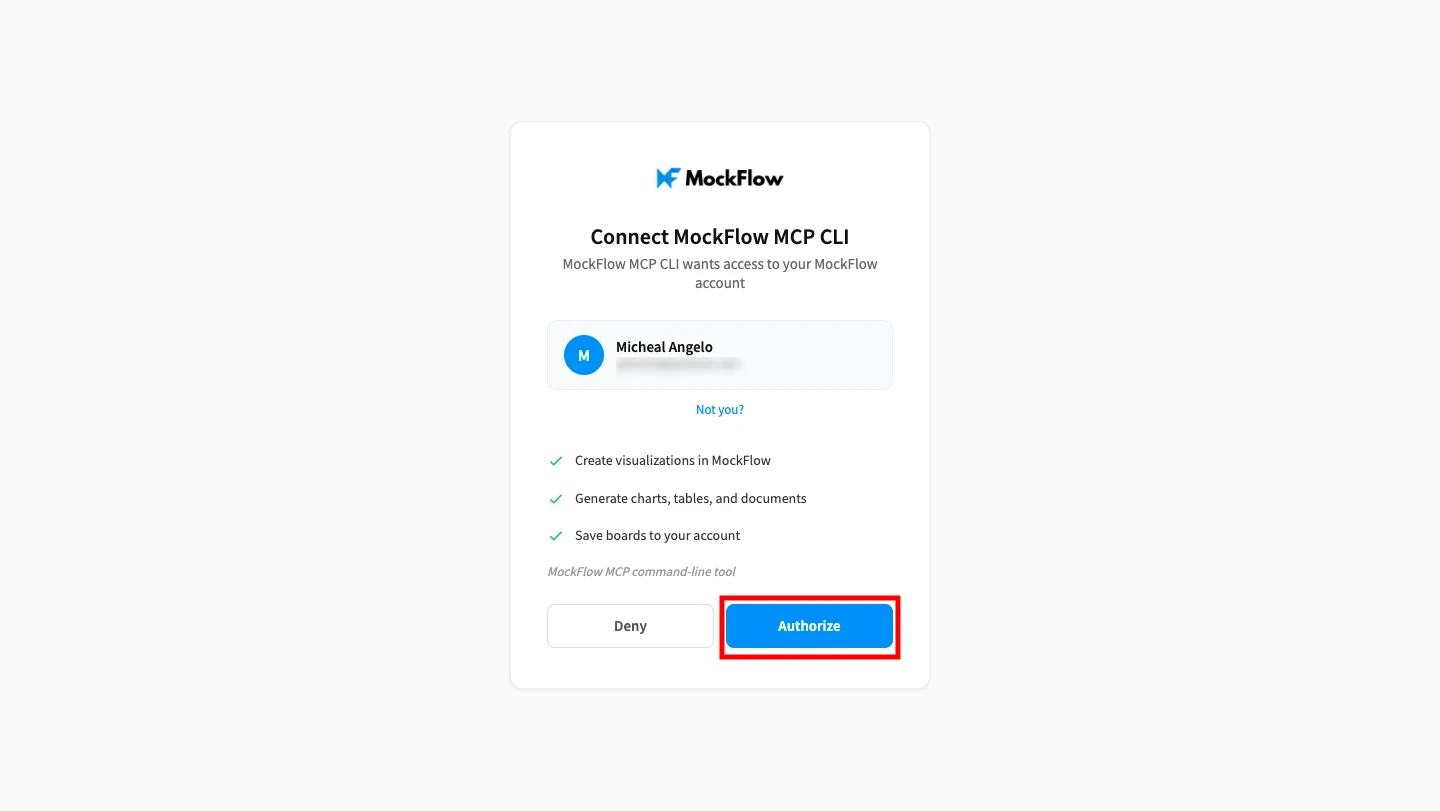
mockflow-wireframepro-mcp --space=YOUR_SPACE_ID4 Next, click 'Authorize' to connect MockFlow CLI with Claude code.
5 After npm is installed, paste the same configuration as mentioned and run it in the Claude code.
claude mcp add --transport http -s user mockflow-wireframepro http://localhost:21194/mcp6 Now, enter a prompt like “ Based on my website repo, create a pricing page wireframe using the same styleguide” in Claude Code.
The MCP server will process your request and generate the wireframe inside MockFlow.