Upgrade your License from Premium Pack to Team Pack
If you have purchased one Editor license and wish to upgrade it to a Team Pack, you can use the License Manager to manage,...
If you have purchased one Editor license and wish to upgrade it to a Team Pack, you can use the License Manager to manage, upgrade, or downgrade the licenses of your team members. The administrator who bought the license can also switch the licenses between different users at any time.
To Upgrade and manage the licenses, follow the steps below:
Open account details.
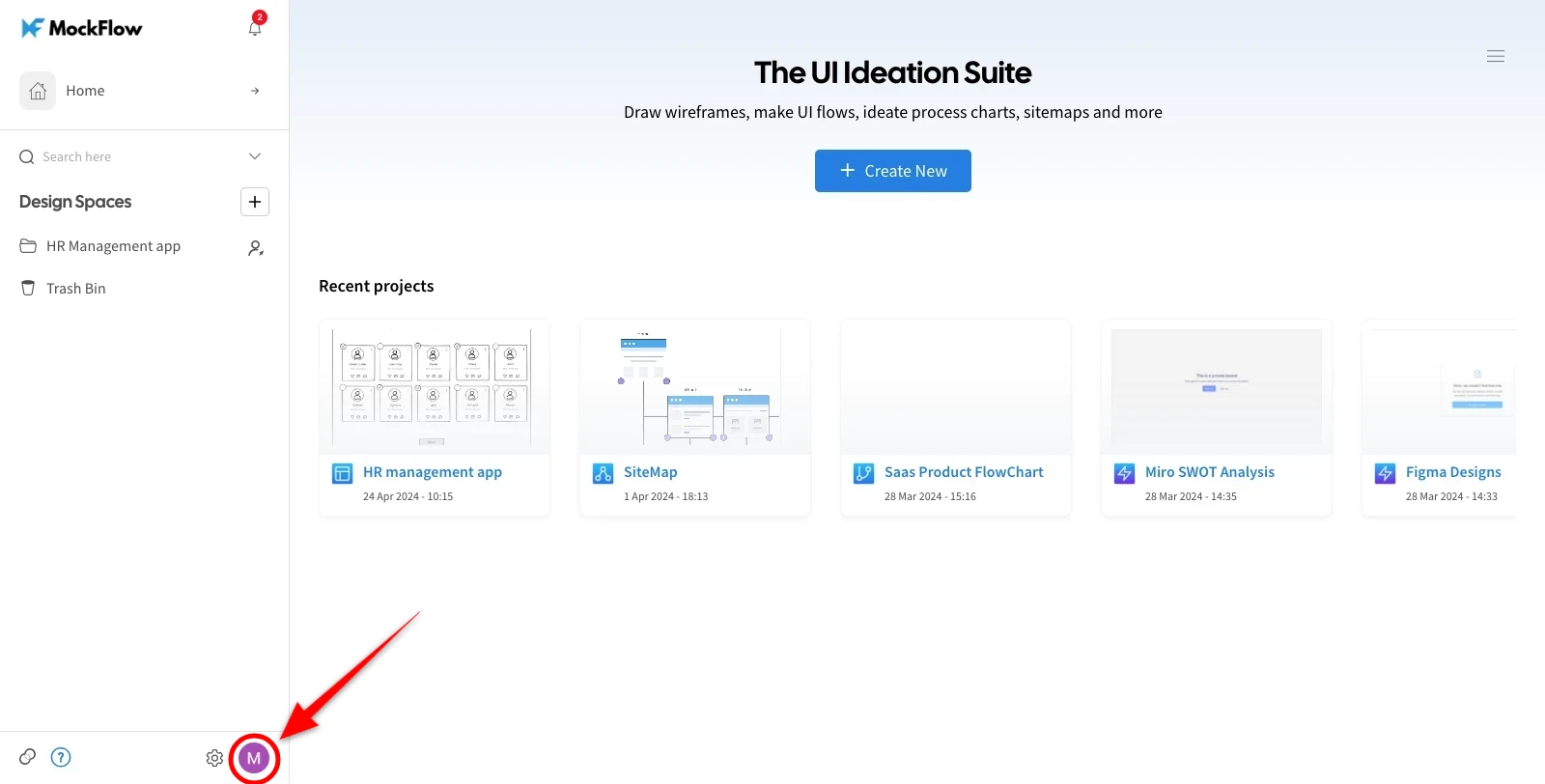
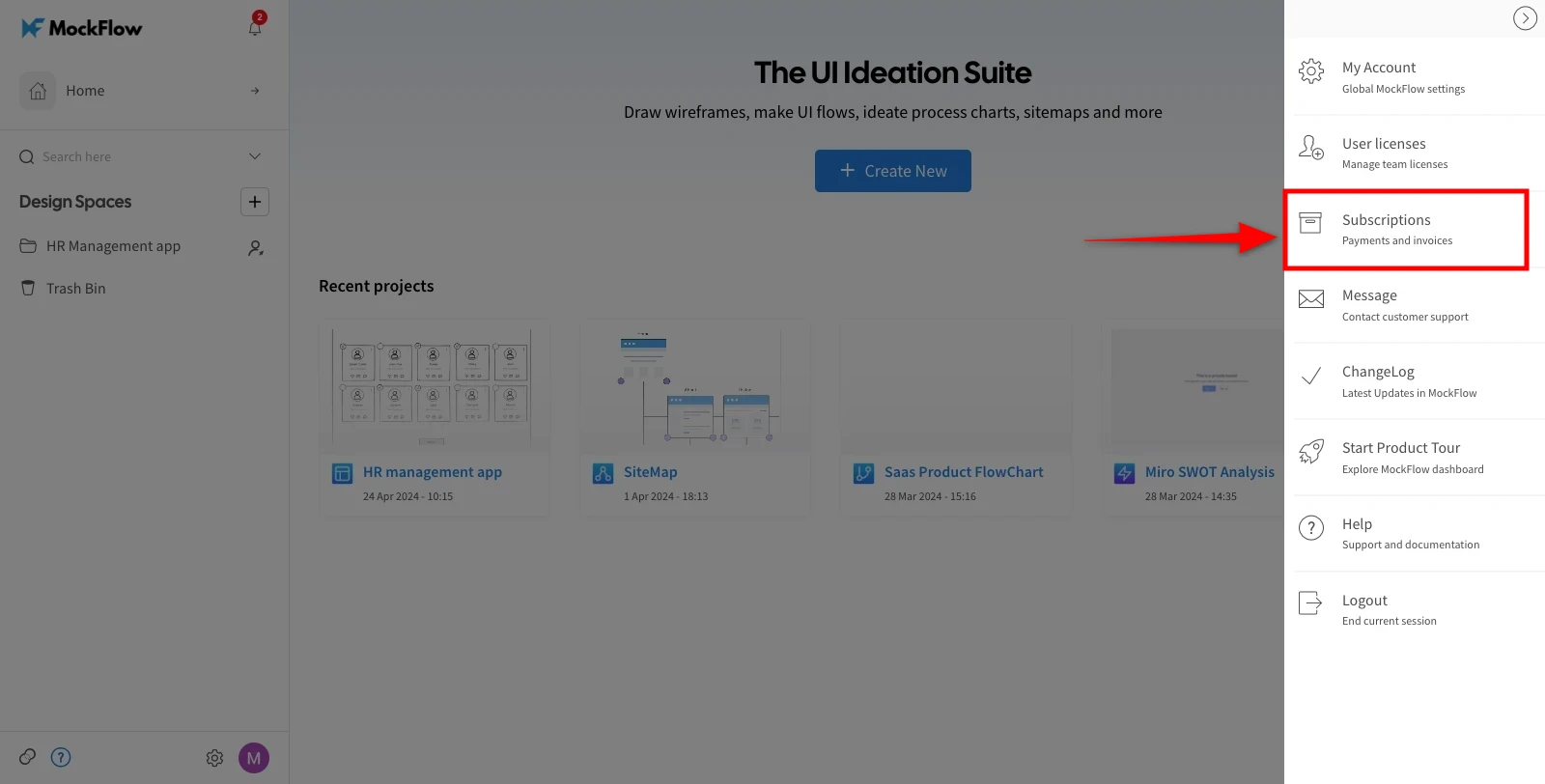
Click the 'Subscriptions' from the account settings menu.
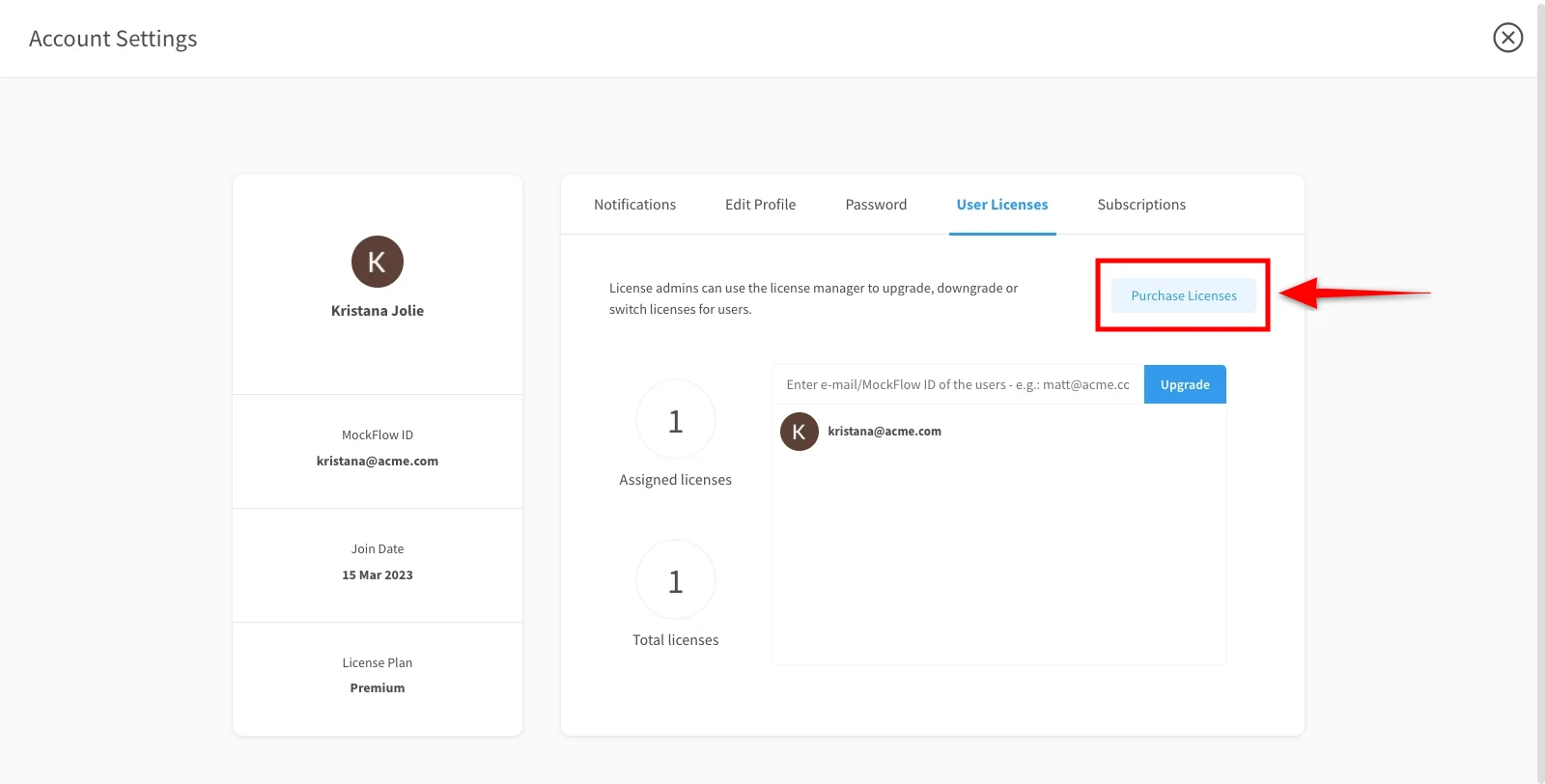
To upgrade the License, click on 'Purchase Licenses.'
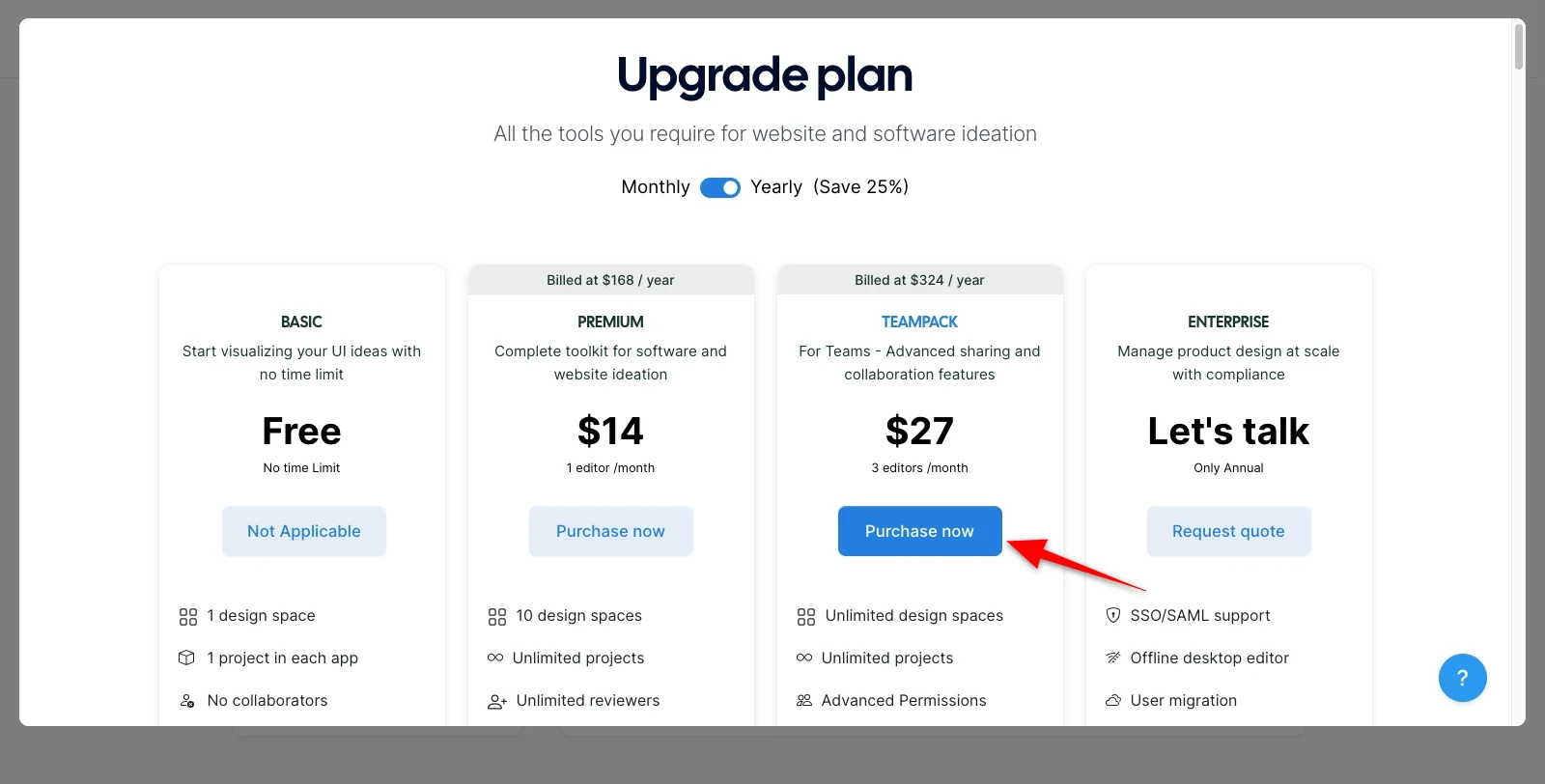
Select your required subscription like monthly or yearly and click on 'Purchase Now' in the 'Team Pack.'
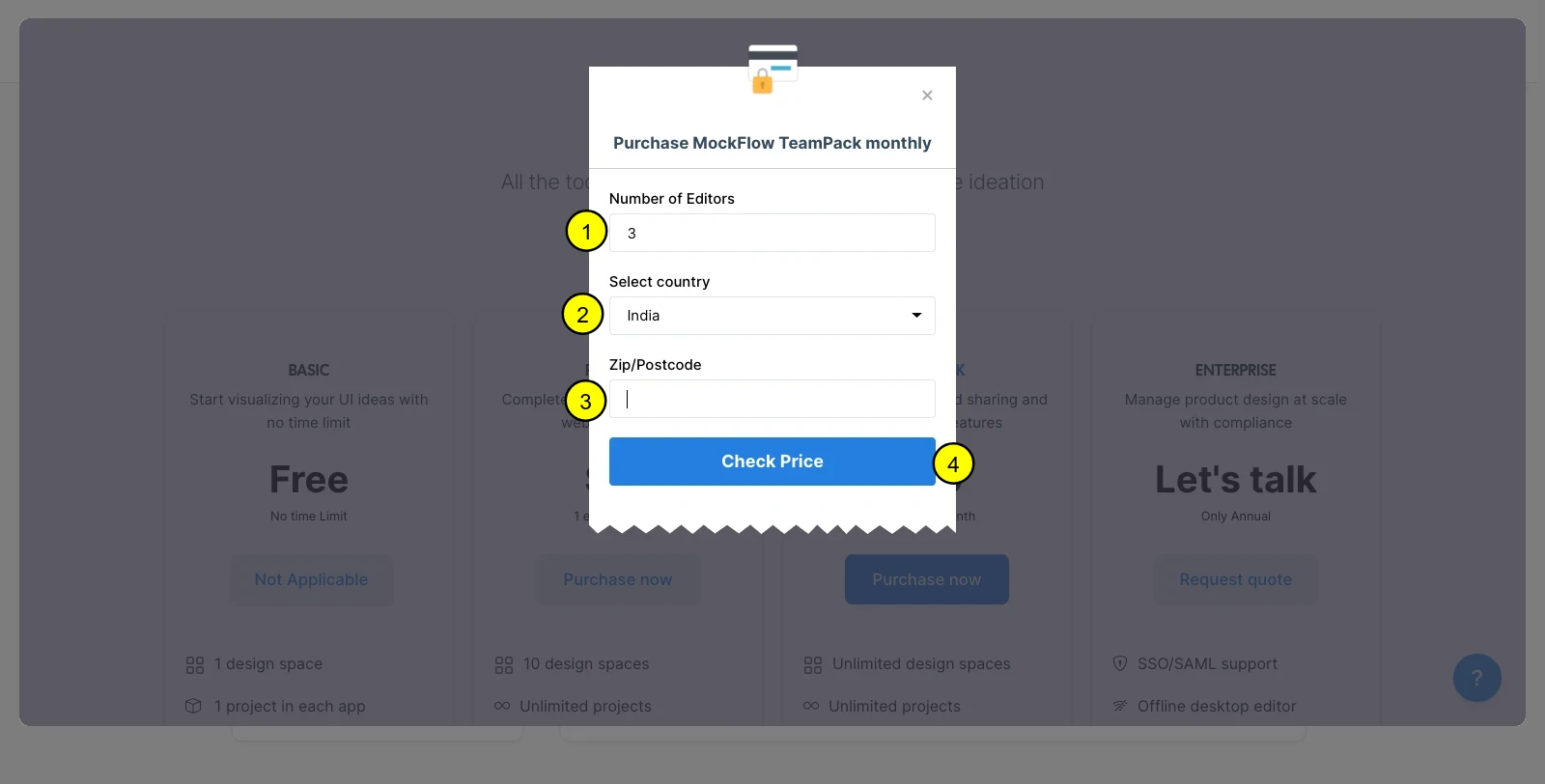
5 Now, enter the number of editors, and choose the type of plan as per your requirement.
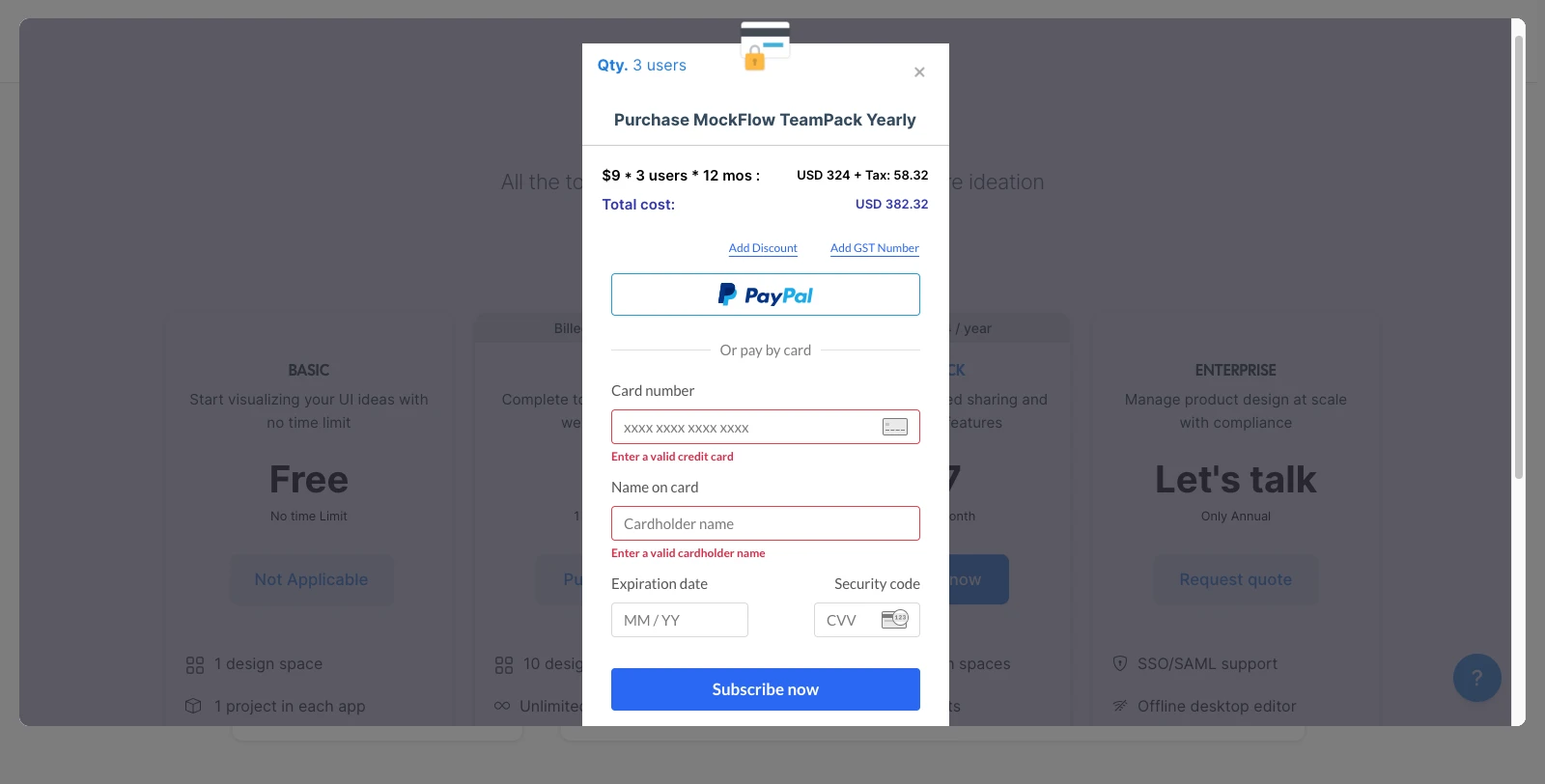
6 Enter your card details and click on 'Subscribe.'
The license plan will be upgraded.
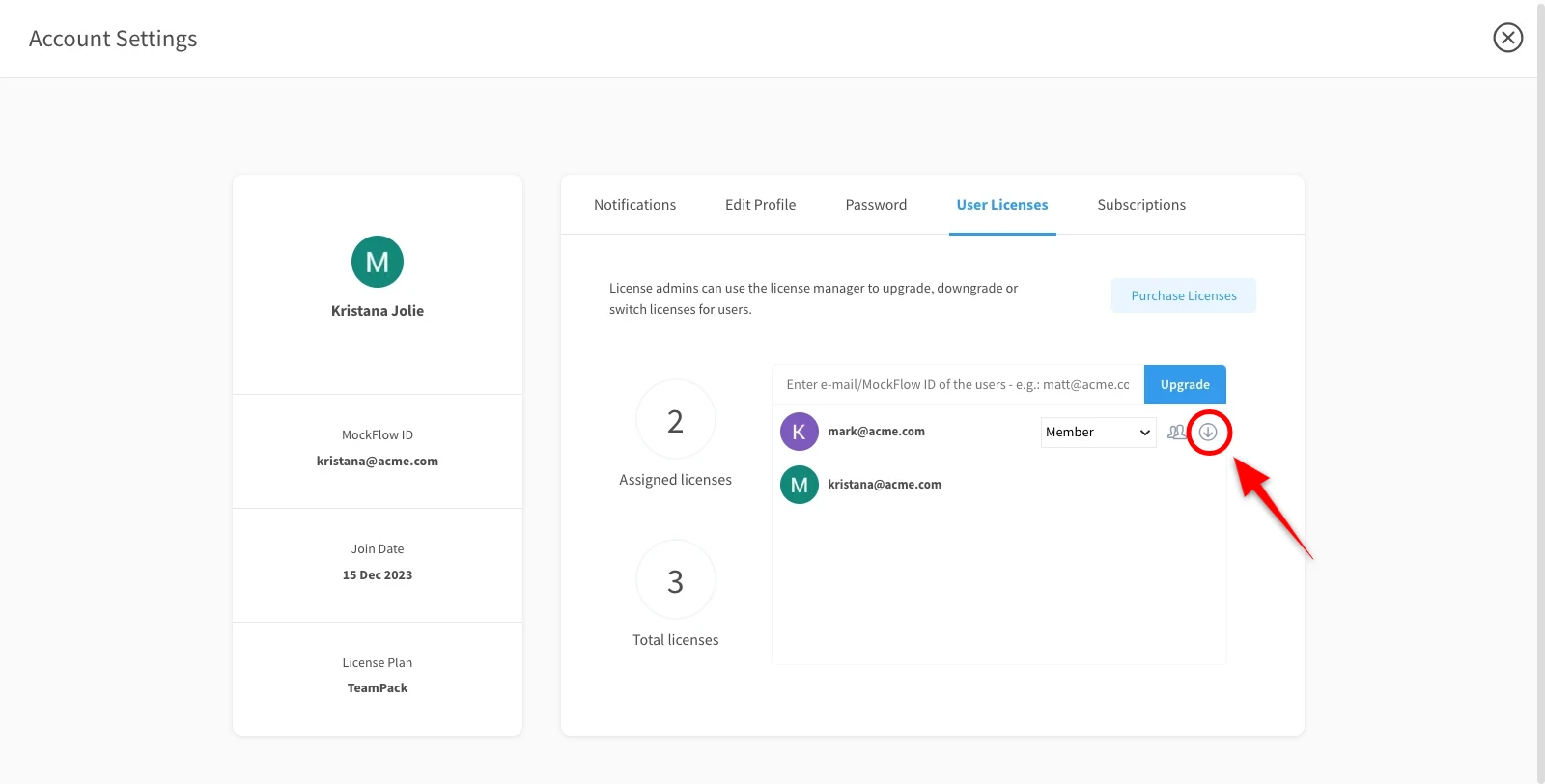
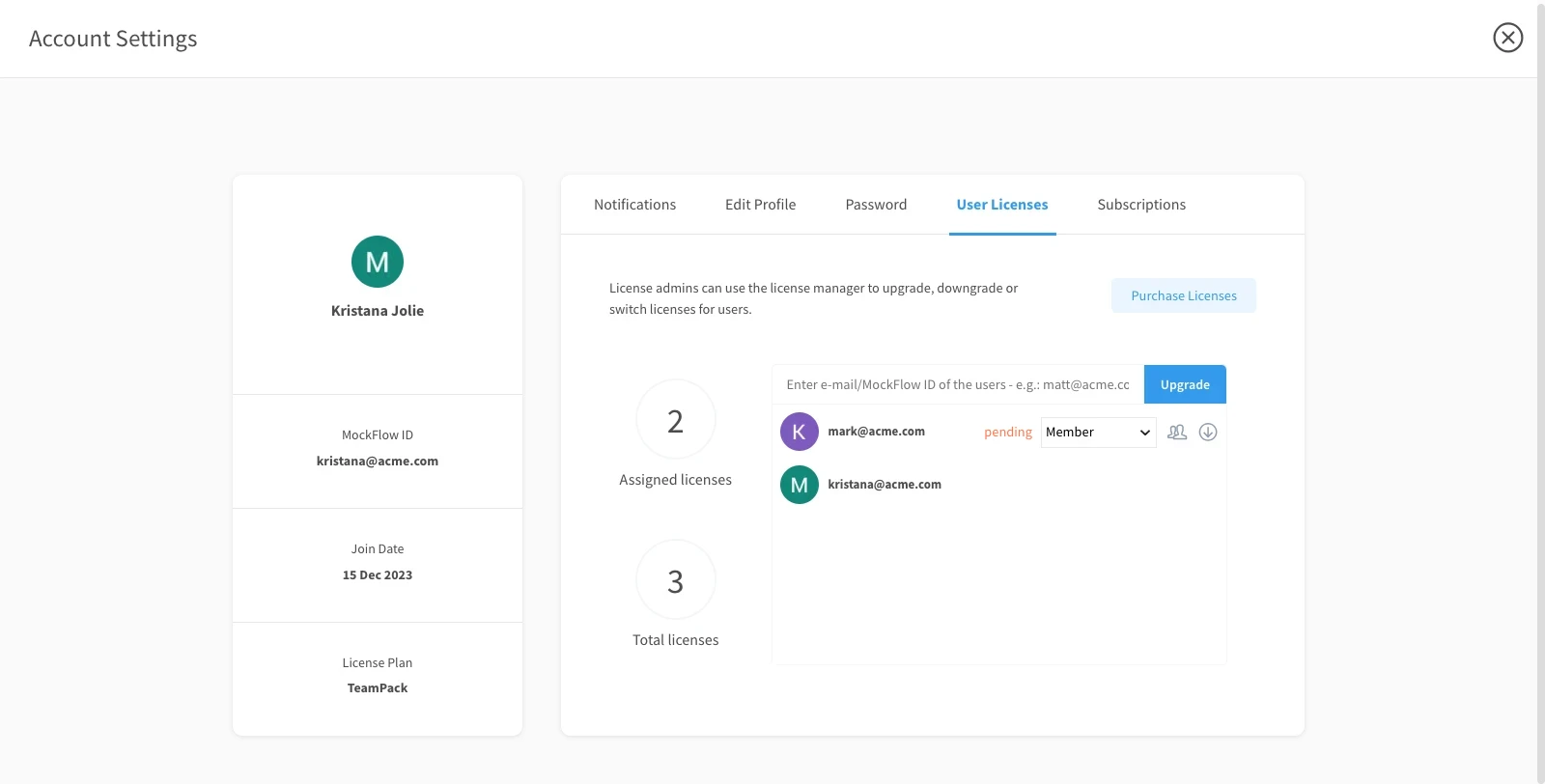
To add a member, enter the email address of the team member here and click on 'Upgrade.'
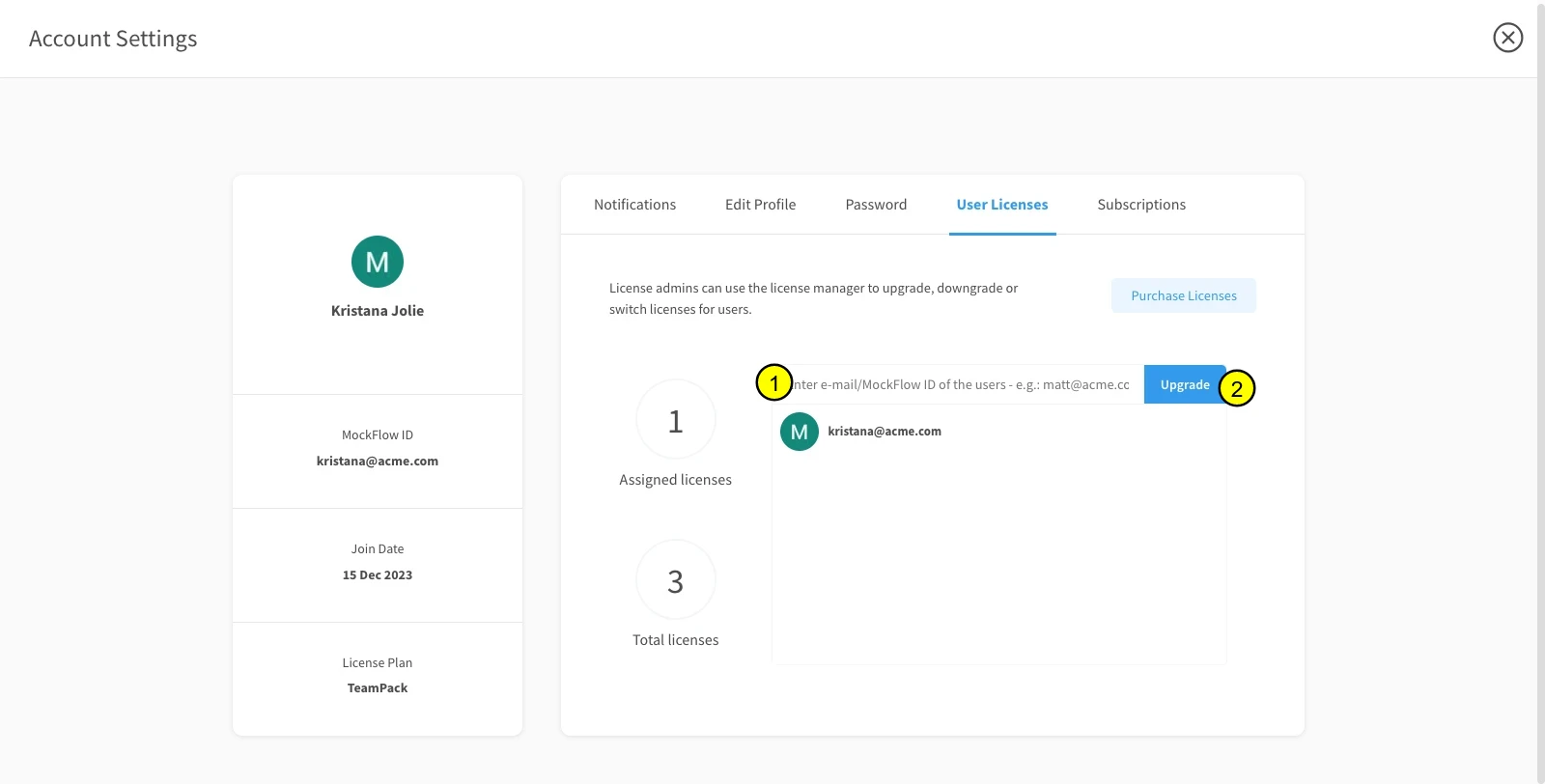
The member will be added and notified as 'Pending.'
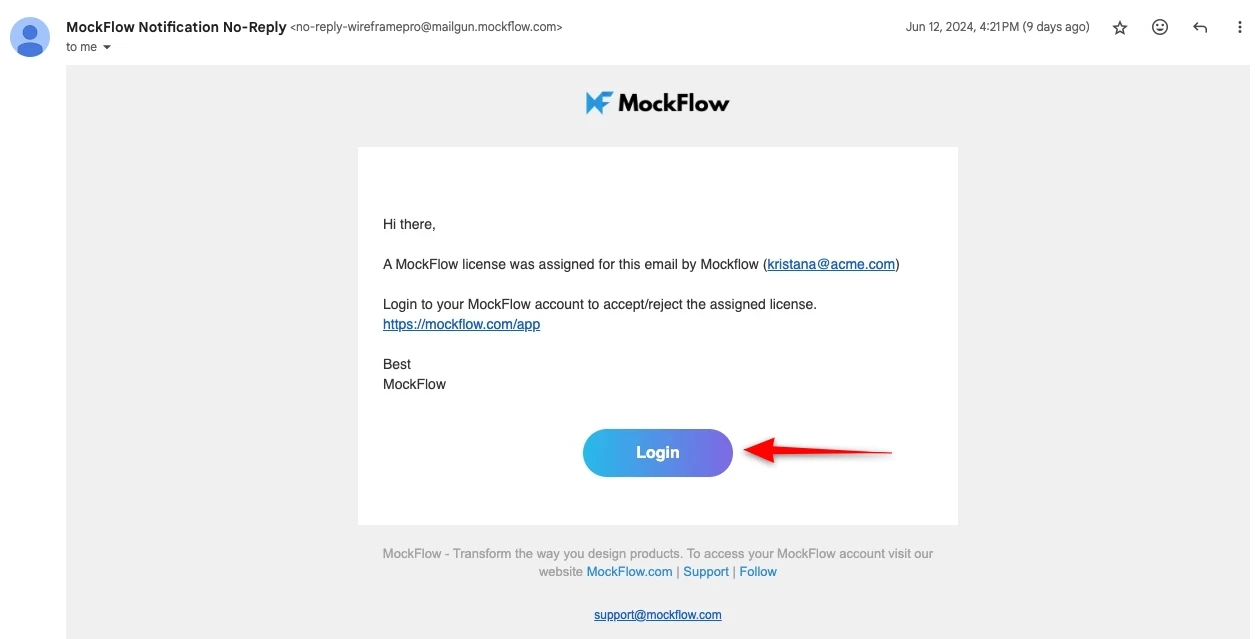
Click 'Login' from the mail to open the added member's login account.
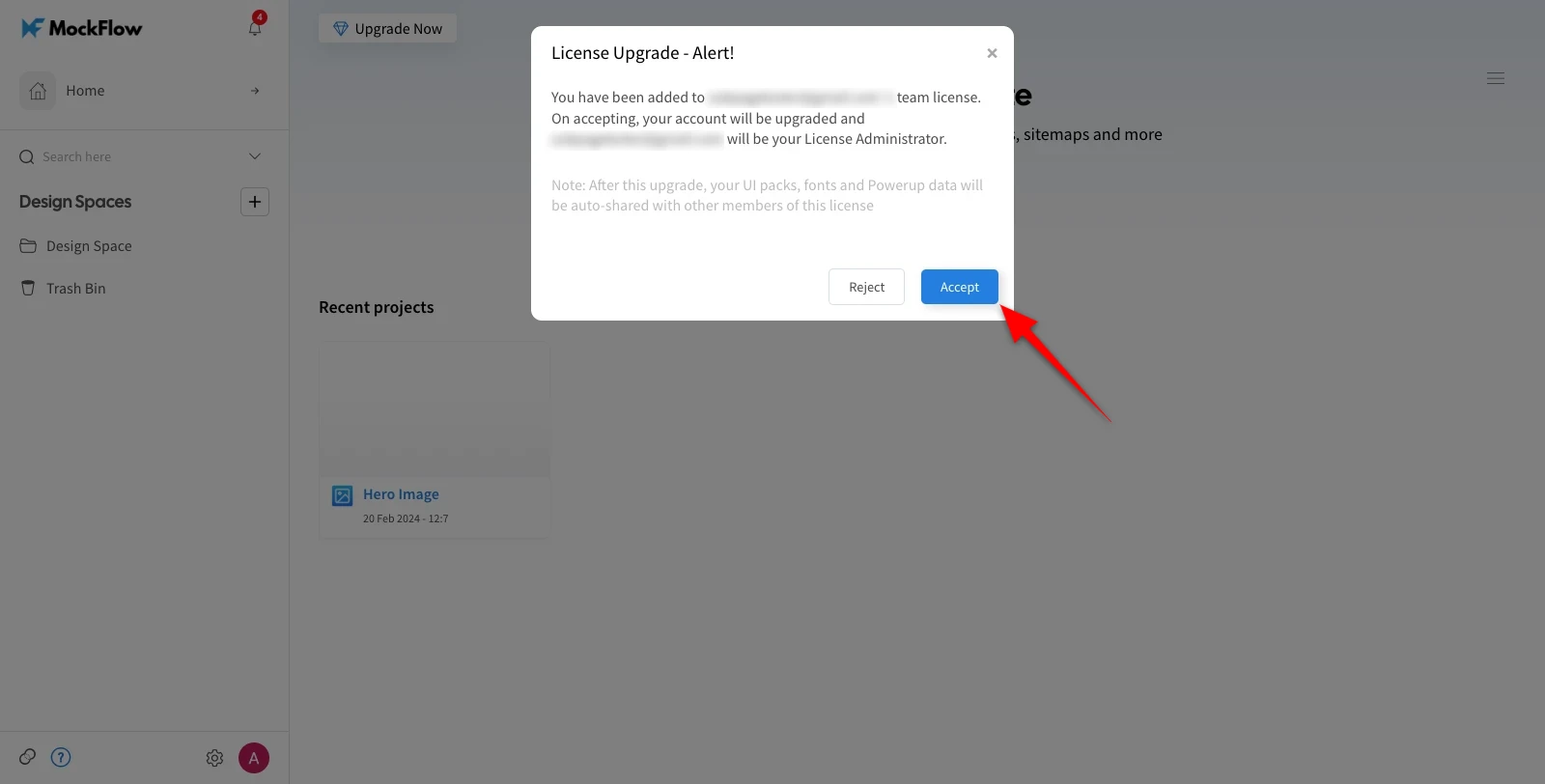
In the confirmation alert, click 'Accept.'
The member will be added.
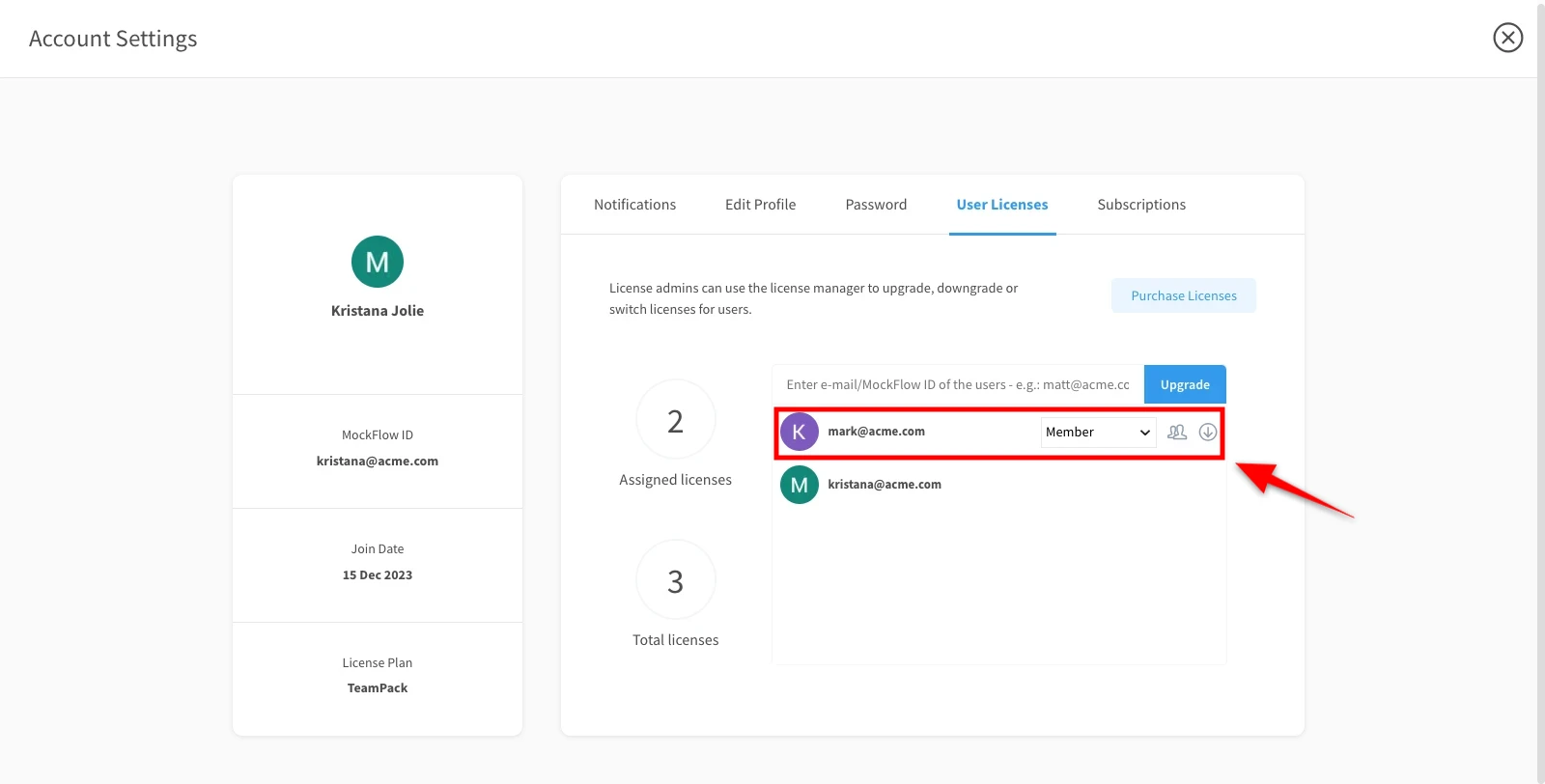
The added member's role can also be updated to 'License Admin.'
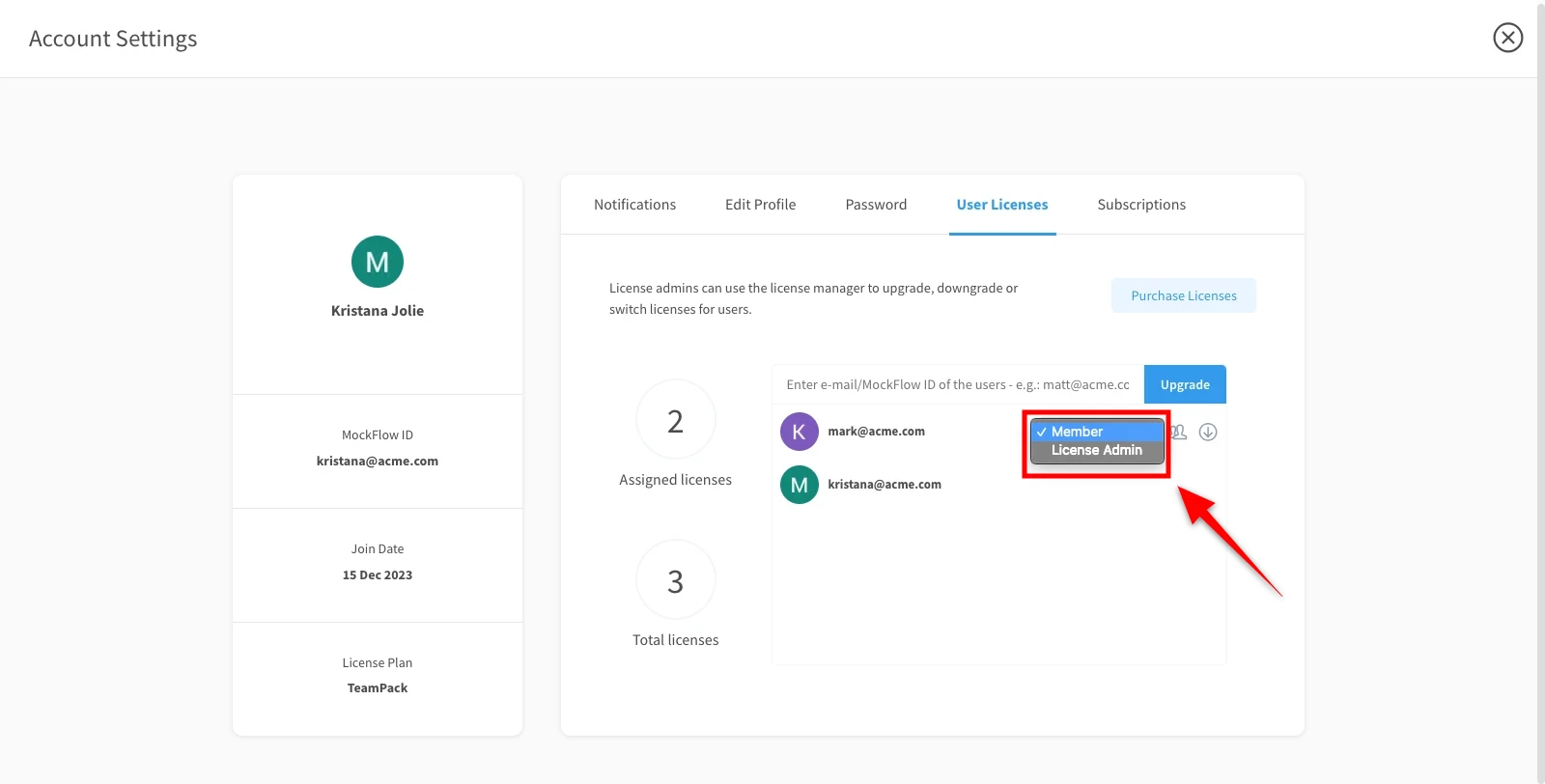
By clicking the 'Downgrade' icon, the member's account can be downgraded and removed.