Revision history for projects
MockFlow has built-in revision history or version history feature for tracking and managing each page's changes in a...
MockFlow has built-in revision history or version history feature for tracking and managing each page's changes in a project.
Revisions of a page are automatically created as the user makes updates to a page. In addition to this users can manually check in "save points" of a page's changes. Revisions can be previewed and if required the page can be restored back to a particular revision.
To access Revision History, follow the steps below:
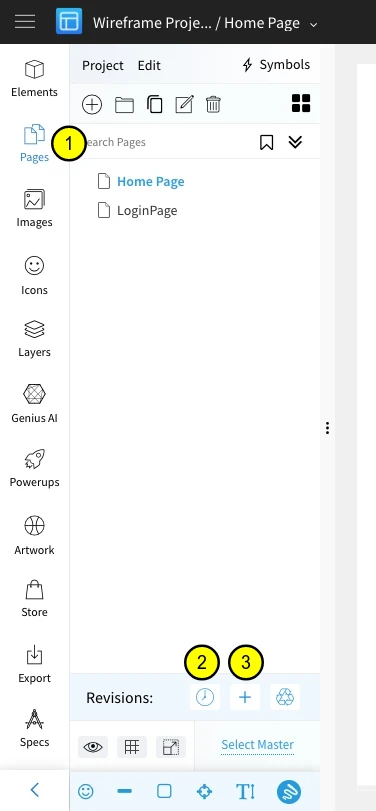
Select the pages tab.
Check the revision history of the selected page.
Create a new page revision.
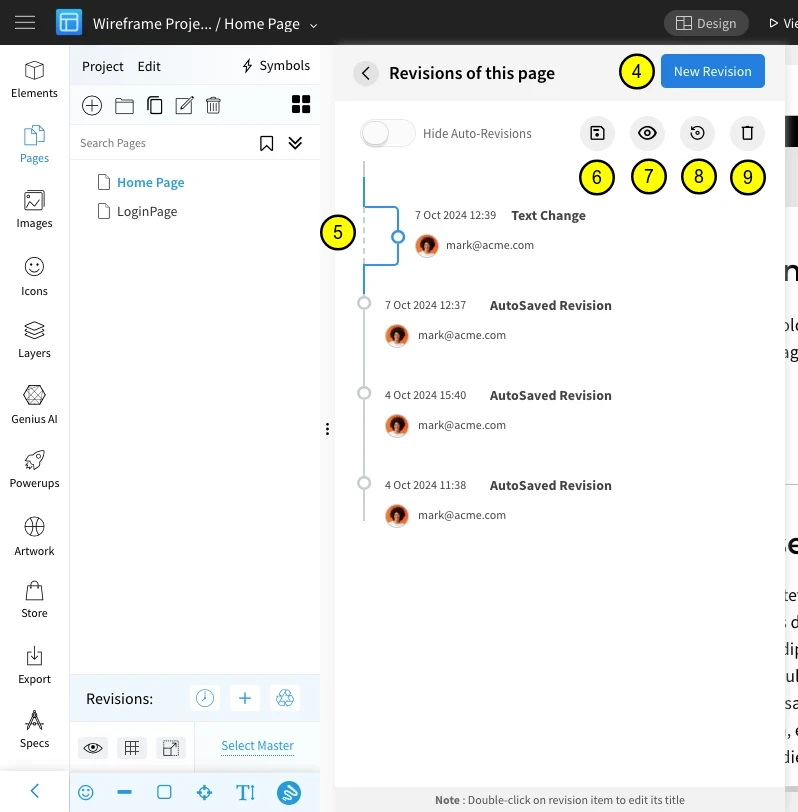
Click on the "New Revision" button to create a new page revision.
Select the revision.
Save revision as a new page in project.
Preview revision changes.
Restore the page to the selected revision changes.
Delete the selected revision.