
Internal
How to Switch Between Projects Using the Unity Sidebar
The Unity Sidebar allows seamless project switching within the editor, improving workflow efficiency and accessibility. Follow...
The Unity Sidebar allows seamless project switching within the editor, improving workflow efficiency and accessibility. Follow these steps to switch between projects using the Unity Sidebar within the MockFlow WireframePro editor.
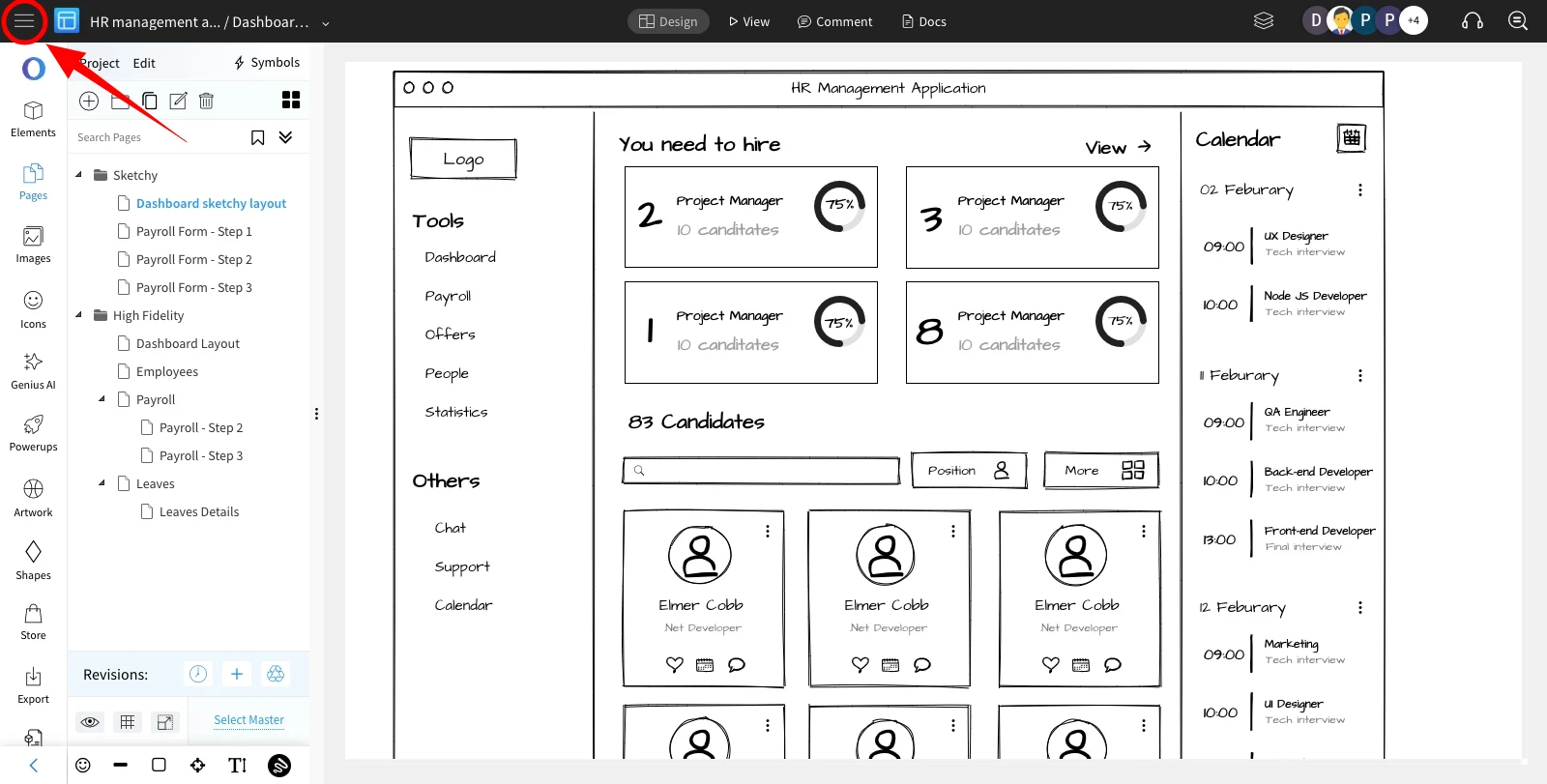
In the MockFlow WireframePro editor, click on the Hamburger icon in the top left corner.
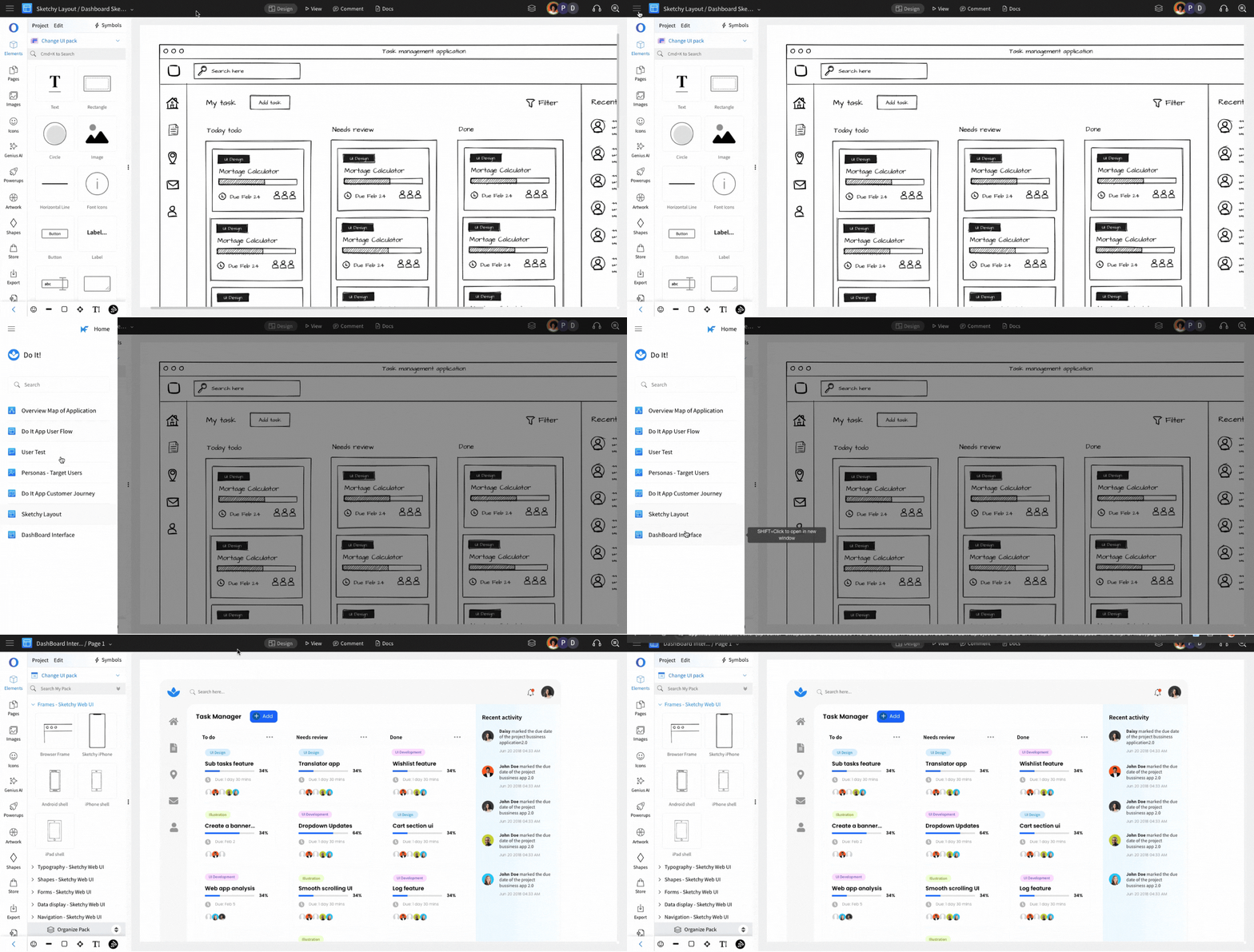
A list of projects within the Design Space will appear. Click on any project to seamlessly switch between them without leaving the editor.
Was this page helpful?