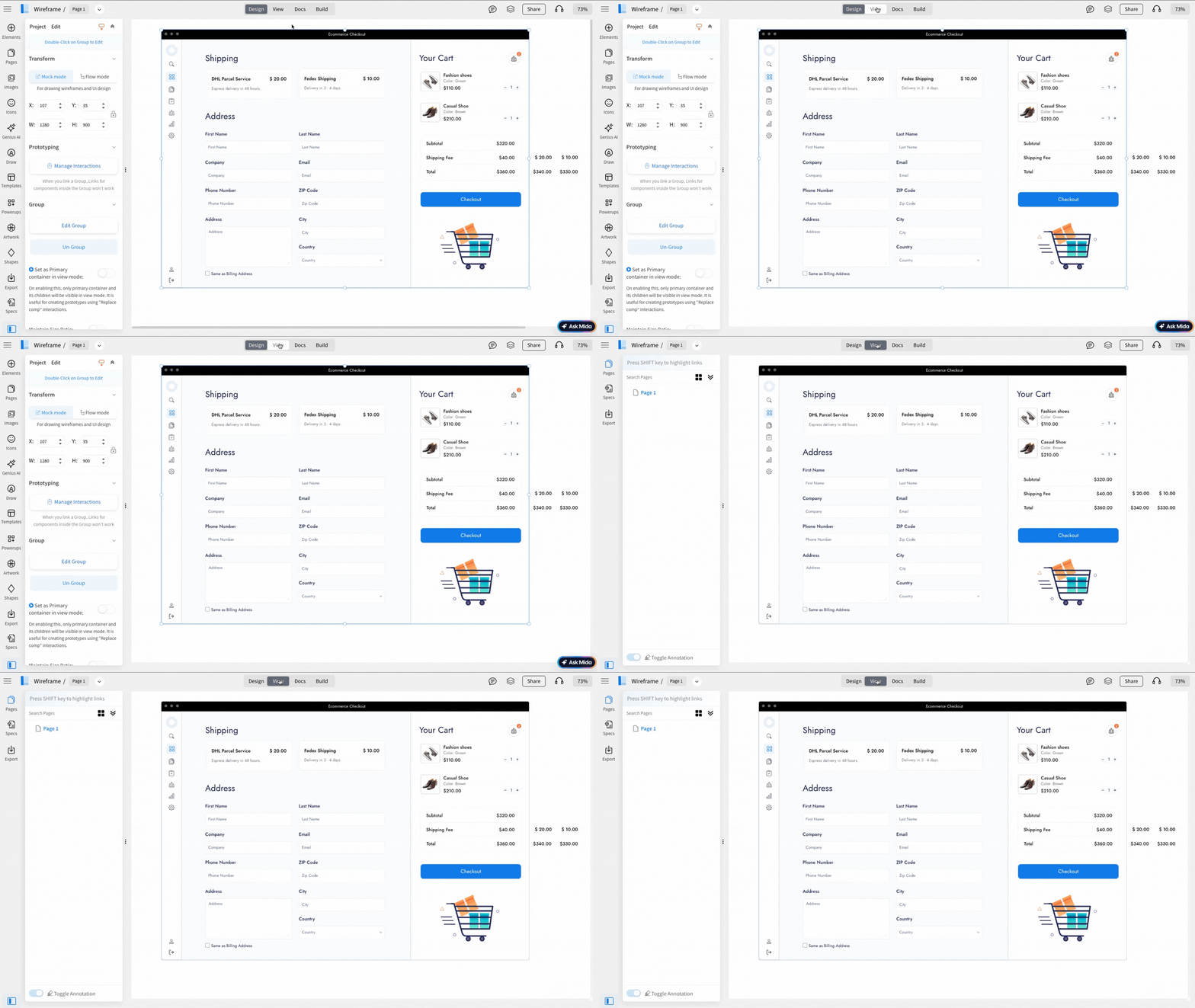
What is a Primary Container in MockFlow WireframePro?
A Primary Container in MockFlow WireframePro is a designated group or section of components that acts as the main visible area...
A Primary Container in MockFlow WireframePro is a designated group or section of components that acts as the main visible area during view mode - for prototype interactions.
This is useful when:
Creating multiple screens in the same page and add interactions. You can designate the initial screen as the primary container so that in the view mode, the user flow can be seamlessly demonstrated.
Creating interactive prototypes with "Replace Component" or 'Hide & show' interactions. For example, with app dashboards, if there are any popup interactions or tabbed UI interaction, then the main or the initial screen can be designated as the primary container to be displayed in the view mode.
To make the grouped component a primary container, click on the grouped component and toggle on the 'Set as Primary Container' button.
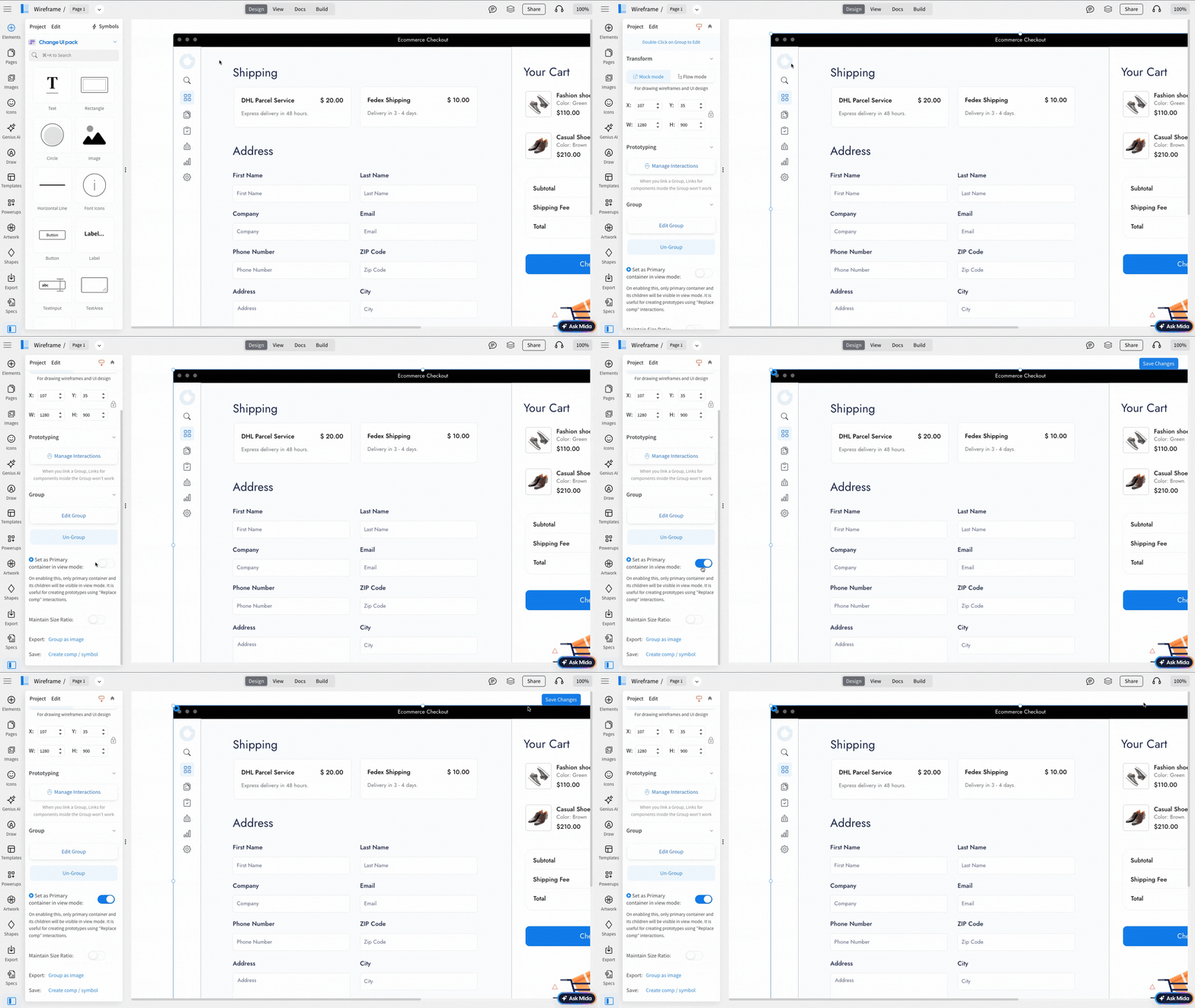
When you enable the Primary Container setting, only the selected container and its child components will be visible in View mode.
With Primary Container
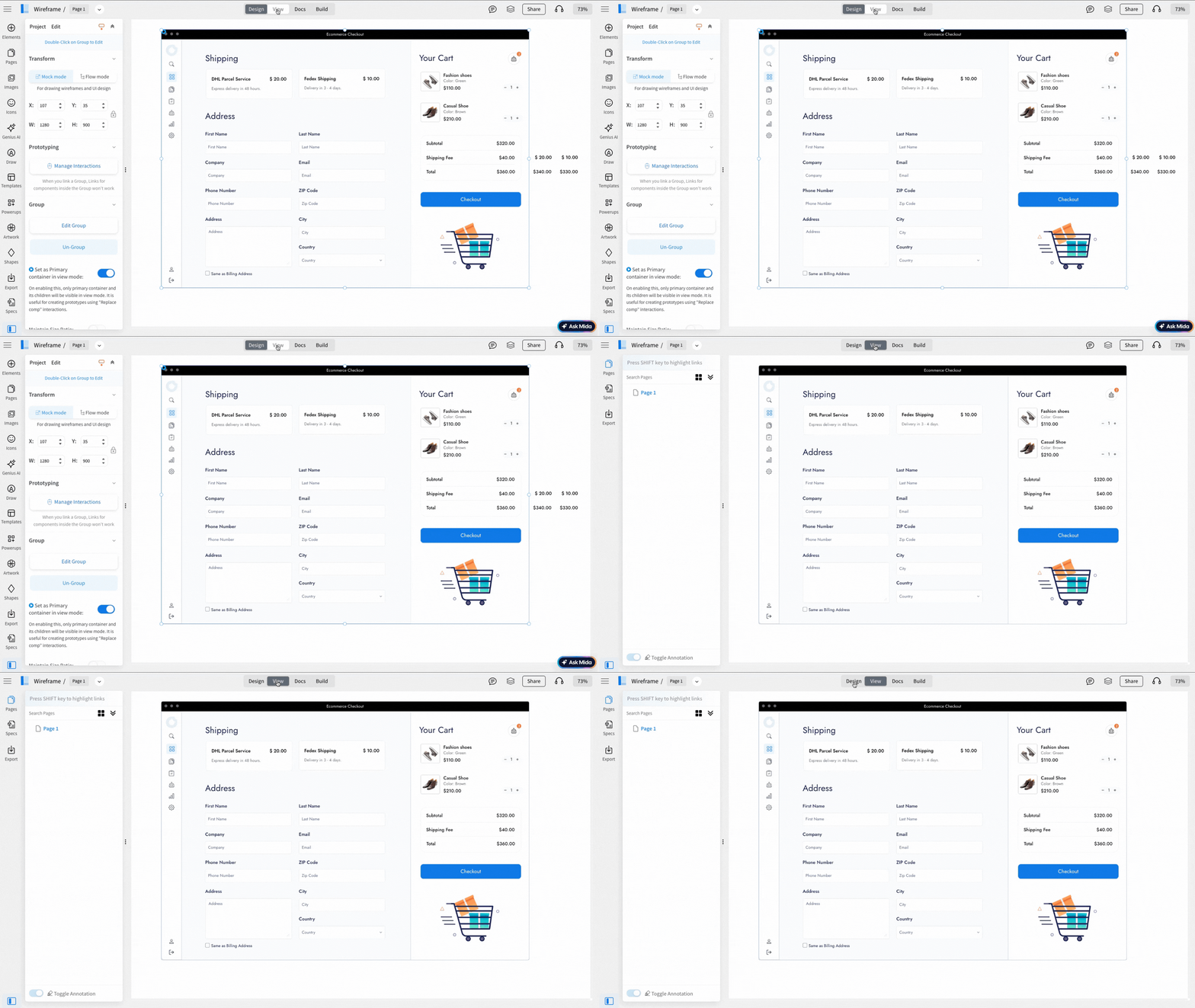
Without Primary Container