
Internal
How to create my wireframe project with AI?
AI-powered wireframe generation speeds up design workflows, enabling quick ideation and effortless prototyping. Follow the steps...
AI-powered wireframe generation speeds up design workflows, enabling quick ideation and effortless prototyping. Follow the steps below:
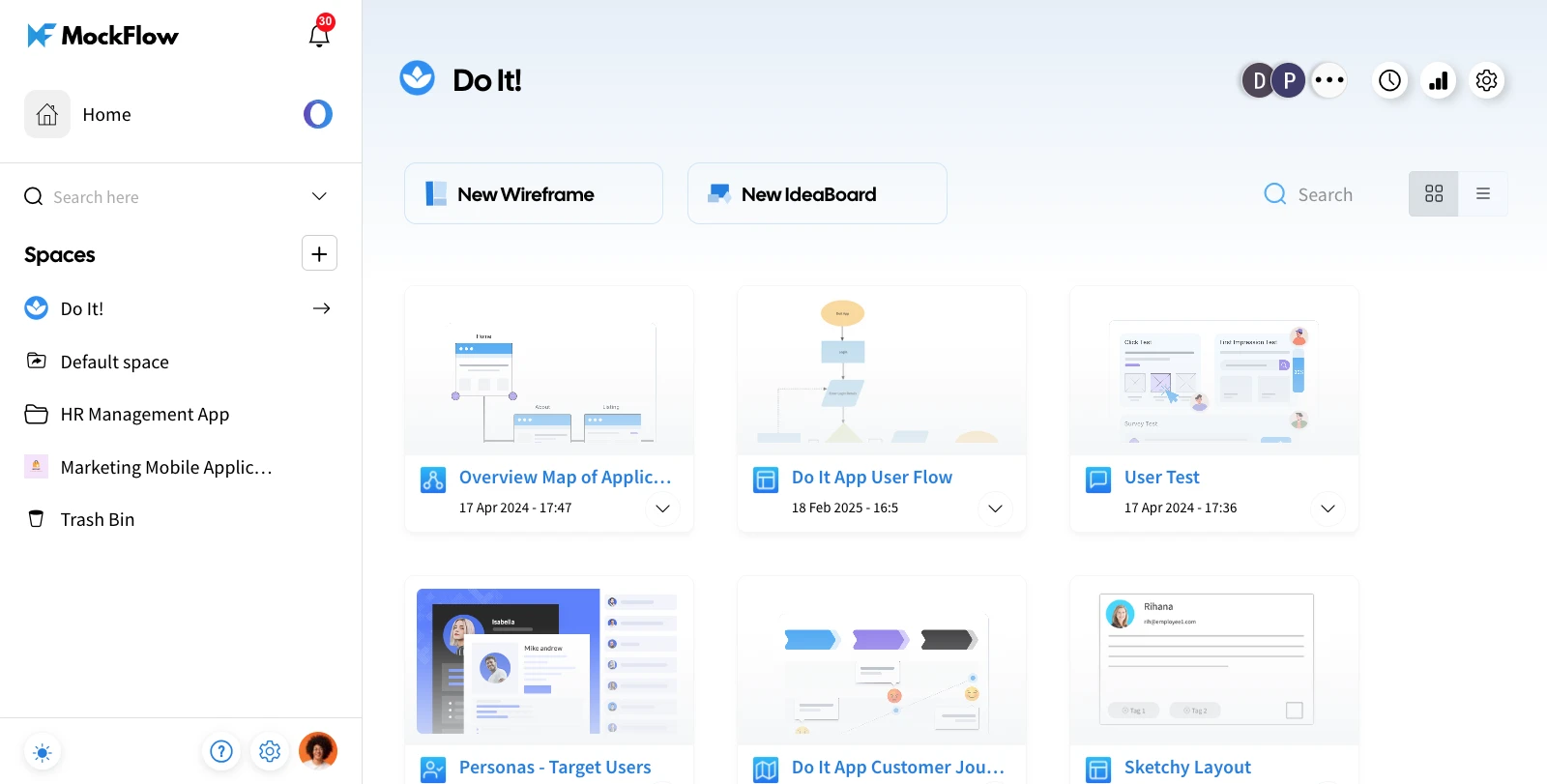
Log in to your MockFlow account to open the dashboard.
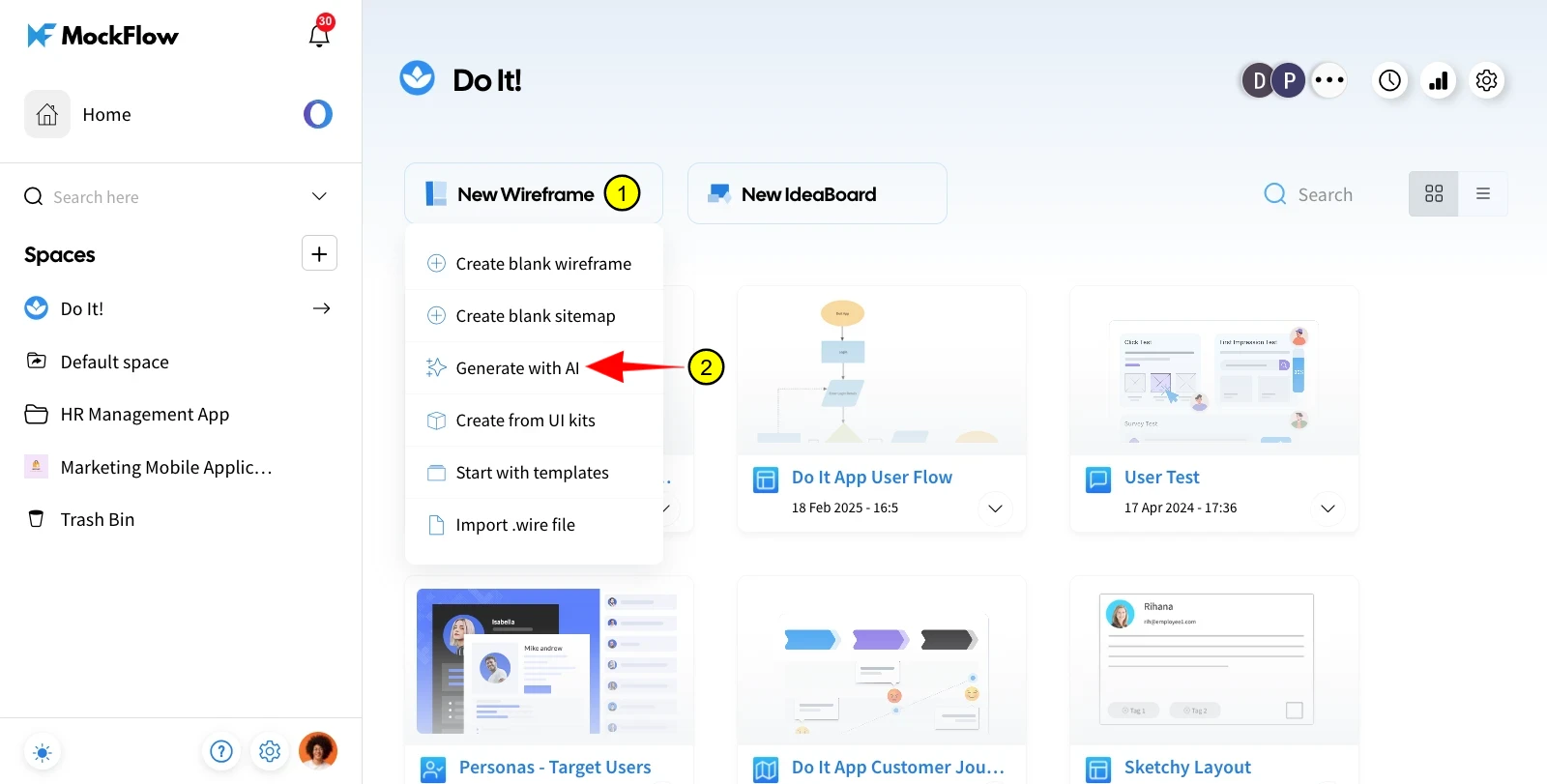
Hover over the New Wireframe button to view the options, then select Generate with AI.
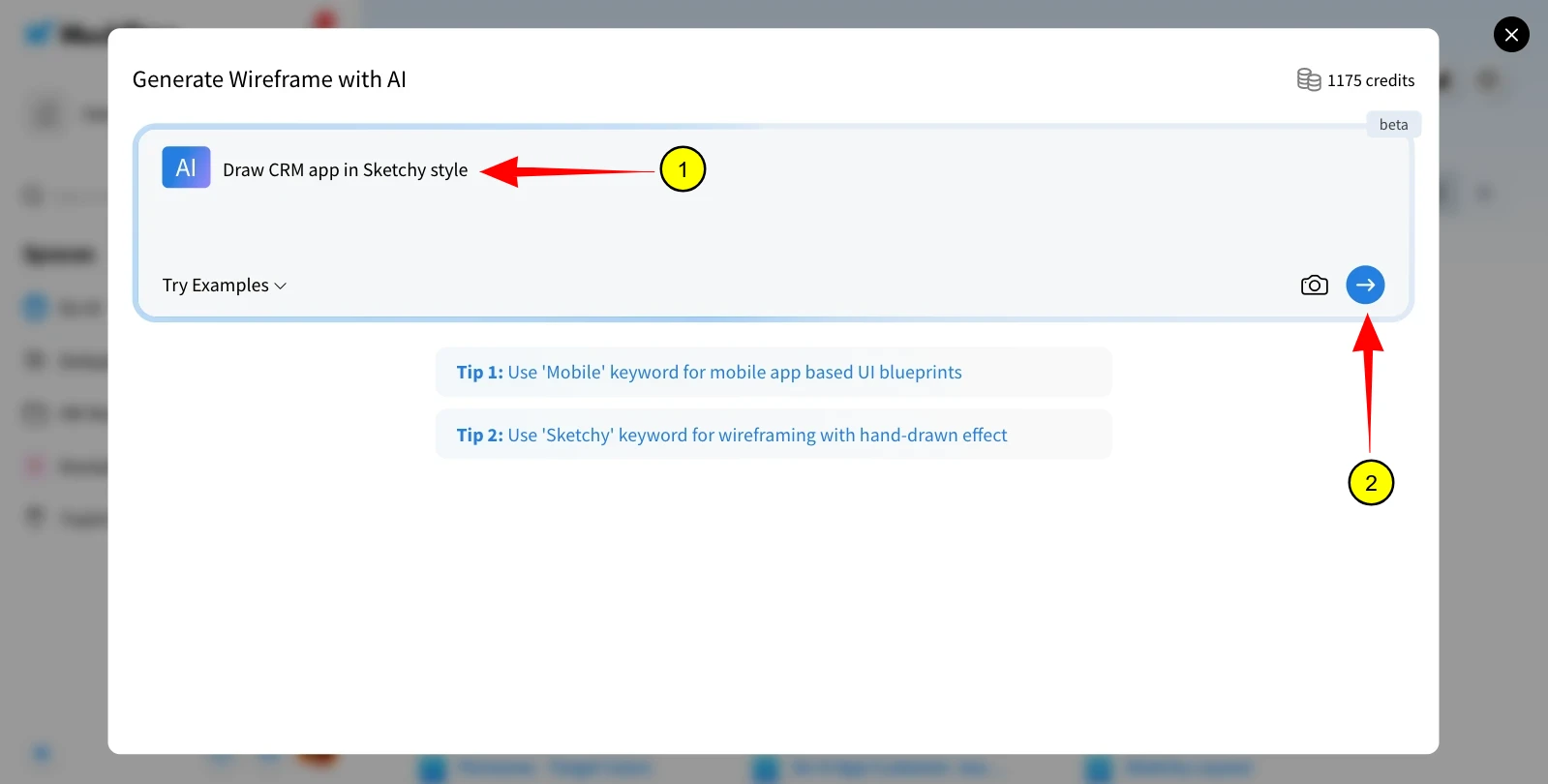
Enter your prompt and click the Enter icon to start the generation process.
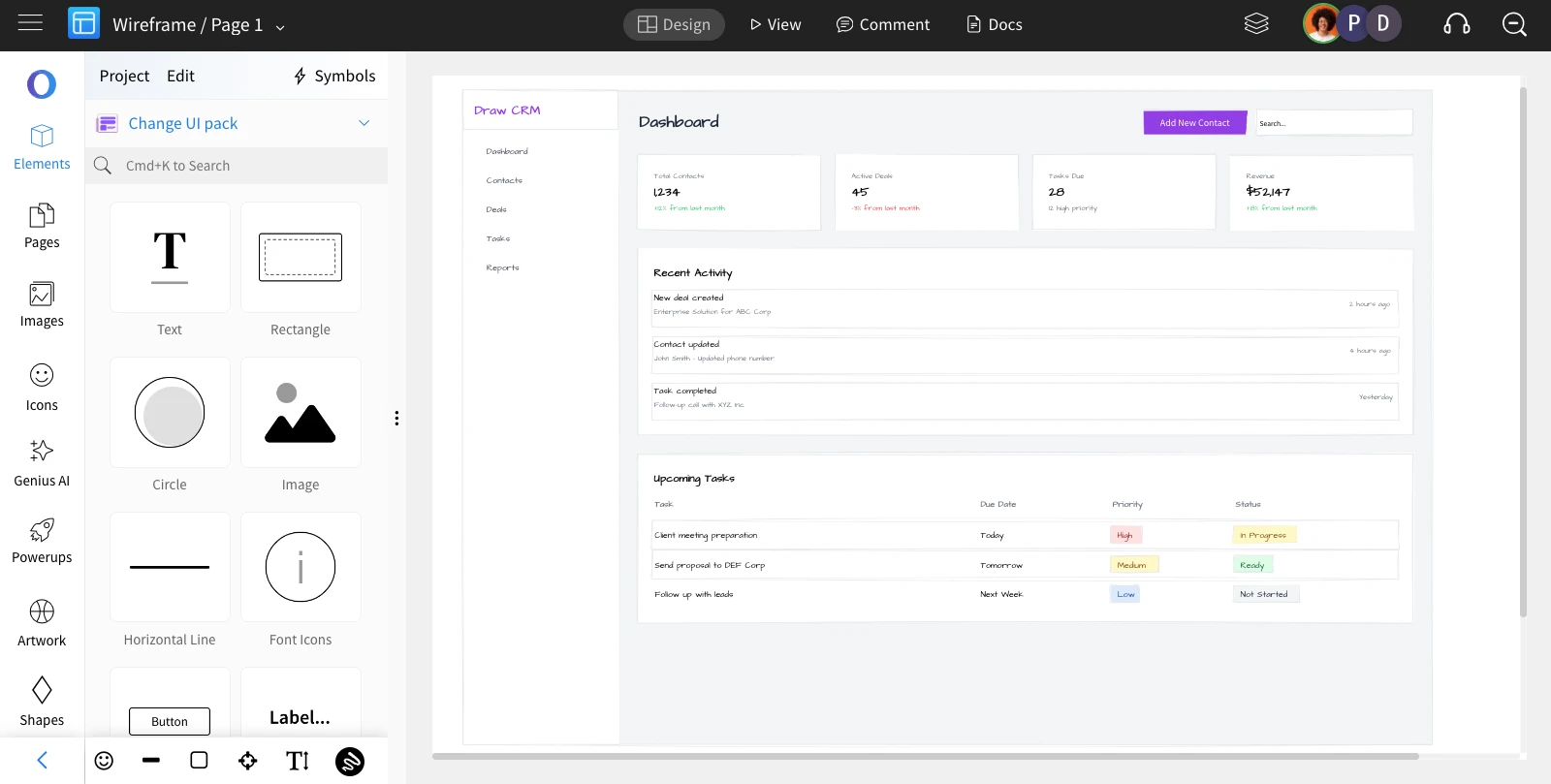
The AI-generated wireframe will be created and can be edited as needed.
To know more about AI features in MockFlow, check out these articles.
Was this page helpful?