
Internal
Generate public link for individual projects inside design space
If you want to share a particular project or file with a public link, you can do so by following the steps below: First, click...
If you want to share a particular project or file with a public link, you can do so by following the steps below:
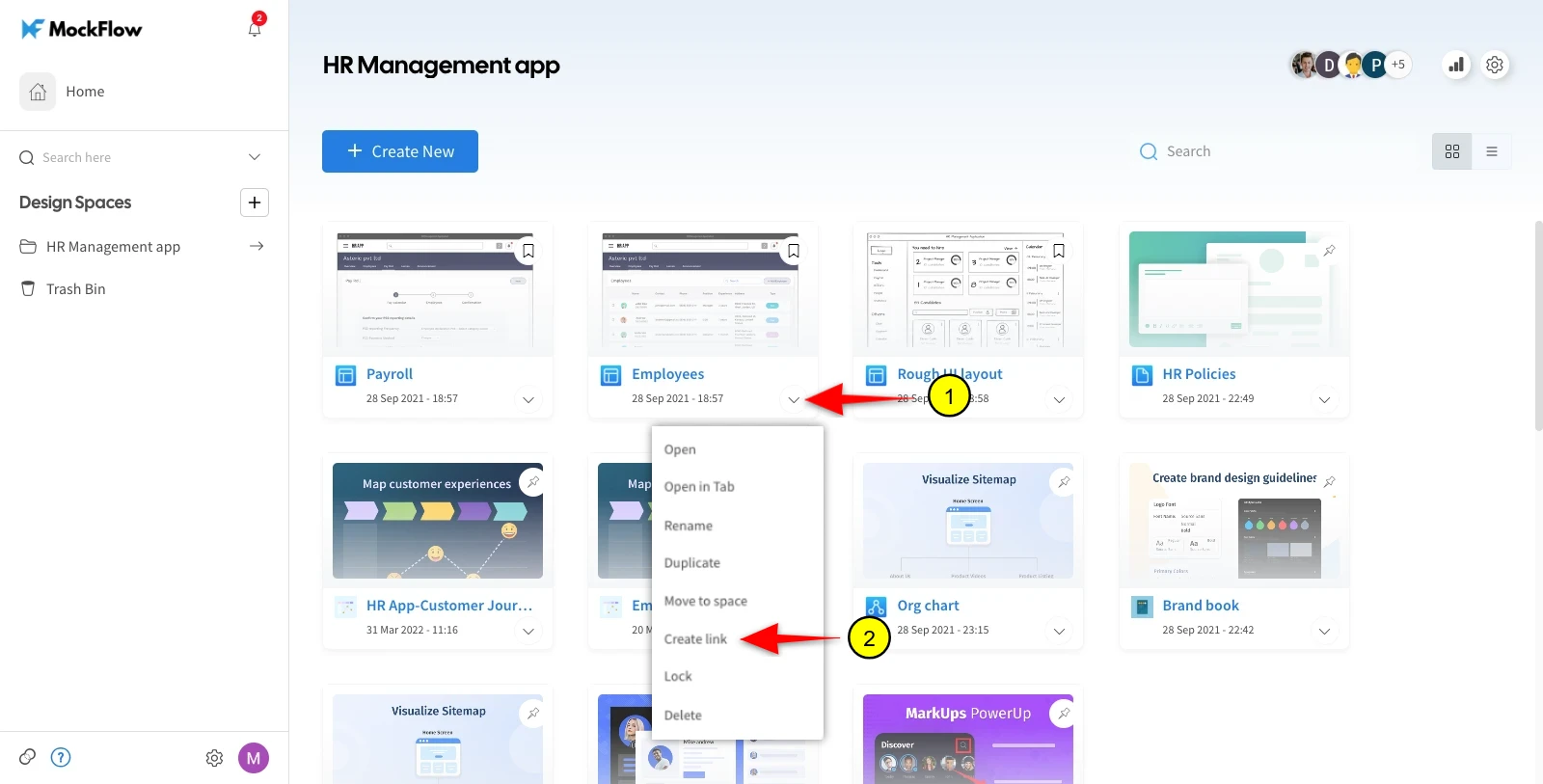
First, click on the dropdown icon on the desired project or file inside the design space. Then, click on the ' Create Link' option in the dropdown menu.
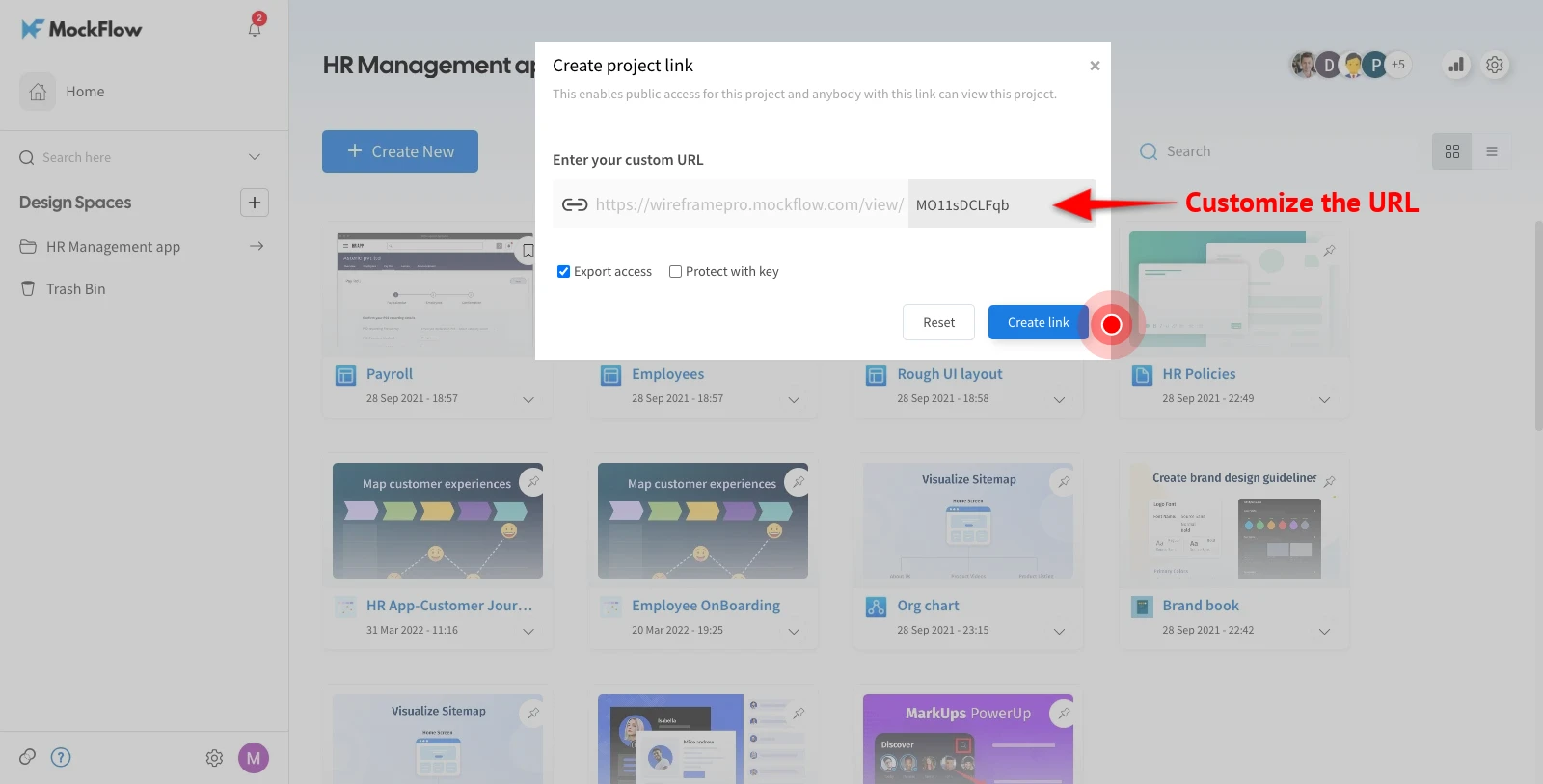
In the modal that opens next, you will have the option to customize the public URL. After customizing, click on 'Create Link'. The 'Reset' option will reset the URL customization to its default value.
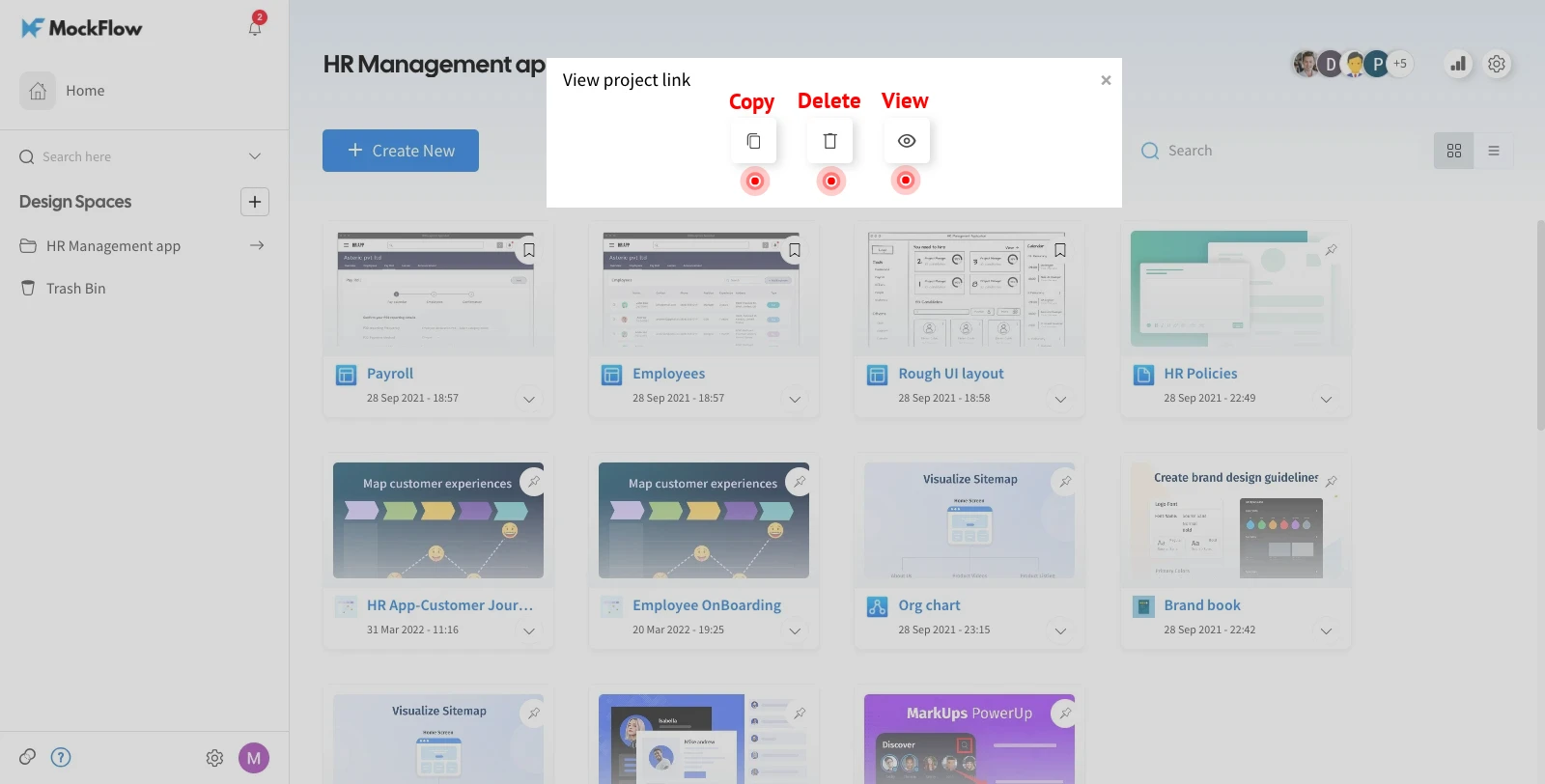
You can now share your project/file publicly with this URL. In the last dialog, you have options to copy, delete, and view the public link.
Was this page helpful?