How to enhance your UX Docs?
Discover how to enhance your UX documentation in MockFlow with structured tables, high-quality images, and vidoes. Improve clarity and collaboration in your design process effortlessly.
Enhance your UX documentation in MockFlow by incorporating structured tables for organizing complex data, high-quality images that visually communicate design concepts and user interactions, and informative videos that demonstrate product features or user experiences.
These elements not only enrich the documentation but also improve understanding and collaboration among team members and stakeholders, ensuring clarity and effectiveness in your UX design process.
Follow the steps below to seamlessly add these elements to your Docs, ensuring clarity and effectiveness in your UX design process.
Add Table
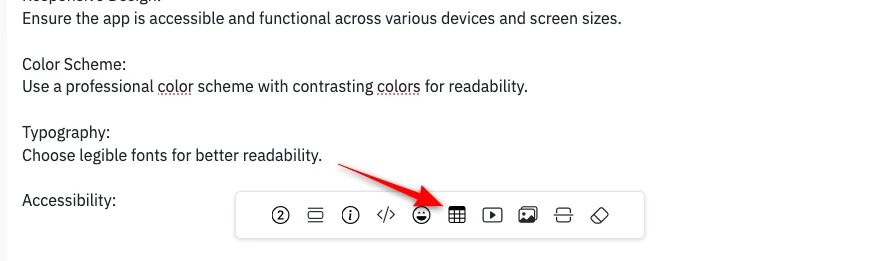
Inside the UX Documentation editor, click on the 'Add Table' in the Toolbar.
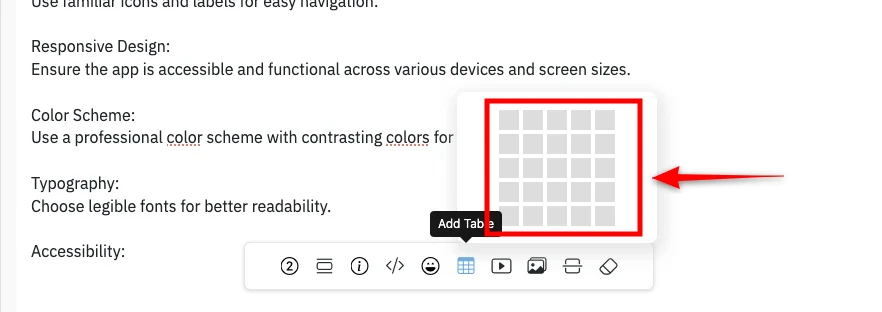
Select the number of rows and columns by hovering over the tables.
Once done selecting click on it.
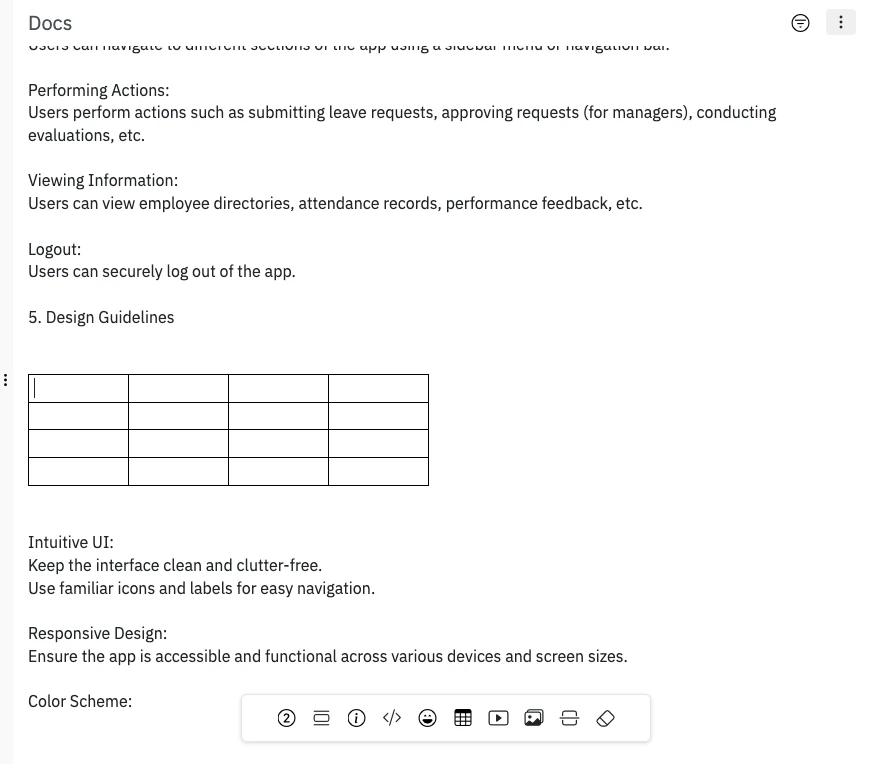
The table will be added to the Docs editor.
Add Images
In the UX Documentation sidebar, click on add images. A sidebar appears with MockFlow Image upload settings.
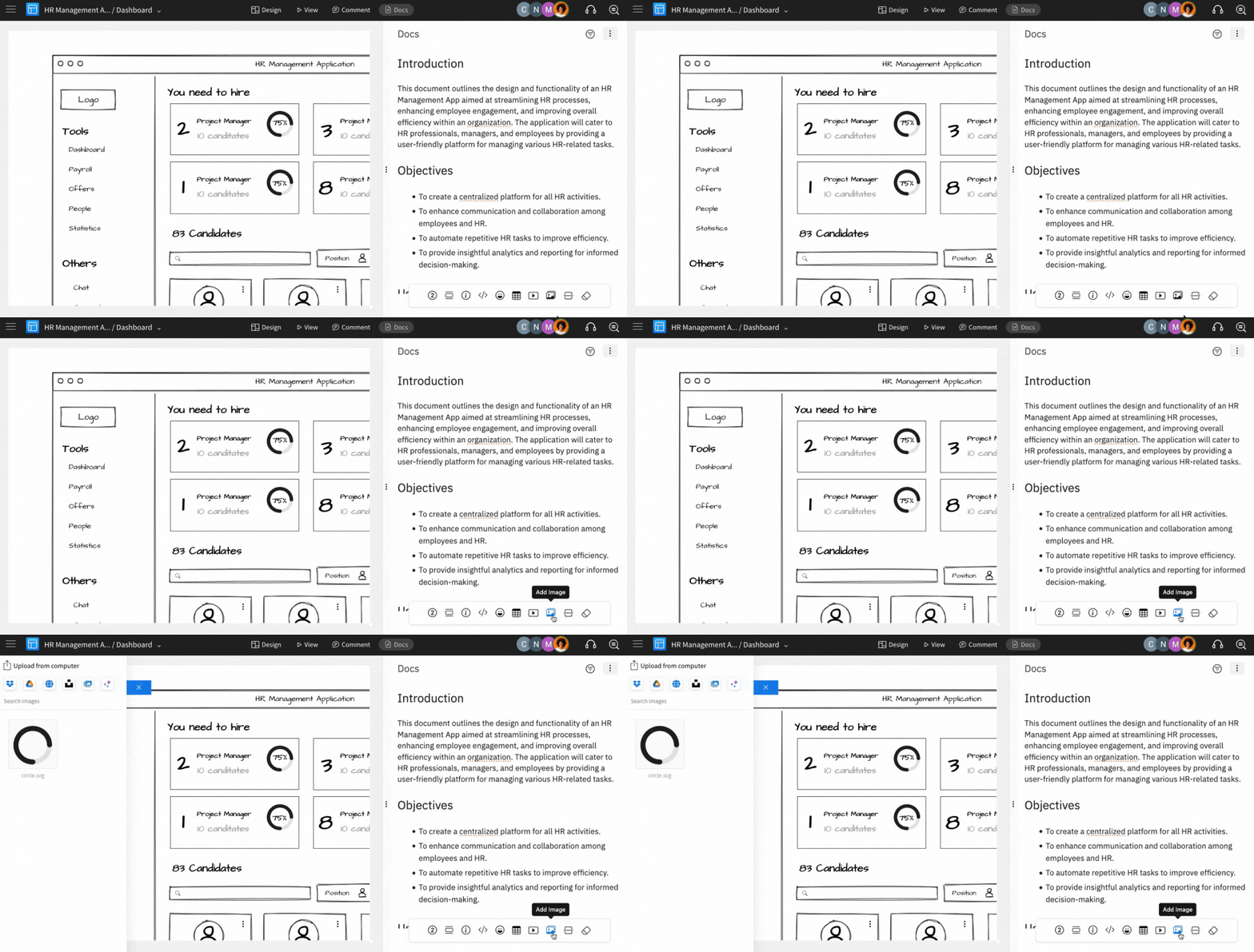
The images can be uploaded from the following options
Import from Dropbox
Import from Google Drive
Web Image Search
Global Image Manager
Stock Photography
You can also generate images using AI and upload them to your UX docs.
Add Videos
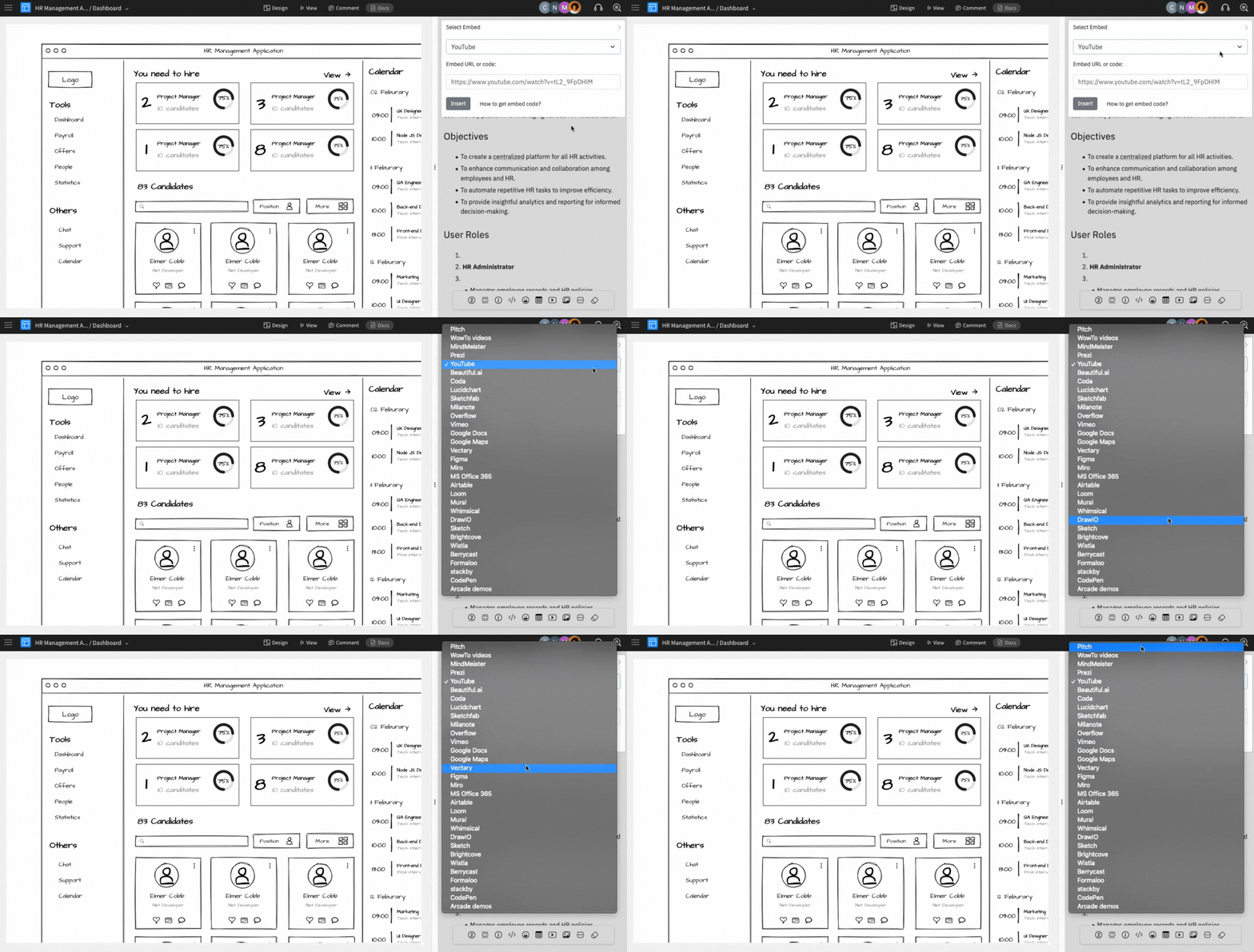
In the UX Documentation sidebar, click on 'Video/Embeds. A modal appears to embed the video.
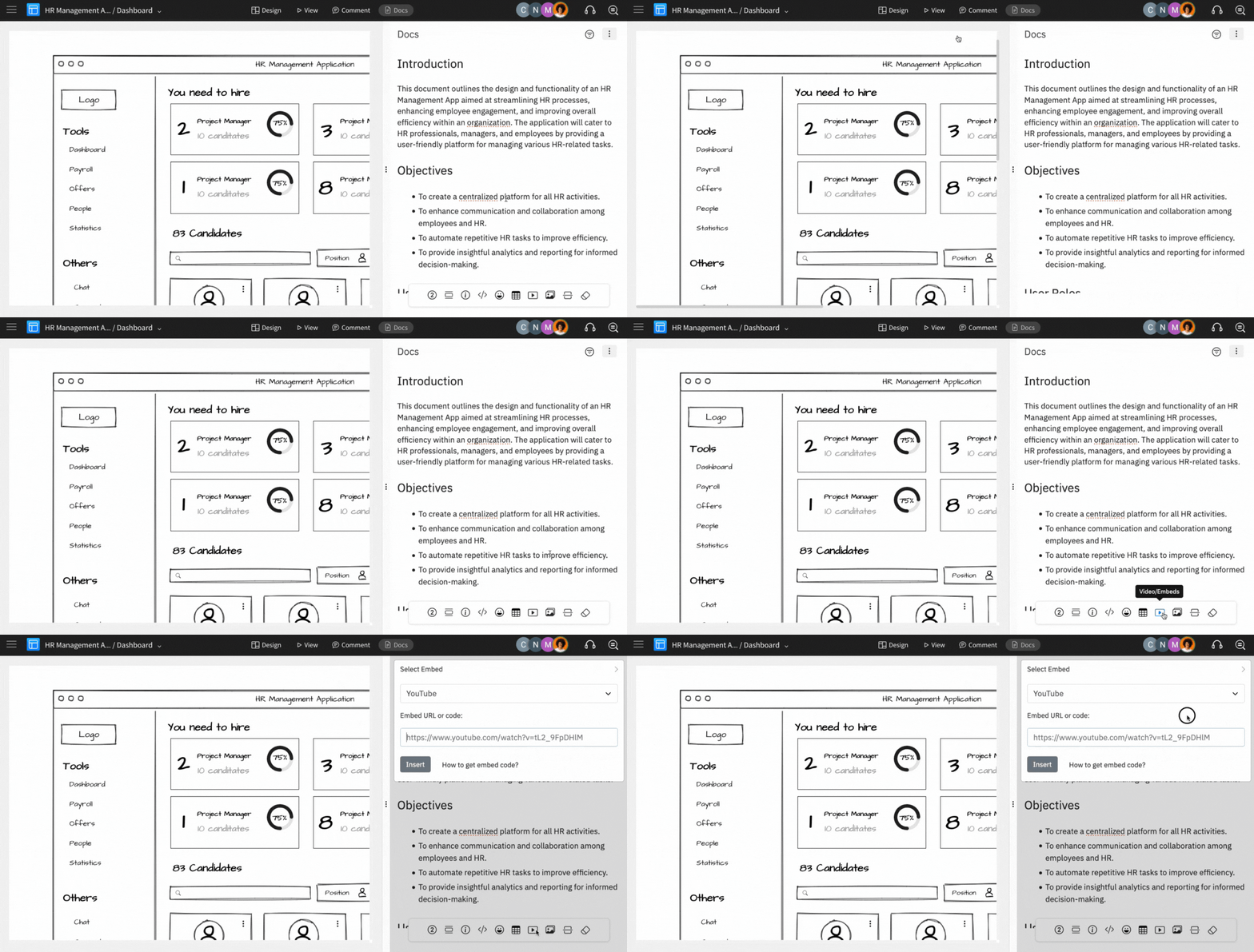
Select the desired platform, paste the copied embed code, and then click on 'Insert'.