How to Share UX Doc Using a Link?
Learn how to share your UX documentation easily with a link, in MockFlow.
Check out the steps below to share the UX documentation using a link.
Method 1
The UX doc share link can be created for a project within the design space.
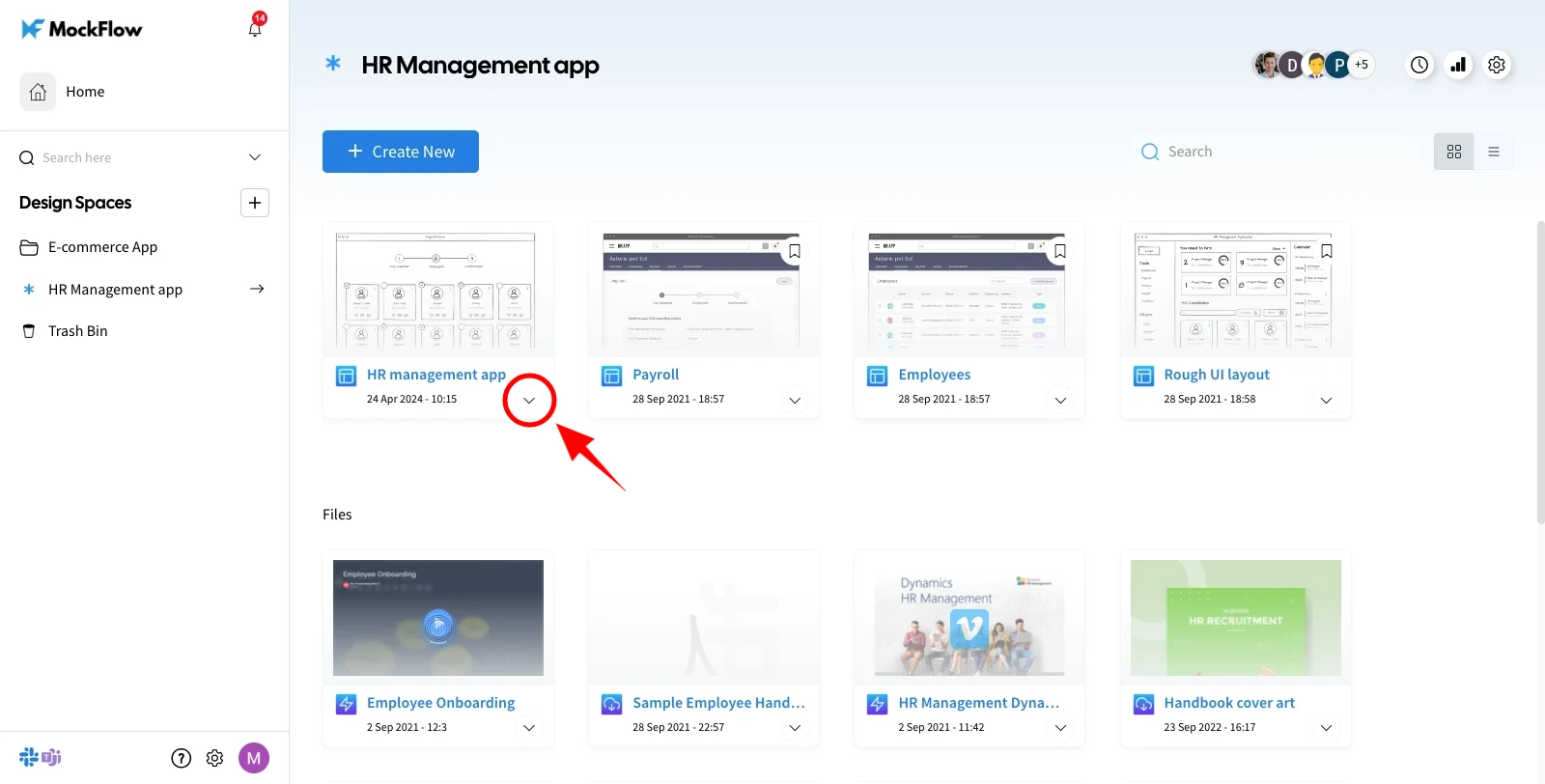
In the design space, choose the wireframe project and click on more options.
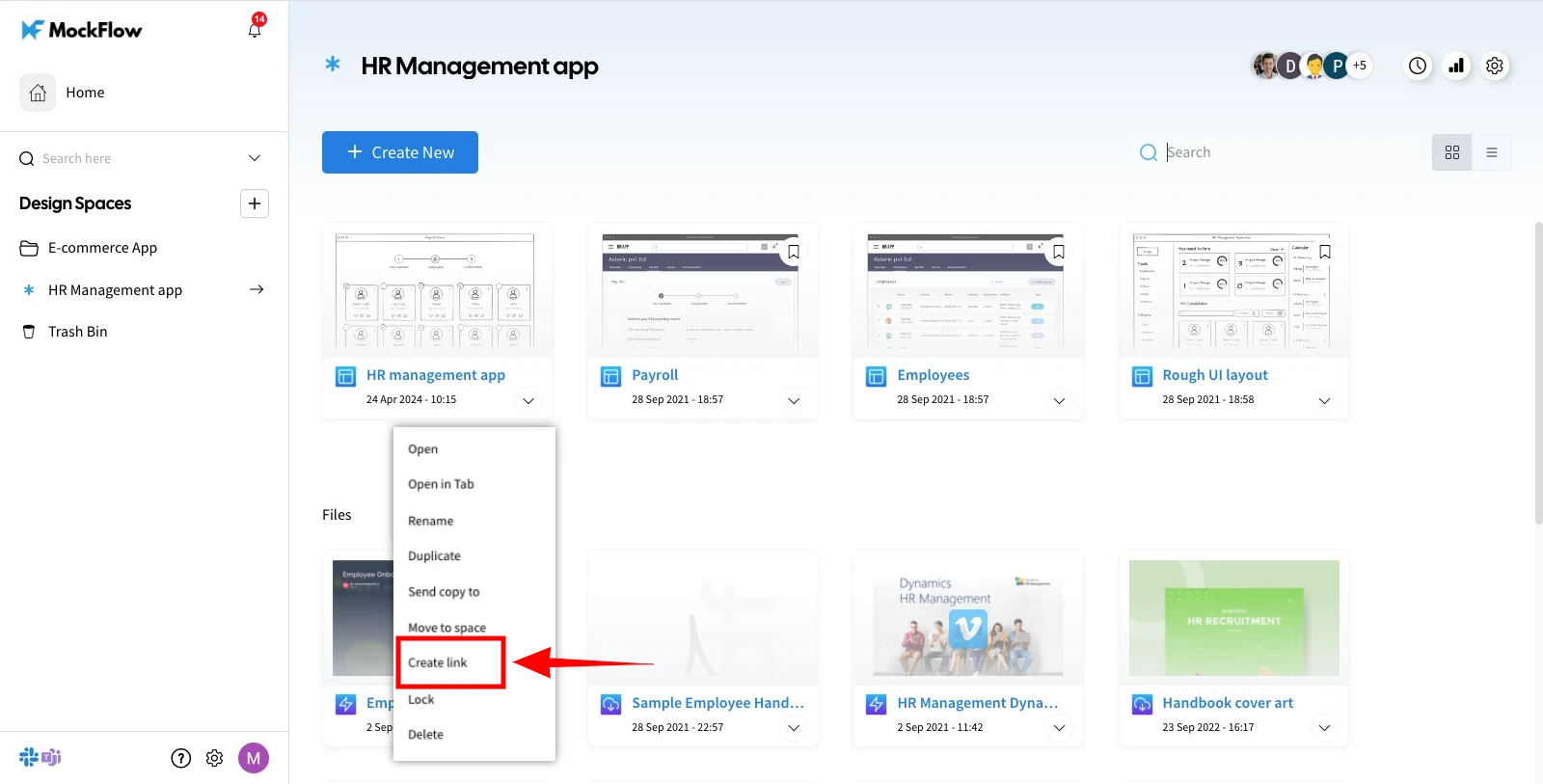
Choose 'Create Link' from the more options list.
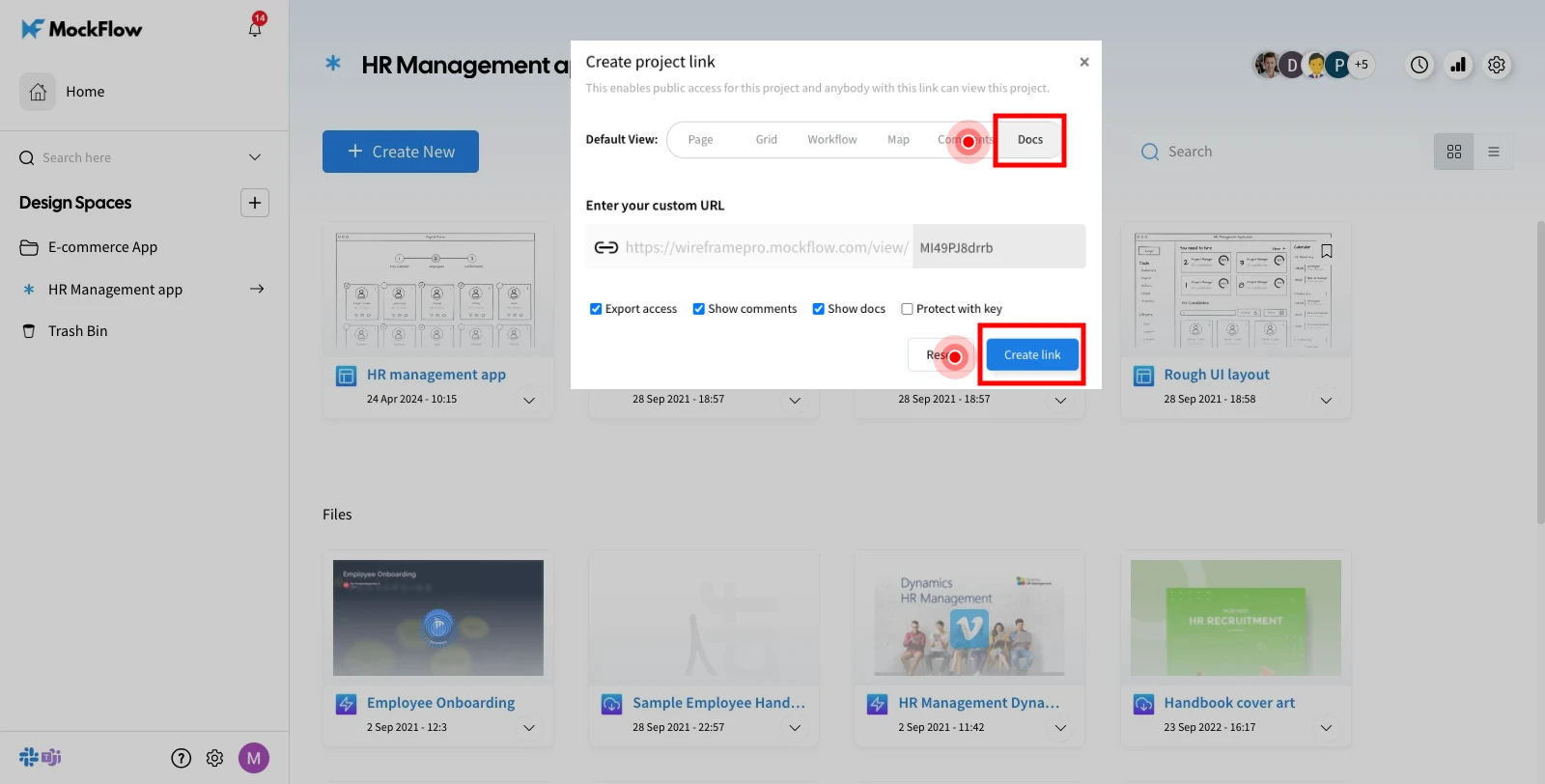
From the appeared 'Create Project Link' modal, select the 'Docs' tab.
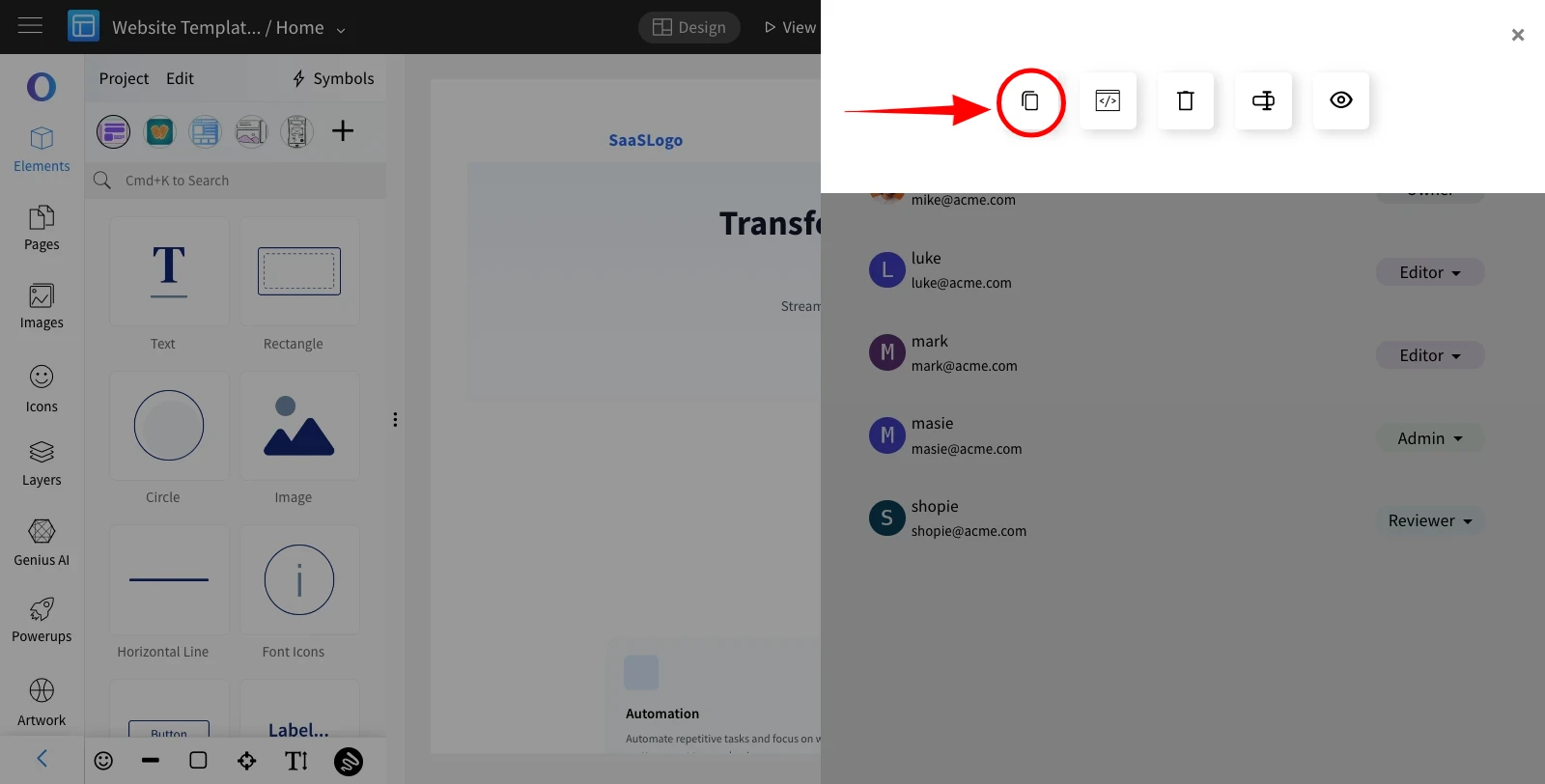
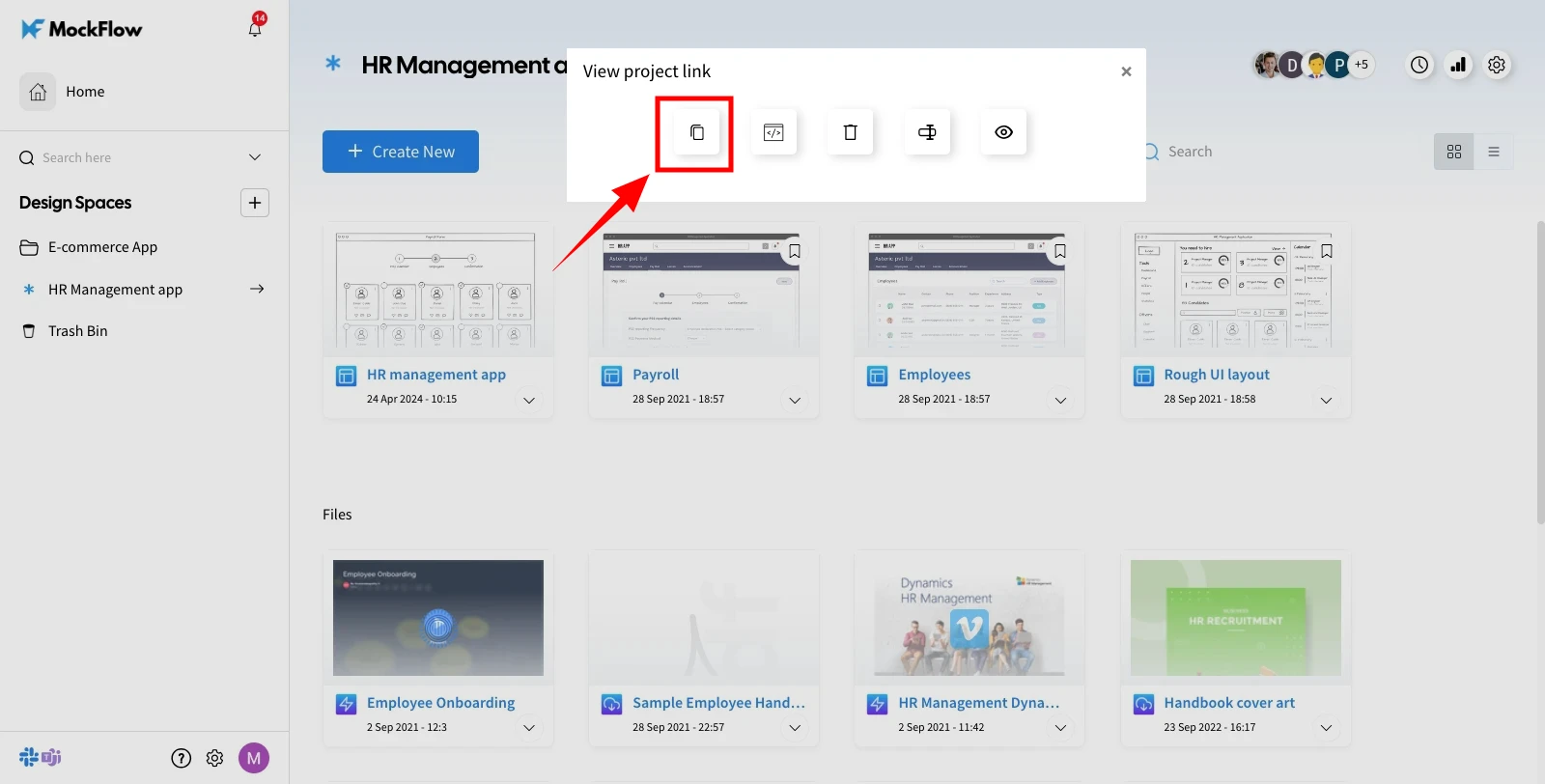
The UX doc can be shared by clicking on the 'Copy' from the view project link.
Method 2
Alternatively, you can create a shareable link for a UX doc directly within the WireframePro editor.
In the WireframePro editor, click on 'Share' at the top.
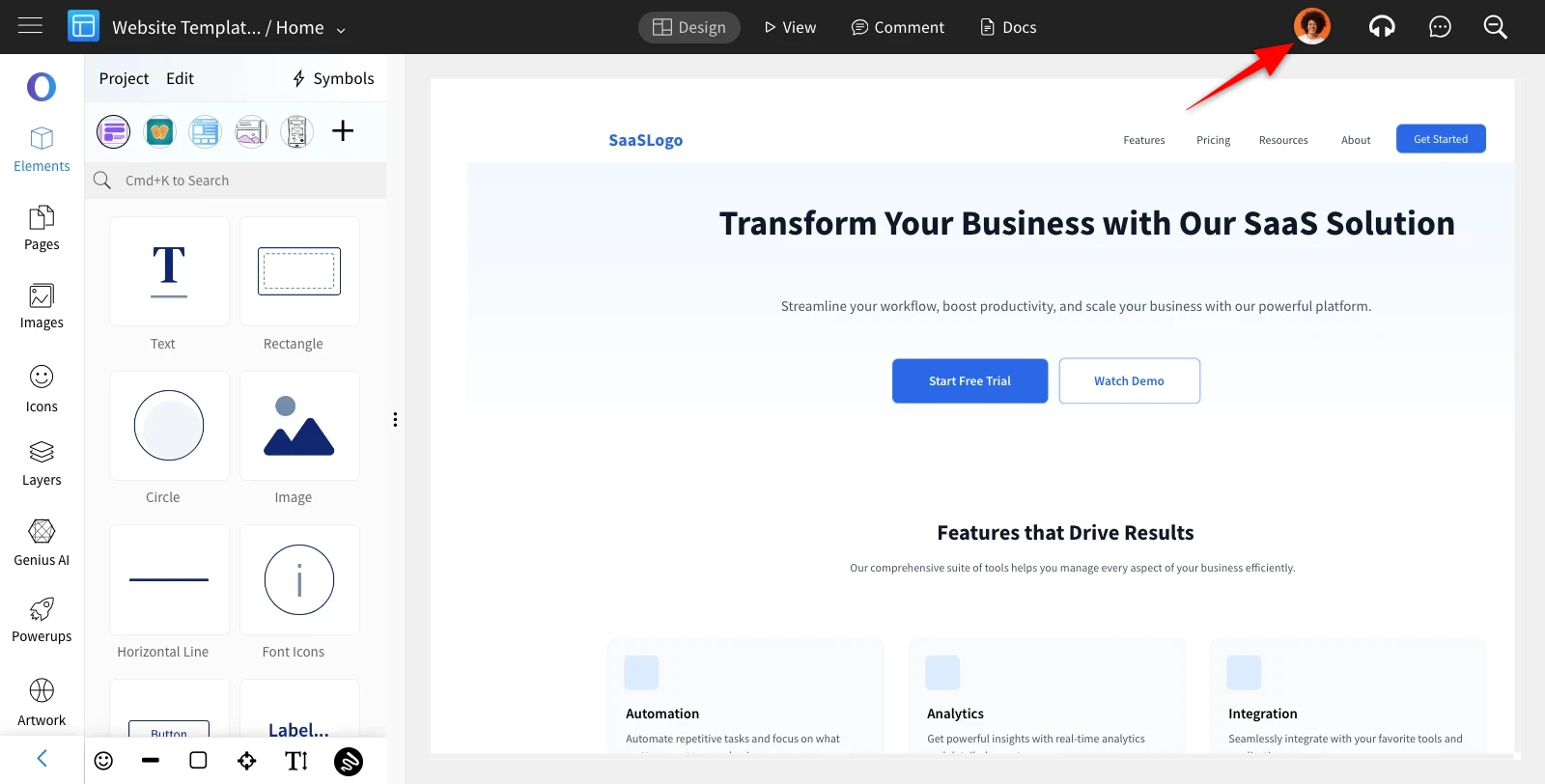
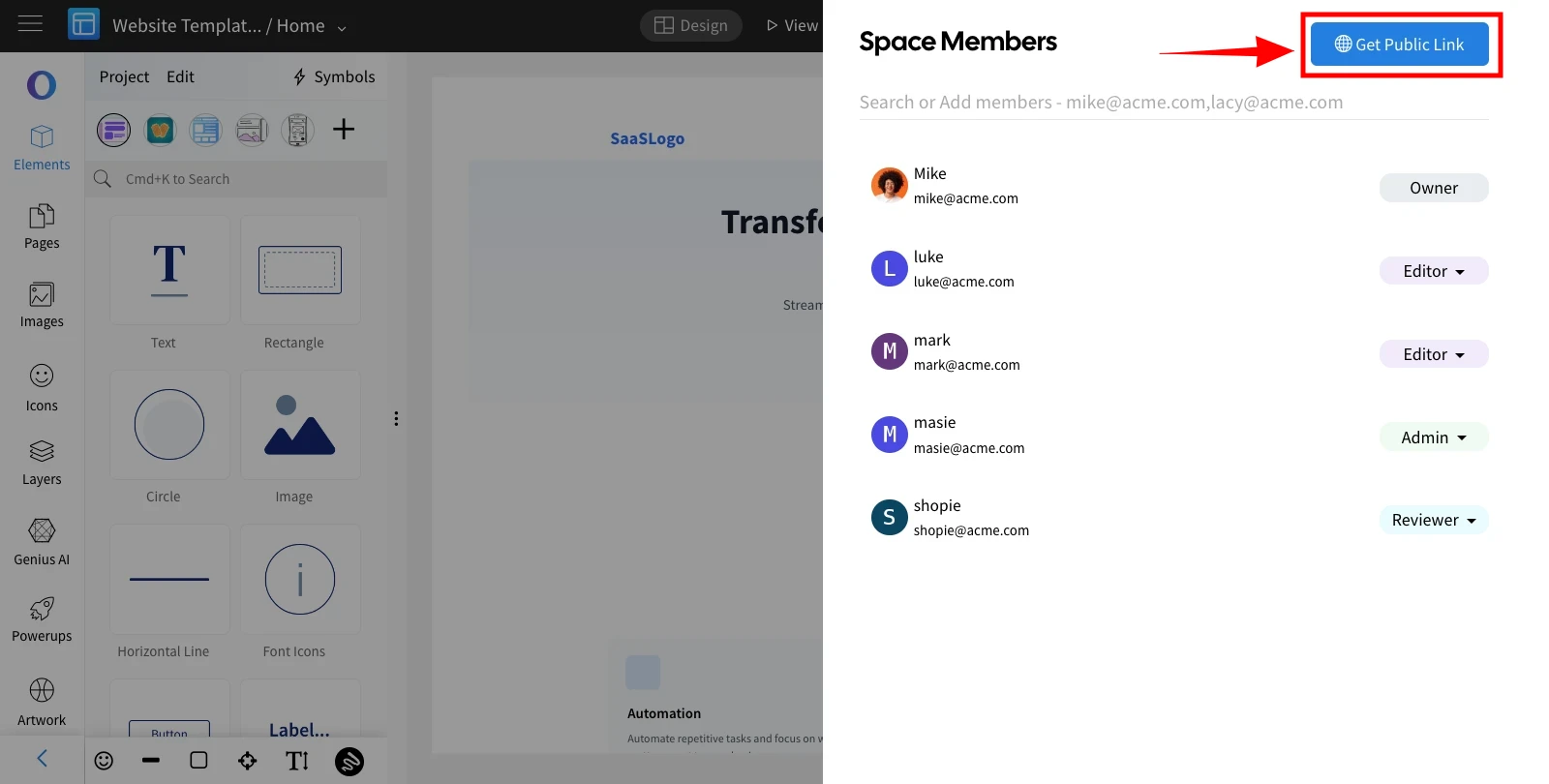
The Space Members sidebar will appear. Click on 'Get Public Link' in the top-right corner.
In the Create Link modal, go to the 'Docs' tab and click 'Create link' to generate a UX doc share link.
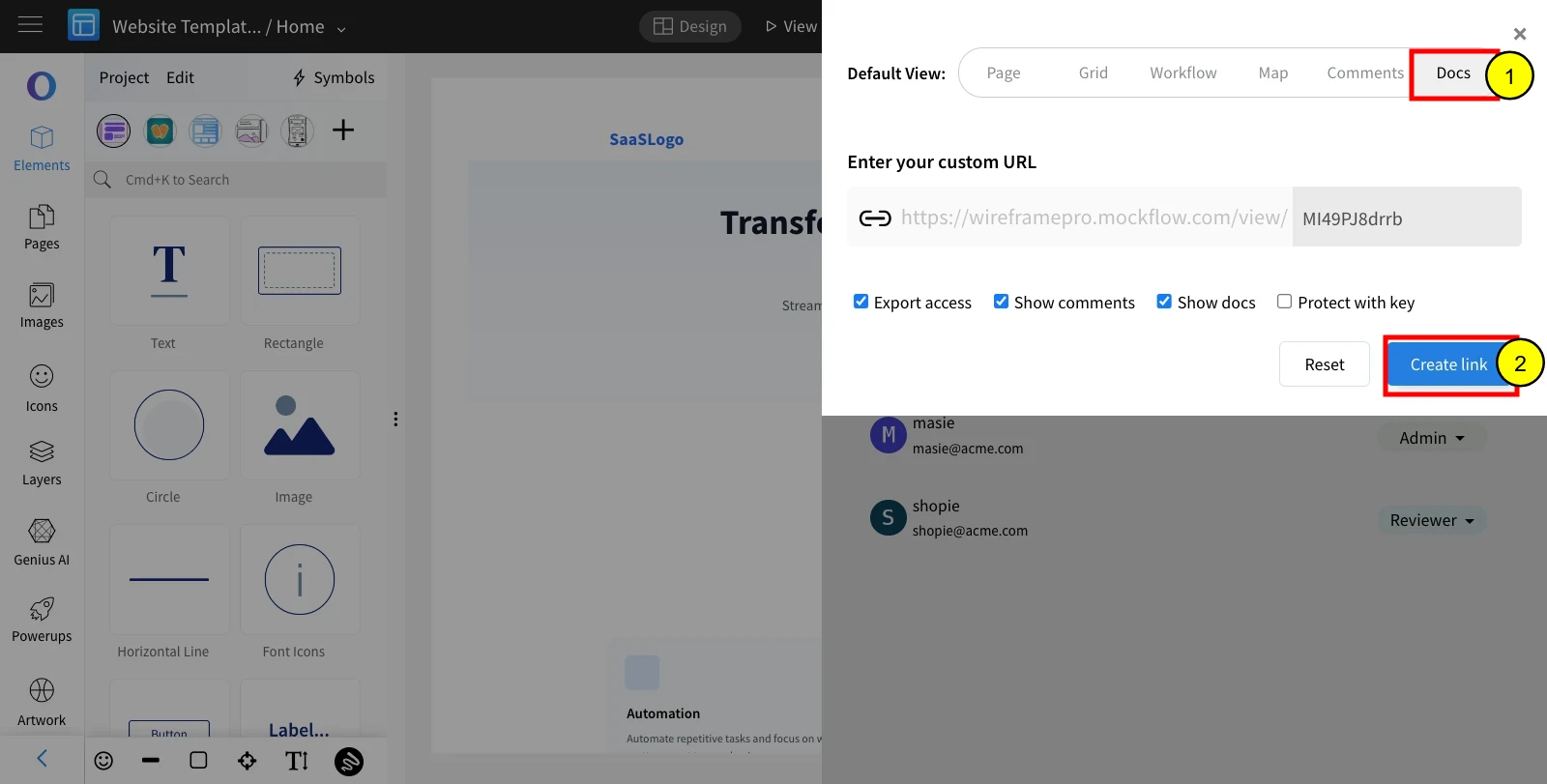
Once the link is created, click Copy to 'Copy' the link and share the UX docs.