
Internal
How to edit and sort components in custom UI packs ?
This article shows how to edit details and sort components in custom UI packs created by users of TeamPack and Business...
This article shows how to edit details and sort components in custom UI packs created by users of TeamPack and Business licenses.
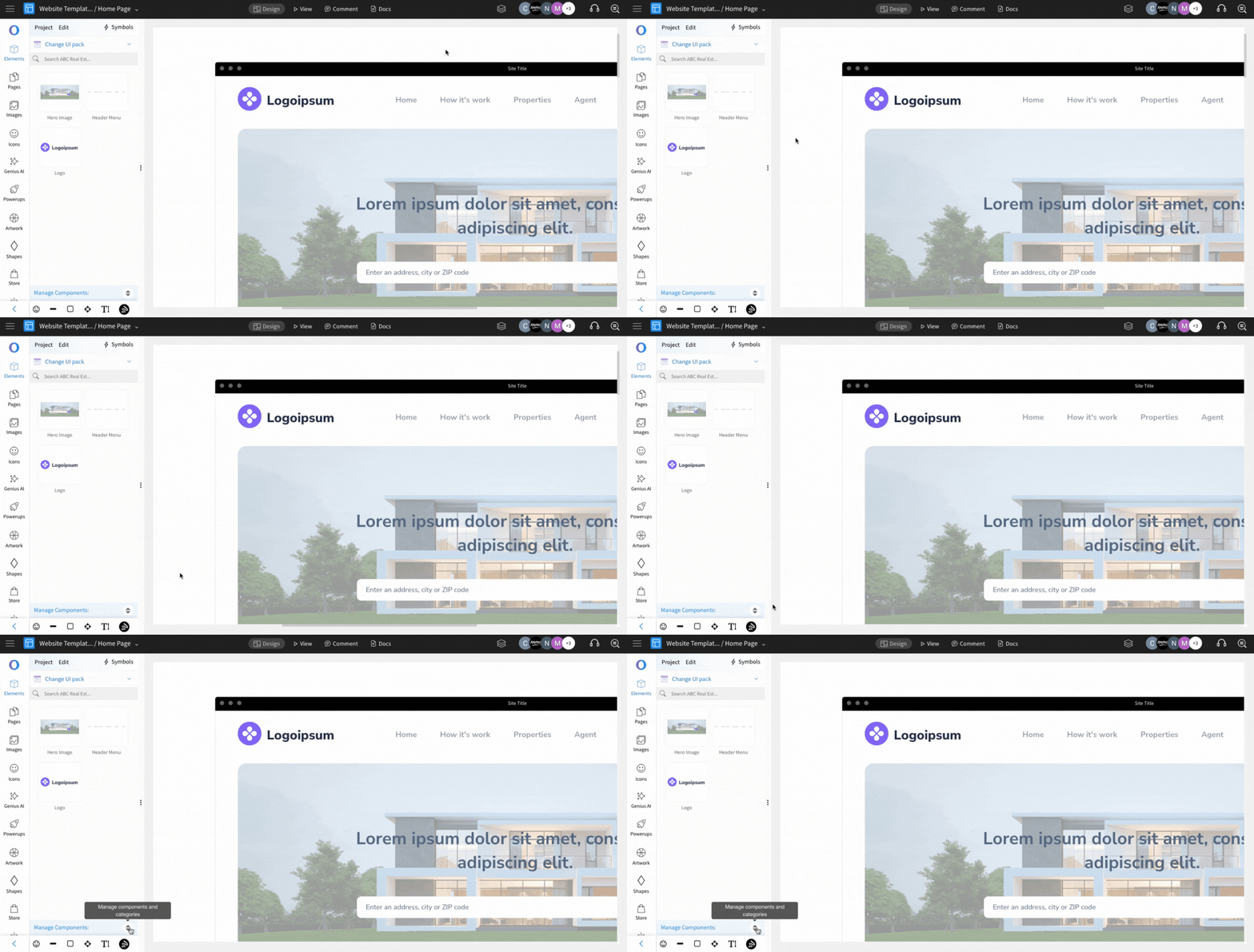
Click on the "Manage Components" icon.
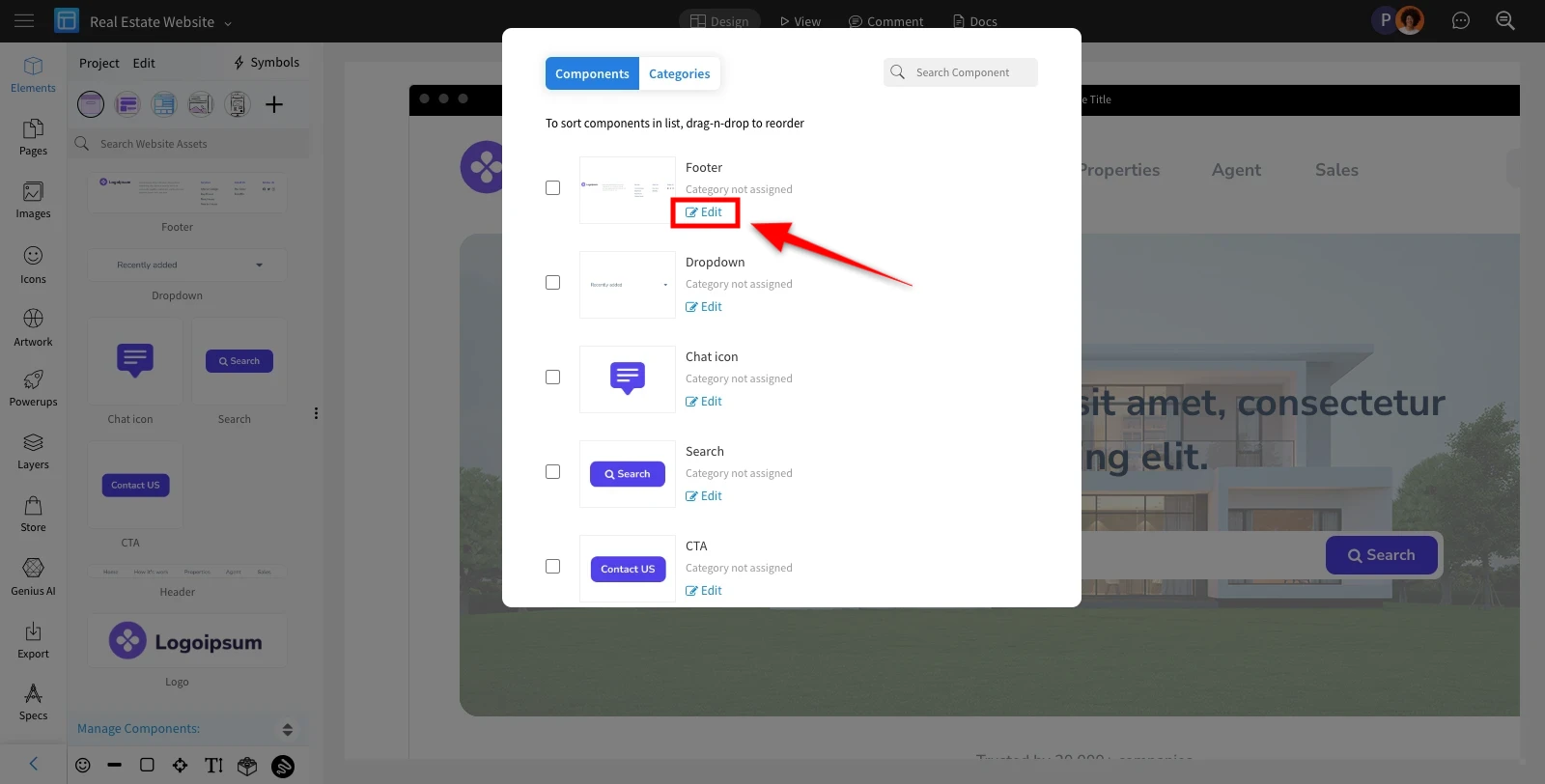
Click on the edit option of the respective component to edit it.
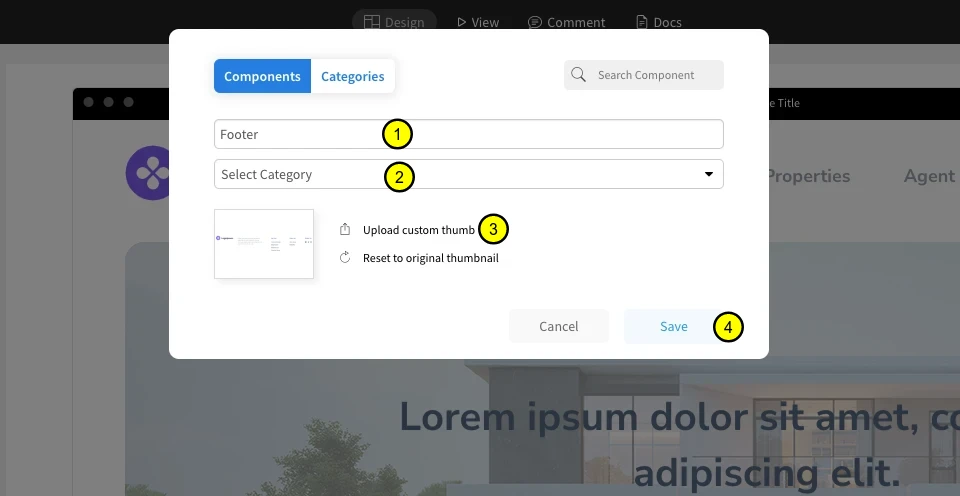
Edit the component name here.
Upload the new thumbnail here.
Select the category.
Save the changes by clicking on the "Save" button.
Was this page helpful?