
Internal
Space Activity in Design Spaces
Track your team's actions within the design space and stay updated on any changes. Follow the instructions below to track team...
Track your team's actions within the design space and stay updated on any changes. Follow the instructions below to track team activity in the design space.
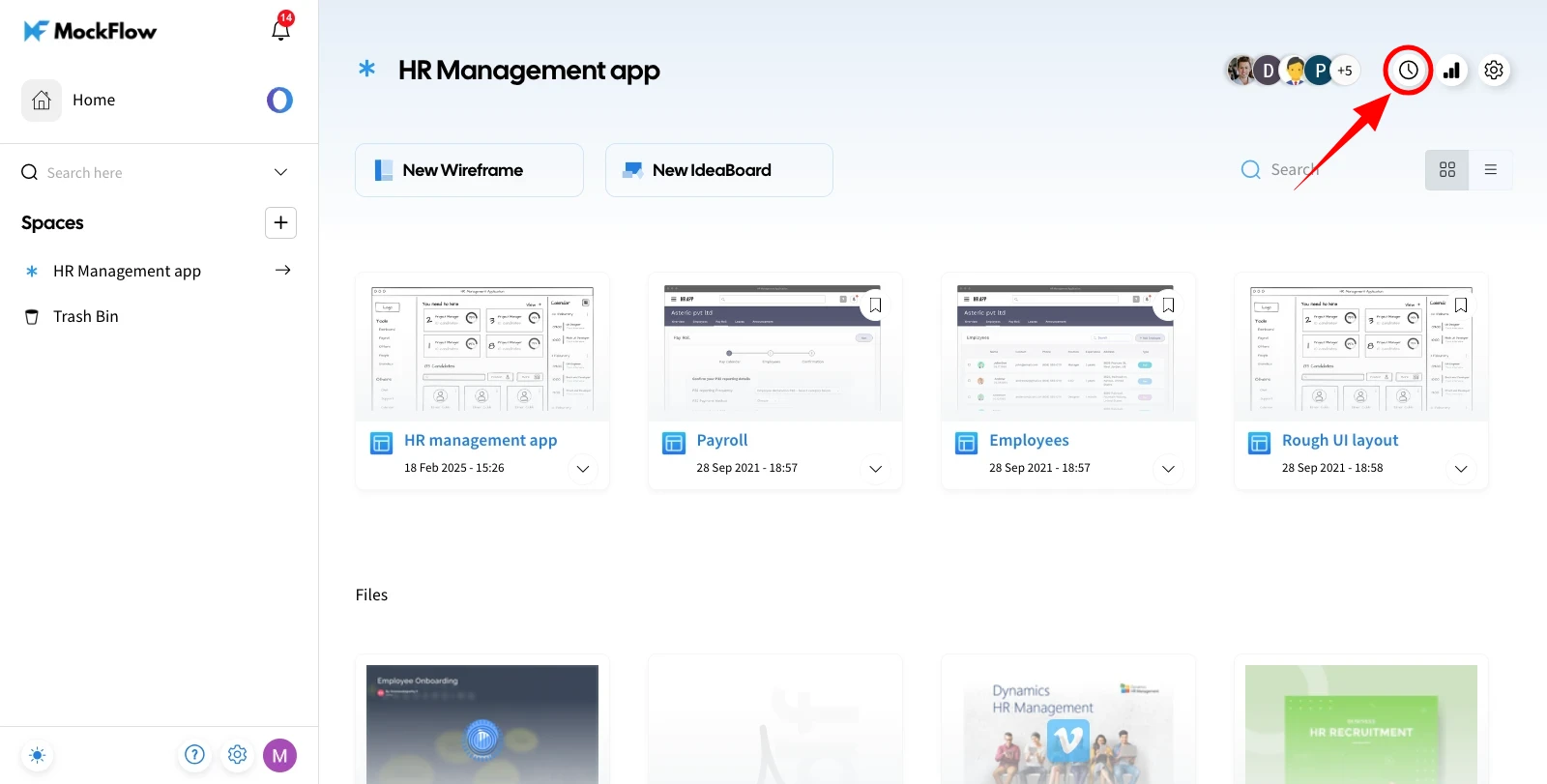
First, select the design space and click the 'Space Activity' icon in the top right.
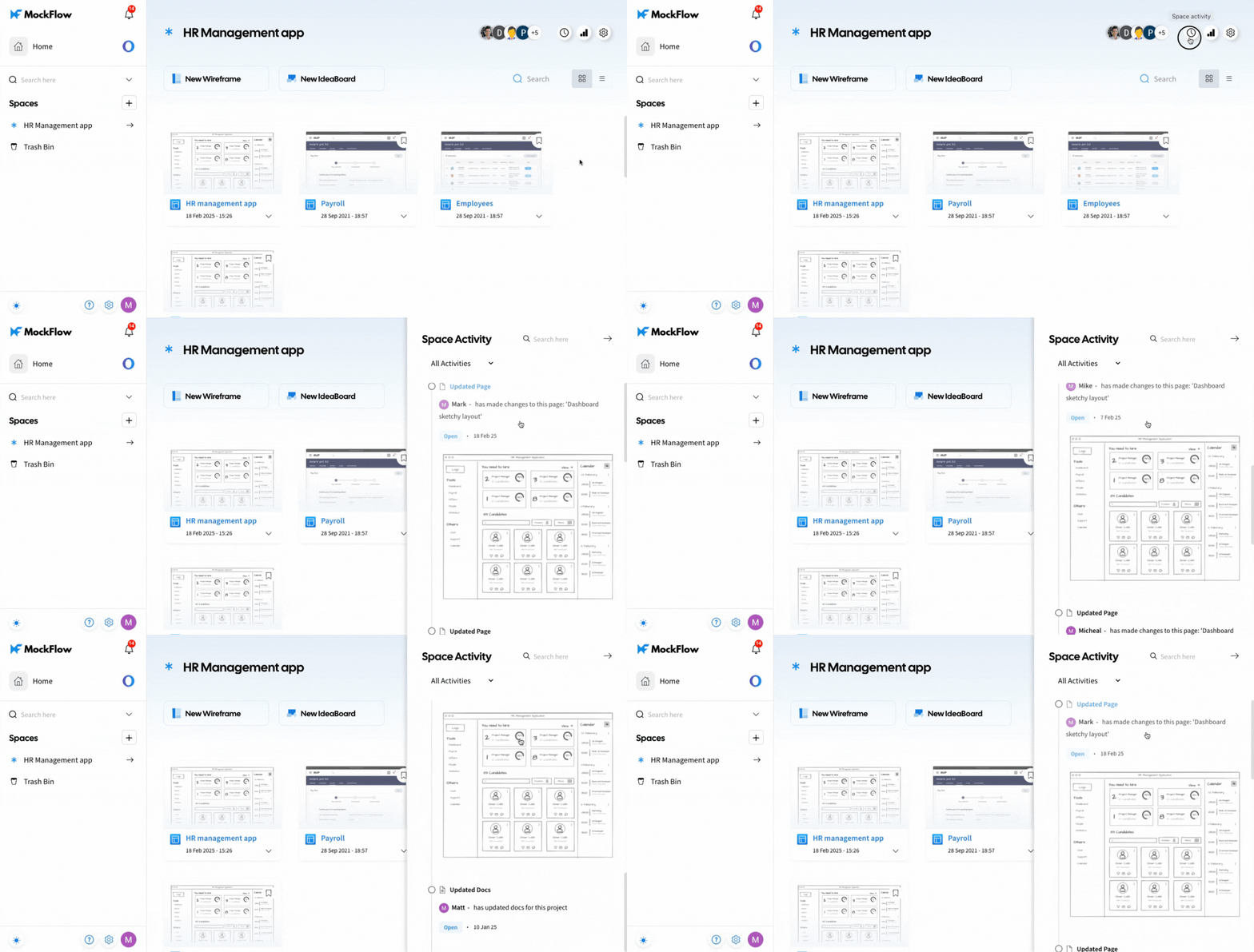
The Space Activity sidebar will appear, displaying a list of activities across all projects within that design space.
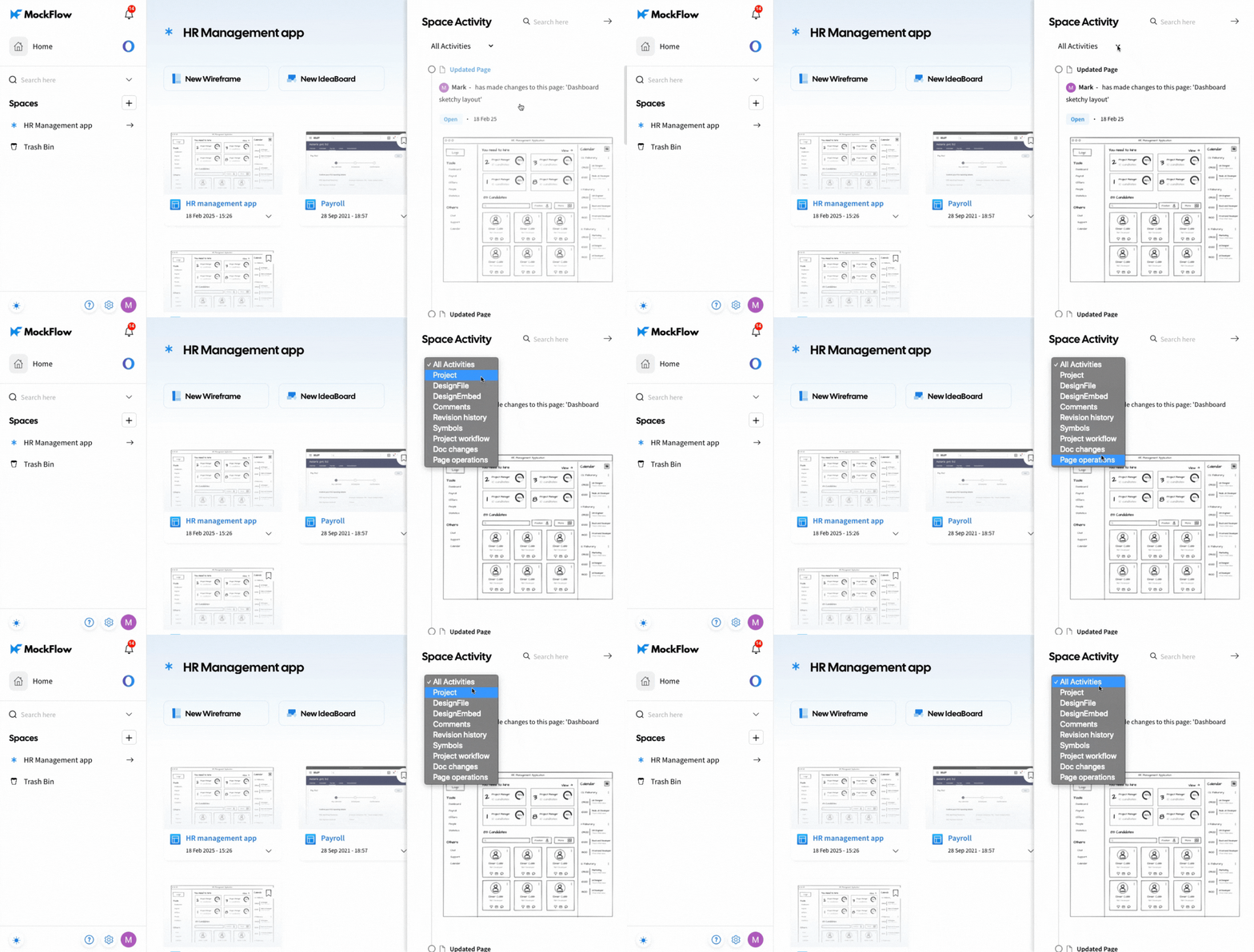
You can filter Space Activities by Project, Design File, Design Embed, Comments, Revision History, Symbols, Project Workflow, Doc Changes, and Page Operations.
This feature, along with
Space Analytics, is available only to Business and Enterprise plan users.
Was this page helpful?