
Internal
How to change my password?
Follow these instructions to change your MockFlow account password. Log in to your MockFlow account, and once the dashboard...
Follow these instructions to change your MockFlow account password.
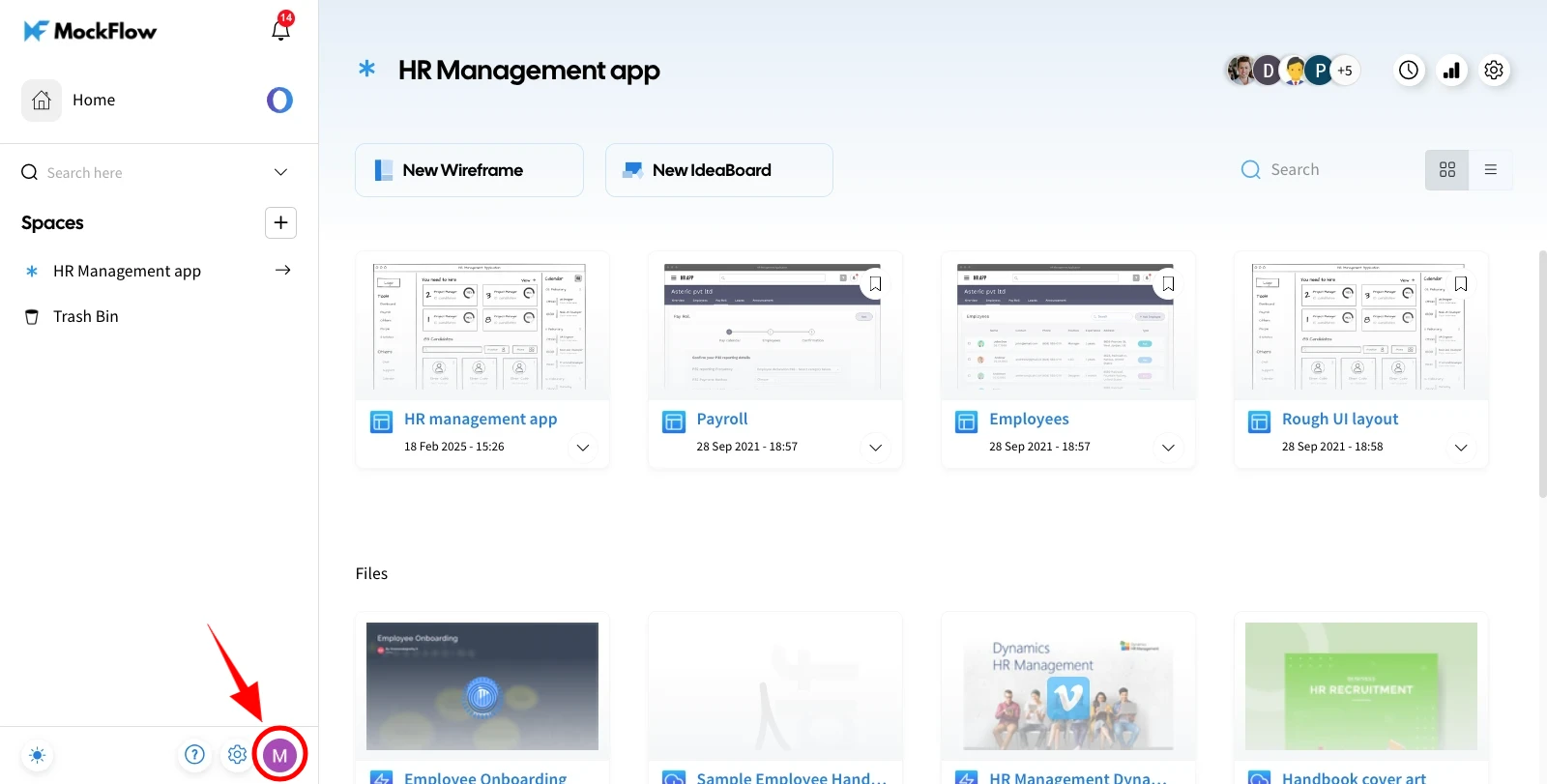
Log in to your MockFlow account, and once the dashboard opens, click on the profile icon at the bottom of the left sidebar.
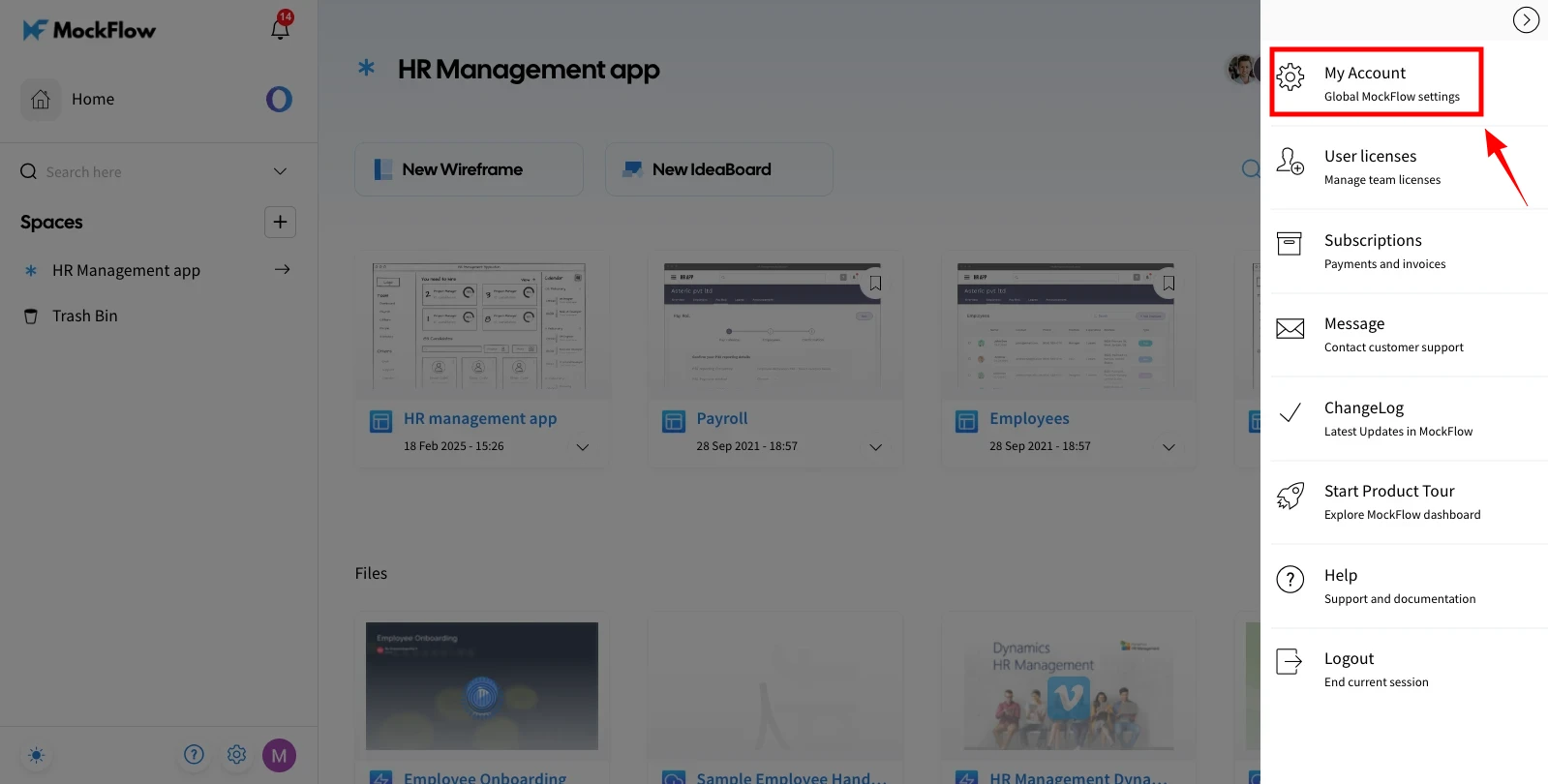
A sidebar with multiple options will appear—select 'My Account.'
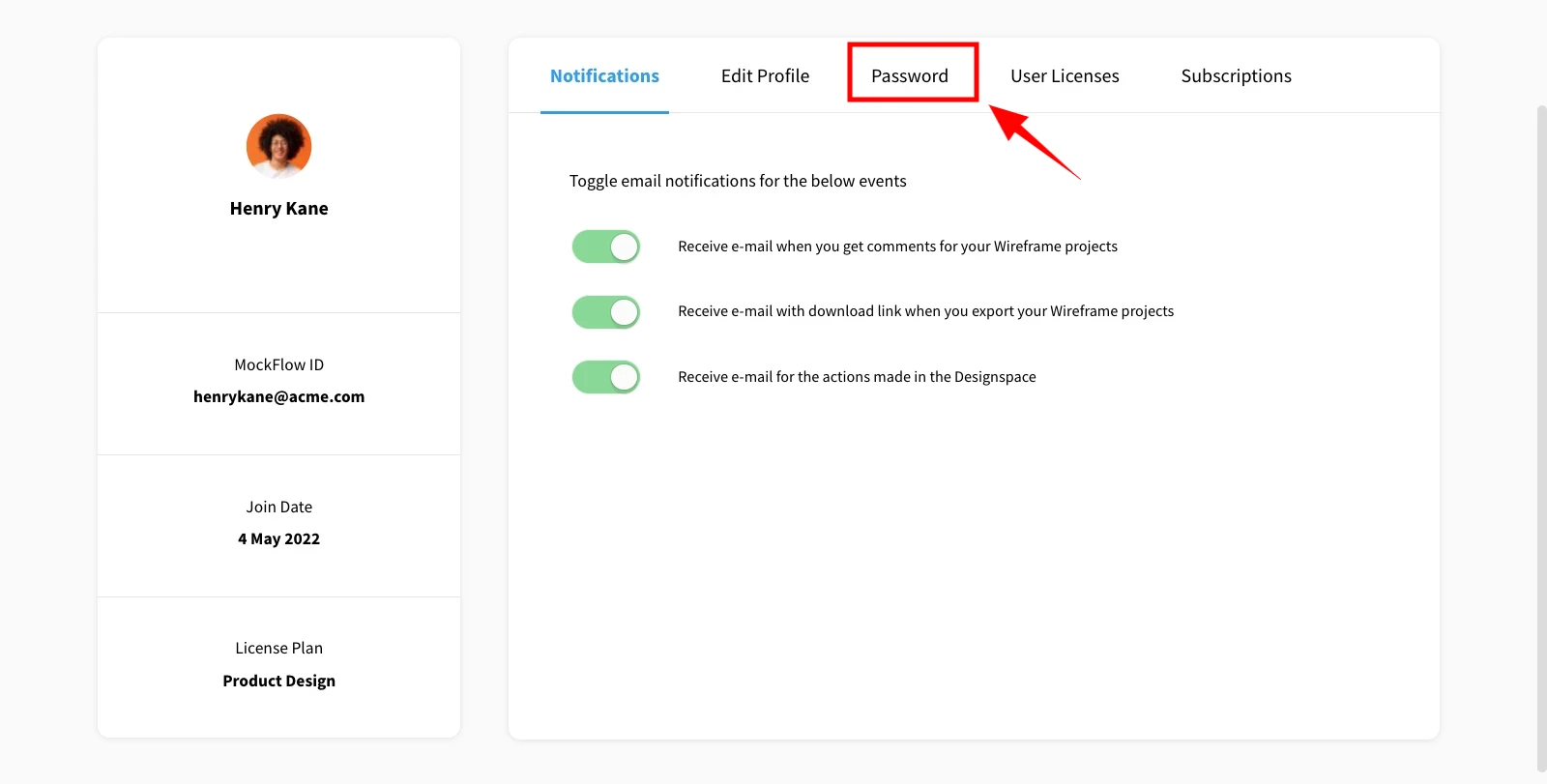
In the Accounts page, navigate to the 'Password' tab.
Enter your current password, then your new password, re-enter it for confirmation, and click 'Change.'
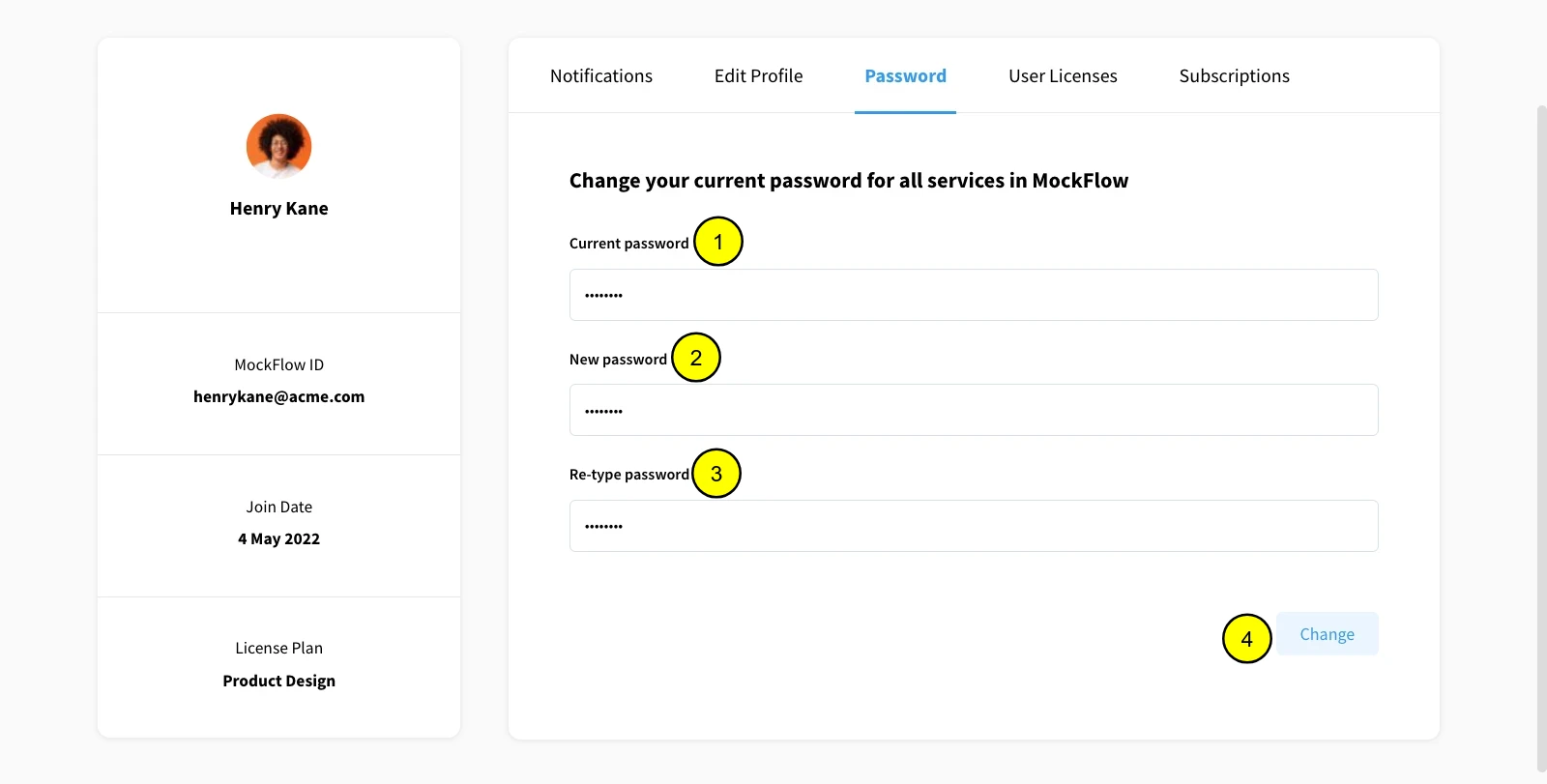
Your MockFlow account password will be successfully updated.
If you forgot your password, refer to [this article] to reset it.
Was this page helpful?