
Internal
How to change Node status ?
Node status allows for quickly denoting the status of a page in the SiteMap. This helps developers to communicate with designers...
Node status allows for quickly denoting the status of a page in the SiteMap. This helps developers to communicate with designers visually.
There are 4 node statuses provided
None
Needs Work
In Progress
Published
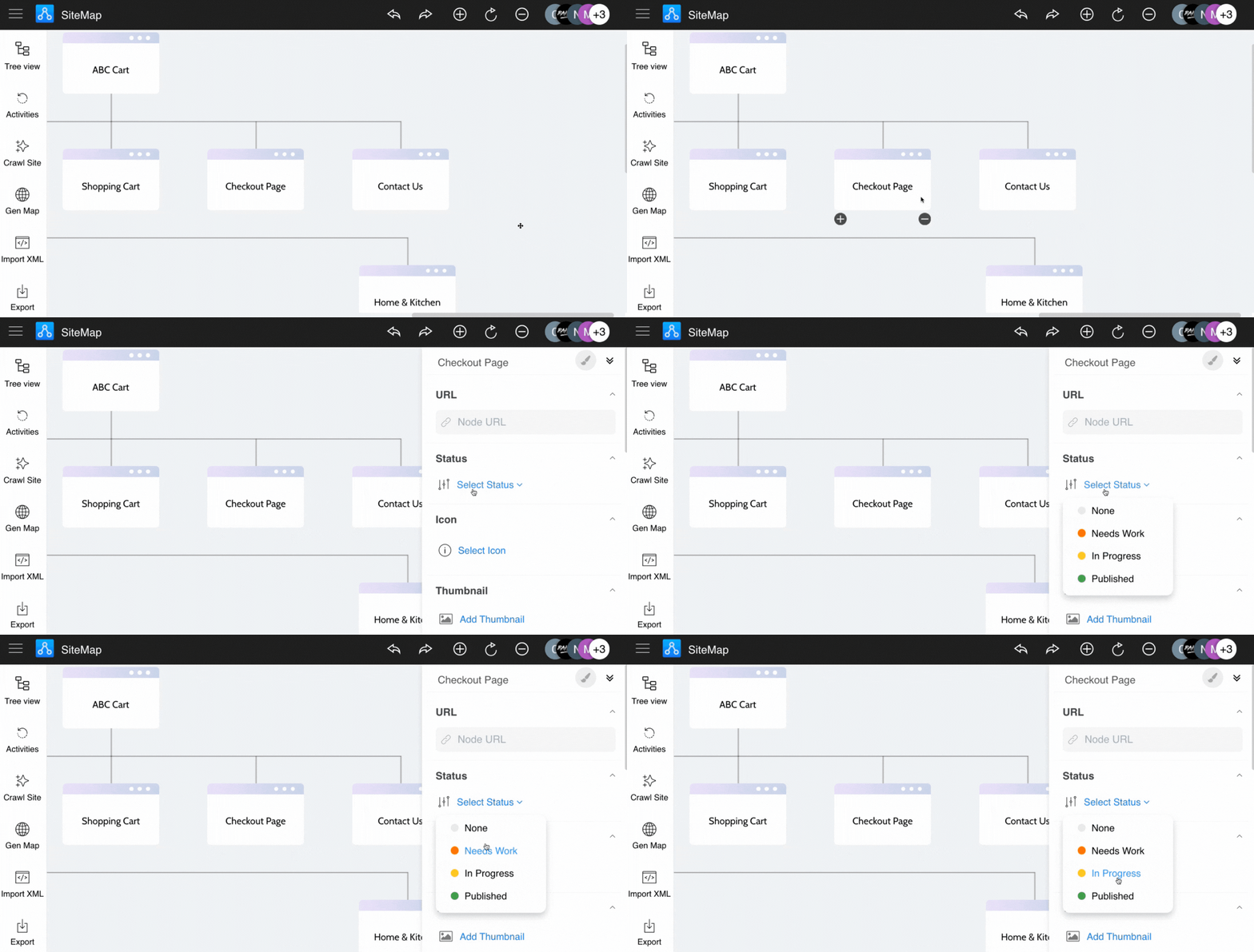
From the created sitemap, click the node.
Click on the 'Select status' dropdown from the settings sidebar.
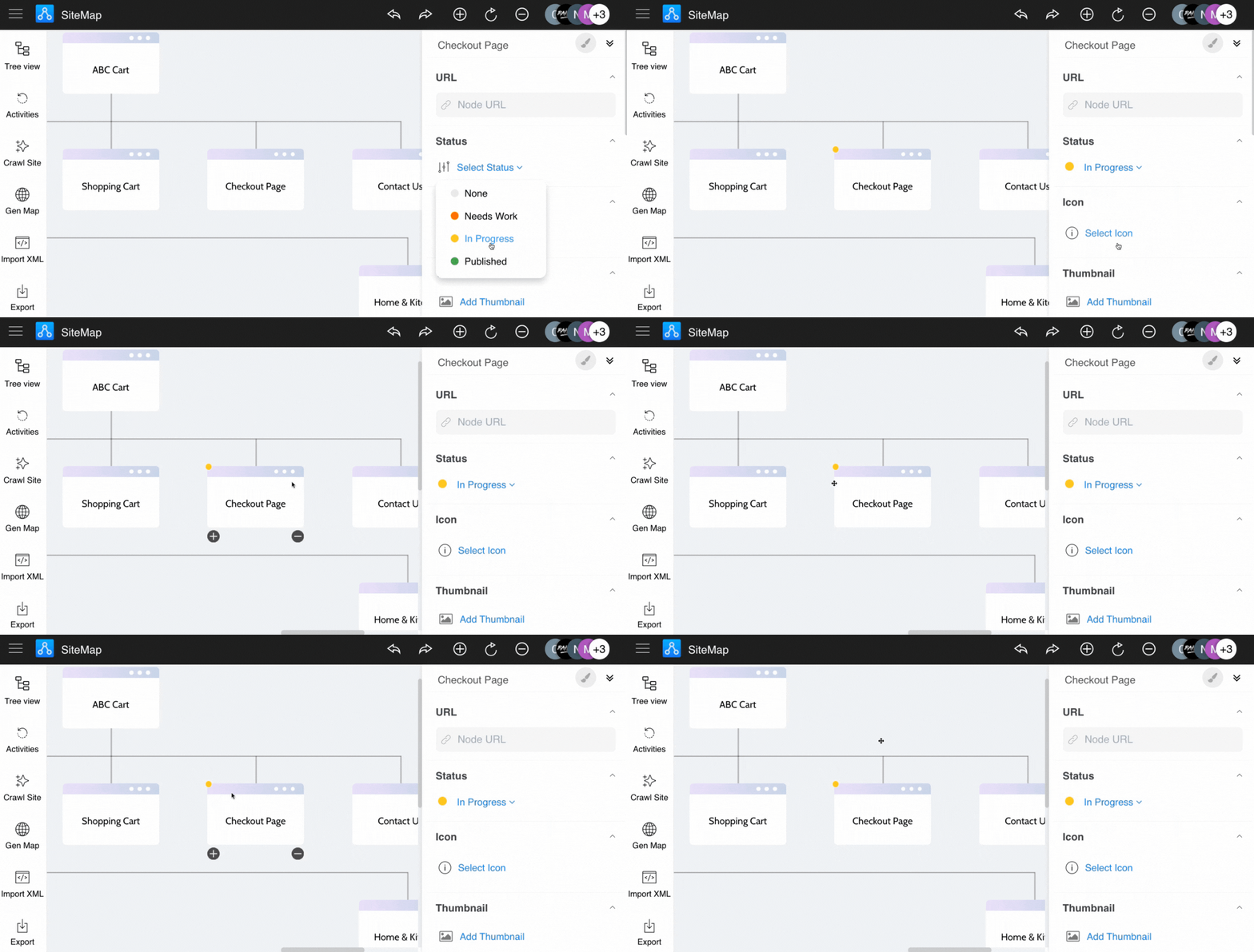
Choose a status for the node.
Status will be added to the node.
Was this page helpful?