



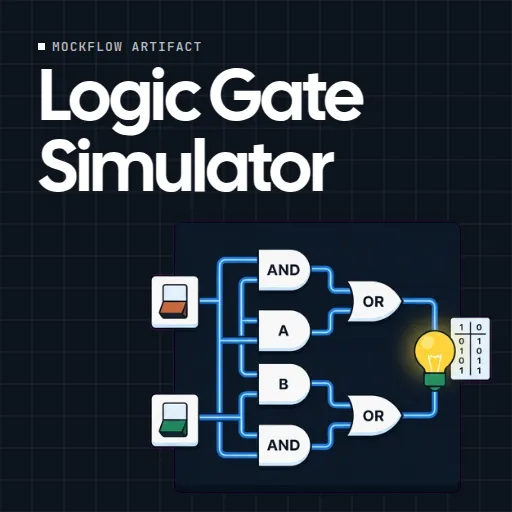
 Logic Gate Simulator
 is a live circuit builder for teaching digital logic. Students drag gates onto a canvas, wire them between switches and lamps, and watch the signal travel from the switches to the lamp as they flip them.
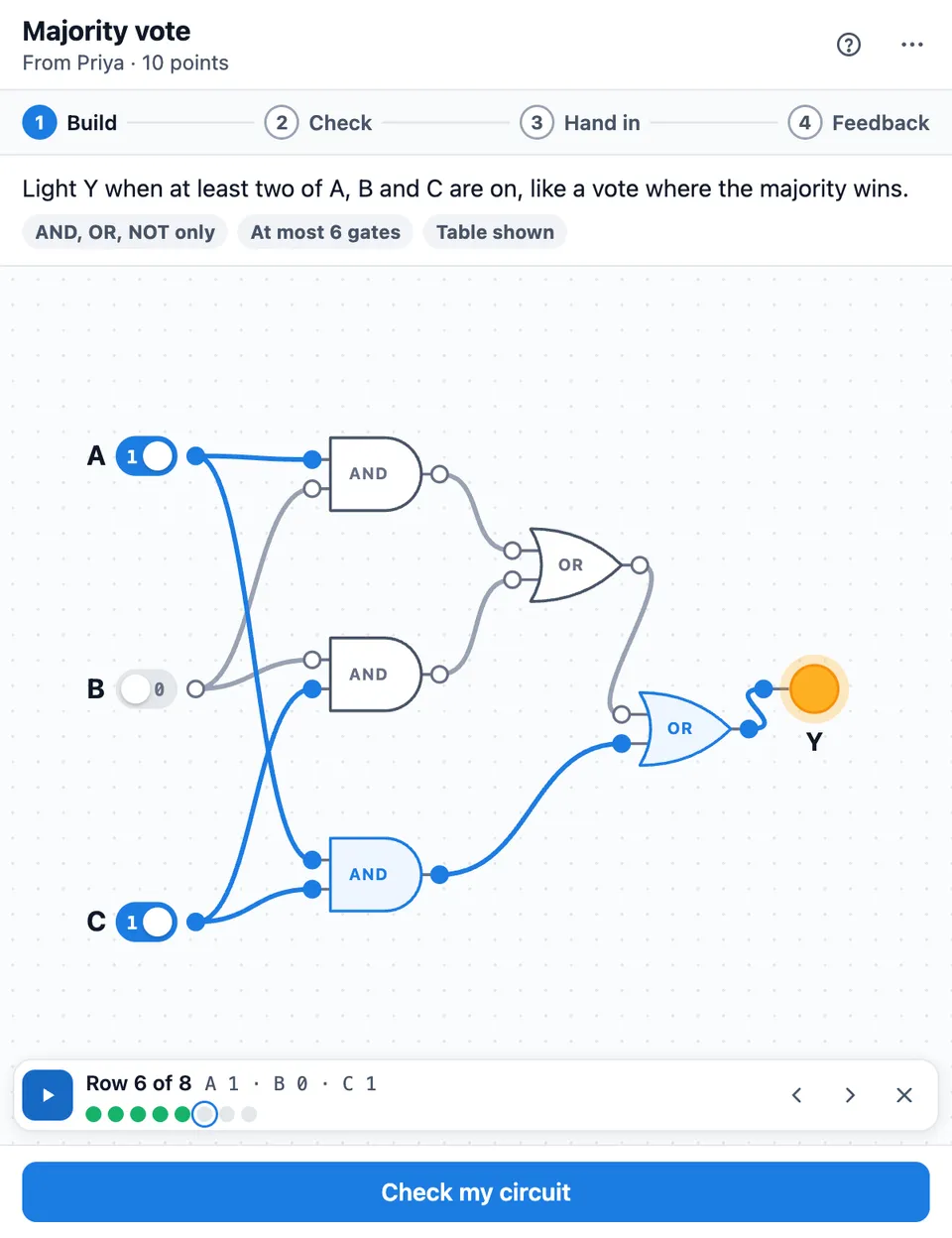
Use Logic Gate Simulator together on your board.
It doubles as a logic assignment tool. The teacher writes a task and builds the answer circuit once, or types a Boolean expression and lets the tile build it, and the truth table fills itself. Students build their own circuit, check it against every row of the table and hand it in. The teacher reviews each circuit with comments pinned to gates and a score suggested from the rows right.
It runs on a shared MockFlow board, so the whole class uses the same tile at once and nothing needs to be installed. A free canvas is there too for anyone who just wants to play with gates.
- Six logic gates on a live canvas. AND, OR, NOT, NAND, NOR and XOR. Drag from one dot to another or tap one dot and then the other to wire them. Blue wires carry 1, grey wires carry 0.
- Signals you can watch. Flip a switch and the change travels gate by gate to the lamp. Play rows steps through the whole truth table and marks each row right or wrong.
- Truth tables that fill themselves. The expected table comes from the teacher's own circuit, so nobody types answers by hand. Type it builds a circuit from a Boolean expression.
- Six kinds of question. Match a truth table, build from a story, build an expression, fix a circuit with a mistake, fill in the table for a locked circuit, or a free design task you score by hand.
- Gate rules. Limit which gates students may use, for example NAND only, and set the most gates allowed. The gate tray only offers what the question allows.
- Comments on gates and suggested scores. Tap a gate while reviewing to pin a numbered comment. The score starts from the rows right, and you can change it, add feedback tags, a note and let the student try again.
- AI question ideas. Suggest questions with AI writes three ideas of the kind you picked. AI writes the story and the logic, and the tile builds the circuit and the table itself.
- Free play. Just play with gates opens a canvas with a half adder to start, up to 4 switches and 2 lamps, and nothing graded.
How to use Logic Gate Simulator.
Add it to a board
Open Add anything with the plus button in the bottom toolbar, choose Artifacts and add Logic Gate Simulator. Use on a board on this page opens a new board with it already on.
Pick the kind of question
Choose Set a question, then pick match the table, build from words, build the expression, fix the circuit, fill in the table or free build.
Write the task and name the switches
Give the question a title and the task for students, or let AI suggest three questions on a topic and level you choose. Name up to 4 switches and 2 lamps.
Build your answer circuit
Drag gates and wire them on the canvas, or press Type it and enter an expression such as AB + BC + AC. Students never see your circuit.
Set the checks and give it to the class
The truth table is worked out from your circuit, and every row is a check. Choose whether students see the table, which gates they may use, the most gates allowed and the points, then press Give to class.
Students build, check and hand in
Each student wires their circuit, flips switches or presses Play rows to try every row, and presses Check my circuit to see how many rows are right and the first wrong one. Then they hand it in.
Review and send
Open the next circuit from Ready to review, flip its switches or play all rows, tap a gate to pin a comment, adjust the suggested score and send. The student sees it straight away.
Who uses Logic Gate Simulator.
A computer science teacher introducing logic gates
Start with the free canvas on the class board, then set a match the table question and watch who is ready to review.
A class practising Boolean expressions
Set a build the expression question so students turn an expression like (A AND B) OR NOT C into a working circuit.
An electronics course checking understanding
Use fill in the table questions to see whether learners can read a circuit before they design one.
A tutor working with one student
Set a fix the circuit question, play every row together to find the wrong one and let the student try again.
A coding club exploring how computers add
Give a free build task to design a half adder, then compare circuits and gate counts on the board.
Add Logic Gate Simulator to your board.
Use on a board opens a new board with Logic Gate Simulator already on it. To add it to a board you already have, follow these steps. Each copy keeps its own data, so a vote on one board never changes another.
Open your board
Open the MockFlow board you want to use it on.
Add it from the Artifact Library
Click Add anything (the plus button) in the toolbar at the bottom of the board, switch to Artifacts and pick Logic Gate Simulator under Quizzes. Adding it does not use AI credits.
Use it together
Click Interact with Component (the hand button), or switch the board to Play mode. Everyone on the board uses the same app, and Reset shared data clears it for the next session.









 Brainstorm with MockFlow MCP


