Enterprise grade security.
Our infrastructure, development, data and application follow security and compliance practices at all times, so your team can focus on the work.
Hosted on proven, certified services.
We use top of the line services to host and protect our infrastructure. MFA, key rotation, VPN and other safeguards are followed at the server level.

AWS
MockFlow is hosted on Amazon Web Services, and your boards, spaces and account details are stored in MongoDB databases.

Firewall
MockFlow is protected by network and application level firewalls, with intrusion detection and alerts.
Monitoring
Every server is monitored each minute for anomalies, so problems are caught and handled quickly.
SOC 2 certified hosting
Customer data is hosted only on SOC 2 certified infrastructure, such as AWS and MongoDB, both independently audited.
Your data is backed up and encrypted.
We protect and safeguard all customer data with these practices.
- Continuous backups. Customer data is backed up continuously, and the encrypted backups are stored securely in separate locations.
- Encryption of sensitive data. A 256 bit key encrypts sensitive information such as passwords.
- S3 file hosting. Files live on AWS S3, spread across separate availability zones and built for 99.999999999% durability.
- No AI training. We never use your boards, prompts, files or chats to train AI models, on any plan. See the AI Policy.
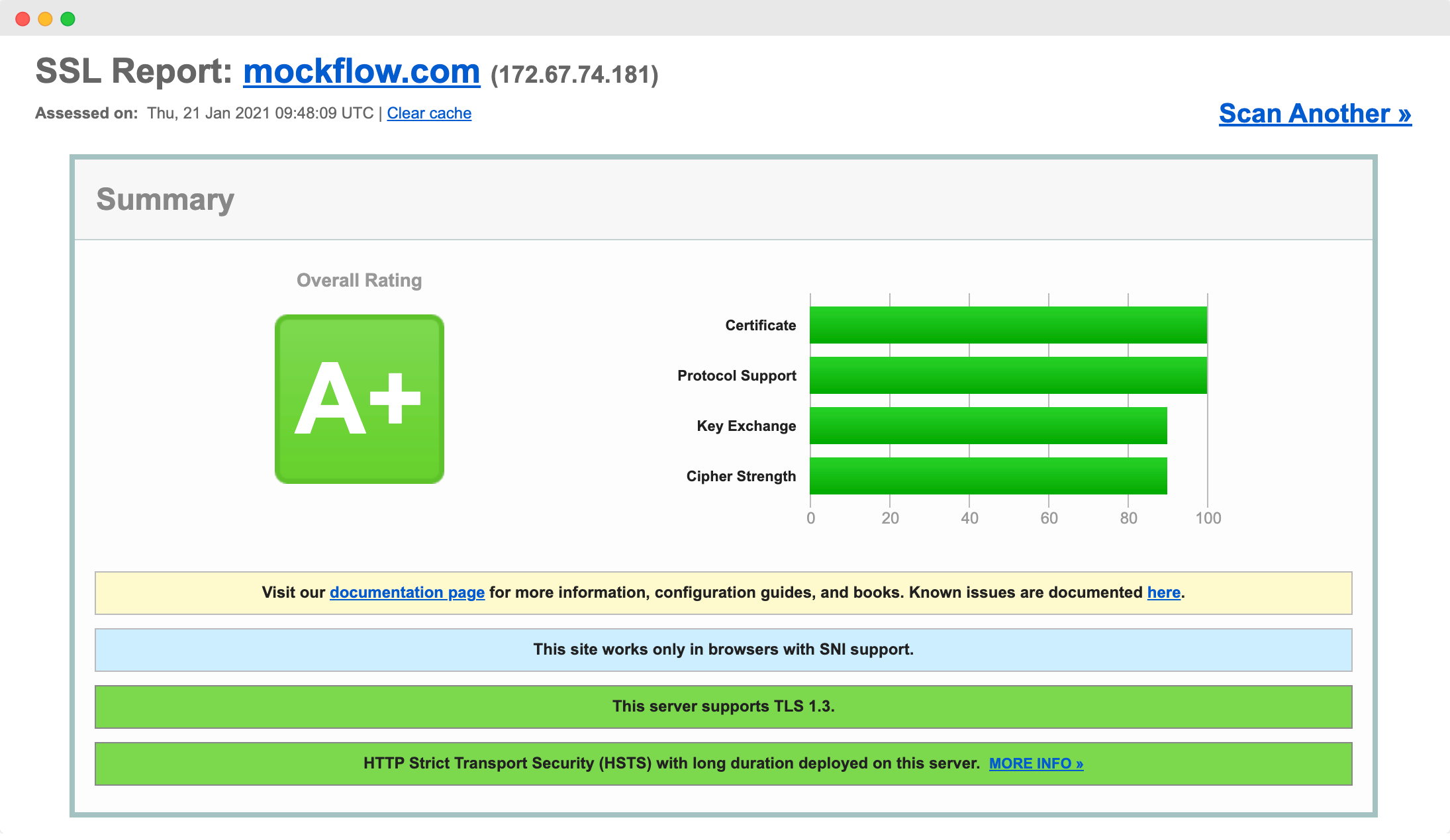
- SSL for every transfer. All data moves over SSL/HTTPS with AES 256 bit encryption. Qualys, a leader in compliance and auditing, rates MockFlow A+.
Guarded against common attacks.
Application level security prevents attacks such as SQL injection and XSS. We take steps across the product to keep it secure against them.
- Strict content security policies
- Regular web application vulnerability scans
- OWASP Top 10 validation
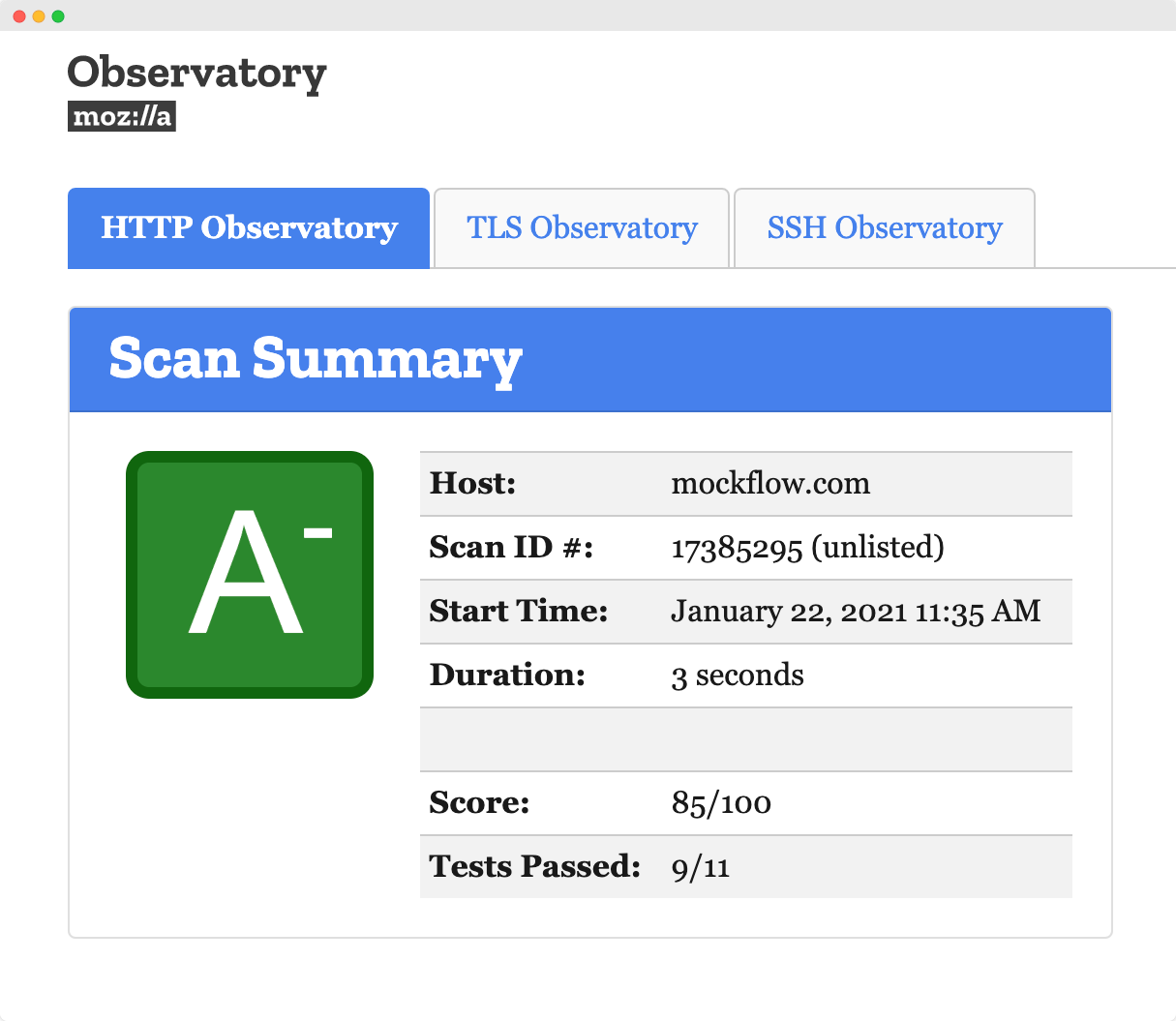
- Verified with Qualys and Mozilla Observatory
- Network vulnerability testing with Qualys and AWS Detective
- Secure development practices throughout
Controls for team admins.
Function level security helps team admins make sure everyone in the organization follows secure workflows in MockFlow. Single sign on, two factor authentication and SCIM are part of the Max plan with yearly billing and five or more licenses.
Single sign on
Connect Okta, Microsoft Entra ID, Auth0, OneLogin or any SAML 2.0 identity provider, and require SSO for everyone on your license.
Secure sharing
Private boards are visible only to their owner. Shared boards give each person a role: Reviewer, Editor or Admin. Public links can be protected with a key.
Safe deletion
Deleting asks you to confirm, and on Plus and Max deleted boards wait in Trash Bin for 30 days. Space activity shows who changed what.
Two factor authentication
Require a login code sent by email each time someone on your license signs in.
SCIM provisioning
Licenses follow your identity provider: people get one when you assign them and lose it when you unassign them.
Encrypted files
Save boards as .board files, or Classic WireframePro projects as .wire files, in the desktop app, protected by a password and AES 256 bit encryption.
Security starts in how we build.
Everyone at MockFlow takes security training and follows secure guidelines while coding, testing and deploying.
Code review
Peer code reviews catch security faults before code ships.
Security audits
Application security scanning with Qualys finds and closes gaps.
Vendor vetting
Our infrastructure and the third party libraries we use stay current with the latest security patches.
Stage based testing
Testing at branch, integration and deployment stages catches issues that could otherwise slip through.
Physical security
Our development center has active and passive safeguards such as CCTV, activity monitoring and antivirus.
Security training
Every team member is trained on secure guidelines for coding, testing and deployment.
Independently audited.
MockFlow was previously certified for SOC 2 Type II and ISO 27001, and a new SOC 2 Type II audit is under way, with the report expected early in 2027.
SOC 2 Type II
An independent auditor tests that our security controls work over a period of months. MockFlow held a SOC 2 Type II report, and a new audit is in progress.
ISO 27001
The international standard for an information security management system. MockFlow was previously certified for ISO 27001.
Reports on request
For a vendor or security review, email support@mockflow.com with your company name to request the earlier SOC 2 Type II and ISO 27001 reports.
Have a security question?
Our team is happy to help with security reviews, questionnaires and procurement. Found a security issue? Email support@mockflow.com with the steps to reproduce it, and give us time to fix it before sharing it.




 Brainstorm with MockFlow MCP



