



The AI whiteboard that builds the board with you.
Describe the plan, the diagram or the screens. AI lays them out on a shared board, and your team edits them together.


 Elena
 Lucas

An AI whiteboard is an online whiteboard with an AI that builds the board with you. In MockFlow that AI is Mida. Describe what you need and it adds real, editable items: a mind map of ideas, a plan with owners and dates, a flowchart, a table or the screens of an app. It suits anyone who plans with a team, from event organisers and teachers to product, support and marketing teams. You start from a first draft instead of a blank board, and everyone keeps working on it together.
An AI whiteboard for real plans.
Two sentences in, a board out. Every item stays yours to edit.

 Plan our Bike to Work Week
Elena plans Bike to Work Week in one request.
Mida plans the week: the events on a calendar, the route on a map, a timeline and a volunteer roster, then the team edits it live. See Generate a board from a prompt.
AI brainstorming, from anything you have.
A sentence, a photo, notes or what is already on the board. Meet Mida.
Lay out our event hub: bike parking, a coffee stop, a tune up station and a sign up desk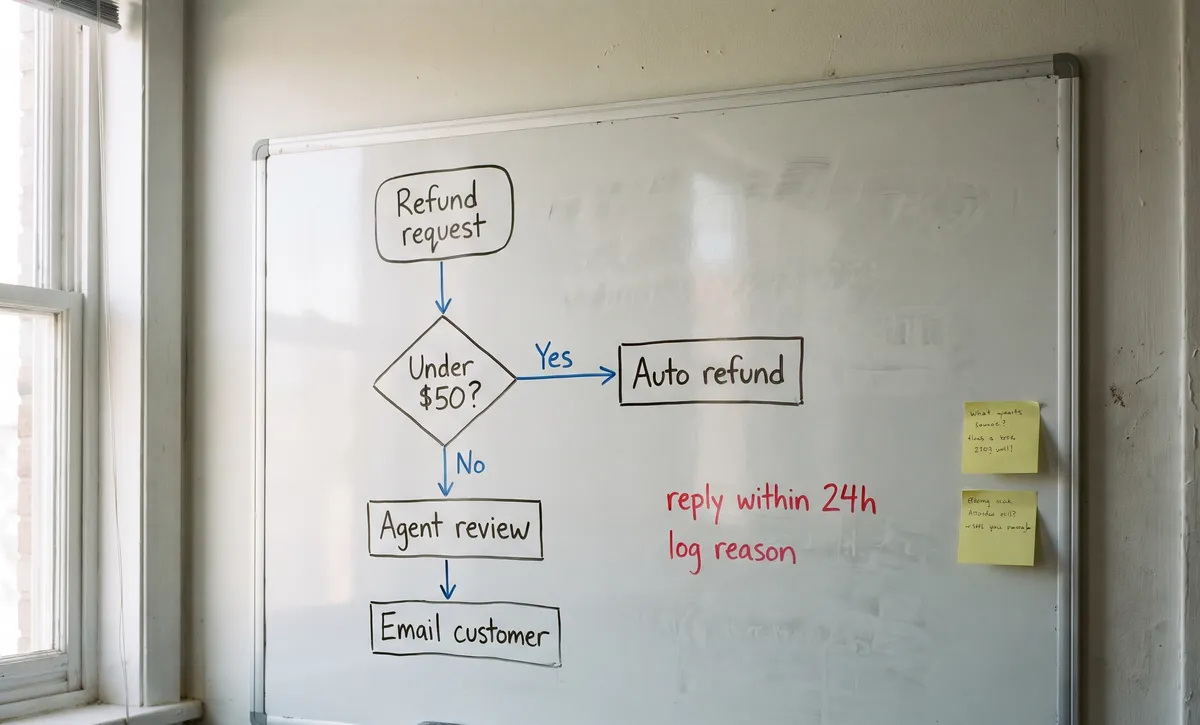 refund-flow.jpg
Emma 00:02 Let’s open sign ups on April 20.Decision
Lucas 00:05 I’ll book the bike mechanics by Friday.Action
Sofia 00:09 Who prints the route maps?Question
Sam 00:12 I can do the maps on Wednesday.Action
Book bike mechanicsLucas · Fri
Print route mapsSam · Wed
Open sign upsEmma · Apr 20
| A | B | C | |
|---|---|---|---|
| 1 | Note | Theme | Priority |
| 2 | Routes feel unsafe at night | Safety | |
| 3 | Sign up form too long | Sign up | |
| 4 | Need more bike racks | Workplaces | |
| 5 | Want a Friday ride | Rides | |
| 6 | Loved the coffee stop | Rewards | |
| 7 | Maps were clear | Rides |
What did we decide on Monday?MidaOn Monday the team decided three things:
- Sign ups open on April 20.Kickoff notes
- Group rides start at 7:30.Start time poll
- Sam prints the route maps by Wednesday.Launch tasks
(search the web) What helps people start commuting by bike?Plan the route first. A tested, quiet route makes the first ride less daunting.
Ride with someone. A buddy or group ride helps new riders keep going.
Sort the arrival. Secure parking and a place to change matter as much as the ride.
From a sentence. Describe it in your own words and Mida lays it out on the board, from a floor plan to a full plan, ready to edit.
From a photo. A whiteboard photo or a screenshot becomes shapes, connectors and notes. Plus
From meeting notes. A transcript or a PDF becomes decisions, owners and next steps. Plus
From your selection. Select items and ask Mida to convert, sort, merge or rewrite them.
From a question. Mida reads the board and answers from your own content, with links to the items.
From the web. Mida searches, reads and adds what it finds to the board, with its sources. Plus
Try a ready prompt: AI startup ideas mind map, leave request flowchart or support journey map. Or pick one kind of diagram on AI on the board.
From a whiteboard photo to an editable board.
Take a photo in the meeting room. AI rebuilds it as shapes, connectors and notes.
Turn this whiteboard into a swimlane by teamSam’s team sketches, Mida digitises.
The process comes back as a swimlane by team, and managers who missed the meeting comment on it. Photos and documents are on Plus and Max. See Turn whiteboard photos into a board.
Use the AI you already pay for.
MockFlow Bridge runs the board’s AI on your own agent, such as Claude Code, Codex or opencode. MockFlow MCP lets Claude, ChatGPT and Cursor create boards. Neither uses MockFlow AI credits.
Basic: Claude Code with a daily limit. Plus and Max: unlimited, every agent. How it works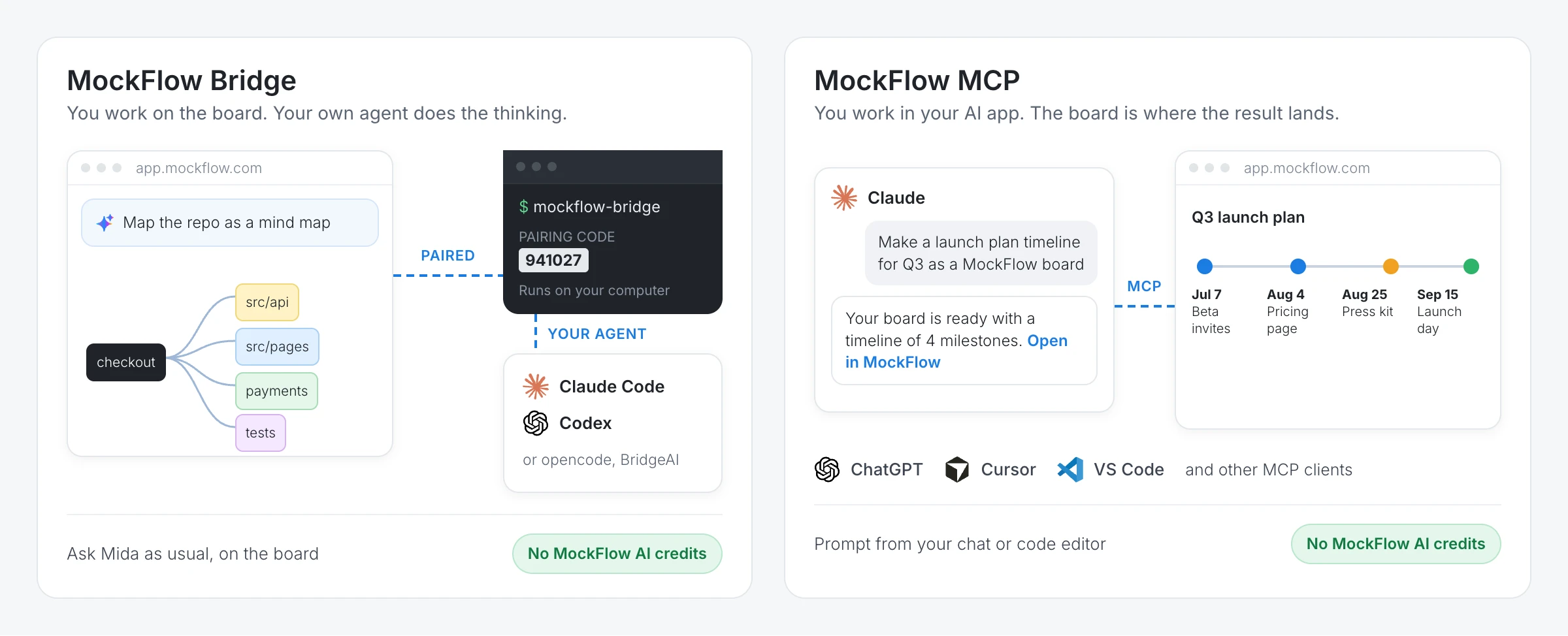
Apps, experts and boards that build themselves.
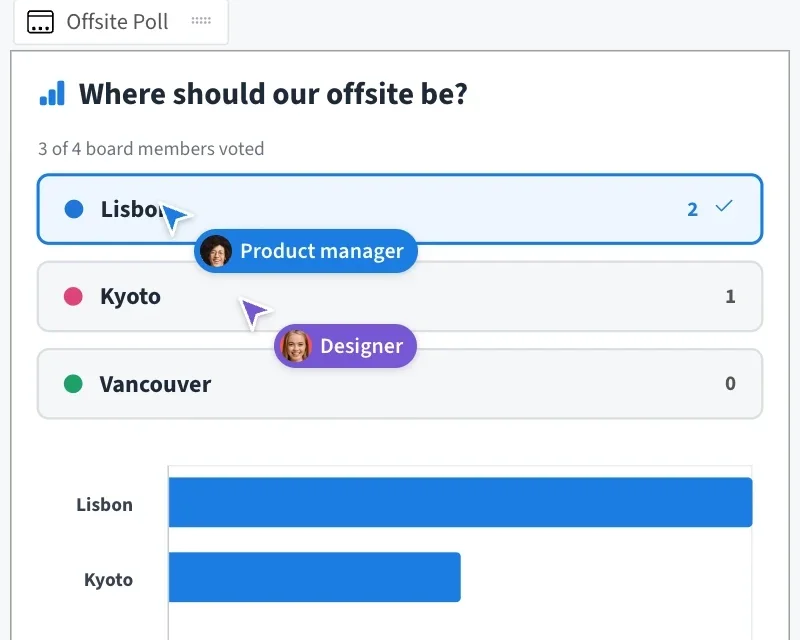
Ask for a poll, a quiz or a game. Everyone uses it live. Plus Apps and games
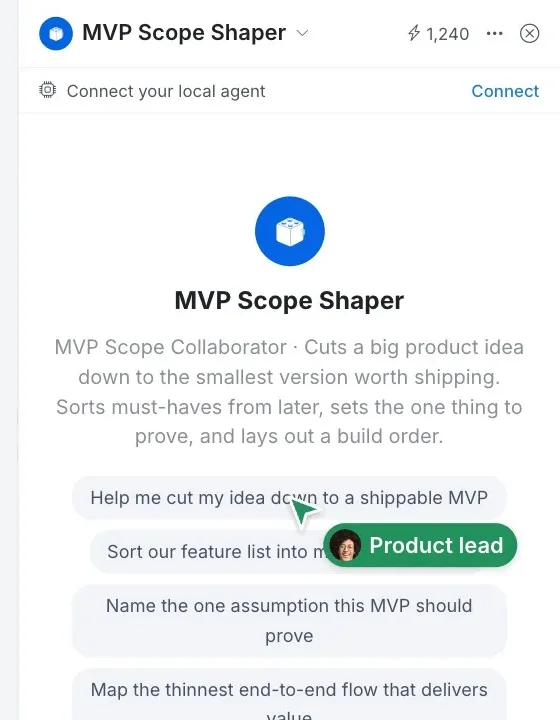
AI experts with a role. Concept Builders on Plus, skills for your style, automations on Max. Concept Builders
A free AI whiteboard, with more as you grow.
Basic is free forever with Mida and 100 AI credits a month. Compare plans.
| Feature | Basic | Plus | Max |
|---|---|---|---|
| Mida, the AI on the board | |||
| AI credits each month | 100 | 800 per editor | 2,000 per editor |
| Documents, photos and web research in Mida | |||
| AI experts (Concept Builders) | |||
| Apps and games (Artifacts) | |||
| Run board AI on your own agent (Bridge) | Claude Code, daily limit | Unlimited, every agent | Unlimited, plus connected data |
| Choose which AI model to use | |||
| Boards that update themselves (Automations) | 60 runs a month |
Your boards never train AI. MockFlow does not use your boards, prompts, files or chats to train AI models, on any plan. See How Mida handles your data.
More from the whiteboard: Online whiteboard Whiteboard for meetings Online sticky notes Offline whiteboard AI whiteboard for Google Meet Jamboard alternative Best online whiteboards Whiteboarding guide AI diagram generator Whiteboard for developers Whiteboard for product managers
AI whiteboard questions.
What is an AI whiteboard?
Is MockFlow’s AI whiteboard free?
What can the AI make on the board?
Can AI turn a whiteboard photo or a document into a board?
Can I edit what the AI makes?
Can I use my own AI, such as Claude Code or ChatGPT?
Which AI models does the whiteboard use?
Is my board used to train AI?
Open a board in one click and try the canvas. Sign up free to use Mida, share the board and keep it.


 Brainstorm with MockFlow MCP


