



Plan every scene before you shoot.
Make storyboards online for videos, ads, films, comics and lessons. Frames, pictures and shot notes sit on a shared board, right beside the script and the plan.
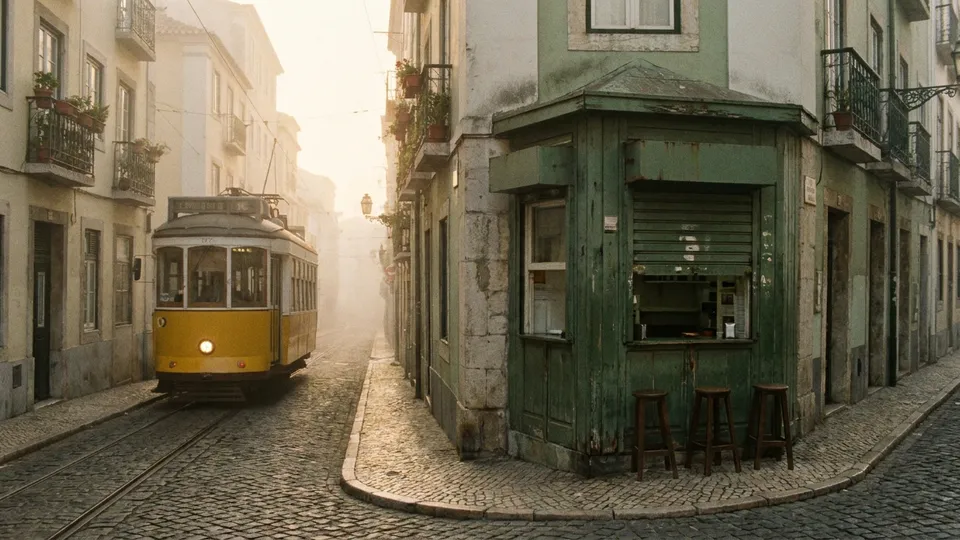
A tram rolls past as Emma lifts the kiosk shutter.

Emma pours a leaf into the first flat white of the day.

Sofia closes her eyes as the steam rises from the cup.
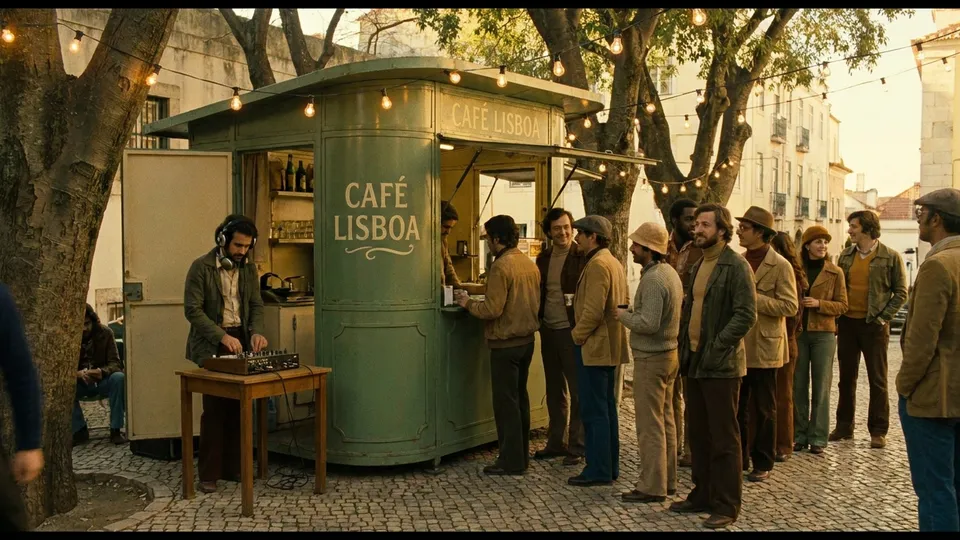
The DJ starts and the queue reaches the corner.

The new beans on the counter with almond blossom.

String lights glow as the team closes up for the day.
Your script and footage, beside the frames.
A storyboard in MockFlow is not a file on its own. It sits on a board with everything the story needs, so nobody switches tabs to find the latest script or the reference clip.
4 s · Wide5 s · Close up4 s · Medium6 s · WideSpring Blend, 30 seconds
EXT. ALFAMA STREET, DAWN
A yellow tram rattles past. EMMA lifts the shutter of the green kiosk.
INT. KIOSK, MORNING
Emma pours a leaf of latte art. SOFIA takes the first sip.
SOFIA
Now that is spring.
 youtube.com0:12 / 0:30
Script beside the frames
Write the script in a Document next to the storyboard and export it as PDF or Markdown.
The idea in a mind map
Map the audience, story and channels in a mind map, then build the frames from it.
References that play
Paste a YouTube link and it plays on the board, on every plan.
The first cut Plus
Upload the edit to a video player and compare it with the frames.
Meet and present on the board.
Meetings in MockFlow happen on the board itself. Start a call from the storyboard, and the crew and the client join with one click and keep editing while you talk. There is no separate meeting link and no screen to share.
- Audio and video meetings. Talk on Plus, turn cameras on with Max, and share your screen in a panel on the board.
- Present it live. Everyone follows your view as you move from frame to frame, and can step away and come back to you Plus.
- Run the review. Bring everyone to one part of the board, and let people raise a hand to speak.
- Chat with Mida in the room. Team chat stays with the board. Ask @mida for a summary or the action items from the review.
4 s · Wide5 s · Close up4 s · Medium6 s · Wide
2. Swap the music in the first cut, Olivia.
 Lucas
 Olivia
 Marcus
What is an online storyboard maker?
A storyboard shows a story as a row of frames, each with a picture and a note of what happens. MockFlow’s storyboard maker lays one out on your board for a video ad, a product demo, a short film, a comic, a user journey or a school project.
Every frame holds a picture, a title, a description and the shot details you choose, such as duration, camera and location. Because the storyboard lives on an online whiteboard, the script, the mood board and the shoot plan sit right next to it, and your whole team works on it at once.
- A picture for every frame. Upload one, replace it, or let AI draw it. A frame’s cover can also be a video or an audio clip.
- What happens, in words. A title and a description under each picture, so the story reads without the pictures.
- Find any frame. Search frames by their text in long storyboards.
Sofia closes her eyes as the steam rises from the cup.
Why storyboard on a whiteboard?
Most storyboard tools keep only the frames, so the script sits in one app, the references in another and the feedback in email. MockFlow puts it all on one whiteboard: frames, script, reference videos and comments side by side. Your team edits together in real time and reviews it in a meeting on the board, so nothing gets lost between tools. Once the story is approved, carry on with the shot list, the timeline or the wireframes on the same board.
How to make a storyboard online.
Five steps, from an empty board to a storyboard you can share. The storyboard guide in the docs has every option.
- Add a storyboard to a board.Open a board, click Add anything (the plus button) in the toolbar at the bottom of the board and choose Storyboard.
- Add frames and a cover.Click the hand button to open the storyboard. Add Frame adds a frame and Add Cover adds a title frame at the start.
- Give each frame a picture.Upload a picture, replace one, or generate it with AI, then write what happens in the frame.
- Add shot details.In Settings, add custom fields such as Duration, Dialog, SFX, Camera/Shot and Location, and choose how frames are numbered.
- Review, share and export.Invite your team or a client to comment on frames, then export the storyboard for the shoot.
Shot details on every frame.
Add the fields your production needs and they appear on every frame as small labels under the description. Start from a ready field or build your own.
- Timing and camera. Duration as a time, and Camera/Shot as a dropdown of shot types.
- Sound. Attach dialog and sound effects as audio files, or write the dialogue as text.
- Your own fields. Text, long text, dropdowns with your own options, and more.
- Frame numbering. Set a prefix such as Frame, Shot or #, choose the first number, or number frames by scene.
EXT. ALFAMA STREET - DAWN

A yellow tram rattles past. EMMA lifts the shutter of a green coffee kiosk.

INT. KIOSK - MORNING

Emma pours a leaf of latte art.

EXT. TERRACE - MORNING

SOFIA takes the first sip.

                SOFIA
        Now that is spring.
Turn a script into a storyboard.
Already have a script, a screenplay or a video outline? Import Script turns it into frames, so you start from your story instead of an empty grid.
- Paste or upload. Paste the text, upload a .txt, Fountain or Final Draft .fdx file up to 10 MB, or start from an example.
- Format found for you. Auto-detect reads Fountain, Final Draft and plain text, or pick the format yourself.
- Choose the cut. One frame per scene, per action or beat, or per line of dialogue, with a preview before you import.
The same characters in every frame.
Describe your cast and your places once, in the Characters and Scenes views. AI pictures use those descriptions, so Emma and the kiosk look the same in frame one and frame six.
- Characters. A portrait and a description for each person in the story.
- Scenes. The locations, so backgrounds stay consistent across shots.
 EmmaBarista, late twenties, curly dark hair, green apron.
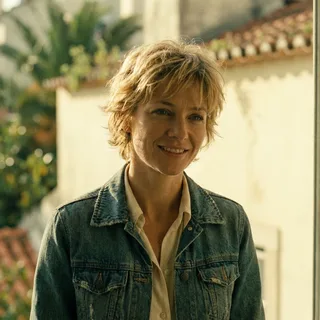 SofiaRegular, thirties, short blonde hair, denim jacket.Alfama street
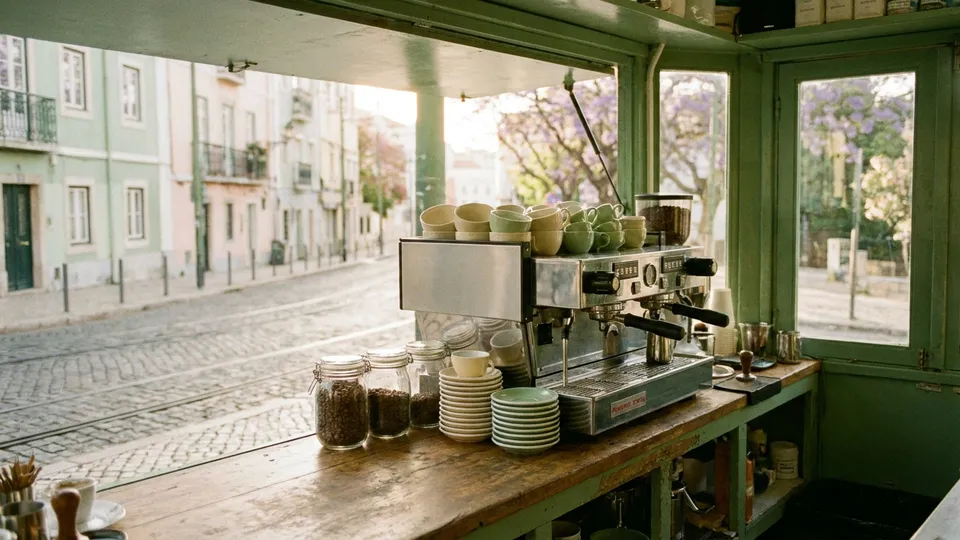 Kiosk counter





 A 30 second ad for a spring coffee blend at a Lisbon pop-up, four scenesGen Images
Generate a storyboard with AI.
Select the storyboard, click the AI button on its toolbar and choose Generate new. Describe the story and turn on Gen Images to draw a picture for every frame.
- One look for the whole story. The Brand Guide sets your colours and the art style: Sketch, Realistic, Anime, Comic, Minimalist or Watercolor.
- Change it with a prompt. Modify with AI adds frames, rewrites scenes or shifts the tone.
- Convert it. Convert to turns the storyboard into another item, such as a document or a timeline.
Mida, MockFlow’s AI, does the generating. More prompts and examples on the AI storyboard generator page.
Review together, then export.
Share the board with a link. Your team and your client comment on the frames they care about, and each frame shows its comment count, so nothing gets missed.
- Free reviewers. 5 on Basic, no limit on Plus and Max.
- Comments with a voice. Leave audio comments Plus or video comments Max when typing is not enough.
- Export for every tool. PDF to print, CSV for a shot list, Fountain for screenwriting apps, and every frame image in one .zip.
Storyboards for every kind of story.
From a social ad to a lesson plan. The same component works for each, with the fields and the look that fit.
Marketing teams and agencies
Plan ads, launch videos and social clips. Sofia sets a brand guide once, adds duration and camera fields, and the client approves frames in comments before anything is filmed.
Filmmakers and animators
Previsualize shorts, documentaries and animations. Marcus imports his Fountain script, gets a frame per scene and exports a PDF and a CSV shot list for the crew.
Teachers and students
Plan a science explainer, a story or a comic as a class. Each group takes a frame, and Emma presents the finished storyboard to the class from the board.
Start from a storyboard template.
Free storyboard templates for films, action scenes, games and more. Open one and change the frames to your story. Browse all templates


Storyboards on every plan.
The Storyboard component is free on Basic. Paid plans add more AI credits and ways to review with your team. Compare plans
| Feature | Basic | Plus | Max |
|---|---|---|---|
| Storyboard component, script import and export | |||
| AI credits each month | 100 | 800 per editor | 2,000 per editor |
| Premium image models | |||
| People who can view and comment | 5 reviewers | Unlimited | Unlimited |
| Audio comments, team chat, present live | |||
| Video comments and video meetings |
Storyboard maker questions.
Plans, scripts, pictures, sharing and export.
Is the MockFlow storyboard maker free?
How do I make a storyboard online?
Can I make a storyboard if I can’t draw?
Can I turn a script into a storyboard?
How do I keep characters the same in every frame?
What formats can I export a storyboard to?
Can clients and teammates comment on a storyboard?
What is the difference between this and the AI storyboard generator?
A full whiteboard in one click. Share the link and anyone joins. Boards last 24 hours, so sign up to keep one.



 Brainstorm with MockFlow MCP


