



Describe it. AI draws the diagram.
Flowcharts, cloud architecture, databases, sequences and more, generated from a sentence and fully editable on your board.
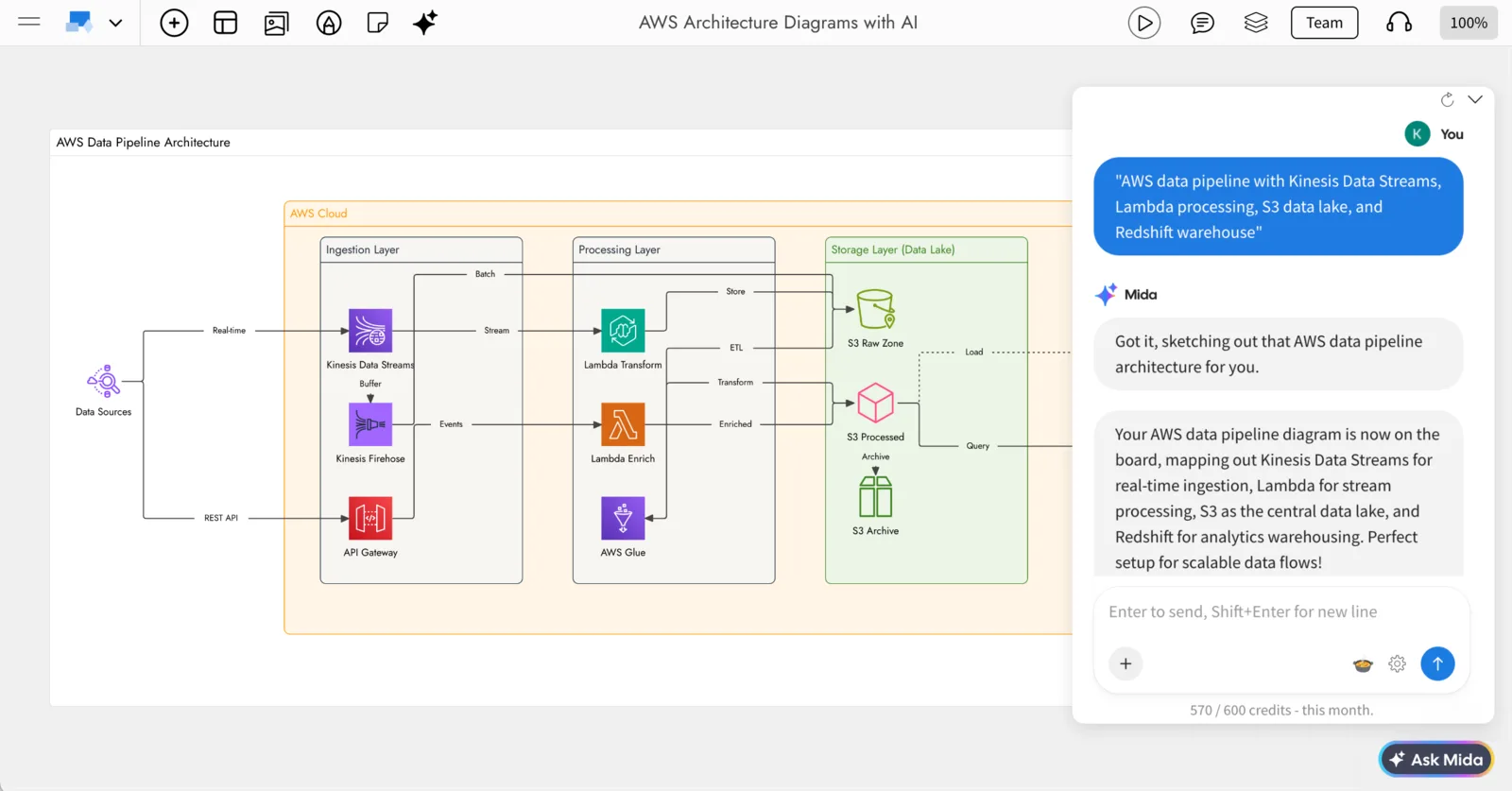
Prompt: “AWS data pipeline with Kinesis Data Streams, Lambda processing, S3 data lake, and Redshift warehouse”
What is an AI diagram generator?
An AI diagram generator turns a plain description into a finished diagram. In MockFlow you describe a process or a system in a sentence, and AI picks the diagram type, lays out the shapes and connectors, and uses the right icons.
The result lands in a Diagram frame on an online whiteboard, beside the notes, screens and plans it belongs to. It is not a picture: every shape stays editable, by hand or with another prompt.
- From a sentence. Name the steps, decisions or services you need and AI builds the diagram around them.
- Real provider icons. AWS, Azure, Google Cloud, Kubernetes and Cisco icons, grouped into clouds, networks and tiers.
- Editable from the first second. Change text, move shapes, connect steps, or describe a change.
Why generate diagrams in MockFlow?
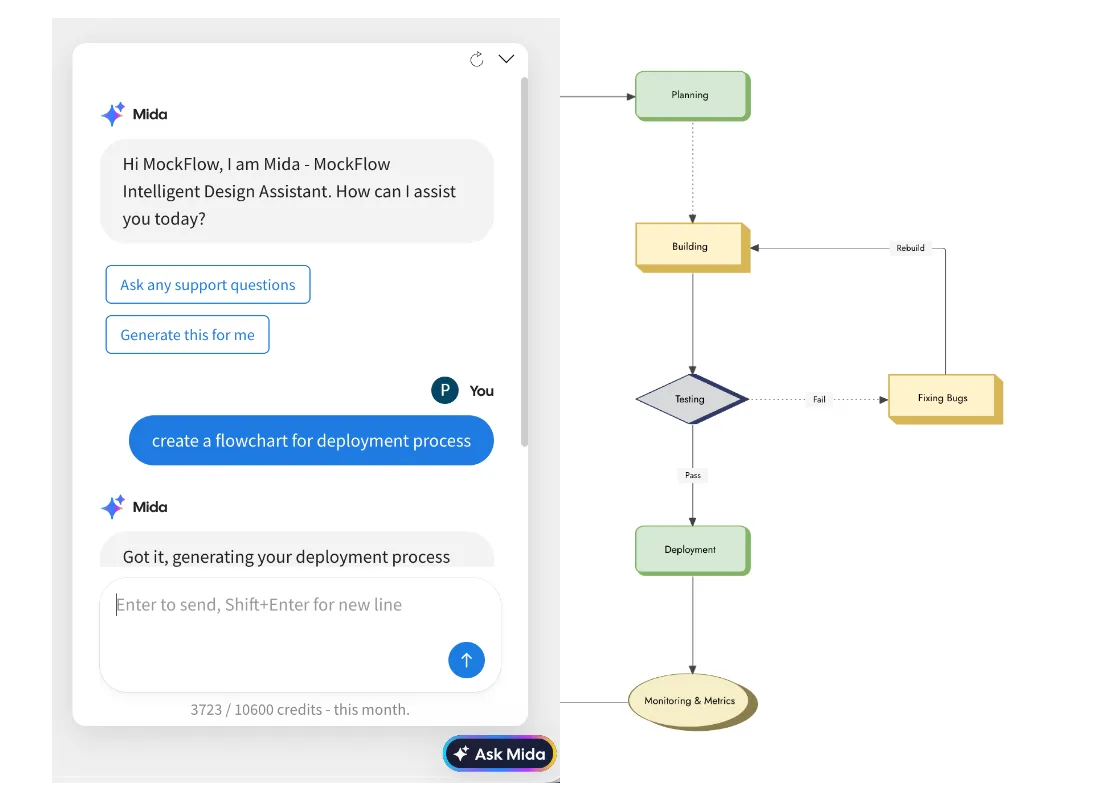
Many AI tools hand you a diagram as an image or a block of code, so every change means starting over. MockFlow draws real shapes on a shared board: fix one step by hand, ask AI to add another, and keep the diagram next to the spec, the tasks and the screens. Your team sees the same diagram live, comments on it and reviews it in a meeting on the board.
How to generate a diagram with AI.
Five steps from an empty board to a diagram you can share. The flowchart guide and the cloud architecture guide in the docs have every option.
- Add a Diagram frame.Click Frames in the toolbar at the bottom of the board and choose Diagram.
- Open the AI menu.Click the AI button on the left of the frame’s toolbar and choose Generate diagram.
- Pick a type.For a cloud or network diagram, click Type and pick one, such as Generate AWS architecture for.
- Describe it.Describe the process or the system, name the steps or services you need, and click send.
- Edit and share.Edit shapes by hand or with Modify with AI, then share the board or export the diagram.
A generator for every kind of diagram.
Each type has its own page with examples and prompts. These were all drawn by AI on a MockFlow board.
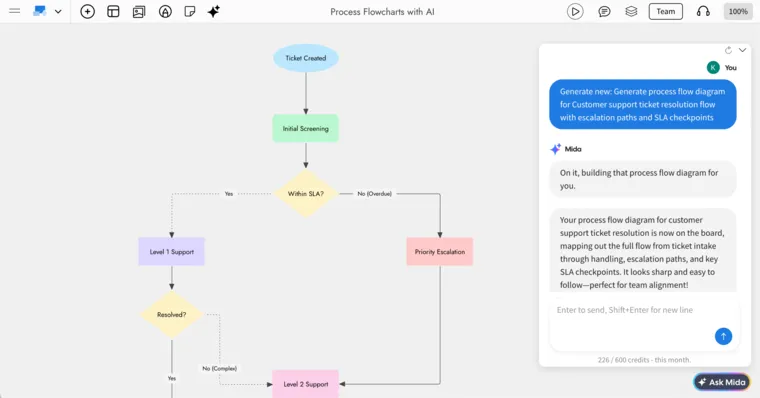 Process flowchartSteps, decisions and branches for any business process.
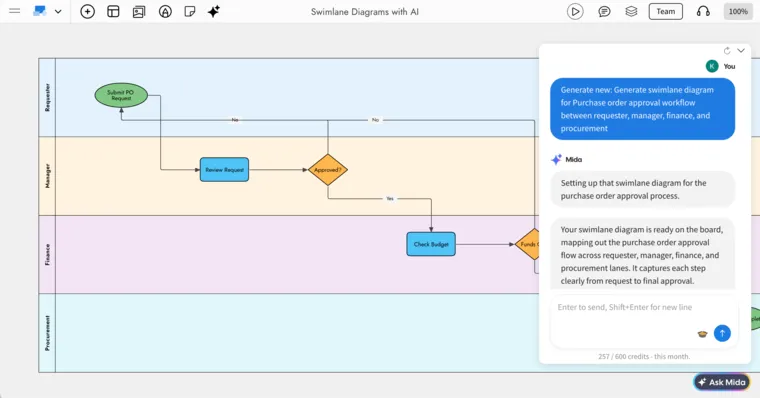 Swimlane diagramWho does each step, one lane per team or role.
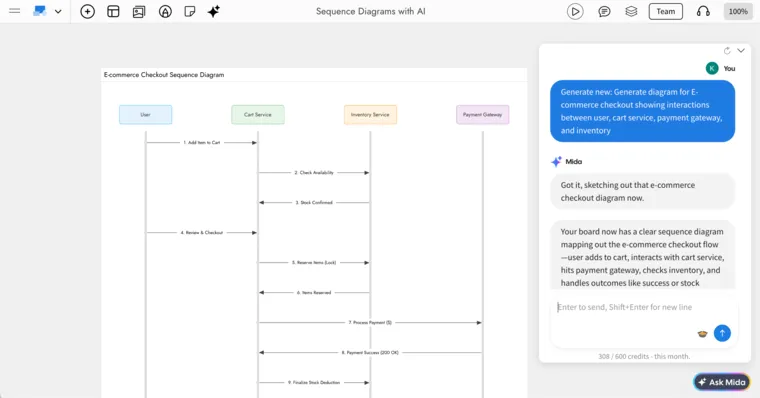 Sequence diagramMessages between services, in order.
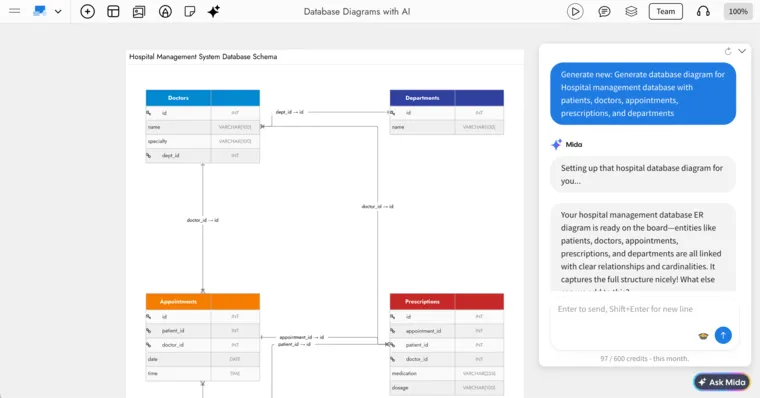 Database diagramTables, keys and relationships for a schema.AWS architectureServices, VPCs and data flow with AWS icons.
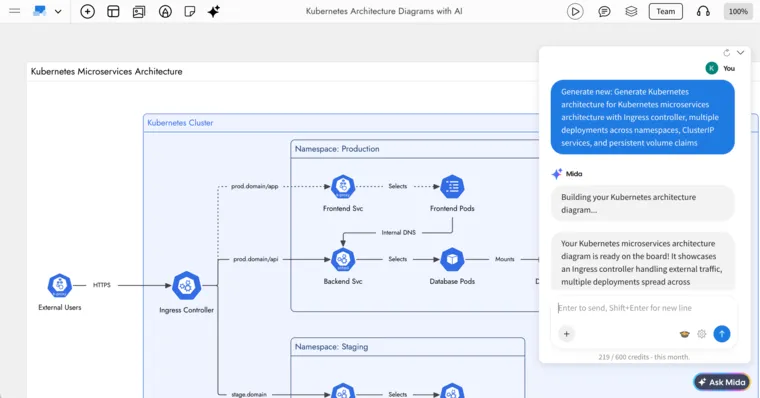 Kubernetes architectureClusters, namespaces, pods and ingress.
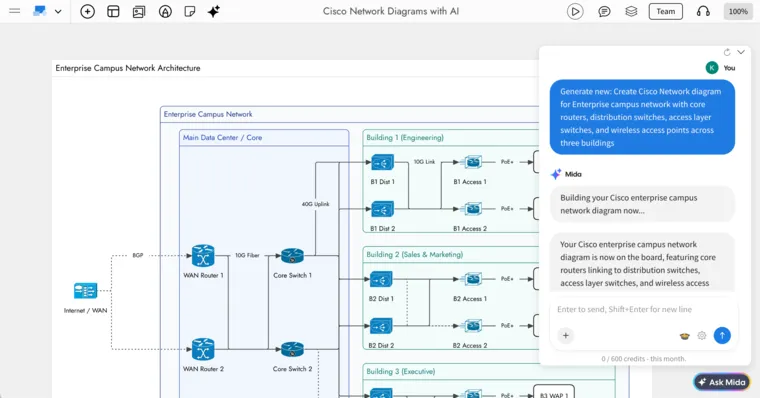 Cisco networkCampus, data centre and WAN topologies.
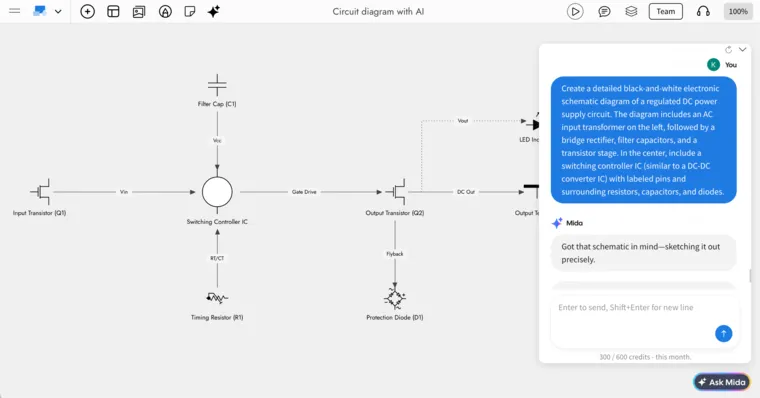 Circuit diagramSchematics with standard electronic symbols.
Flowcharts and processes
Software and data
Cloud architecture
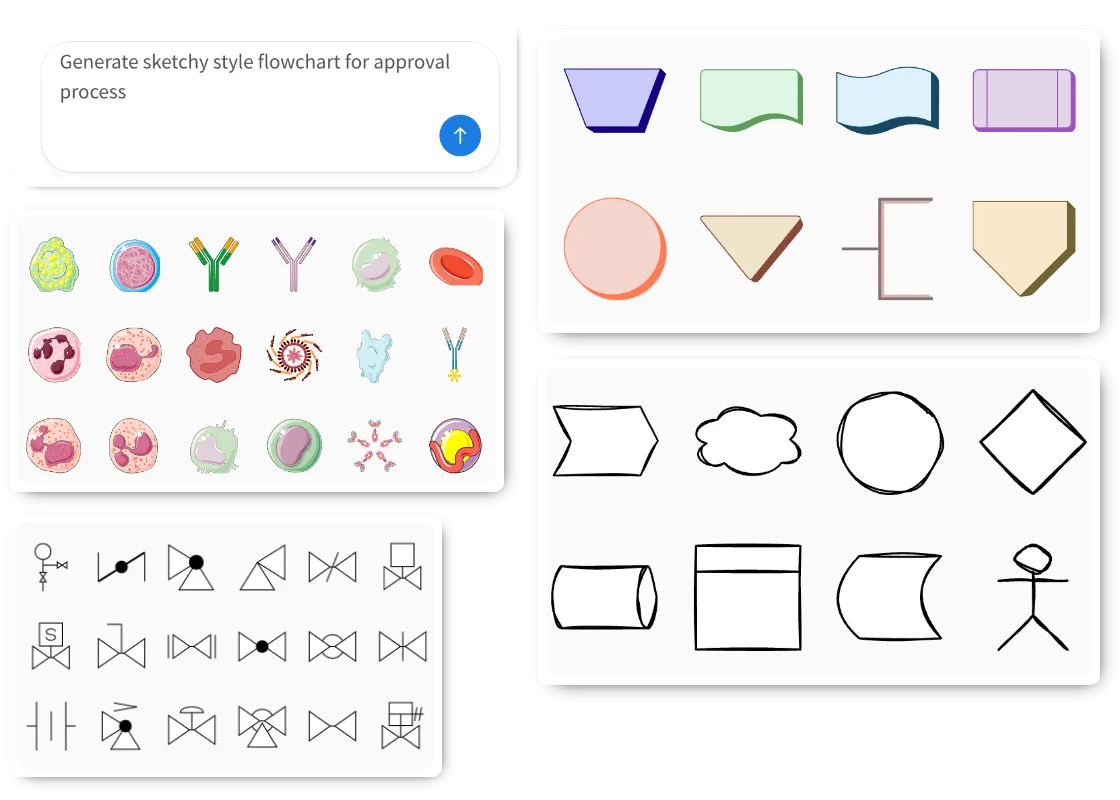
The right look and the right icons.
Ask for a style in the prompt, or switch shape packs in the Library. AI matches the icons to the subject, so a cloud diagram gets cloud icons and a circuit gets electronic symbols.
- Sketchy or clean. Hand drawn shapes for early ideas, solid shapes for documentation.
- 3D isometric. Isometric diagrams and 3D shapes for systems and data pipelines.
- Shape packs. AWS icons 6, Azure cloud, Google Cloud, P&ID, biology and more. Search a service by name and drag it in.
Change it by hand or with a prompt.
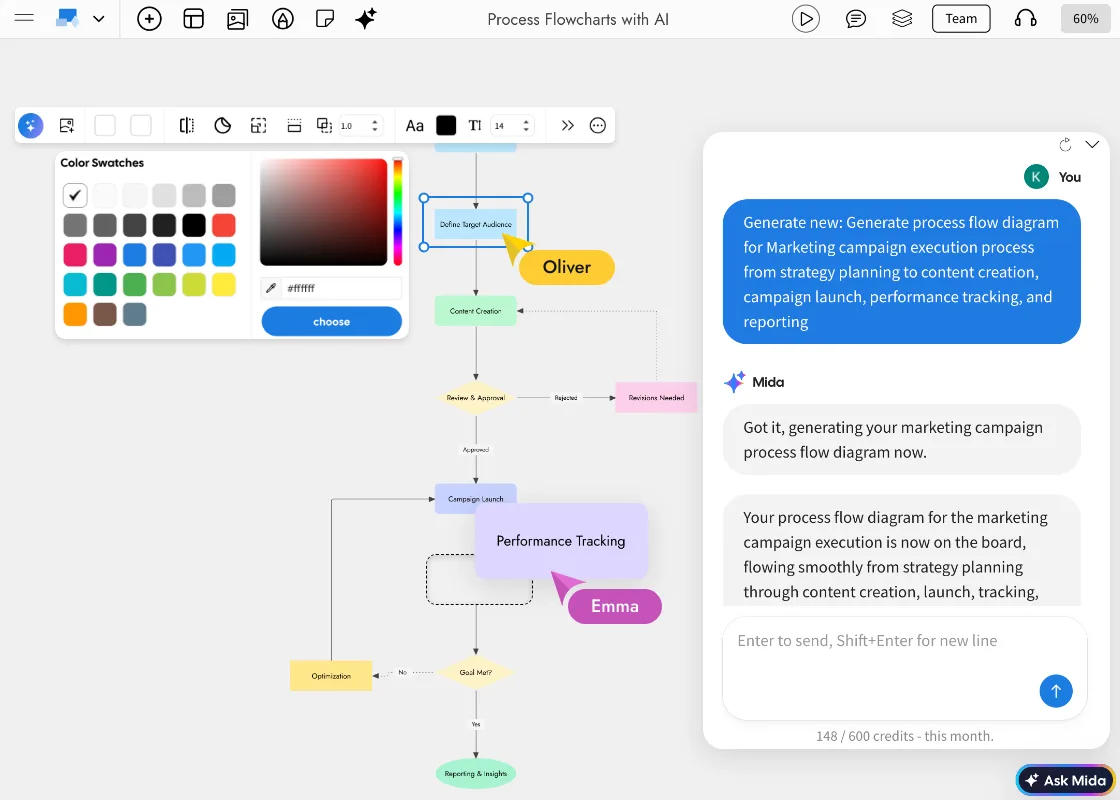
Everything AI draws stays editable. Small fixes take a click, and bigger changes take one sentence instead of a redraw.
- Edit any step. Double-click a shape to type, and restyle fill, border and font from its toolbar.
- Connect and move. Drag a blue arrow to link two shapes. Move a step and its connectors follow.
- Modify with AI. Select the frame and describe the change, such as “Add a satisfaction survey step after Resolve Ticket”.
- Export. Export Diagram saves the frame as an image.
Turn one diagram into another.
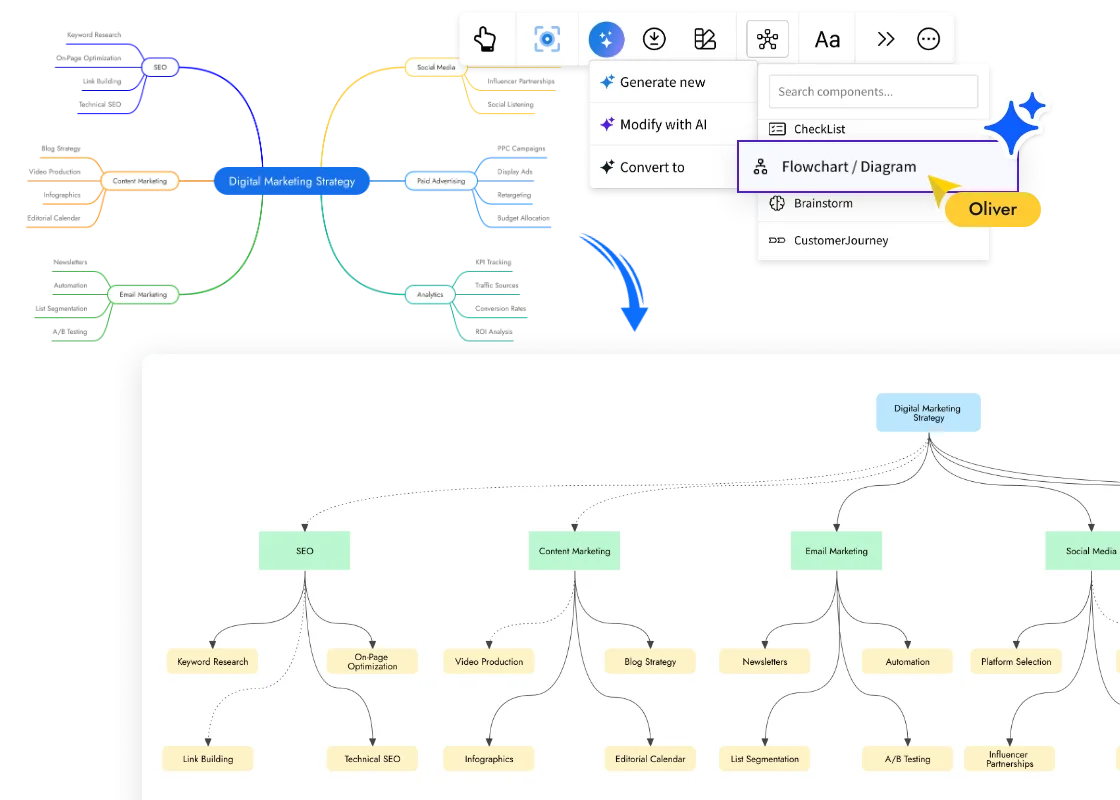
Started as a mind map? Select it, choose Convert to, and turn it into a flowchart or a diagram without retyping a thing. The same menu offers other formats, such as a customer journey.
- Mind map to flowchart. Keep the ideas, get the structure.
- Mix types on one board. A flowchart, a swimlane and an ER diagram can sit side by side.
Diagram it together, on one board.
A MockFlow diagram sits on a board with the spec, the tables and the checklists that go with it. Your team works on it at the same time and talks it through without leaving the board.
- Edit together, live. Everyone’s cursor and changes show up as they happen, with comments on any shape.
- Meet on the board. Audio meetings and live presenting on Plus, video meetings on Max.
- A whole board from one prompt. Ask Mida for a diagram, a checklist and a table together, and it lays them out in one section. See Generate a board from a prompt.
- Bring your own AI. With Bridge, Claude Code or another agent you already pay for can draw instead, with no MockFlow credits.
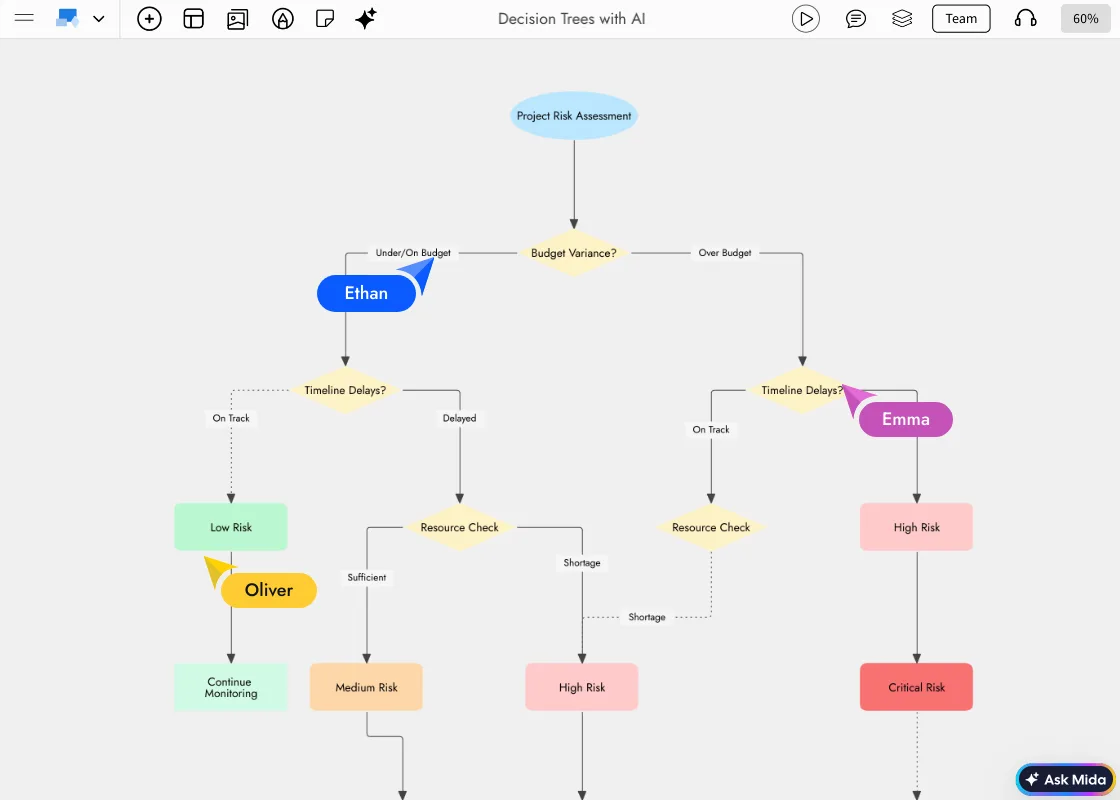
Diagrams in minutes, not afternoons.
Start from what you know and let AI do the drawing. Then shape it together.
Developers
Lucas describes his checkout service and gets a sequence diagram of the payment calls, then a database diagram of the orders schema, to review with the team.
Cloud and IT architects
Elena picks Generate AWS architecture, names the services she already runs, and gets a diagram with AWS icons grouped by VPC and tier for the design review.
Operations and HR
Olivia describes the hiring process from application to offer and gets a swimlane with a lane for each team, ready to walk through in the next meeting.
Engineers and students
Sam asks for a circuit diagram for a temperature sensor on an Arduino and gets a schematic with standard symbols to build from.
Or start from a diagram template.
Free diagram templates to open and edit. Prefer to draw? Use the flowchart maker or the architecture diagram maker. Browse diagram templates

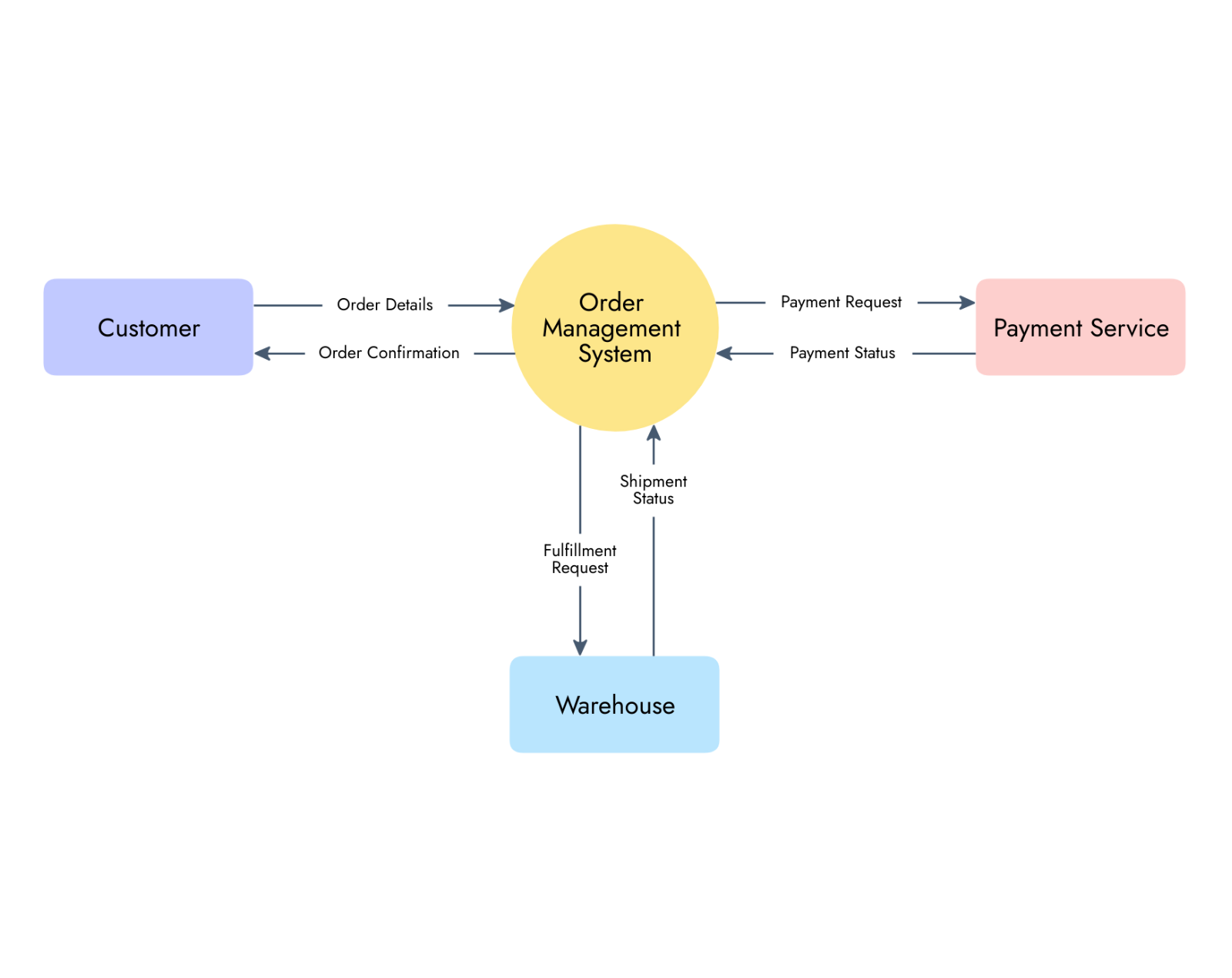
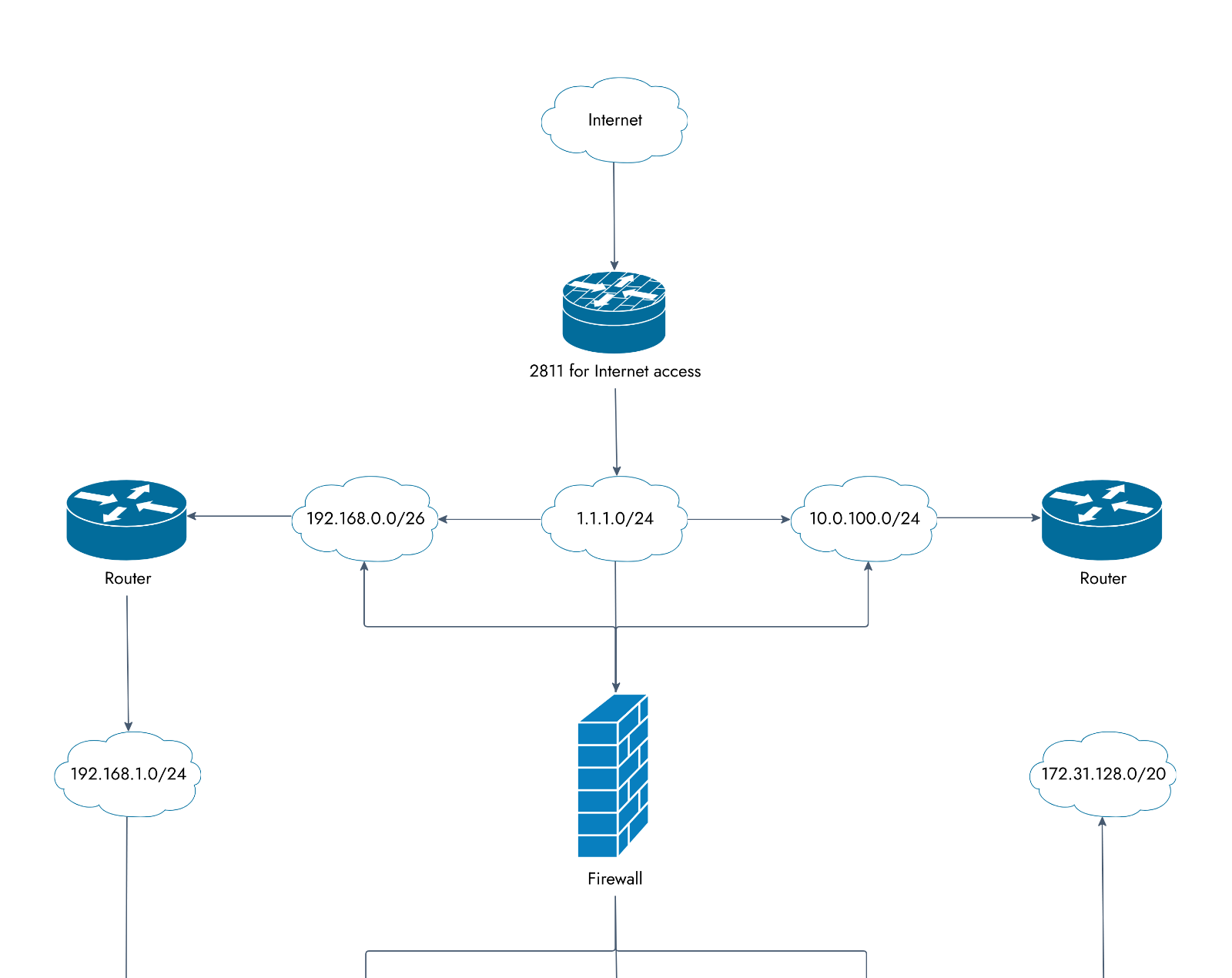


Diagrams on every plan.
Diagram frames and cloud icons are free on Basic. Paid plans add AI credits and ways to work as a team. Compare plans
| Feature | Basic | Plus | Max |
|---|---|---|---|
| Diagram frames and cloud provider icons | |||
| AI credits each month | 100 | 800 per editor | 2,000 per editor |
| Draw with your own agent (Bridge) | Claude Code, daily limit | Unlimited, every agent | Unlimited, plus connected data |
| People who can view and comment | 5 reviewers | Unlimited | Unlimited |
| Audio meetings and live presenting | |||
| Video meetings |
AI diagram generator questions.
Credits, diagram types, icons, editing and export.
Is the AI diagram generator free?
How do I generate a diagram from text?
What kinds of diagrams can AI make?
Can I edit the diagram after AI makes it?
Does it use the real AWS, Azure and Google Cloud icons?
Can I make a diagram from code or a document?
Can I export the diagram?
Can my team work on the diagram with me?
A full whiteboard in one click. Share the link and anyone joins. Boards last 24 hours, so sign up to keep one.




 Brainstorm with MockFlow MCP


