



 Carrom
 is the classic carrom board game you play online with another person. Place the striker on your baseline, aim, and flick it to pocket your coins, while the coins slide, collide and drop into the corner pockets on a drawn wooden board.
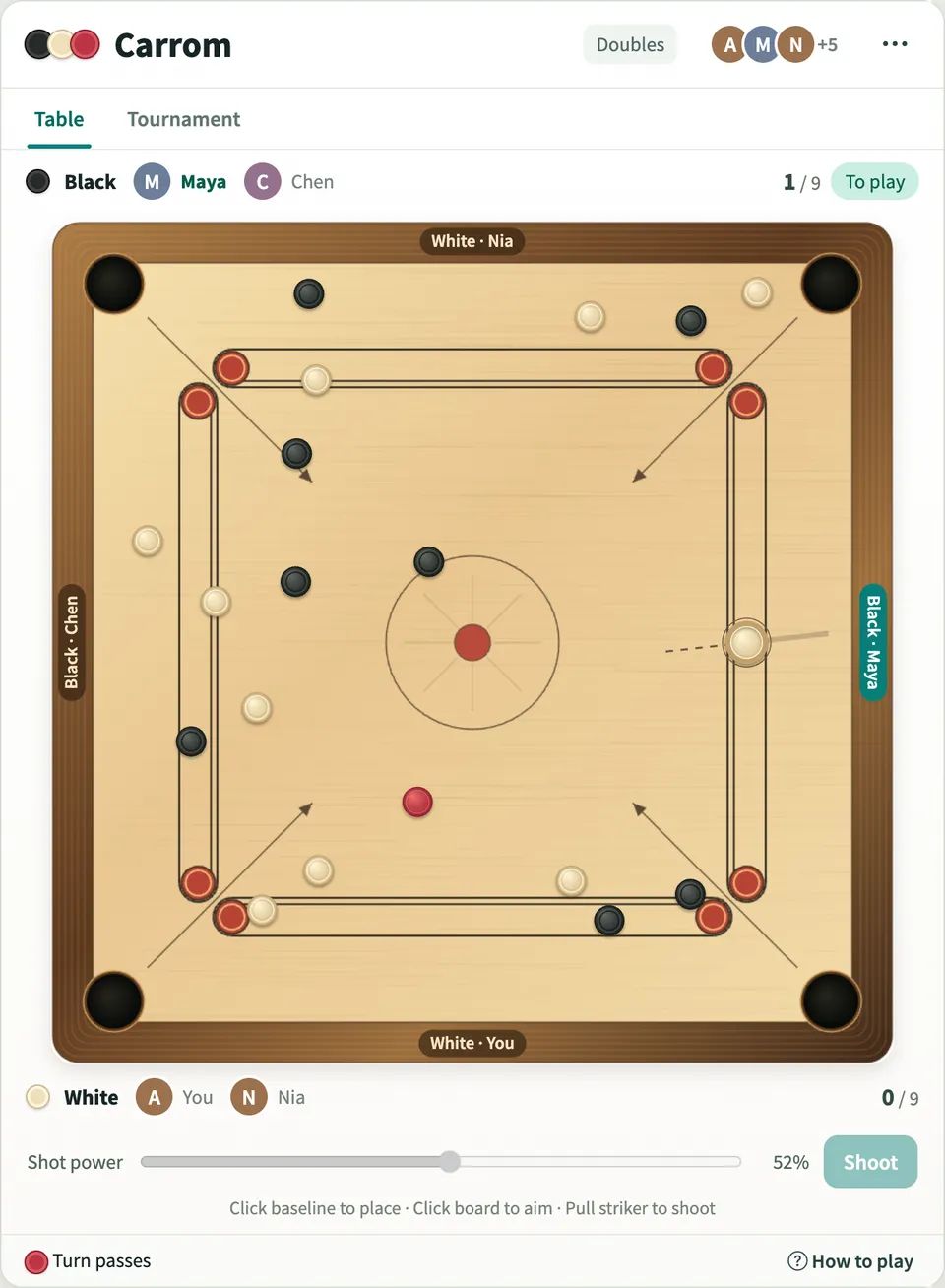
Play Carrom online together.
Two people play a singles match, or four play doubles with partners sitting opposite. Everyone else on the board watches each shot, including where the striker is being aimed. You can also practice on your own, or run a knockout tournament for four or eight players with a live bracket.
It runs on a shared MockFlow board, so a game of carrom sits right next to the work, ready for a break between meetings.
- Real sliding physics. The striker and coins slide, collide, bounce off the frame and drop into the pockets, and every screen plays out the same shot.
- Club rules built in. Turns, queen cover, striker fouls and coin returns are handled for you, and the footer tells you what happened after each shot.
- Doubles for four players. Partners sit opposite and share a colour, and turns pass to the right around the table. Every player shoots from their own baseline, and each screen turns the board so yours is at the bottom.
- Solo practice. Practice on your own from your baseline. Black coins stay on the board as obstacles while you clear the white coins and cover the queen.
- Knockout tournaments. Name a tournament, pick four or eight players and start it once everyone has joined. Matches play one at a time and winners advance automatically on a live bracket.
- Spectators. Everyone else on the board watches the match live, sees the striker move and the aim line as each shot is lined up, and can follow the tournament bracket.
- Leaderboard. Quick matches, doubles and tournament boards count toward a shared leaderboard of wins.
- Mouse, touch and keyboard. Play with a mouse or by touch, or use the keyboard: arrow keys move the striker and change power, A and D adjust the aim, and Space shoots.
How to play Carrom.
Join the table
Press Join table to take a seat. The first player plays White and breaks, the second plays Black. For four players, press Play doubles and the others pick Join White or Join Black.
Place the striker
Click your baseline to move the striker along it. A red ring means the spot is blocked by a coin.
Aim and shoot
Click the board where you want the striker to go, set the shot power and press Shoot. Or pull back from the striker and let go: the further you pull, the harder the shot.
Pocket your coins
Pocket one of your own coins to keep your turn. Miss, and the turn passes to the next player.
Cover the queen
Once you have pocketed one of your coins, you can pocket the red queen. Cover her by pocketing one of your coins in the same shot or your next one, or she goes back to the centre.
Avoid fouls
Pocketing the striker is a foul: the coins from that shot come back, one of your pocketed coins returns as a penalty, and the turn passes.
Win the board
Pocket all nine of your coins after the queen has been covered. One board wins the match.
Who uses Carrom.
Two teammates on a break
Play a quick board of carrom without leaving the board you are working on.
Four teammates at once
Pair up for a doubles board, two against two, with the rest of the team watching.
A team planning a friendly competition
Run a four or eight player carrom tournament and let the bracket show who goes through to the final.
A remote team after a long meeting
Two people play while the rest of the team watches every shot on the board.
Someone learning the game
Use solo practice to get a feel for aiming, power and covering the queen before playing a teammate.
A team social or festival celebration
Put Carrom on the board as a familiar game people grew up playing.
Add Carrom to your board.
Use on a board opens a new board with Carrom already on it. To add it to a board you already have, follow these steps. Each copy keeps its own data, so a vote on one board never changes another.
Open your board
Open the MockFlow board you want to use it on.
Add it from the Artifact Library
Click Add anything (the plus button) in the toolbar at the bottom of the board, switch to Artifacts and pick Carrom under Games. Adding it does not use AI credits.
Use it together
Click Interact with Component (the hand button), or switch the board to Play mode. Everyone on the board uses the same app, and Reset shared data clears it for the next session.







 Brainstorm with MockFlow MCP


