



 Connect Four
Connect Four online brings the classic two player strategy game to a shared board. Drop colored discs into a grid of seven columns and six rows, and be the first to line up four of your discs.
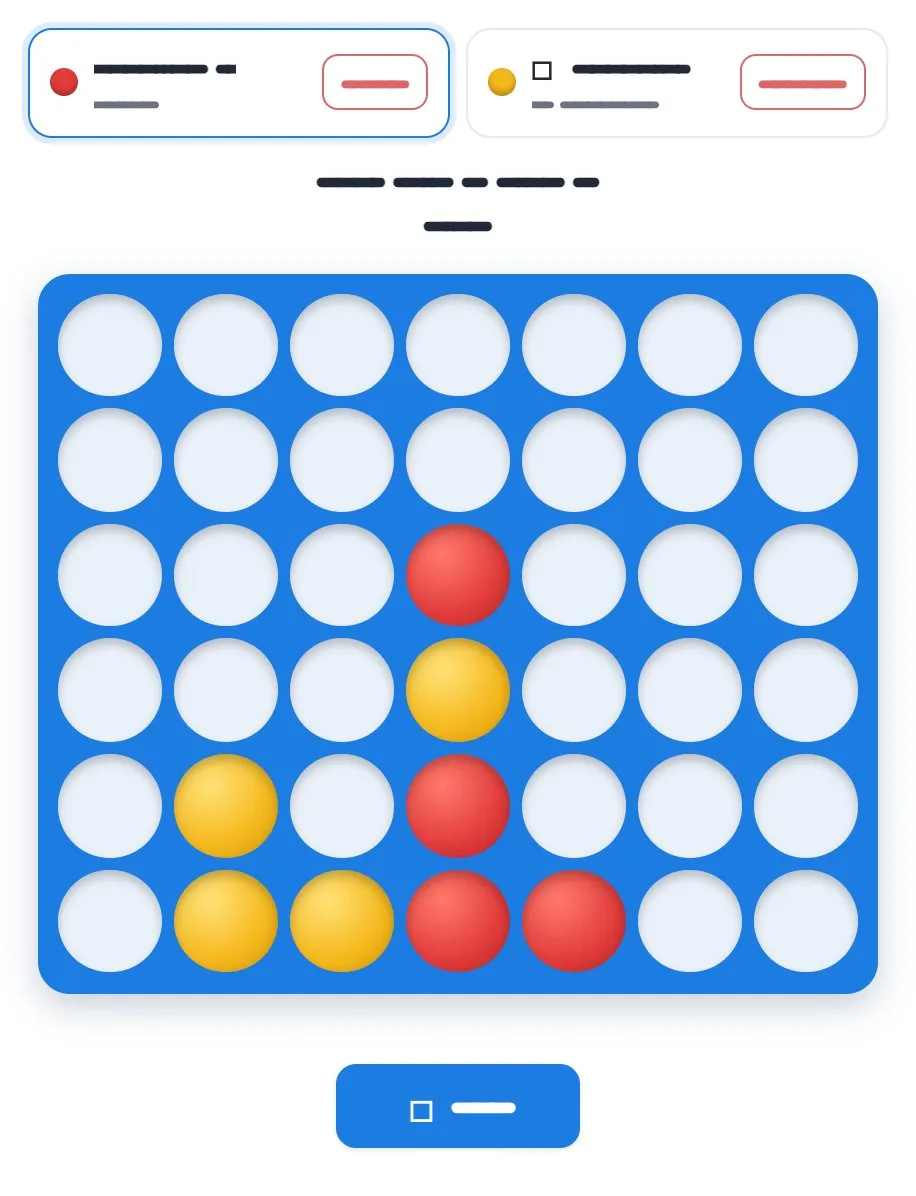
Play Connect Four online together.
Two people take the red and yellow seats while everyone else on the board watches the game live. A line can run horizontally, vertically or diagonally.
It runs on a shared MockFlow board, so a quick game can sit right next to the work, and every disc dropped appears on every screen at once.
- Classic 7 by 6 grid. The familiar board of seven columns and six rows, with discs that stack from the bottom.
- Two seats. Red and yellow seats show who is playing, and the status line shows whose turn it is.
- Spectators welcome. Everyone on the board sees the game as it happens.
- Win detection. Four in a row in any direction is spotted for you, so nobody has to check the board.
How to play Connect Four.
Take a seat
One player takes the red seat and the other takes the yellow seat at the top of the game.
Drop a disc
On your turn, pick a column. Your disc falls to the lowest open space in that column.
Block and build
Take turns dropping discs, building toward your own line while blocking your opponent's.
Connect four
The first player to line up four discs horizontally, vertically or diagonally wins the game.
Start again
Use the button under the board to start a new game for the next match.
Who uses Connect Four.
A remote team on a coffee break
Two teammates play a quick game while the others watch.
A team building session
Run a friendly Connect Four ladder with a new pair for each game.
A teacher in a logic lesson
Show students how planning ahead and blocking change the game on a board everyone can see.
Friends catching up online
Open a board, pick your colors and play a classic game together from anywhere.
Add Connect Four to your board.
Use on a board opens a new board with Connect Four already on it. To add it to a board you already have, follow these steps. Each copy keeps its own data, so a vote on one board never changes another.
Open your board
Open the MockFlow board you want to use it on.
Add it from the Artifact Library
Click Add anything (the plus button) in the toolbar at the bottom of the board, switch to Artifacts and pick Connect Four under Games. Adding it does not use AI credits.
Use it together
Click Interact with Component (the hand button), or switch the board to Play mode. Everyone on the board uses the same app, and Reset shared data clears it for the next session.









 Brainstorm with MockFlow MCP


