



 Foosball
 is classic table football you play online with other people. Pick a rod, slide it across the table and kick the ball past the other team's goalkeeper. First to 7 goals wins.
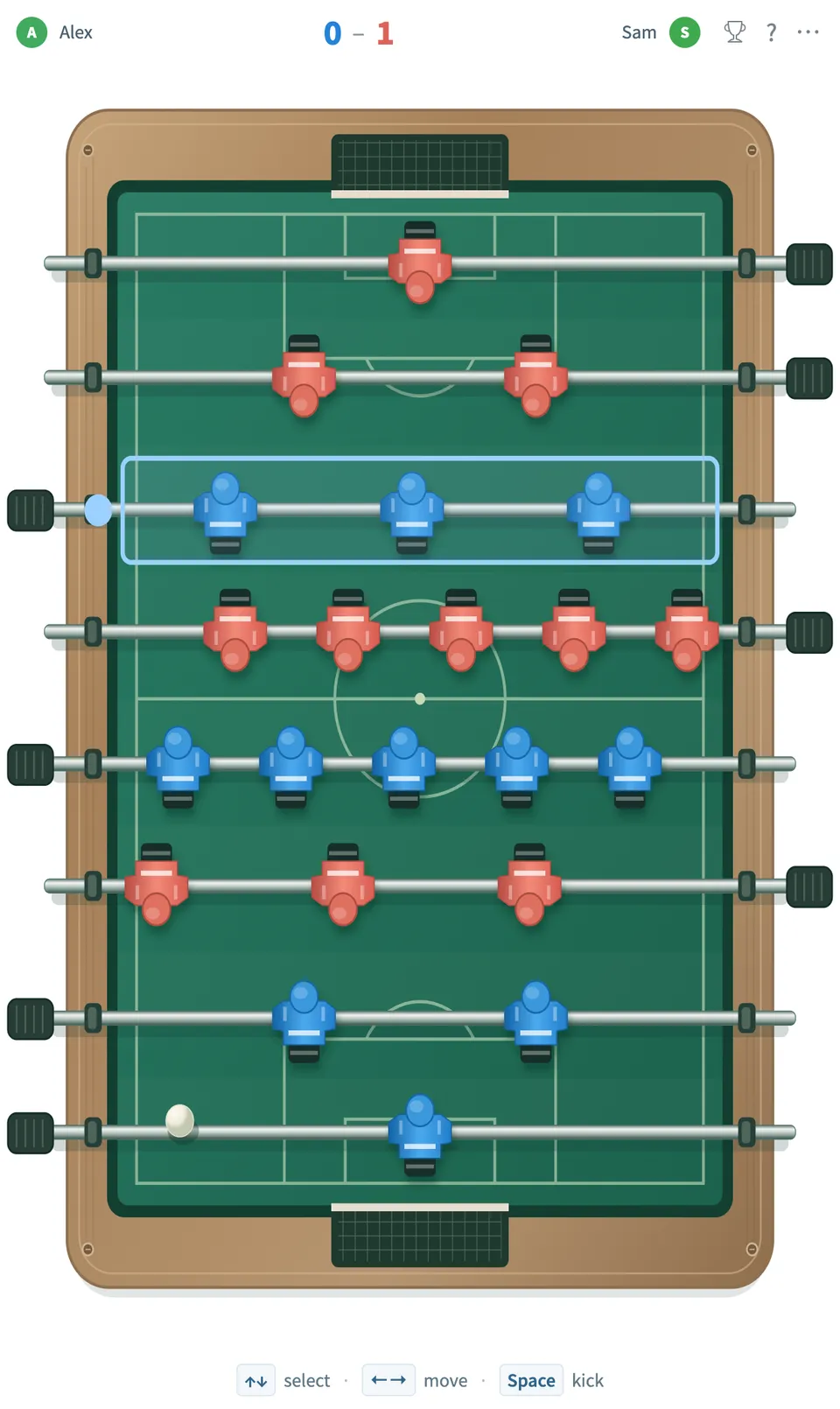
Play Foosball online together.
Two people play one on one, each switching between all four of their rods, or four play doubles with an attack player and a defense player on each team. Everyone else on the board watches live, and four or eight players can run a knockout tournament with a live bracket.
It runs on a shared MockFlow board, so a game of foosball sits right next to the work, ready for a break between meetings.
- Smooth live play. Fast fixed step physics with input prediction keep the ball and rods moving smoothly, and every screen agrees on goals and results.
- Simple controls. One highlighted rod at a time: arrow keys select and slide, Space kicks. Mouse dragging and touch with swipe to kick work too.
- Doubles for four players. Each team has an attack player on the midfield and forwards and a defense player on the goalkeeper and defenders.
- Knockout tournaments. Name a tournament for four or eight players and start it once every place is filled. Matches play one at a time and winners advance automatically on a live bracket.
- Spectators. Everyone else on the board can watch the match live and follow the tournament bracket.
- Leaderboard. Wins in quick matches, doubles and tournament matches count toward a shared leaderboard.
- Rejoin after a reload. Play pauses while a player reconnects, and a reloaded player can rejoin and restart the match.
How to play Foosball.
Pick your side
Choose 2 players or 4 players, then press Join Blue or Join Red. In doubles, pick the attack seat (midfield and forwards) or the defense seat (goalkeeper and defenders) for your team.
Select a rod
Press Up and Down to move the highlight to the rod you want to control. Your table turns so your goal is always at the bottom.
Slide and kick
Press Left and Right to slide the selected rod sideways, and Space to kick. With a mouse, drag your rod sideways; on touch, drag the rod and swipe up to kick.
Score goals
Kick the ball into the other team's goal. The first team to 7 goals wins the match.
Play again
Press Play again for another match, or start a New quick match from the more actions menu to open the seats.
Who uses Foosball.
Two teammates on a break
Play a quick match of foosball without leaving the board you are working on.
Four teammates at once
Pair up for doubles, attack and defense on each side, with the rest of the team watching.
A team planning a friendly competition
Run a four or eight player foosball tournament and let the bracket show who reaches the final.
A remote team missing the office table
Bring the office foosball table to a shared board for a team social or a Friday break.
Add Foosball to your board.
Use on a board opens a new board with Foosball already on it. To add it to a board you already have, follow these steps. Each copy keeps its own data, so a vote on one board never changes another.
Open your board
Open the MockFlow board you want to use it on.
Add it from the Artifact Library
Click Add anything (the plus button) in the toolbar at the bottom of the board, switch to Artifacts and pick Foosball under Games. Adding it does not use AI credits.
Use it together
Click Interact with Component (the hand button), or switch the board to Play mode. Everyone on the board uses the same app, and Reset shared data clears it for the next session.











 Brainstorm with MockFlow MCP


